
粉丝8.4万获赞101.0万
相关视频
 05:06
 00:52查看AI文稿AI文稿
difficult sd quantum 混音母线输出配置,我们通过右边推子层的这个翻页键选到 group 这个推子层 原厂配置当中啊,他的第七号通道就是我们的 master, 主输出在 master 这个通道最下面哦,这里有一个 output, 我们点一下它,接着我们点一下 output 选项卡, 在这边就可以看得到。当前呢,我的配置是我的主输出是从本地的第一第二路送信号出去的,还有从我的 rank 的前面两路也送出去了。 那如果现在我们选择一个 ox 混音母线,我希望他从某个接口出去也是一样的逻辑,我们选择 output 下面,然后点击这个选项卡,比方说我希望他从本机的三号端口送信号出去,那么我们就点击三号就可以了。
108温小迪-小迪聊音乐 00:35查看AI文稿AI文稿
哎,比方说现在我希望前面两个通道的接收同样一个内容啊,我们看一下如何进行设置哦?点击啊,输入一,然后呢?选择输入信号源。那我现在输入信号源是来自于输入一,接着我们再换另外一个通道, 然后输入信号源,你可以看到像我两个通道的信号都是来自于 mac one 啊,都是一样的,这里是来自一啊,那这里也是来自于输入通道一。
 01:25查看AI文稿AI文稿
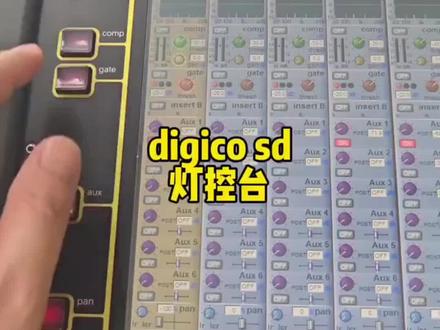
那摘下来呢就是 compaser 压缩器,我们点击压缩器之后呢,可以使用这个旋钮调整他的预值,如果说你要调整他的这个争议补偿的话呢,也是通过这两个键啊,进行上下的跳转,现在我们跳转到黄色这个小圈圈, 然后再旋转它,就可以调整压缩器的输出。争议补偿下面这个按键呢,就是对应压缩器模块的开关,也是一样的逻辑。那接下来呢,就是到了 gate 旋转这个旋钮,调整它的预值,点下去啊,调整它的开关 啊,摘下来呢,就是到了 ox 混凝母线的发送啊,点击它,我们旋转对应这些通道下面的旋钮就可以调整他们送给 ox 混凝母线的发送量,现在都是送给 ox 一,对不对?那如果你要送给 ox 二呢,我们可以使用这个按键哦,翻到 ox 二高亮再旋转啊,他就送给 ox 二啦,然后摘下去他就送给 ox 三,然后摘下来呢就是 pan 生象啊, 那么这个声像呢,我们除了可以使用旋钮来调整他的左右分布之外呢,还可以通过点击这个按键,在三种状态当中进行跳转啊,第一个点一下 去到最右边及右,再点一下去到最左边及左,再点一下恢复到中间,这种设置在进行立体成成像设置的时候是特别好用的啊,当然了,这边的组合键还有很多的功能啊,我们下次再说,拜了个拜。
129温小迪-小迪聊音乐 01:18查看AI文稿AI文稿
这张台子如何更改推子前后也是去到 ox 发送页面那边改,那现在呢,我们是处在发送模式的,我们点击送给 ox 一,你就可以看得到,这里就有个选项卡了哦,当你更改推子前后的时候,这个地方会变的啊, 屏幕左下角有一个 photon 的按键哦,要点这个按键,这个地方就可以允许你进行类型的切换了。 我们点了那个按键之后呢,你会发现这个推子前后的处理节点哦,他就会被有个小红圈圈给圈起来,我们就可以对他执行更改。如果你是进入到这个节点处理里面改的话, 他会有一个更直观的显示,我先把那个功能先开回来哦哦,如果你是在节点处理这个模块里面的话,在这个地方哦, 选中他就可以改,不停的点这个小按键,他就会在各种节点之间来回去跳转,跳啊跳啊跳啊跳。那如果你是没有开节点功能的话呢,要把这个 phone 的键点亮哦,请注意看这里哦, 我点对应的下面这个键,他就会变啊,就可以切换推子前推子后,你看我点这个键他就变了,看到没?
 01:58查看AI文稿AI文稿
回到我们的输入通道,我们可以看到呢,输入通道,这是这里是第一通道,然后这里是第十二通道。 呃,我们这在这里呢,我们点击第一通道,比如说我现在想通过我的电脑多轨来进行回放到台子里面,那么这个路由应该怎么设置呢?在这里点 main input, 然后呢我们选择到 usb 的设备, usb, 选择到 usb 设备呢,我们希望通过 usb 来做多少条回放的输入线路呢? 我希望是做四十八条,点击, ok, 然后这时候呢我们选择到 usb 一,好,现 在呢就已经依次配好了。第一个通道呢是通过 usb 过来的信号,那么第二个通道依次是 usb 二, usb 三,我们再回到四十八通道看一下。 好,这里是第四十八通道,我们可以看到呢,它是通过 usb 的第四十八通道进行的信号输入。 呃,我们接下来呢再配回接口箱,我们再回到第一通道。回到第一通道之后呢,我们依然是点这个通道的最上方,然后在 me 音谱的这里,我们选择到 rec 接口箱,然后我们希望我们配四十八条, ok, 然后我们选择到接口箱的 mac。 一,好,这个时候呢,我们四十八条,前 四十八个输入通道就依次对应了接口向上的四十八个输入通道。 呃,他的输入通道和输出通道的路由配置是相当的方便。好,今天就为大家介绍到这里,谢谢。
326丹智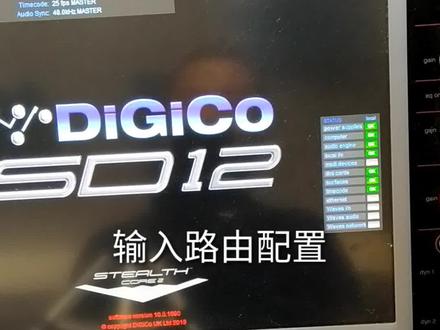 03:38查看AI文稿AI文稿
哈喽,大家好,今天我们来了解一下低级口 sd 系列调音台的路由配置。 首先我们进入到 ctop, 第一项呢有一个奥迪 oio, 通过这个里面呢,我们可以看到我们现在目前调音台已连接的一些硬件设备。 呃,首先第一项呢是 logo io, 那么意思就是我们指的我们调云台本地的一些输入和输出的接口。第二个呢是这一张调云台的接口箱 rack 一,当然现在没有连接着是 d to rack, 然后呢有一个玛迪,还有一个玛迪,那么玛迪二呢?现在这是玛迪二接口,我们可以看到,那玛迪二接口呢?我现在是没有连接着任何设备,当然我们也可以连接外置的一个呃玛迪的声卡 来进行录音和回放。第三个呢是调音台自带的一个 ub 妈的的 usb 接口,可以通过它来进行录音和回放。那么下面一张呢是我们 dmdmi 的 vivs 卡,那它的接口呢?在 dmi 一,也就是它插在 dmi 一的一个卡槽上面。 这三个打 ok 的设备呢,是显示的是已经在线的设备。如果说我们呃有一些其他其他的设备想接入这个调音台,那我们可以从这里添加我们的硬件设备。 这里有很多的列表,很多的类型,包括有单 t 卡, iv 猫的卡,还有一些自动混音的卡,包括还有其他一些型号的接口箱,都都可以通过它来进行添加。在这里添加完毕之后呢,我们关闭这个界面,回 回到我们的输入通道,我们可以看到呢输入通道这是这里是第一通道,然后这里是第十二通道。 呃,我们这在这里呢,我们点击第一通道,比如说我现在想通过我的电脑多轨来进行回放到台子里面,那么这个路由应该怎么设置呢?在这里点 a 音 put, 然后呢我们选择到 usb 的设备, usb, 选择到 usb 设备呢,我们希望通过 usb 来做多少条回放的输入线路呢? 我希望是做四十八条,点击, ok, 然后这时候呢,我们选择到 usb 一。好,现在呢就以 已经依次配好了第一个通道呢是通过 usb 一过来的信号,那么第二个通道依次是 usb 二, usb 三,我们再回到四十八通道看一下, 好,这里是第四十八通道,我们可以看到呢,它是通过 usb 的第四十八通道进行的信号输入。 呃,我们接下来呢再配回接口箱,我们再回到第一通道。回到第一通道之后呢,我们依然是点这个通道的最上方,然后在没音谱的这里,我们选择到 rike 接口箱,然后我们希望我们配四十八条, ok, 然后我们选择到接口箱的麦克一。好,这个时候呢,我们四十八条前四十八个 输入通道就依次对应了接口箱上的四十八个输入通道, 呃,他的输入通道和输出通道的路由配置是相当的方便。好,今天就为大家介绍到这里,谢谢。
306陈国梁 00:39查看AI文稿AI文稿
二二五的全通滤波器在哪里?我们现在去到任何一个均衡器哦,把它这个 m 点亮哦,切换到芥末处理这个模式,点这个 m 点击均衡器中间这两个平点是可以切换成全通的,在这里 现在就变成全通滤波器了,我们可以对全通滤波器的中心平点还有他的带宽进行调整。那一般来说会用在乐器类的处理会比较多了, 比方说军鼓上啊,军鼓下啊,或者是军鼓跟 overhead 上面的一些相位上面的藕和处理哦,可以尝试性的使用全动滤波器看看。
 05:31查看AI文稿AI文稿
my name is dan page and i'm a digico sales application specialist we're here today with the sd consoles to have a look at the wide range of dynamic processes that we offer the stealth digital processing engine found in all sd consoles provides engineers with a unique set of dynamics processing options from the industry leading sd seven down to the small and powerful sd 11 you'll find the same dynamics processing tools on every single one of our consoles traditionally engineers requiring dynamic processing that's dynamic eq, multi bank compressors dsrs had no choice, but have racks of outboard effects these days there are plenty of dsp based plugins that add this type of processing to other consoles, but they're add ons they cost you money and the number of instances the number of times you can use each of them can be pretty limited so what does digico have that the others don't every single sd console includes native channel processing that includes these essential dynamics processing tools no expensive plugins to buy no outboard racks to connect just the tools you need exactly where you need them on the flagship st7 we've squeezed all of our unique dynamics processes into every single channel all two hundred and fifty six of them inputs, outputs, orcses groups and matrices this amazing power and flexibility means you never have to worry about not having the right processing where you need it if we look at the other consoles we provide the same toolbox of processing dynamic eq, multiband dynamic compressors, dsrs and it's all still native channel processing and for each of these consoles from the new sd5 here down to the compact sd11, you have a free choice over where you use each of these dynamic options let's use the st9 as an example you can enable dynamic cuckoo, simultaneously on any eight channels that could be input channels or output buses, mono or stereo makes no difference just any eight channels and the same goes for multi band compressors any eight channels can have these enabled this clever dynamic assignment of available processing allows you to choose when and where you use them it's worth remembering that all of these sd consoles have a comprehensive set of standard dynamics processes on every channel including two single bank compressors again a ducker and a dsr so let's have a quick look at the processing options in more detail and how they may be used to make your life easier and your mixes sound better starting with dynamic eq we have the ability to turn individual bands of eq into a dynamic eq module, but what does this actually do and how does it help you with standard parametric ecolisers you dial in your eq and it affects your audio in a fixed way irrespective of changes to the input source, but if we're dealing with dynamic sources, vocals or an acoustic instrument then the nature of those instruments can change dramatically with volume and a fixed eq is no longer sufficient a singer might have a nice voice rinsing and normally, but when they sing loudly the characteristic of the voice might change and different eq is then needed dynamic eq is the perfect tool to deal with problems like this it allows us to gradually apply eq based on the incoming signal passing a predetermined threshold the level of which the eq starts to take effect and from that point the further past the threshold the input signal goes the more eq is applied it's usual for this type of eq to be plied as a cut removing unwanted frequencies when the fresh hold is reached, but the flexible nature of digico's dynamic processing allows the user complete control over how and when the eq is applied all sd consoles also include multi band compressors again let's take a look at what this actually means and the advantage that it gives you over a single band compressor a single broadband compressor reacts the loudest signal coming in an entire mix is reduced in level as a result so as an example allowed kick drum could result in the entire mix getting squashed this intermodulation issue is often called pumping and the problem is perfectly solved by the multi bank compressor the digico multi band compressor is actually three single bank compressors built into a single unit the incoming signal is split by a pair of crossover filters into three bands, a low band, a middle band and a high band and then we compress each of these independently any excessively loud signal that comes in will only affect the band it is in allowed kick drum from earlier would have result in a game reduction in the lower band, but the middle band and the high band will remain unaffected the problem of pumping has gone we've looked at two examples of how digico's dynamic processing can help you solve real world mixing problems without the need for additional racks of equipment or expensive add ons every sd console provide you with the dynamic options you need with dsrs compressors gates and duckers on every channel and the choice of dynamic eq and multi band dynamics digico won't leave you wanting more。
19小张同学🎚 00:15查看AI文稿AI文稿
从新建开始开始吗?啊?你说啊?看嘛?先从这,然后在这里建一个新的,然后这选一个,先要把它返回,返回到这个最初始的界面,然后这可以选择他的通道数。
71漫步


