xdj-rx3固件升级教程

粉丝483获赞5898
相关视频
 00:57查看AI文稿AI文稿
今天更新一下 r x 三的固件,进入官网,鼠标放到支持,点击软件固件更新,往下滑动,找到对应的设备, r x 三属于一体机,找到 r x 三,点击进入,点击下载链接,等待下载, 下载好打开文件夹,双击解压文件,把文件拖拽到 u 盘里就可以。按住 usb 加 i 长按,然后开机,屏幕出现提示后 把 u 盘插入 usb 端口,然后等待屏幕出现更新条,正在更新中, later 更新完成,直接关机即可 再次开机,长按设置查看是否更新成功,旋转到最下边可以看到升级完成,快动手试一下吧!
133米罗 02:08查看AI文稿AI文稿
好,大家好,今天我们来讲一下那个 i x 三的叉 d j i x 三的这款机型的那个固件升级怎么升级?首先我们准备一个空的优盘啊,空的优盘 u 盘里面把那个固件 安装啊,就是下载到 u 盘里面这个叉 d j i x 三 upd 的这个固件,最新版本的这个固件啊,装到优盘里面一定是一个空优盘啊,好,我们把它准备好了,准备好了把这个优盘推出去,推出去就准备 准备升级固件啊,首先我们是首先,我们呢第一步是按住这个 loop 键, 都不叫它开关键,然后再按住一个 usb 一的这个推速键,然后我们按开机开机,不要松手啊,按住不要松 松手,开机开机屏幕上,嗯会显示,直到屏幕上显示,将 usb 储存设备连接至 usb 一代一代接口。好,我们就把这个准刚刚准备好的这个固件文件插到 usb 上面, 好,插上去。 好,屏幕上开始升级,升级构建好,等待这个进度条,完全升级至百分之百,那么就升级就完成了,那我们耐心的等,等待几分钟就可以了, 中途中途机一定要 记住不要断电啊,升级的中途不能断电的。好,现在已经升级完成了,然后固件更新完成,使用前请关闭电源,按照提示来操作,从一点一二升级到一点一三的版本的最新版本的 igg 固件的。好,现在我们关闭电源。 好,把 u 盘拔掉,那么这台那个叉 d 加 r 叉三的那个固件升级就完成的,谢谢大家。
97荣达DJ设备 05:44查看AI文稿AI文稿
先锋 xdjix 三部件升级教程全网完侦办!哈喽,大家好,这里是山东临沂骑士 dj 俱乐部,今天跟大家讲解先锋 sdjrx 三这款机器如何升级最新版本的部件。 如果说您购买了这个偏锋 sdj r s 三不是最新版本的物件,那么有可能会导致我们的机器 不能和我们电脑进行一个连接,也就是说比如说斯莱特软件, read boss 软件啊,他所兼容的这个软件。如果说您这个机器不是最新物件版本,或者是您的电脑软件不是最新版本,可能机器无法正常使用,这是第一点, 第二点,那么这个机器如果说不是飞行版本,那么有些功能可能你无法正常使用,或者是在你使用的时候会出现一些问题,或者一些 大啊,可能你以为是机器问题,那有可能是它固件的问题,那么我们都可以进行一个固件的升级来解决这个问题。如果说固件升级了还不能解决这个问题,那么有可能治理这个机器 存在一个时间的问题,那么你可以联系您购买机器的一个经销商,也可以联系先锋中国的一个全国售后啊,进行一个解答。 那么如果说是购买的我们的产品,可以联系联系我们的这个客服进行一个解答啊。那么我们现在就来教大家如何把这个机器进行一个共建的一个升级。 那么在这个固件升级之前呢,我们要准备一个空优盘,然后把我们的固件拷贝到我们的这个优盘,然后准备好之后,我们的机器要处于关机的一个状态 啊,关机的一个状态,要注意哪几点呢?第一点我们的机器只能连接电源啊,然后 u 盘不能插,然后我们后面的数据线也不能插,也就是说只能连接电源,连接电源,然后我们准备好了这个优盘呢, 先准备好,不要急着先去擦,然后我们记住啊,最重要的一点来了,然后我们打开这个优盘的这个, 这个这个防尘帽,打开之后呢,然后两个按键要记住要在 usb 上进行操作,千万不要插到 usb 二, 比如说我们这个固件升级铃盘一定要插到 usb 一啊, usb 一,然后在这个 u 盘的插口下面一个 usbstop 啊,也就是说我们退出优盘的这个按键,我们按着他不要松手啊。 其次呢,我们再按这个落口循环这边这个按键啊,看清楚这两个,这这个跟这个这两个按键同时按住,不要松手,然后我们再按开机, 不要松手,开机,你按了开机可以松手,但是这两个按键千万不要松手,千万不要松手, ok, 直到你的屏幕上提示啊,有这一个蓝色的提示框,他提示是什么意思呢 啊?然后固件升级准备就绪,请插入你的 u 盘,插入到 usb 一啊,这是个提示,一定要记住啊,插到 usb 一,这时候我们把我们有固件的 u 盘插入 usb 一,插入进去之后不要做任何的操作来等待, 这时候机器会来读取我们这个优盘里面的固件,看到了吗?现在已经进入了优盘啊,这个固 键升级这个界面我们可以拉近一点看, ok, 现在的版本是一点一二,最新的版本是一点一三,也就是说现在正在升级的版本是一点一三的版本。 ok, 我们这时候就要耐心的等待啊。首先上面三个已经全部升级,百分之百升级完毕了, 后面这两个还没有升级完毕,我们要等到他全部升级完毕,这时候你的机器一定不要关机,不然你你的机器就会变成板砖,就会无法开机,无法正常使用啊。这时候不要做任何的操作,也不要拔油盘,就耐心的等待,等待这个进行条全部完成。 ok, 升级完毕之后,屏幕上会有提示,这四个进度条分别全部达到百分之百,然后出现蓝色的提示框,说明已经更新完毕啊,已经更新到最新版本,这时候我们再来 关机,关机之后把 u 盘拔出,然后再开机。 开机后我们来点开系统设置长按,然后通过滚轮拉到对底。我们来看一下现在的版本是一点一三最新版本, 我们升级前的版本是一点一二,那么我们现在的最新版本就是一点一三啊。更新完之后你可以来使用一下,看一下有没有解决您之前遇到的一些问题, 如果说没有解决,那么你就要在耐心的等待一下,可能你现在发现的一些问题官方还没有发现,官方的这个工程师还没有发现啊,那如果说解决了,那就是这个物件的问题 啊,如果说还有个可能就是你机器的问题,也可以联系一下你的经销商进行一个了解啊。 ok, 今天我们就到这里,如果说您对这个滴滴设备有感兴趣,想购买滴滴设备,想了解滴滴设备的一些资讯啊,一些教程,欢迎关注我们,也可以联系我们, 感谢大家的关注,这里是山东临沂骑士滴滴俱乐部。
139山东临沂骑士影音娱乐 01:17查看AI文稿AI文稿
a dj have released a firmware update for their new xdjrx three this is how you update the firmware search on your browser xdjrx three firmware the download page should be the very first result when you see xdjrx three firmware click download link now head to where the download is an unzipper then after that connect your usb drive and drag it in make sure your usb drive is formatted to fat thirty two then head over to your xdjrx three make sure it's off and all other usb devices are disconnected then turn on the power while pressing both the usb one stop and the relooped exit buttons simultaneously and then release the buttons when you'll see a message displayed on the screen connect usb storage device into top usb one port and then plug in your usb the update will start straight away represented by the progress bars don't disconnect the usb or turn it off during this time when the update is finished turn off your console disconnect the usb then turn it back on again and now you have the latest firmware on your xcjrx three。
 00:56查看AI文稿AI文稿
我是回收碟机的三七,今天给大家录制一期来自我们的阿叉三,我们的升级固件以及我们的软件啊,因为最近很多老铁经常问到用到阿叉三的时候连接电脑连接不上,那么今天给大家介绍一下我们的阿叉三升级固件。 首先你得准备一个呃格式化的优盘啊,一定要空优盘,拿到我们的固件之后保存到优盘,然后把我们的碟机插到我们的 usb, 切记啊 usb, 然后同时这个两个按键按到 开机,然后我们的自动叠机固件会自动升级,请看到这个 空调,然后进行完毕之后就升级成功,然后就可以进行我们的与电脑去连接,然后我们的碟机隐身到一点一五最新固件,然后我们的那个 boss 软件需要达到六点六三以上的才可以兼容的啊,然后我们的本期视频就拍到这啊。
67回收打碟机的山鸡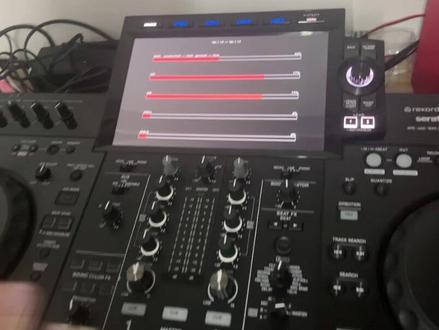 01:00查看AI文稿AI文稿
来,哈喽,大家好,今天我们教大家如何更新我们叉 d j 阿扎莎固件,然后我们呢?按着我们 usb 口,呃,第一个键啊,按路谱选完一起按,然后开机 不可以松手。这边 拿来我们的叉 m 的优盘 啊,现在已经开始再更新了,更新完成之后他会跳这个键,界面已经完成,然后就关机就 ok 了。 s, 我们现在已经完成了,直接关机。
 02:36查看AI文稿AI文稿
xd 最高 x 控制器,风仔测试使用耐克八克,竟然有些电脑读取不了,风仔已经安装好驱动,别急,也显示连接了电脑,就是不受控制。然后我看看是不是固件太老问题。 长安朋友圈可以查看酷建版本,现在是第一点六版本,有点老了,我们然后打开百度搜索 x d j l x 酷剑, 现在官网版本是二点二一版本,我们要把固件文件下载放到空优盘,下载好就拉过去空白的 u 盘, 拉完后拨掉又盘叉去点击你的 sva 接口,点击首先关机状态,然后按着路跑死他吧! 电源键三个键同时按,然后出现进度条,可以双手等待固件升级完成,现在是一点六升级,二点二一版本升级完成关机重启就行。 然后我继续测试为什么读取不了我的电脑到底是不是固件问题呢? 别击还是一样正常出现一连击,但就是控制不了, 曲东也正常读取,点击也显示已经连接,就是控制不了。 峰仔开始怀疑是不是这个电脑系统识别不了的问题,我马上换另外一台电脑就可以了, 有大神知道什么原因吗?风仔继续研究电脑系统问题,已经试过部分电脑,有些可以,有些不行。
337晋升Dj器材-锋仔教程号 02:06查看AI文稿AI文稿
今天我们来讲解一下 xdjsj 一体机构建升级。 首先我们来查询一下这台机器的部件版本是多少,按住菜单键选择最底部幺点幺幺版本,现在最新的版本是幺点二四版本,我们来升级一下 机器,在关机的状态下按住如此按键和 usb, 在机器没有通电的关机状态下,按住路谱按键加 usb 按键,两个按键同时按住,然后打开电源开机, 这个时候显示屏上有个提示,开机之后显示屏会提示你将腰盘的固件连接到 usb 接口,这个时候我们可以把 usb 的修线直接连接打结机,让它自动升级固件。 ok, 现在把我们的这个优盘刚才已经下载好了,酷炫把它直接连接到随机的钥匙进口一上面, 连接优盘之后他会自动升级加载,这个时候我们耐心等待,这个时间有点长,大概需要几分钟我们就快进, 现在我们可以在屏幕上看到开始的版本是幺点幺幺,升级之后是幺点二四最新版本, 固件更新完成,现在我们可以电源关闭,重启打连机就可以了, 我们现在重新开启打电机,检查一下它的部件是不是 选择菜单按键,按住三秒钟他会自动弹出旋转,现在是可以看到一点二十最新版本的,估计升级完毕。
 01:06查看AI文稿AI文稿
像我这个是二叉三,还有 rx 三,我们要把它点到这个踩上键。 ok, 把音量推上去,然后我们把喇叭打开,这个喇叭打开,这个是踩上键的那个功能键 一样的按烟,按烟,然后这个打打到一半就好了,这个音量,然后我们把这个药的效果拖到八个,八个这个相对应的八个打气垫,一二三四五七八这样子, 然后拖进去,拖进去,拖进去,然后按一下, 嘿嘿嘿嘿嘿嘿。 声音的话他单独可以调制声音的,在这里单独可以调制声音的啊?大声一点,这个是单独可以调的声音,把它拉过去,这样子。
773🌈开关机的Dj小玖 26:02查看AI文稿AI文稿
pine dj has just announced the update, we've all been waiting for introducing the brand new xdj rx free hi guys welcome back to crossfit and my name is holland and today we're taking a closer look the brand new xdj rx free by pioneer dj the rx free now features a brand new ten point one inch touch screen with a brand new cdj three thousand style interface there's brand new jog whales within built displays in them new performance pads complete with new performance pad modes which include gate q and release effects and then finally the mixer section has been updated with more beat effects and two new sound color effects taken straight from the xdj exit and unlike the rx to the rx free will actually support serato dj pro or lock in the software for djs to use with this unit now that support is coming early next year however, this unit will also unlock rekorbox six performance mode and that'll be available straight away, but there the key features there's a lot more to dive into so let's first take a closer look at this amazing touch screen so here it is the ten point one inch touch screen fitted to the rx free now this screen is very very big it still uses the resistive touch screen technology so unfortunately it doesn't have capacitive touch screen so it uses the pressure of your finger on the screen to register where you're touching this is the same as over previous pioneer dj touch screens, but it does mean that it won't feel like a phone or an ipod you can't go swiping or using multiple touch gestures on the screen that said there is the advantage that you can use this with slightly damp hands and it won't start getting confused to where your finger is now this touch screen has been broken down and utilized very very well by pioneer dj and the first thing to know is when you finding and browsing through your songs you greeted with the same interface as found on the cdj three thousand models now this is great it's big, it's chonky it allows you to navigate through your usb sticks very very easily with these big buttons here and you can just browse to your heart's content using the touchscreen itself of course we do have the rotary and coder over here should we want to use up and we also have dedicated hardware keys up at the top to jump to certain sections now if you head to the playlist section up here using the dedicated hardware key there's a brand new feature within the rx free called playlist banks this allows us to save four playlists into these available for banks at the side here and quickly navigate between them so if you've got usb sticks with lots and lots of playlists on them you can actually go in to your playlists find a playlist you want say this and save it to a bank you can then load up some more playlists add them to the bank again just like so, and then what will happen is rather than having to navigate through all your folders and all your playlists i can now quickly jump between these playlists just by using these four shortcuts on the sides we can also delete them out as well by pressing this delete button down the bottom so for example that bottom one that didn't have any tracks in this is a really handy feature however, i do think it could have been implemented slightly better the banks for example they just say bank one bank to bank free they could have had the name of the playlist maybe show underneath there which would have made it easier to remember which one is which also you'll notice that this these playlists have all shown up green because they're coming off my green usb stick usb stick one, but if i go to usb stick two here head to the playlist section we get an additional four banks for that usb stick there's no way at the moment to currently swap between them and just have one bank used to usb sticks which i think would have been much more useful i could have had a green playlist here a red playlist here and just dive between the two usb sticks so that is a bit of a shame that said when you are navigating through your playlist as you can see here you are able to see a lot more information on the screen itself and that's because we now have more real estate we can actually see twelve songs over the previous eight on the last rx dj player on top of that we can actually use the waveforms on the side of this brow screen to preview the tracks all we need to do is have this brand new cue button on the headphones eliminated turn your headphones up and when you press the waveform itself you can browse through that track listening to it in your headphones this is great allows you to nail down which track this is so is this the remix that i want make sure it is before i have to load it into the deck loading it into the deck is very simple as you can see here we have the load buttons on screen or we have the dedicated buttons down here as well we can also open up the info tab where we get a lot more information about each track which is great to see once you have your tracks loaded into the deck as you can see you greeted with the brand new free band eq waveforms now these can be changed back to the traditional blue or the rgb settings, but these were first seen in the cdj free thousand and it's nice to see them here on the rx free the screen is broken down into some very clear sections at the top, we have the top way from of course this also shows the sauce of the track the key is in and how many bars have you know progressed through the track and then we have the same information for the way form for the second deck just underneath there and then at the bottom we obviously have the overview here we can see the time remaining or elapsed we got the bpm our pitch range and we've also got the overview way from at the bottom here the nice thing about the overview away from at the bottom as well is that if you have analyzed your songs with the phrase feature in rekordbox you can now display this on screen as well, you can of course use this as a needle search as well, so you can skim through your trucks just here using the screen itself all very slick and very easy to use so just above the overview section, we have a brand new area of the screen and this is divided into two sections we've got status and beat effects so as you can see the moment is in status mode and what it is displaying on screen is the mode that the pads are in and also the divisions or the actions that the performance pads themselves will take so as you can see we're both in hot cue mode at the moment and if i was to place a hot cue you can see that hot cue appear on screen you can also delete them off and it will remove it from the screen and this works across all of the power form its pad modes so if i head into like a beat jump for example you can see the divisions of the beat jump there, the same with the loops or the release effects it just names it all on screen on top of that we have the ability to slide over into beat effects mode now, this is one of my favorite features of the brand new rx free unit what beat effects allows us to do is to navigate through using the hardware controls on here to our favorite effects so let's say my one of my favorite effects is a one b echo and then what i can do is i can press on one of the four spare banks here on screen and save that echo there and then let's grab some more effects i like using so let's say for example let's go to a plunger and then let's have that at eight beads we'll save that in just get a delay let's do that half a beat save that in and let's have a reverb i will save that in as well now, whilst i'm dj without having to worry about anything other than the select function here which deck i'm selecting for the effect will be applied to i can actually flick through the effects and jump straight to my favorite beat division of that effect just by pressing the button on screen so for example if i get a track play i can simply press on the echo for example turn the effect on and it's as simple as that, but let's say i want to flick between the two so i'll get the echo going again to the delay 啾啾啾 so this functionality it allows us to quickly not worry about you know having to wind back to our favorite effects and then dial in the beat division it will just work instantly flicking between here it's a real time server something i love now on the right inside you might have noticed that we actually have an on screen expat now the x pad works the same as x pads do on the djm nine hundreds it's a touch screen interface which will apply the effect as soon as you touch on the screen so if you notice here if i touch on screen the effect turns on, but i can also drag my finger across to change the beat division so that is the status section and the beat effects section on the itself i think it's absolutely brilliant i really do now the screen can do a little bit more of the top left hand corner we have a timer this is a countdown timer so save for example you're wanting to hit a certain song by certain point or maybe you've got on a midnight coming up on new year's eve you can type in account down timer how useful this is for people i'm not quite sure i think with all got phones on those these days and we can all use the countdown functionality in our phones, but it's great to have a backup the other thing i will say about this system is that you know if i dial in say for example one minute you'll see that we have the countdown in the top rock and corner which is fine, but nothing really happens when the countdown reaches zero there's not a big alert on screen there's no you know way of knowing your deck start start flashing to warn you that you come into the end of your countdown there's nothing really to alert you and when it's such a small thing in the top left and corner i've got to question the functionality of that it's a nice idea, but i think the execution has been let down it really needs to let you know that you coming down to that time a bit more on top of that and then built clock would have been ideal you know being able to set it to midnight not everyone's gonna be able to figure out to the second when midnight is going to come so it's a nice idea, but i don't think it's something that's gonna set the world alike moving on to the brand new jog whales on the rx free now these are the same size as the previous generation rx models meaning that they're not full sized cdj jog wheels they're also not mechanical so they don't feel like the ddj one thousand or any of the cdj models or the xdjx said these remain controller style jog wheels which are capacitive and rely on the electricity in your body touching the top surface to know when you're touching the top of the deck you don't have to push them down now these jog wheels do feel buttery smooth i've got to hand it to them and they've also got the in built screen now these jog wheels for all intensive pepsis are the exact same as those found in the d d j eight hundred we do have jugger just on the x d j rx free, which is nice to see so we can crank this up heavy and have quite a firm jog wheel or we can go all the way to light and have quite a long spin on there the screens themselves will display key information like the vinyl mode if you've got beats incon and also if you've got slip on as well, there is a needle and a cue position since icon in there as well, but that's about all they display unfortunately unlock the ddj one thousand you can't display way forms in there, there's no b p m information in there the only thing really that will show is if you have a loop it will show you the loop value in the screen now you can change out the pioneer dj and the record box logo for a custom image of your choice so all you need to do is head into the settings make sure you've got the setting set to image on jog display to custom image like that then when you load in a track it will show an image that's been saved to either of your root directories on your usb stick this has to be eight hundred pixels by eight hundred pixels i believe and saved as a jpeg but when you do that and you load a truck in as you can see you get the custom artwork and this does show between each usb stick so if i load a truck off this other usb stick you will see that we actually have a different image display on screen so it's really easy to know which usb stick that tracks coming from so nice little feature there included in the jog wheels moving on to the performance pads on the rx free now we do have brand new pads here these are pretty much the same as what was found in the x z they're fully illuminated now rather than having that little square cut out of them and they also feel a bit more tactile i think they're a bit higher they just feel better than the rx two parts now for the first time we have secondary pad layer modes which is great seeing offers up a huge range of new possibilities on this player so moving on to the performance pad modes of course we have hot cues these operate like all pioneer hot cues have done before so when you press the pad the track will play from that point however, because of that secondary part layer mode we can press our hot cube button again and we're now in gate cue mode now gate cues are great for anyone who's ever played on serato dj pro basically instead of just playing the song from the hot cue it will only play the track while last ever you have the pad held down so you need you to let go it'll jump back to the beginning so this is great for djs who like finger drumming because you can set up a few different hot cues on different sounds and then you can bounce between them so gay cues are finally a thing in pioneer dj equipment which is great to see of course if you were using a controller with rekarbox and performance pad mode you could change that in rekarbox but you could never do it on a standalone piece of equipment so i'm really pleased to see that in here moving on to beat loop now these are just auto loops and on the first pad mode we can go from a quarter beat all the way up to thirty two beats, but if you press the part mode again we end up with triplets and odd signatures so this is really cool that you can start doing auto loops with say a free beat loop or a triplet whatever, you want and this can be really handy for transition in between how to music and draw my bass things like that you can just press that and instantly have that division perfectly on beat with quantized turned on moving on we've got slip loop now slip loop is just a roll a traditional roll and on the first pad mud we have our traditional beat divisions are regular four by four time signatures lit up in blue, but we also do have some triplets and odd time signatures lit up in wide here as well so again pioneer dj have given us a lot of flexibility here when it comes to the time signatures that are available to the dj pressing on slip loop again actually takes us into a completely separate section we now have release effects these are a brand new way of adding buildup and energy into your dj sets and they're very very clever the work just by holding down the pad and it will apply and effect these effects are completely in the channel itself they're not post fader so if i use the echo out for example, it will echo out whilst looping one b however, if i try and pull the channel fader down that echo will just be cut off straight away, so these are cool effects that manipulate the truck whilst applying the effect they're a bit like pad effects in record box performance mode so i'll just give you an idea of what we've got here we've got a vinyl brake on the top left hand pad now underneath, we have a vinyl break which is longer and then we have buckspin shot, we have buckspin long we have echo out this applies a one beat loop last accurant the track out we have build up as you can see there that loops the track half the loop, but then it released the effect as well even though i still held the pub so you need to get your timing ride with this one we have mute this simply mutes the deck was over i hold the pud down and then we have a ducking, which will duck the volume of the track automatically depending on the bpm of the track and it will duck that volume all the way out until the track can no longer be heard when you let go it jumps back in so they're the release effects really cool brand new feature within the rx ray and something that i hope is moved on to other units as well finally we have beat jump again we just have beat jump values from one beat forward our back all the way up to eight beats forward our back and if you press the pad again smaller divisions on the top parts and bigger divisions underneath being able to jump all the way over to sixteen beats so shame there's no thirty two beat jump on there, but again it's not the end of the world so moving on to the mixer section of the x free it's got everyone you lay out you can see here that it's actually painted slightly different as well, we've got a nice dark black now to contrast against the brushed aluminium feature here on each deck section makes it look again more like a pair of cdjs and a djm nine hundred talking of the djm nine hundred next to mixer we have all the beat effects from there now inside the rx free the old rx too only have some of the key beat effects, but now we've got brand new effects in here i think there's eight new effects in here basically it brings it on pa with the xdj x that as well, so we've got the helix the vinyl break the pitch everything's in there now, we've also gained two brand new sound colour effects gain from the x z in the nine hundred nexis two so we've got space and also crush now on the sound effects which can be applied to either deck using the color knobs here we do have a q button for our headphone section down here this can be used with the pro dj link network if you're using a computer connected over the ethernet, but it also allows that touch preview on the screen itself the auxiliary section has been tidied up a little bit and made a bit more beginner friendly the old rx, two had off zero db and plus twelve db options for the auxiliary input with a dedicated trim control now we have off line and portable so essentially this is making it a bit more beginner friendly line of course being a line level device something like your cdj if you have a spare cdj player i'm portable being connected to say a mobile phone something like that because it's gonna apply a twelve db boost signal to make sure the volumes coming through correctly we do also have a signal light now so we know when we're getting signal through so if you've got a dodgy ox cable and you're not sure if it's a player or the device you're using the signal light now can help you out in that in that regard and we do have a dedicated trim as well around the back just talking about that portable connection there is now three point five millimeter auxiliary input as well, so we can just use a regular ox cable to connect things like mobile phones directly into the deck apart from that it's much the same with this mixer we've still got the very nice pioneer dj faders it's not a magvel fader or anything like that, but all these faders feel really nice the knobs feel really solid and chunking it's exactly what you've come to expect a pine dj units uh open till now the v u meters have been updated these are now very very clear indeed nice and bright the only downside i could slightly criticize this mixer with is with when you're up top here selecting your sauce if i select line or phono to connect to c d j or turntable in the on screen connections here don't change it doesn't tell me that this child isn't gonna come through the deck it would be nice if like some of the pioneer dj controllers that this could have said in use or through or you know come up with some kind of warning on screen to let me know that in fact i need to go back over and turn the sauce back to the internal decks some other minor changes that have happened on the unit include the removal of the vinyl speed adjust now we just have a dedicated button on or off to change the speed of the vinyl brake we now have to go into the shortcut section here now this does have loads of really cool handy features in here, but this is where we change the vinyl speed adjust here we can turn it on or off on the screen and change the speed it slows down now this is done per deck as you can see so i can have a different speed on this deck to this deck talking of separating the decks finally we do have independent quantize on this all in one unit so i can have quantized on the right and deck, and i have quantized turned off on the left and deck so i can get creative smashing hot cues over here by finger drumming without the quantize interrupting me, but still set a perfect loop here on the right hand deck itself that's a feature that i personally wanted in an all in one unit from pine dj for long time, so that's really cool to see and there we have it that's the pioneer xdj rx free now is this unit perfect no, it isn't it's not perfect there's a few things in here that i think could have been bringing improved this brand new touch screen for example it's brilliant and it's massive and i'm a big fan of this touch screen it gets so bright however, there is a bit of a wobble in the screen itself, which is a bit disconcert and i would recommend using a flight case if you transporting this deck around also it hasn't really caught up in the ways that other people would have wanted it to compared to which rivals this deck cannot analyze songs from a usb stick yet, so you cannot you know just put the song in you've got to make sure you've analyzed it in record box on a separate computer first there's no streaming capability in here yet so you can't connect this to the internet and stream tracks directly into the unit which a lot of its rivals again can do? and also there's the small matter of the price this is two thousand euros and that is quite a lot of money when compared to other standalones on the market, but you've got to take the price into the consideration of the bigger pioneer dj range when the cdj three thousand, which is running very similar technology to this is two thousand three hundred euros, i think they're about each then this other sudden becomes very accessible and very cheap to get that pioneer dj feel the build quality the feature set into an all in one package with two decks all of a sudden it's not too bad however, compared to its rivals like say it is a lot of money so only you will know if this unit is worth that kind of money for you so there it is that is the rx free by pioneer dj one hell of an impressive unit, but it does come with that impressive price tag to match if you want to see a full hardware guide where i broke down every single feature on this unit, please do head to the dj hope by crossfader or alternatively click the link in the top right corner where that guide will be waiting for you what do you think to this unit is it the update you've been waiting for if it is let us know in the comments below if it's not still let us know what do you think pioneer dj could have done better in the comments below we want to see your views and your opinions on this thanks for taking the time to watch this review today if you've not done so already please do give this video a thumbs up and subscribe to the channel you've not done so it helps us out a massively thanks again and we'll see you in another review sometime soon take care。
259DJKingdom


