iphone15对比6s像素
pzs 我劝你别太强。

粉丝50.6万获赞3327.9万
相关视频
 00:54查看AI文稿AI文稿
这是 iphone 十五标准版,它的摄像头也升级到了十四 pro 的四千八百万像素,它也解锁了一个全新的功能。我们打开相机,看到这个 fif max 按钮了吗?我们现在先拍张照片, iphone 十五的默认照片值出是两千四百万像素, 然后我们现在把这个按钮打开,我们再拍一张照片, 他就会生成一张四千八百万像素的照片,这样我们放大的时候就能看到整个照片细节还是非常不错的, 这就是这个按钮的用处,关掉两千四百万,打开四千八百万,你学会了吗?
2.6万孕哥(我是HYK)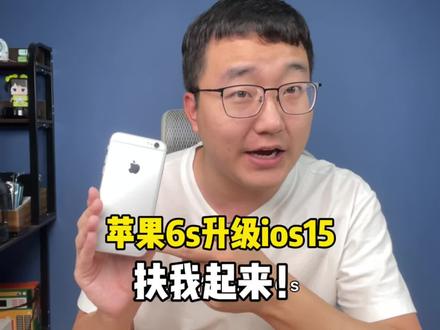 01:29查看AI文稿AI文稿
升级完 ios 十五,正式版的 iphone 六 s 还能再战两年吗?一起来看一下。首先,整体的界面 ui 还有图标没有什么大的变化,下拉呢?依旧还是通知中心,上滑呢?依旧还是控制中心?不过经过简单的上手操作,你会发现这台六 s 确实比以前流畅了很多,尤其是动画效果。那 这时候我就有种错觉,升级了 ios 十五的六 s 是不是真的能重获新生了?为什么我说是错觉呢?因为我更新完之后,翻来翻去翻去翻来,发现大家说的那几个 ios 的新功能在这上面根 本是用不了的。比如说在任何对话框都可以打开的实况文本功能,图片跟文字进行跨应用的拖拽,还有复制粘贴。再比如说拍照界面下的快速录像功能,还有单手变焦功能都没有。对了,视频通话的人像模式他也没有。唯一让我觉得有用的就是这个专注模式, 直接可以一键屏蔽除通话之外的所有消息,也就是俗称的游戏模式。话说现在不会真的有人拿六 s 当游戏手机吧? 所以回到开头, iphone 六 s 究竟能不能升 ios 十五呢?我的个人看法是不推荐,因为在我上手试用的这段时间,手机发热真的很厉害,我仅仅是打开了一下设置,还有拍照录像等等这些界面跟发热一起带来的就是续航的崩溃。关键我这个还是新换的电池,对了, 升级之前呢,明明是九十八的电池效率,不知道为什么升级之后变成了九十六了。不过还是要夸一下,这么多年的机器还能够这么流畅,如果你不在乎一天多充的话,可以升级试一下。
1.9万我是贰哥 01:06查看AI文稿AI文稿
你可能还不知道, iphone 的这个更新太炸裂了,听后你可以随意的拍摄四千八百万像素的照片了。 ios 十七为了配合 iphone 十五新增了黑 max 格式,它可以保留图像质量的同时压缩照片,大大减少照片占用的内存。 以前 iphone 十四 pro 拍摄四千八百万像素必须得打开 pro 功能,而它会占用特别大的空间,动不动就是几十个 g 甚至上百 g。 更新了之后,使用黑 max 格式拍摄的四千八百万像素照片只有几兆,比原来是缩小了接近十倍甚至还要多。 iphone 十五全系配置四千八百万像素这一项更新在影像上会是一枚深水炸弹。 使用呢也很简单。首先是你得在设置相机格式这里选择高效,然后呢,把 pro 与分辨率控制打开,再是专业格 是这里选择黑 max。 这样设置了之后,只要你在相机拍摄的时候,右上角就会有这个黑 max 的图标了,点击一下就可以任性的拍摄四千八百万像素的照片了。我是 max 小仙,主页还有一千个苹果小技巧。
2970他们叫我小仙 00:39查看AI文稿AI文稿
真的是服了苹果,搞了半天 iphone 十五的影像还是在挤牙膏,十五标准版下放四千八百万像素那但不是十四 pro 同款的传感器,那尺寸会有阉割,默认还是一千两百万像素,输出 虽然提升不大,但是零度倒下放呢,根本也不愁卖。十五 pro 系列主要变化是长较跟超广角,主摄还是上一代 mx 八零三,所以期望不要太高,那拍照还是要被安卓继续吊打的 max 独占浅望长江呢,可以实现六倍的光变,对比十四 pro max 啊,提升还是蛮大的,传闻接近一英寸的 m x 九零三一点一四分之一英寸双层晶体管对战的双倍比特率可以拍摄十二比特,独比世界能各项参数啊,猛的一匹。很可惜呢,是给十六 pro 准备的,毕竟这是给了浅望史诗级提升牙膏慢慢捡,那才是苹果。
1.3万玩机报告 01:51查看AI文稿AI文稿
你关心 iphone 十五的拍照吗?这期视频带大家看看 iphone 十五基础款和上一代 pro max 的对比,他们会擦出什么样的火花。首先是主摄自动对焦的速度不算很快,要有零点几秒的反应时间,十四 pro max 默认直出是一千两百万像素, iphone 十五是两千四百万像素。白天的成片整体相差不大,非要找点不同的话,那就是十五的白平衡供暖对比度也更高一些,那种图片有点发挥的感觉,减少了,锐度似乎也降低了。暗光环境下的差别比较明显。单从这个场景来说,十五的还原度就更高, 高对比场景高光压制更好一些,暗部依然有死黑,对于噪点的控制有不少进步,成片似乎更讨好眼球。主色才切出来的二倍成交,拍摄实物的细节表现依旧很清晰,可以说略胜一筹。最大的十倍变 胶成片也还不错。超广角镜头对比十四 pro max 似乎没什么优势可言。似乎没什么优势可言嘞,不管是中心解析力还是边缘画质亮度对比度都没有什么大区别,并且夜晚拍摄的噪点还更明显。 人像方面,人物识别准确,虚化效果自然,面部光影的过度更柔和。前置自拍依旧主打的就是一个真实,该拍的,痘痘一个没落下,但十五的肤色明显要更暖一些。 iphone 十五全系都支持新一代人像模式,前置后置都能改变焦点和光圈, 拍摄后对焦,那这算不算是向安卓看齐呢?视频拍摄方面,镜头切换很流畅,整体和十四 pro max 差不多的水平。从暗光场景的成片来看,这个祖传的鬼影依旧继承的很稳当,那么对比下来,虽然二者的成片差别不是很大,但换个思路想, 如果非要买的话,可以用基础款的价格买到和上一代 pro max 差不多甚至更好一些的拍照体验好像也还不错。我是大娟娟同学,用摄影师的眼光看手机。
843大涓涓同学 00:31查看AI文稿AI文稿
iphone fourteen iphone zeepee 看看一千两百万的像素和四千八百万的像素有什么明显区别?拉个两倍, 再倒五杯 起背拉上。
1030小海疼呀~ 04:06查看AI文稿AI文稿
今年 iphone 十五系列一共有四款,要怎么选?我们一起来看。首先我们把它简单的区分一下,十五和十五 plus 为一个分区,十五 pro 是一个分区,十五 pro max 是一个分区。先说十五和十五 plus, 这次数字系列升级的项目,对日常使用来讲都是非常实在的, 圆润的边框和二点五 d 玻璃在日常使用中使握感能够更舒适。和 pro 系列的同款超窄边框让他的视觉体验又提升很多。 usb c 的充电口让他跟很多设备通用。主摄升级到了十四 pronak, 四千八百万像素的主摄,拍照质量有很大提升, 并且支持两倍变焦,日常拍人会比一倍拍人好看很多。还有升级的灵动岛,可以拥有全新的交互体验,特别像是在听歌、地图、外卖 app 上有非常大体验的提升。屏幕亮度也有提高,跟十五 pro 系列一样了,室外高 环境下看东西也更清晰。实物系列主打的就是一个均衡,没有明显短板的日常使用机,想上新款,想体验这个超窄的边框,但预算越有限的宝贝就很合适了。他俩差价是一千块,这一千块能买到的是更大的屏幕,更持久的续航, 其他都没有什么不同了,就根据自己的需求来嘛。十五 pro 这个分区主打的就是一个高端体验,拥有全新质感的钛金属边框,更轻的重量和更高的强度。新的操作按钮,比起功能单一的静音拨片,可以自定义各种功能,比如切换模式、相机、手电筒等等。 但其实更主要的是可以运行快捷指令,你想要的功能都可以一键实现, 支持 usb c 口充电,实用性就不言而喻了。 pro 系列的 c 口是 usb 三,要比数字系列的 usb 二 快很多,虽然换成 c 口了,但也不是说随便什么充电头都适配的。为了不伤机,我选的是安可安心充二串三十瓦充电功率 iphone 十五 pro max 半个多小时就可以充百分之五十, 淡化加芯片让充电头体积小巧,散热也更好,全天六百万次测温,再加上 pd 快充协议,满足手机快充的同时还不伤机。跟 ios 十七的充电百分之八十设置相结合,可以很好的维护电池健康。 绝缘插脚也是个很安全的细节设计,让使用的时候更安心,并且还能折起来,方便收纳的同时也不害怕挂上包里的设备。外观灵感来源于植物的外壳纹理, iphone 同色像一块精致的小蛋糕,跟自己的美美新手机组成一套,属实引起舒适。屏幕基本就跟数字系列一样了,但它有高刷和全天候显示芯片也是最新的 a 十七 pro, 性能这块 不必有什么担心。摄像系统对比十四 pro 系列没有变化太多,主摄可以拍摄两千四百万和四千八百万高压缩格式的照片,不必再像去年一样只能打开 proro 才能拍四千八百万像素的照片。两者主摄照片对比起来会更清晰,后期空间也会更大,还可以拍摄 log 模式的视频。 但是这个离普通用户就真的比较遥远,如果是有类似专业需求的人,那就只能从 pro 系列去选了。假如是要考虑换机费用的话,目前手持十四 pro 那就真的没有太多必要换了,但如果是要想换十五 pro max, 那也是可以看看自己是否有这个需求。这也是我们的第三个分区, 因为 pro max 有一颗一百二十毫米的长焦镜头,可以支持五倍拍摄,但同时也失去了三倍。这个失去不是说他没有三倍这个选项,而是三倍本来该有的质量。因为 pro 零点五倍超广角等效焦距 是十三毫米,一倍广角是二十四毫米,三倍长焦是七十七毫米,而 pro max 直接是从两倍的四十八毫米一下子就到了五倍长焦的一百二十毫米,这中间也差太多了,所以只能用广角镜头数码变焦的方式来获得三倍的照片, 对比 pro 系列的三倍光变画质肉眼可见的又变差。所以如果清楚自己的需求,并且了解到要做出这些取舍,那 pro 和 pro max 选谁心中自然有数了。对比去年十四的数字系列,今年十五数字系列就真的还挺香的,日常使用需要的都给到你了。 pro 系列两款选起来就有点令人纠结,你觉得全新体验的五倍长照镜头和更大的屏幕跟电视他们值两千块的差价吗?好了,以上就是本期视频的全部弄了,那咱们下期视频见,拜拜!
1.3万大艺术家马春雷 02:15查看AI文稿AI文稿
安卓一亿像素的都是渣?昨天我说苹果手机能够吊打安卓一亿像素手机,很多人在评论区骂我,国内安卓手机在堆料这条路上越走越远,什么蔡司摄像头,什么莱卡摄像头,我告诉你,他们这么做的目的只有一个,为了卖货,为了挣你的钱。 反观苹果,连续六年都是一千两百万像素,却在背后一直默默研发更牛的拍照技术。可以毫不夸张来讲,八年前的 iphone 六 s 手机可以吊打目前大部分安卓四摄的手机。摄像头拍照的呈现效果不是由像素决定的。 苹果手机呢,在二零一八年才推出这个黑科技,叫 smart h d r, 也叫智能高动态范围功能。开启这个功能,当你按下快门时,他会拍出一系列九张照片,分别有 四张快速曝光照片、四张次要照片,以及一张常曝光的照片。接下来呢, a 系列的底肤线处理器就派上用场了,他以像素级的精度进行分析并合成照片,包括对你的场景、皮肤、墙壁、天空等 系的画面元素进行评估,分出高低的权重后进行优化融合。简单来讲一句话, 他将几张照片中最好的部分合成一张完美的照片,一秒钟苹果二百四十一次。计算完毕, 系统会生成一张三兆左右的照片。由此可以看出来,拍照模式需要手机的大量运算,因为以 a 系列这么强的处理器,需要一秒钟才能够完成。这就是 iphone 的整个拍照过程,对于用户来讲是一秒钟的时间,对于 iphone 采用了大量的工作时间。反观安卓的手机, 之所以你觉得拍照还不错,那是因为它带有美颜功能,一个美颜功能,一个 app 就完全能搞定了。所谓的莱卡相机,所谓的蔡司相机,跟苹果手机的相机真的不是一回事。 就我们看一下双方相机的介绍功能,就知道差距有多大了。这是最新款的某品牌安卓的手机, 整个介绍里面只有一亿像素,其他啥都没有。大家再看一下 iphone 的介绍,各种黑科技高低立马凸显出来了。所以苹果一千两百万像素和安卓一亿像素的你选哪个?欢迎评论区来留言。
624华强北大相iPad 00:41查看AI文稿AI文稿
被放大后的照片惊艳到了,我们体验一下用 iphone 十五 plus, 四千八百万像素拍照用了四兆的内存。 好,我们放大放大再放大,慢慢的放大。哦,天呐天呐, 这睫毛哦,还在放大放大放大,这睫毛太稀泥了,陷入深深的焦虑中啊,我的照相机我都不想带出去了。
170六六Dino 00:53查看AI文稿AI文稿
iphone 十五这款产品呢,我觉得非常好的体现了苹果现在的产品思路,就是这款产品有很多做的还真的不错的地方,比如说它整机的外观,包括质感,这个颜色也非常棒,触感也非常好,它摸起来我觉得完完全全不输那个钛金属的 pro。 而且呢,他这些给到你了四千八万的注册,他的显示效果和 pro 版本几乎是一模一样,连峰值亮度都一样。但为什么我依旧说他体现了苹果现在的产品思路呢? 它可以给你很好的主摄,但它的影像系统就是不给你加长标,它也可以给你一块很好的屏幕,但它就是不给你上 promotion, 它也可以给你用上 type c 接口,但是它就是不给你上 usb 三点零。所以这个就是苹果的思路, 他明明都能给你,但他就是不给,他就是要把标准版和 pro 拉开非常大的一个差距,啧。
1137孕哥(我是HYK) 00:54查看AI文稿AI文稿
听说最近流行用苹果六 s 拍照,据说是可以拍出 ccd 卡片机的那种氛围感刚好我有一个,哈哈, 我们就随便找个小区门口,这里有个奶奶在乘凉,好惬意。已明星已就位,拿出我们的小六必须要打开闪光灯,石康最好也打开 一顿疯狂输出动作可参考往期视频。呜家人们谁懂啊!这也太好看了吧, 美哭了,直接就是省下一个 ccd 的钱。哈哈哈爱了爱了。
6370橙橙橙子🍊 00:14查看AI文稿AI文稿
当我一百块钱淘到一个六 s 时,选择正方形,打开闪光灯,你就会得到。
1.2万丁韵馨 02:42查看AI文稿AI文稿
本期测试两款小钢炮,苹果六二三,在黑九处理器,虽然是十五年的机器,但黑九的处理器依然很强劲,苹果三一代 同样采用烈酒处理器,和另外是不同的是 c 采用四点八寸,和十二十 款手机的跑分基本相差无几。下面清理手机内存测试两款手机。首先打开刺激战场,可以看到两款手机的打开速度基本一样,两款手机不管从运行内存 还是处理器都是相同的,配置是最 到目前为止还是可以流畅逆行刺激战场的。下面让我们测试一下王者荣耀,可以说两款机型运行速度基本一样,这个就要根据老铁们的爱好去选择相应的畸形了。 两款机型的价格方面基本一样,售价都在三百米到五百米之间,这个配置基本可以吊打篮球机型一千以下的量, 如果喜欢影视和游戏娱乐的个人建议六二次,如果喜欢小巧的钢琴手感的可以选择 c, 可以看到两款手机在进入王者之后,开高真率的情况下还是保持五十八到六十帧,还是很流畅了不起的, 毕竟是老畸形了。况且五百米不到可以看到 c 的四点零寸的屏幕,打游戏确实不是太舒服, 不过还是没有丝毫的卡顿着,毕竟这两款只是号称苹果的定制率小钢炮的,在打游戏的情况下,苹果六六四就显得十分成熟了, 虽然只带了零点七英寸,但实际体验是截然不同的。下面用两款手机来打一片蓝豹,看看两款手机有什么不同。 可以看出三是没有丝毫卡顿的,但屏幕小是硬伤,下一个是六二次,同样是没有任何的卡顿的,两款性 都是挺不错的,性价比是很高的。两款手机的对比就到这里了,喜欢的可以快在评论区留言吧!
1192玖 09:18查看AI文稿AI文稿
what's up guys this is ultimate device vids and today in this video we're gonna be doing a speed test between two iphone six ss one is running ios nine, which was the iphone sixs is first ios firmware that it launched with all the way back in two thousand fifteen and the other iphone at sixs is on ios fifteen which is the latest ios version so with this video i want to find out if the iphone success has gotten faster slower or if it performs about the same all these years later after several years of software updates by again comparing the first ios version that the sixs shipped with to the latest ios version that it supports being ios fifteen and in addition to doing some tests with the default stock iphone applications we're also going to be running some tests with some app store applications the versions of these apps that are installed on the ios iphone success are the versions from the same time that this version of ios nine was out this iphone success is running ios nine point three point two which was released in the spring of twenty sixteen, so i actually went out and installed the versions of again at these five apps from that time period and they're not sideloaded or installed unofficially they're installed one hundred percent properly, i did have to go through some pretty crazy workarounds to get these applications installed, but i really wanted to do this because my goal with this device was to recreate an iphone success that was taken straight from twenty sixteen bring it into twenty twenty two and compare it again with the very same iphone model just with the latest ios version being ios fifteen and all the latest versions of these apps and that's what's running on the iphone sixs on the right, so without any further ado an iphone success pulled straight from twenty sixteen with a twenty sixteen ios version and twenty sixteen apps compared with an iphone success in twenty twenty two with a twenty twenty two ios and twenty twenty two apps side by side in a speed test, let's get started and i just wanted to quickly mention that both devices are running at their peak performance capability you can see that is the case on the ios fifteen iphone success and the ios nine sixs is also running at peak performance capability and i know this for a fact because apple didn't even add the performance management features for battery health until a much later version of ios so let's kick things off with some stock default application launching tests so cooking things off here as you can see both of these iphone six ss are performing it pretty similarly to each other here occasionally one of these devices will open an application you know a split second faster, but for the most part here as you could see basically the same which is pretty impressive when you consider that the iphone success is on its seventh major ios update, i think the fact that the iphone success on ios fifteen opens up some of these applications even just a split second faster than the iphone's success on ios nine, its original firmware is just very impressive and for some of the web based applications like the app store podcasts and music the ios fifteen iphone success is a little bit noticeably behind the ios nine iphone at success and you should definitely keep in mind that it's probably because these applications i've just gotten more complex over the years for example the homepage of the app store on ios fifteen just has a lot more information on it in comparison to ios nine, so of course, a lot of these applications you know basically seven years later have changed quite a bit so it's almost as if it's a completely different application but again the point this video is really just to kind of get that context of you know opening up with the same application even if it has changed a lot all these years later on the same device and again just seeing how the performance of the iphone's success was on its original ios version being ios nine versus the latest ios version that it supports being ios, but once again all in all pretty much comparable performance here really not much of a difference at all with the iphone success on ios fifteen opening up a bunch of these smaller applications a split second faster than the iphone success on ios nine, which again is super impressive and i also want to quickly run a consecutive app launching test with the same asset of applications that we just launched, but we're going to be doing them at consecutively one after the next on both of these devices and showing them at side by side doing this to show any speed difference when trying to open and close these applications in fast succession, so with both apps which is cleared we're gonna go ahead and kick things off here the first thing i noticed was the animations on newer versions of ios are a lot snappier and quicker not only are the open and close animations quicker, but also after you close an application you're able to quickly launch another app on recent versions of ios well, you know on earlier versions like ios nine here there's a little bit of a delay there where you're not able to get into the next app after closing the one that you're currently in and again this isn't a huge deal as you're probably not going to be cycling between applications this rapidly in day to day life, but definitely a noticeable change in the physics of the animations lapping said the ios nine success did pull ahead in the test with again some of those web based applications as we mentioned earlier because you know they're a lot less complex back in the day so overall once again it's similar performance here, but those improved animations definitely speed up the process of switching between applications in a fast succession and to next let's do some app launching tests with some app store applications and once again as i mentioned earlier you should definitely keep in mind that these applications on the ios nine iphone success are the applications twenty sixteen, so you should definitely keep in mind that these applications a lot of them at least are definitely much simpler than the current version of these apps so many features have been added so kicking things off here as you can see in this test the ios nine iphone success with again the ios nine era were quicker in every single instance now this being said it was only a few seconds difference even for some of the heavier applications that we tested, but it was definitely noticeably quicker and by the way as you can see on the ios nine success the old version of amazon is no longer supported so it actually redirects to amazon com on safari, but it still kind of gave us an idea of how how long it took for the application's interface to open, but anyways after a few years of owning your iphone if you ever find yourself thinking that your iphone felt faster you know the first year that you bought it versus now several years later chances are that that's true a lot of applications do continue to get more and more complex as time goes on you know that's not the case with every app, but a lot of apps that does happen in terms of new ios updates having an impact on the speed of your device it's really just hard to tell with app store applications in a test like this because once again the applications were testing are several years old on the ios nine device i really can't tell you is again back in the day you know using the applications that were available at the time versus the new version of those applications on the newest software at least with these applications that were testing on the iphone sixs it does appear that it was faster back then and for those of you wondering why i'm not using the latest version of these applications on both devices here not only do they not support older versions of ios like ios nine, but also that's not really what i was going for in this video again i wanted to recreate an iphone that was literally from twenty sixteen with all twenty sixteen software from the ios on the device to the applications on the device and the next we're going to compare the speed of using touch id on these two devices and as you can see here both blazing fast basically in perceivable difference here maybe a fraction of a second quicker on the ios fifteen at six s and lastly we're gonna run a web page loading test in safari and of course you should definitely keep in mind that tests like this largely depend on the internet connection that you're using and of course you should also keep in mind that reloading of course web pages from twenty twenty two on both of these devices so it's impossible to really test how ios don would have run with these web pages in twenty sixteen when ios nine was the latest version for the sixs, but loading the current versions of all these websites on both of these devices as you can see basically similar comparable results yet again any difference is negligible i'd say and really nothing to complain about on either one will be a fraction of a second quicker than the other one, but again nothing that you'd notice in day to day life and in terms of scrolling speed on both it's quite snappy and responsive however, as you can see here the physics of the scrolling on recent versions of ios is quite different than it was on earlier versions of ios swiping at the same speed on the screen will scroll a lot faster and through a lot more of the page on recent versions of ios where on previous versions you'd have to scroll you know multiple times to kind of get through the same distance and kind of going back to what i mentioned earlier as you could see here the ios nine at six s is improperly loading portions of this page as you can see there's text overlapping as again this is a twenty twenty two website that's not really designed for an old version of the safari browser like this, but there you guys have it overall i came away from this test quite impressed with the iphone sixs on ios fifteen apple has done a great job at maintaining this device and keeping it basically at the same level of performance that it was originally all the way back when the phone first launched in twenty fifteen especially when you compare how softer updates used to negatively affect older iphone define success has been very well maintained over the years but anyways if you guys use an iphone success let me know down below in the comment section how these speed end performance is for you i hope you guys enjoyed this video something a little bit different about something that i personally find interesting doing this type of comparison over the years seeing again how performance is maintained on iphone hardware thank you guys so much for watching this video and i'll catch you in the next one peace out。
27詹姆士陈 00:57查看AI文稿AI文稿
iphone 六 s 和 se 谁更能打?屏幕方面, iphonese 配备了四英寸的瑞天的显示屏,分辨率达到一一三六乘以六四零, ppi 为三二六。而 iphone 六 s 则搭配了一块四点七英寸的显示屏,分辨率为一三三四乘以七五零。但两款手机的握持感却有着明显的不同, iphonese 的小脚机声虽然让人游刃有余,但是不论是游戏还是二十六键打字,总会出现误处的情况,让人十分难受。相机方面, iphonese 前置仅一百二十万像素,与 iphone 六相同, 而 iphone 六 s 为五百万像素。两台手机的后置摄像头表现基本一致,都为一千两百万像素。同时, iphone 六 s 支持三 d touch, 而 iphonese 则不支持,在性能上同样为 a 九处理器,所以两款手机的差别不大。 总之,如果单手操作比较多,那么 sd 是最方便的选择。如果是个游戏档,那么毫无疑问六 su 是更大,你喜欢哪款呢?
7089小黑啊小黑 00:48
 00:45查看AI文稿AI文稿
给大家说一下我对这个 iphone 十五系列的看法和购买建议哈, iphone 十五和 iphone 十四相比,虽然升级很大,像灵动岛啊,四千八百摄的主摄啊, usbc 接口啊都给你了,但是手机上很重要的这个高刷新率他又没有给, 在安卓这边卖一千多元的手机他都有高刷,但是卖六七千七八千的 iphone 十五却没有啊,这个是真的不推荐 iphone 十五 pro, 男生女生都可以买哈。但是 iphone 十五 pro 升级也不大,像这个钛金属的中框, h 七 pro 芯片,这些都是常规的升级啊,如果不追求新鲜感的 iphone 十三 pro 和 iphone 十四 pro 的用户,几乎没有必要换, 因为没有这个痛点升级像 iphone 十五 pro max 倒是有这个五倍的光学变焦,还有这个更大的屏幕,喜欢拍照的可以换。所以今年各位有换新 iphone 的动力吗?
129星辰君Sup 00:52查看AI文稿AI文稿
抱歉啊,来晚了,这条视频咱看看刚发的 iphone 十五基础版和他的哥哥们,到底谁拍照更顶三台放桌子上啊,基本看不出区别。来点关注,咱拍摄走起!主摄对比, 十三和十四是一千两百万主摄,十五是四千八百万主摄像素来看十五最高,但是光圈来看只有十四是 f 一点五,十三和十五都是 f 一点六,近光量略微有区别。实际照片表现啊,你们看一下 曝光度测试,同场景下实物表现更好,纹理对比、色彩对比、 长焦对比,十五,那是占了绝对优势,因为人有两倍的光变。最后是视频防抖测试,综合来看,你们说哪款影像更强呢?关注鹏哥,带你选对手机!
4453鹏哥二选一 01:36查看AI文稿AI文稿
同样是四千八百万像素,我很好奇苹果十四 pro 和苹果十五到底谁的拍照会更好?别废话了,来看吧,刚才同一个角度拍的,国旗放大之后,十五的细节明显要更好一点。 这张是伊贝拍的,远景放大看一看,不知道你们看不看得清, 左边十四 pro 拍的招牌字体是有金属包边的,右边的十五没有,但是这个红色的 logo 反而是十五处理的更好。我们再看看其他细节, 很明显,十五的算法又赢了一次。再看一下这个空调十四 pro 终于扳回一局, 谁家空调外机网间隙这么大啊?库克,你快管管。来来来,看最后一张,二倍拍的吧,太神奇了,十五用二倍拍的,这个字体,他有金属包边了,笑死。 在看这个发光月饼,你们自己看吧,大家都是四千八百万,但是照片文件大小相差了几十倍, 苹果十五真是赢麻了,十四 pro 卖七千九百九十九,十五卖五千九百九十九,十五配备了四千八百万像素和 a 十六芯片,还有两千尼特峰值亮度,如果库克能再加个高刷 iphone, 十五真的无敌了。
2631时光数码手机严选
