
粉丝4.5万获赞95.8万
相关视频
 02:44查看AI文稿AI文稿
大家好,欢迎大家来到 am love 小贴士,在这支视频中,我会分享给大家几个游戏外的小方法,能够增强你的视野。提 到你的瞄准能力,第一个方法是尽量将你的眼睛对准准心中央。我的意思是,你的眼睛的中心,也就是黑色瞳孔部分需要集中,并且能准确的看到十字准心中央。换句话说就是不要随随便便眼睛能看到屏幕就开始训练了。例如从这些奇怪的角度,从上往下或者 从下往上,显示器和眼睛的距离也需要你多次调试才能找到合适的位置,包括桌子和椅子的高度。自己试着多调试调试吧。如果集中瞳孔方法对你有用的话,可能有些玩家已经 那么做了,那么请保持,至少当我的瞳孔不集中的时候,我能明显的感觉到眼睛开始紧张。第二个方法也是对我来说最重要的一个, 就是前一天我的睡眠质量和休息程度的好坏。如果没有充足的睡眠,眼睛似乎更容易干涩,也不够锐利。 这明显影响了我们瞄准准心和指认敌人的能力。如果你感到又累又困,试着多次且持续的眨眼,这样有助于修复眼睛的疲劳。第三个方法就是降低显示器的蓝光。研究表明,蓝光确实有助于集中注意力, 但长时间盯着一个东西看会过度曝光,会限制眼睛,尤其是显示器太亮的时候。我非常喜欢我现在用的低蓝光眼镜, 现在可以通过程序软件、显卡,甚至有些显示器设置也能直接调整蓝光。说到显卡和显示器设置,第四个方法就与之相关,非常 推荐大家没事在家多尝试不同的亮度对比度和数字震动颜色设置。你会惊讶的发现,只要稍加调整,你的游戏和目标就会变得如此清晰,只需几分钟的时间就可以完成,但是能让你终身受益。 我们的目标是找到一种颜色和亮度的设置,不仅能让你更好的看到目标,也提供了一定的对比,以帮助你对准准心和瞄准目标。最后一个方法,可能你需要去验光师那里检查一下你的眼睛。 我很多年前做过激光手术,最近出于好奇我去检查视力,发现视力已经完全跟以前不一样了,现在带上我最新处方的眼睛,视力非常的清晰。训练和游戏的时候也能更好的观察。当你在玩需要跳伞,找 网络的设计游戏时,清晰的镜头绝对有助于你看清每一个像素。感谢收看!别忘了点赞评论转发,如果这个视频有帮助到你,记得关注我们。
127Aimlabs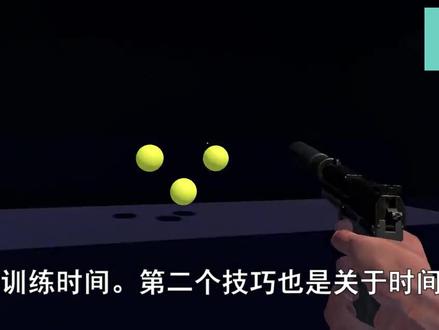 03:19查看AI文稿AI文稿
what's up welcome back to another aim lab video training your aim has never been better and in this video i'm gonna share with you top tips when you're playing with aim lab alright tip number one the countdown of the beginning of training tasks isn't for everybody the seconds can add up over time when sometimes your eager just to get to it well lucky for you tip number one is that you can actually change theme out of time that is on the countdown all the way to zero so you can literally begin straightaway after clicking this is a great quality of life feature and a great time saver which takes us straight into tip number two on time saving which is pressing f six will then restart your training task if you're not happy with the run this combined with tip number one is going to give you so much extra time to train your aim during training you might find the weapon actually quite distracting when you're trying to practice you can actually hide the weapon in the settings go to setting game and then find weapon visibility and put it on to hide and then boom as if by magic the weapon is gone i'm gonna throw in a bonus piece of information here as well, if you find the heads up display the hud at the very top distracting you can also hide this at the top of the settings on game moving on to tip number four did you know that aim lamp has a sensitivity calculator built right into it under controls you can choose the game that you like to play put your sensitivity in and as soon as you've done that if you swap to any other game that sensitivity will then be converted onto that new game this is a neat feature that we have built into aim lab to make it easy if you change games there are over five hundred game profiles to select from moving on to tip number five custom tasks is a great way for you to improve on specific feedback you may get from aim lab after you complete a task aim lab will then give you some data of what you did well and what you need to improve custom tasks let you change different variables allowing you to customize your training to help you focus more on fixing any errors you have for example if you have a left side weakness you can turn off any targets appearing on the right side and just focus on training the left here you can change the challenge length the target speeds sizes and a bunch of other things click custom at the top of the main menu then click on tasks to get started moving on to tip number six if you're not already familiar with the workshop inside of aimlab you should definitely take a look the workshop has a bunch of user generated content some of which are targeted towards specific games from here you can find custom tasks playlists weapons and even weaponry core you can get to the workshop directly from the main menu or you can click on custom workshop tip number seven is that you can change one of the training arenas called the gray box from here you can change colors textures the tiling size and a bunch of other different cool stuff complement your custom gray box with the custom target color and you're going to be training in style to get started click on custom at the top of the main menu then click on gray box once you've got your arena just right click save and make sure to select gray box when you choose any of your tasks tip number rate is that you can actually change the sound of the targets when you hit them there's a few preset sounds that you can select from or you can import and have your own click on import find your custom wave and then make sure to click save nice nice, nice, nice, nice, nice tip number nine is that you can customize the crosshair to your preference this includes changing the color the opacity the length of it the thickness if you're having a dot if you're having a circle and you can even now put an outline around the crosser if you're feeling too cool for any of these options though you still have the option to upload your own custom crosshair so that wraps up ten top tips for aim lab if you've enjoyed the video make sure to subscribe for more aim lab content throw a thumbs up and if you've used any of these tips let us know in the comments until next time happy training。
2094Aimlabs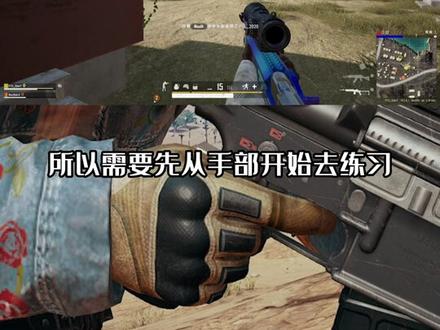 01:54查看AI文稿AI文稿
大家好,我是小艺,本期是瞄准定位能力训练教学,在开始之前,先给大家播放一段眼部训练视频,请将手机翻转至画面水平后,盯着屏幕中心十字准心观看。如果你在聚焦准心时,四周的紫球消失,只剩绿球在做圆周运动时,那么代表你的眼部聚焦能力很强, 进入到这种状态越快并且持续时间越久则越好。这里我要科普一个长期以来的认知错误,电竞选手需要年纪小的主要原因是因为年轻好胜,胜负欲很强,对比赛结果很在乎。第二就是因为注意力能够长时间集中, 年级增长后并不是反应下降,并且反应能力是可以通过后天训练来提高的,但年纪增长后注意力是很难长时间集中的,这才是最大痛点。那如何在 fps 游戏中达到一个高水平定位能力呢? 很多人往往是眼睛看明白了,手跟不上,所以需要先从手部开始去练习。我们可以在 steam 中下载 mlin, 打开软件后点击设置准星和游戏设置,我就不介绍 图像和控制这两个比较关键的,我们要修改一下。第一,显示模式要选择全屏独占显示,分辨率一定要与你主玩游戏相同,例如你在发布机中的分辨率为幺七二八,那么你就修改为幺七二八。如果你在 cs, go 中是幺二八零,那么你就修改为幺二八零。 声律限制关闭掉,不像质量选择最快,其他特殊效果全部关闭掉。然后是控制一栏,选择你对应的游戏即可。例如 pop g, 在这里是英文 player annots battlegrounds。 视野范围修改为与游戏内相同即可,灵敏度则是填入你的常规灵敏度。至于开镜和进阶如何调整,我会在以后的教程中讲解。然后我们开始检测我们的手部控制能力。点击上方训练,选择左侧 flaking, 选择六目标射击,然后点击开始游戏。如果你的分数低于八万分,那么表示你的手部控制能力很差,需要重点练习。只有当你的分数稳定八万分以上后,你才可以进行 grey 的 shots 这类眼睛和快速反应的训练,那么 grey 的 shot 同样也在 flake 里面。选择名称为网格射击终极版。 你可以在右侧点击小心心收藏,那么下次可以在左上角收藏夹中直接进行训练。切记,瞄准能力是分辨同水平竞技对手的差距,而不在同一水平阶段时,策略意识能够拉开很多差距,比如这样。
8918小溢XiaoY 00:35查看AI文稿AI文稿
如果你觉得自己够准了,每天练十分钟就行,给对手留点机会。如果你还想更准,照着二十分钟练。这个叫 amy 训练瞄准,非常有效。我来教你怎么设置。进到游戏以后,选择最上方的训练,点击设置,选择控制游戏档案,选择 patty。 灵敏度,这里填写你吃鸡的常规的密度进行练习。视野范围用一百二比较舒服。 外轴灵敏度比例选择自定义,并填写你吃鸡里的垂直灵敏度。准心可以根据你自己的喜好调节。设置保存好,我们进入网格射击就可以开始训练了。目前这软件还是免费的,回头可就不好说了。我是教练胖森,你的专职教练。
3.9万电竞讲师胖森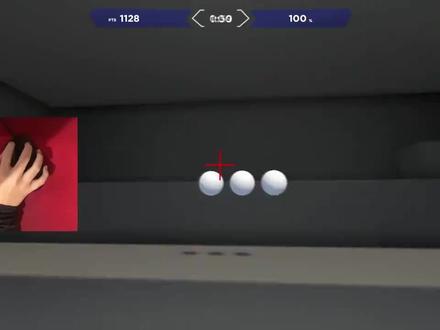 01:05
01:05 01:16查看AI文稿AI文稿
关于我的准心,首先是第一种情况, win 的佳绩可以打开小组建商店,打开小组建菜单,点击小组建商店, 点击第二个绿色十字架图标下载安装这里点第三个图标就能把准心移到中间,这个小箭头点击就可以固定住准心,这个禁用单击浏览一定要点, 点击关闭,准新就出现在屏幕正中心了。现在讲第二种情况, wing 的佳绩不能打开小组建商店, 打开 microsoft star, 搜索 xbox game bar 下载, 下载完成后点击开始菜单,点击 xbox and bar 之后的操作就和第一种情况一样啦,今天的准新教程就到这里,学会的兄弟们去试试看吧!
5087Apex 猫猫子 01:08
01:08 03:05查看AI文稿AI文稿
cg 哦,随心准新设置哈喽,大家好,我是万利君,今天出一期。是啊,准新设置的视频,因为有很多粉丝老是问我,哎,这个万利居这个怎么设置啊?你准新怎么设置?或者说你能发,能不能发准新代码给我,我今天就教大家如何设置自己最喜欢的准新。好吧,首先你要知道 五个代码我写在左边,你们单位可以自己慢慢去打。好吧,先说第一个代码,就是这个 cross hairstyle, 这个他有五种模式,第一种模式是我们默认的这种水晶没没多少人用,好吧,然后第二种 就这种走路扩散,急停好了,他就会缩小开枪,他又扩散,好吧,这是第二种。第三种转型就是扩散,很离谱的,走路这么大的,看到没有?然后一急停缩小,一开枪,他又扩散了,然后大家有四是什么?就 是我们最基本的静态准心,静态准心,好吧,然后 style 五是什么?也就是我们的动态准心,然后你会发现,哎,我用 style 五了,结果我的准心 变小了,但是我一开枪他扩大了,所以这个三二五就是可以契合所有你们现在目前用的准心。想改成动态的话,你要用第二个,用第二种方法去改。什么方法呢? 我们三有四的准心是这个样子,对吧?是我们最原始准心,那我想让他动起来的话,我换成五,他变小了,那么你就需要第二个代码, 也就是最贵这个是他中间间距的大小。我现在是负三吗?我把他改成负二,他的变成看到没有?变成我静态准心的样子,但是他是动态的,懂了吗?也就是这个参数 可以改变他们的间距,我,我富裕的话,他的越小,看到没有,越接近零的话,他的间隔是越大的,然后如果是二的话就越来越大,懂了吧?啊?另外另外一个参数是我们的 t 开头的这些不用背的,你也不用去,哎,我好难背,怎么办?你随时随地可以在游戏里面进行 进行,游戏中可以改的,他自己就出来了。这个是准新出系的,像我现在是零点五吗?哎,我先把它改成正常大小的,好吧,我平常是大有四, 大有四,然后负三就是我平常用的准心,对吧?然后我想把它变粗一点,就这个指定,看到没有?现在是零点五,我把它改成一,他都变粗了,看到没有,对吧?然后我想把它变动态,你就改成 sty 五吗? 我是动态这种心动态的,但是他的间距,他的中间的间隔都变小了,对吧?那我就把它过一会,我,我本来是负伤完负了,就变成你看到没有,正常大小的,好吧。然后还有另外一个,这个都知道吧? sse 这个大小吗?我现在是一吗?我变大点一点五吗?就变大了吧,对吧?所以这个这期视频的话就很简单,一个准新设置的视频,大家可以自己去用一下。好吧,谢谢大家。
1.5万yGG.CS2^^


