zwift电脑版怎么连接
第二代原机型健身功率自行车三点零版即将发售,那么三点零版我们究竟给大家带来多少的惊喜?我们一起看一下。最大的惊喜是我们 升级了我们自行车的骑行显示屏,那么通过这款显示屏我们可以连接世界上目前最热门的骑行软件之一 swift, 通过这个显示屏我们可以把我们的骑行数据通过手机投屏到电视里面,那通过这个电这个我们的 swift 这个软件, 我们可以体验到非常强大的骑行乐趣,我们可以在不同的国家的赛道上去体验他的这种骑行感受,同时也有很多的社交功能在这里面。那从这个软件上我们可以看到我们骑行的功率数,心率踏平都会实时的 投到电视里。软件也提供了很多骑行的训练课程,那么他们按照热身不同阶段的这种骑行的数据要求,给大家安排了一个非常详细的一个训练的一个指南。 在屏幕的这屏幕的这一侧,我们可以看到目前全球正在跟我们一起骑行的小伙伴都有哪些。 当然通过这个软件我们也可以邀请我们的家人或朋友一起通过我们的健身车能够实现一个有意思的 pk 的这样的一个活动,充分把我们的健身和社交融为一起,那具体的乐趣请你自己去体验。

粉丝1028获赞2695
相关视频
 03:09查看AI文稿AI文稿
很多小伙伴在后台要求我给大家做一期追不到的一些使用方法,这一期我们就来讲一讲。先打开 app story, 我们在上面输入 zwiat three, 在这里就会出现两个,一个是我们的追不到,一个是我们的追不到的 company, 追不到的话我们点击就可以直接下载,下载就可以直接使用了。 另外一个的话就是我们的看拍脸,看拍脸的话他适合这个他有关联的都是用的同一个账号 里边的话,他是可以看到我们的一些骑行数据,实时的骑行数据,还有一些比赛的数据,可以在里面报比赛,也可以看到我们骑行过后的一些 啊,平均功率啊这些,也可以在里面做一些互动,他有一个互动的界面,然后我们进入追不到的界面, 这里的话我们进行账号的登录,你可以在左下角的电跟使用者里面选择新建使用者, 然后在里面输入你的姓名,点击下一步过后还需要输入你的邮箱还有你的密码设置,然后就可以了,然后返回我们登录账号, 选择功率来源,这里就能识别到我们的骑行台,然后选择我们的骑行台,右边的智能型就能直接识别到我们的骑行台,这个智能型的选择的话,就是运用我们这个骑行台的一些数据来识别我们游戏里面的一些画面, 他的坡度还是他的上下坡,他的主力改变,因为我自己有功率计,所以说功率来源的话,我会再重新选择我自己功率计的一个数据。 大屏的话,如果说你有功率机,它会自动识别,如果你没有功率机的话,你需要自己配一个踏平器,然后就是我们的心率,心率的话这边需要佩戴一个心率大我们才能识别到, 这样我们硬件就连接完毕了,完成连接过后我们会出现很多活动啊,呃, 这里很多棋友关心的就是可不可以和其他的棋友一块齐,左下角的 twitter 我们选择就可以在里边查找到您添加过好友的你的朋友, 点击他,然后点击开始骑行,你们俩就可以同时在同一个画面进行骑行了,开心,哈哈哈。然后我们可以点击左上角的地图标志,上面的话就有我们的很多的不同的地图,里面有我们的 每个地图的骑行距离,每个地图的爬升,还有你的成绩,还有说这个地图需要骑行的时间都在里面, 设置完毕我们就可以记住游戏了,这一期我们就讲解到这里,下一期我们讲解游戏界面的功能表以及骑行台的连接,骑行方式记得关注哦哦耶。
1562单车吉老师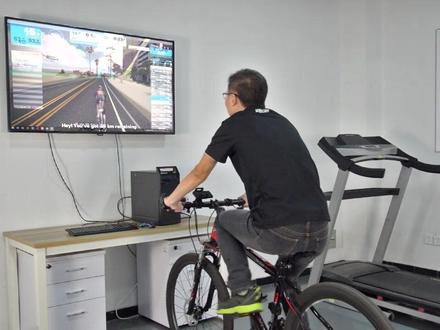 01:36查看AI文稿AI文稿
首先从 delivered 官网下载客户端 要设置传感器,使用硬币扭开电池门,再拧紧电池门,通过重置电池来切换工作模式。红色为速度设置,另一个传感器为蓝色侧踏平 安装传感器,蓝灯的传感器安装在曲柄上,测 top 转动曲柄,检查传感器运行,不会蹭到踏板。红灯的传感器安装在后轮转轴上,测速路转动后轮检查传感器是否正常运行 是心率。必带的佩戴。首先调整必带的松紧度,使其达到舒适状态。按下开机按钮,蓝灯显示。将 ant usb 接收器插到电脑上,打开周围的游戏连接传感器, 开始游戏训练。 所有的传感器支持蓝牙连接。下载手机 a p p 即 wait 连接,伸手运动。
52汇泰科 01:33查看AI文稿AI文稿
见证在支持在微服的链接,手机安装好在微服的点击运行并登录或者注册账号,那这个是一个收费软件, 登录好账号之后点击下一步来进行搜索,点击健身册, 他会有个在配对装置这边进行,对,在配对装置这边选择骑行,然后会有功率来源,选择功率来源进行链接, 这边就会有对应的信号来源了。那我们连的是 kobeiganc 零这台车呢,我们就会选择 kobiancian, 选择 ok, 然后踏平,踏平也是一样的,也是选择 点击也大大搜索出来之后选择对应的型号,那智慧型是可以支持的,也是一样的,点击一下搜索信号来源,他有的时候会加载比较慢, 所以要稍等一下点就 ok, 那这三个都连接上了,有的时候这款就会感谢领会的啊,智慧型会连不上,可以可以提供一下那个设备信息, 联系客服进行喝茶一下原因,全部连接上之后,点击立即开始就可以进入选择线路器型了,到时候线路选择好之后点击器型即可。
 04:08查看AI文稿AI文稿
first up let's run through some of the equipment you're going to need to be able to swift at a basic level you're going to need a bike and a trainer that allows you to pedal while staying in a static position you're also going to need a device that tells rift how hard you're peddling there are two types of trainers that you can use the first one is a smart trainer like this one it has a power meter built into it so you can accurately translate how much power you're pushing through the pedals to your avatar it also has the ability to change resistance depending if you're going uphill or downhill it makes a really interactive experience the second type of trainer is a classic trainer now this is definitely the more cost effective option if you're looking to save money but you will need another device that tells with how hard you're peddling this could be a speed sensor or you could have a pounding to already fitted to your bike that's even better if you don't want to buy a trainer then you could use an indoor bike or a set of rollers they can be used in the virtual world too you're also gonna need a supported device to run the game such as a laptop tablet or a smartphone go ahead and download swift make an account is a subscription service, but you can get started on a free trial once you've done that you've got everything need let's get swift in once you've made an account and you've logged on jump on your bike for ten to fifty seconds and spinning legs to wake up the sensors then you want to go ahead and connect them either through bluetooth or and plus in this case bluetooth is the more stable connection so choose that one if you've got that option i'm using a smart trainer so power source has been connected and controllable controllable is the one that allows a zwift to control your smart trainer if you have a classic trainer you will need to add a speed sensor if you have a heart rate monitor too you can also add that right ready to get zwift in it's important that you have good strong internet when riding on swift this will ensure for smooth gameplay and accurate numbers if you are struggling try moving your wi fi router closer to your setup if you're struggling to connect any of your devices have a look at the room and turn non essential bluetiff item off and move them away and last, but not least make sure your firmware is all up to date this goes for your smart trainer your zwift app and your zwift companion app now that you have all your equipment set up and you're nearly ready to swift you can customize your avatar to make it look like you or not like you depending on how you feel the more time you spend riding on swift the more bikes and components you will unlock to be able to build your dream bike just wish it was like that in the real world the hardest decision to make when riding on zwift is to choose what will to ride in there will always be three wheels to choose from and one will always be ritopia the biggest virtual playground the other two are guests based on on real life locations like london and paris and these change every day and you can see what guests worlds are available in the schedule on the bottom right of screen once you've selected the world you want to ride in click roots and this will show you a load of different roots in that world scroll down the root and you can see the distance and elevation of each root most will offer everything from extreme hilly rules to pan flat roots depending on what kind of riding you enjoy doing or how hard you want to push yourself once you've chosen your route click ok and then write and you'll be transported to your chosen world you'll automatically follow the route but you can take any turnings you want to your free to explore。
 01:04查看AI文稿AI文稿
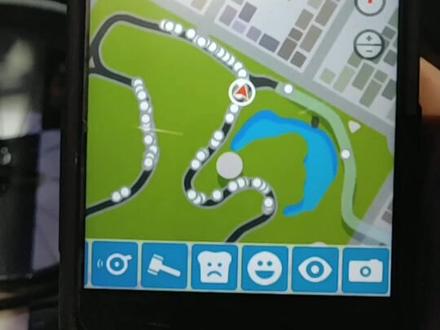
如何在网上骑自行车?经常有朋友问我在家里怎么骑车,甚至最近下雨,今天他来了。首先你得有个骑行台,然后你有一辆自行车,把自行车后轮拆下,并张车子夹在骑行台上安装好。 记得要保持室内空气流通哦。准备点水饮料、运动饮料,穿上骑行服,穿上锁鞋,拧到恰到好处。 准备好新绿功率装备,准备上车 safe 启动、拿条毛巾用来擦汗、 登录并连接心率功率骑行台等装置。接下来就可以愉快的在网上骑自行车了。 好的,拜拜。
 00:15
00:15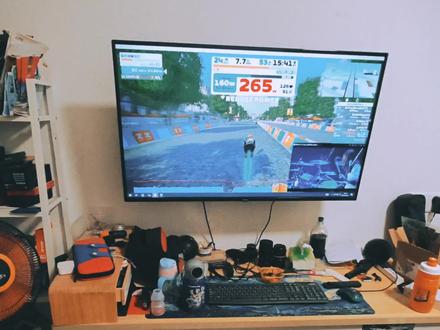 00:15
00:15 00:37查看AI文稿AI文稿
with techno gym my run you can easily connect to external applications such as swift or roofy make sure you close to techno gym life application to free the bluetooth connection open the external application of the platform you want to use and connect to my run it will automatically act as a speed and cadence sensor with it you'll be able to enjoy a running experience with your chosen online community this is techno gym life an innovative way of experiencing wellness。
 02:24查看AI文稿AI文稿
out evade for flu individuals 发财的手 记得关注哦!
605单车吉老师 01:12查看AI文稿AI文稿
接近八百五十万人关注的体能训练软件到底该怎么玩?首先,你需要一个车搭,搞错了再来,你需要一辆车,不需要太好,一到两千就够用,当然你想买好的也行, 准备好了吗?其次,你需要一个智能骑行台,目前市面上主流的麦津 t 三百 plus、 t 两百 surplus、 the tr 无刷电机智能骑行台,另外还有高端的佳明 plus, now that is smart。 第三,你需要一台电脑、手机或者平板,下载好 sift 申请账号,点击进入。 第四,将自行车架上骑行台,插上电软件,连接智能设备,踏平记心率,在 点击开始就可以痛哭的大声。今天就讲到这里吧,还有什么不懂的评论区给吉老师留言,记得关注哦!
1571单车吉老师 00:13查看AI文稿AI文稿
管管,主要是方便,就是方便。嗯,直接就架上了。
 02:17查看AI文稿AI文稿
哈喽,大家好,我是专啊大家最近因为疫情携下雨天呐等等一些情况不太合适出去跑步,现在这个正好加名出了这样一个叫虚拟跑步这个功能,而我们这个新功能呢,能够连接啊现在风靡全球的一个虚拟 实景的一个跑步软件,由于此通过这样的软件可以跟全世界的跑步爱好者实现同台的竞技,也 可以跟我们周围的朋友们啊,去相约团队的约跑啊这样的一些活动。下面我在这里来给大家这个实操一下如何配对和应用。 好,那我们就拿 swiss 这个软件来做一个视力的讲解。我们首先呢打开手表的虚拟跑步这功能,如果你就可以看到是一个等待配对这样的一个页面。好,我们进行下一步, 我们点击拍段按钮之后他就会搜索到我们的手表,之后我们选择自己的手表。 ok, 然后我们可以看到我们的跑步速度,心率以及我们的不平这三项数据,之后我们点击, ok, 然后进入跑步的环节。好,我们点击跑步。 好,那我们下面就开始虚拟跑步这个功能呢,他对场景没有任何的要求,你可以在家里原地的跑,也可以在健身 房里面,也可以在家里的跑步机上面去使用我们这样一个功能。当然你对于设备没有很多的要求,你可以在你的手机上,平板或者电脑 去下载这样的软件,你也可以把你的设备投影到更大的一个显示屏上面,当然你必不可少的是有一样东西就是该你的腕表。好,我们 我们结束了今天的运动之后,我们先停下跑步机,完之后停止我们手表上的一个活动,再去停止我们的 loece。 如果说是跑步机上进行跑步,你出现了一点五公里之上,可以去选择一个校准,并保存你跑步机上出现的一个公里的数字,然后输到你的这个手表的校准数字里面,这样的话你下一次再在跑步机上跑步的话, 他的精准度会更高一些。那么我们今天手表虚拟跑步这样的功能介绍就给大家带到这里,好,你 get 到了吗?
 01:12查看AI文稿AI文稿
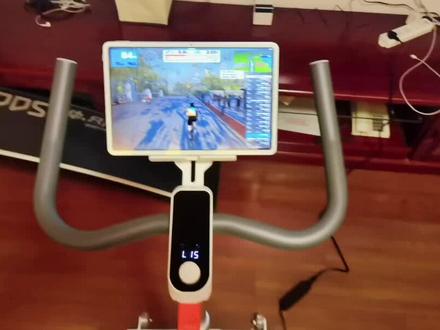
终于在华为 matepad 十一最新款的华为 pad 上安装了 zift 骑行软件,功率踏平心率都有 啊,投到八十六寸的电视上,效果还是不错的。无线连接 完路的智能动感单车, 完全没有声音,因为没有链条啊,一点声音都没有。这可能是国内第一台在华为的 matepad 上 运行 zift 的软件,好不容易研究出的方法, 如果需要知道这个方法的可以找我,我告诉你,不需要花钱, yeah。
1469南京山地情怀体育用品有限公司


