aim lab如何重置密码

粉丝8640获赞16.5万
相关视频
 05:01
05:01 03:19查看AI文稿AI文稿
what's up welcome back to another aim lab video training your aim has never been better and in this video i'm gonna share with you top tips when you're playing with aim lab alright tip number one the countdown of the beginning of training tasks isn't for everybody the seconds can add up over time when sometimes your eager just to get to it well lucky for you tip number one is that you can actually change theme out of time that is on the countdown all the way to zero so you can literally begin straightaway after clicking this is a great quality of life feature and a great time saver which takes us straight into tip number two on time saving which is pressing f six will then restart your training task if you're not happy with the run this combined with tip number one is going to give you so much extra time to train your aim during training you might find the weapon actually quite distracting when you're trying to practice you can actually hide the weapon in the settings go to setting game and then find weapon visibility and put it on to hide and then boom as if by magic the weapon is gone i'm gonna throw in a bonus piece of information here as well, if you find the heads up display the hud at the very top distracting you can also hide this at the top of the settings on game moving on to tip number four did you know that aim lamp has a sensitivity calculator built right into it under controls you can choose the game that you like to play put your sensitivity in and as soon as you've done that if you swap to any other game that sensitivity will then be converted onto that new game this is a neat feature that we have built into aim lab to make it easy if you change games there are over five hundred game profiles to select from moving on to tip number five custom tasks is a great way for you to improve on specific feedback you may get from aim lab after you complete a task aim lab will then give you some data of what you did well and what you need to improve custom tasks let you change different variables allowing you to customize your training to help you focus more on fixing any errors you have for example if you have a left side weakness you can turn off any targets appearing on the right side and just focus on training the left here you can change the challenge length the target speeds sizes and a bunch of other things click custom at the top of the main menu then click on tasks to get started moving on to tip number six if you're not already familiar with the workshop inside of aimlab you should definitely take a look the workshop has a bunch of user generated content some of which are targeted towards specific games from here you can find custom tasks playlists weapons and even weaponry core you can get to the workshop directly from the main menu or you can click on custom workshop tip number seven is that you can change one of the training arenas called the gray box from here you can change colors textures the tiling size and a bunch of other different cool stuff complement your custom gray box with the custom target color and you're going to be training in style to get started click on custom at the top of the main menu then click on gray box once you've got your arena just right click save and make sure to select gray box when you choose any of your tasks tip number rate is that you can actually change the sound of the targets when you hit them there's a few preset sounds that you can select from or you can import and have your own click on import find your custom wave and then make sure to click save nice nice, nice, nice, nice, nice tip number nine is that you can customize the crosshair to your preference this includes changing the color the opacity the length of it the thickness if you're having a dot if you're having a circle and you can even now put an outline around the crosser if you're feeling too cool for any of these options though you still have the option to upload your own custom crosshair so that wraps up ten top tips for aim lab if you've enjoyed the video make sure to subscribe for more aim lab content throw a thumbs up and if you've used any of these tips let us know in the comments until next time happy training。
2070Aimlabs 01:16查看AI文稿AI文稿
话不多说啊,今天就是给你们带来一个 m love 的一个最舒服的调试。 首先我们在控制内啊,找到这个游戏档案,把它给改成 cs go 的,在灵敏度这里呢,也是改成你游戏中所使用的灵敏度。然后呢我们再来到游戏这里找到这个倒计时,这个 倒计时呢,你想开就开,想关就关,我们再来到这个目标,颜色啊,我们可以给他选择绿色啊,因为养眼,但是我这边是黄色啊,根据你自己的喜好,我们来改变这个颜色,为了更好的专注力啊,我们可以把这个武器的可见性给他关掉。之后呢,我们找到自定义中的这个茴香啊,我们点开他 色彩模式这边咱们选个人,然后元素的话是主要光源,贴图的话是单色,然后我们再把这张地图给调整为黑色,也就是说把 红绿蓝色调都拉到底就成黑了,如果不想太黑的话,就是把光滑度给调整一下就可以了。然后我们在元素中找到天空啊,我们把天空改成一个星。 之后呢,我们找到隔离的哨塔,我们开始任务,然后去看一下效果,我们可以看到整个地图差不多都是黑色的,整个世界也都感觉很安静了,目标也是更突出了,也没有这个枪械的干扰啊,在这种情况下去练习的话,会有更好的赞助力。
2.8万路人王CS2 01:04
01:04 00:59
00:59 04:46查看AI文稿AI文稿
no, we just want to change our settings wow holy shit i haven't touched my computer in three days and i'm hitting like one thirtys now thank you also for for the few months holy shit i'm not even on a i'm actually not even on a three hundred sixty hurts i'm not i'm on a two forty still i haven't bought my three hundred sixty hurts manner。 要人 i can put this up right away 啊 one enemy remains high flash maybe on screen planted falling heaven bouncy speeds drive heaven smoking shadows traveling yeah right click his nuts fine he he's got gabbion one enemy remaining last one smell yes, close up, close up, close up, close up won't push it up won't push up from heaven i know exactly where you are what happened one enemy remains get out of my way so unfortunate。
877yu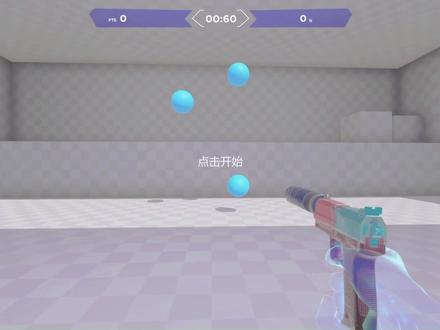 01:17
01:17 00:40
00:40


