welcome back, so if you want to follow along and generate your own plot like the one you see here we're using a tool called atlas right and the whole idea here is that it's taking these embedding these very high dimensional vectors and plotting them condensing the dimensions down to two d and plotting them and it does all of that so we don't even have to worry about the mask to collapse them down all you do is say here's the embeddings and then it handles the rest so you'll need to sign up for an account again the website or the company's called outlist i'll include a link to this you'll need to sign in but then you'll also need to authenticate so once you signed up for an account you'll install nomic nomic pip install nomic not in a notebook by the way do this from a terminal and then run nomic login and then follow all of the instructions it's going to ask you to click a link, you'll click the link and copy a token into the terminal you'll run nomic login with that token and then you'll be done and so that's all the rest for that as far as generating a plot if we go back to our notebook we'll need to do a couple of things so i have this whole list of embeddings the next thing i'm gonna do is import from nomic they make some other products we're gonna import atlas atlas is the tool that generates those plots and the way that this will work is that we'll pass our embeddings through to a function called atlas dot and it is called map embeddings and map embeddings is going to expect us to pass through our embeddings which we already have right it's called plot embeddings, however, it will complain if it's not a numpy array, so all we need to do is wrap it with np dot array and then after that i believe we might even be able to just get away with this i don't know this is such a simple there's some other parameters we probably want to add in, but let me just see if this works it should be able to plot them it just won't have any other information right, so my initial example here when i hover over one of the movies, it has an id it has the genre it has the title, but i'm not providing any of that right here it looks like it worked i'm only providing the embeddings it's still gonna plot them, so if you click this link all right, so it plotted all of my embeddings, but if i click on it all that it shows me is a random will not randomly, but a generated id that means nothing so it's working though we can see that there's these clusters here what i want to do though is create a new map so just tweak this, but i want to provide some data and what i can do when i provide data it wants me to pass through something in this format, i'll just type it down here a list full of dictionaries so i have my movies the same 5000 movies and it's important they're in these cells the rose rather are in the same order as my embeddings array if they weren't that we would have a problem because i need this data to match up with the embeddings, so another option would be to like store the embedding in the data frame itself and make sure that they were staying stinked up, but for now we're doing such a simple example this is fine i probably want to pass through the title of the movie at the very least the title and maybe the genre and this is just for me to look at maybe, i'll just do title so all i need to do is extract the title, this row or this column and get it into this format where we have something like a title is set to phantom thread and then for every movie in our data set that way it can match up this first element that says title's phantom thread with the first embedding and match the second title with the second embedding, so to get the data in that format it's pretty simple let's do it it right down right up here we'll access the title from our movies data frame and you know what maybe i'll also take the genre just in case we'll provide the genre as well just to give ourselves a bit more information okay, so this is a data frame i'm gonna turn it into a dictionary using records as the format, there's different ways to turn a data frame into a dictionary and this is what i want right so each row is a dictionary in a big list title, phantom thread, genre, drama and i'll call this just data okay, so now i have the embeddings and i have my data all that i need to do next is pass through this data here so i'm saying here's the embeddings and again the order has to stay in sync so i can't reorder my data frame i can't reorder my embeddings it's a kind of janky quick solution, but in the real world we'd probably be using an embedding specific or vector data store, or at the very least probably putting the embeddings in the data frame along with the actual data and pandas, but anyway this should work it will make me a new plot and this time i'm providing data along with it not just the embeddings and oh, i've hit my organizational limit oh, i ran out of a free number of datums to store so i had to go delete some of my just show this here i had to delete some of my projects and slim it down which is fine, but let's try this again you shouldn't run into that error here it is okay, so now each point in here if i click you can see has a title right, it also has a genre so let's try another one get out of there what are you 23 i don't know that movie okay, one more how about a movie? i know still don't know magic island okay how about this deep impact? i have i've never seen it, i've i've heard of it at least we can also turn on so i think it's actually still loading okay there we go i had to refresh the page at finish loading now we're getting some coloring happening in here and then what's kind of interesting is that i can specify these different coloring topic deaths depths where basically i believe that's actually not very documented at all, but it appears to be giving me large questers of color at topic depth of one and then if i go all the way down to topic depth three the clusters are much smaller and much more specific like this as i think i mentioned this marvel and this is dc movies dc superhero specifically and then you know we have i think is this vampires and werewolves and underworld stuff and then what's this snow white and the huntsman one princess tangle to a sort of fairy tale children ish, i don't know what you'd call that shrek yeah castles children's movies around fairy tales and fables you know we can take a look at what's this outer cluster here it looks like rush hour and rush hour three shanghai knight so this is probably sort of martial arts inflammanced movies and remember this is not a genre this is not a tag this is not something that we told it to set up this is just the clustering that happens and this is only with five thousand movies still really cool right you can change this depth, this depth and gets a different coloring you can also change the color actual colors that are used if you don't like those colors the tab low ten is fine and that's pretty much it we got this working so we generated all those some beddings we're doing it in sort of a janky way where we're just storing them in a pick file which is okay but not very real world um, but the real world solutions take a lot more work um, but you store those embeddings once you've generated them and now we can plot them or in the next video we can do some simple very simple recommendations where you can pass in a movie plot and we'll try and find the nearest matching movie plots based on these embeddings so that if somebody let's just pick one of these here somebody says they really like this movie i've never heard of that amazing grace let's try another one they really like this movie vanity fair okay i do know that movie then we write some basic code that looks to find you know the five nearest neighbors basically, but not in two dimensional space rather in 1500, 36 dimensional space and we might get sense and sensibility and the wings of the dove portrait of a lady, so these are all you know period piece i mean i think british romance i actually have not seen most of those, so i could be completely off base, but i think it's they're all kind of similar there so that's the logic that will write in the next video this video is just about visualizing the embeddings all right see you in the next one。

粉丝340获赞1601
相关视频
 08:42
08:42 01:20查看AI文稿AI文稿
实用私藏工具一, oc 一个非常实用的市场调研工具,它收集了约二百个国家,一千种不同产品的双边贸易数据,可以很好的帮助我们进行产品的市场调研分析工作,甚至可以直接可视化地去查询分析每个国家的进出口贸易情况,个人觉得是非常非常牛逼的一个网站。 使用私藏工具二, true color 输入电话号码查询识别信息,包括人民地址等,点击地址还可以直接进入谷歌地图查看,接近不多说了,这个可以灵活运用结合用来查询判断客户信息真实性、巡盘真伪都能用得上。 使用私藏工具三, hunter 这应该是一个在外贸介质明度比较高的工具,无论是查找客户邮箱联系方式,还是验证邮箱有效性,又或者是跟踪邮件阅读情况,它都可以在一定程度上满足你的需求。使用私藏工具四, meal tester 可以对你的开发性邮件进行测试评分,看看内容有没有触发一些垃圾邮件字符,方便及时改正优化,降低发送出去进入客户垃圾箱或者被拒收的情况,这个尤其对外贸新人来说,值得一用。 实用私藏工具五, good email 依然是外贸新人的福音,收录了各大知名公司的专业邮件模板,涵盖多个具体场景,无论是介绍产品、涨价通知、售后服务、感谢祝福等等,你都可以找到自己想要的英文邮件模板。
2123黑马外贸运营笔记 01:32查看AI文稿AI文稿
如果你电脑配置贼低,随便一弄都卡的不能自理,就比如说七十块钱收的这块算力板,装完系统都是卡的,那么你就可以用阿特拉斯来优化一下,让他变快。以这个电脑为例, cpu 是三八六五 u, 系统是 win 十二二 h 二,也就是最新版的 win 十系统。那首先准备好阿特拉斯所需要的文件, 打开这个 me visor 的老店呢,比较慢,所以慢慢等。打开之后呢?把阿特拉斯文件夹里这个 abpx 文件拖到 ame 左边这一块,然后等它加载完成,出现画面后,点击 reaction, 然后点击 open windows security 系统会打开安全中心, 把这里的所有保护都关闭掉,然后关闭安全中心,再关闭这个弹窗,系统会自动开始检测,那这里可能需要一些特殊的网络环境,等到检测完成后,发现两个对号,在 点 next, 继续 next, 选择 agree, 点 select's options。 那这个操作呢?会关闭 windows 源 windows defender, 然后点 next, 选择 disable or medications, 关闭延缓措施之后 next, 然后点 disable correlation, 关闭核心隔离。这三项都会降低点安全性来获得性能提升。最后会弹出三项,第一项是卸载埃及浏览器,第二项是关闭蓝牙,第三项是取消省电模式。这里按需选择之后,再点 next, 系统就会自动开始精剪了,根据性能所需要的时间也不同,等到出现安特拉斯的壁纸,那这个系统就精剪好了,你就可以愉快的往上冲浪了。
3769梅有机的宝藏库 04:10查看AI文稿AI文稿
hello and welcome to this tutorial on data analysis in your web browser in other words how to run a jupiter notebook? here we're going to use 13 tv at this open data as an example, but this skill is relevant to run in any jupiter notebook for this demonstration we're going to use the graviton analysis, let's click on that here we are in a jupiter notebook on my binder if you're interested in this analysis, you can pause this video and read through the introductions, but i'm gonna go to this part that says that notebooks are web applications that allow you to create and share documents that contain any of these three things, one live code, two visualizations and three narrative text here there are the contents of the jupiter notebook and the first thing is some instructions on how to run a jupiter notebook to run a whole jupiter notebook? you can go to sell and run all or if you make a change to some piece of code like change this consist then back again you can propagate that change to the rest of the code by clicking on cell and then run all below or you can also run a single code cell by clicking cell and run cells or much easier using the keyboard shortcut shift plus enter so this one it says there's no need on my binder that's what we're using so we'll skip to the next one this one we do need to do so i'll do shift enter the star means that it's processing and i'll go to the next one click on the next one that one finished immediately and then keep going through keep clicking shift press enter hey, click in here like i said the star means that that current block of code is being processed and then once there's a number in that little block that means that cell has finished, so cause this video and wait patiently for that so to finish okay, now that this cell has a number that means that is finished, so we can move on let's keep scrolling until we don't see any number anymore and there we go everything has finished and we've got a nice plot of the end so that's it for how to run a jupiter notebook now you can go off and explore all of the jupiter notebooks that we have enjoy。
 16:14查看AI文稿AI文稿
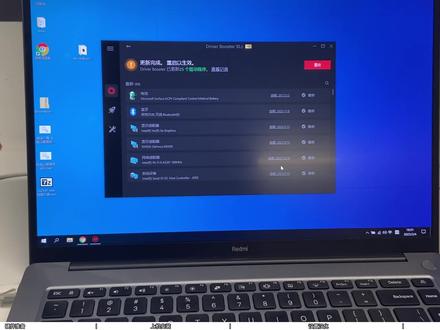
经过半小时的漫长的等待,这个笔记本的驱动呢也已经安装好了,像这个触摸板呢也是可以用了。 哈喽,我的小伙伴们大家好,今天我继续带大家来折腾这个 a tlus os。 像我们在安装之前呢,有几个东西需要再准备一下,就是我们最关键的一个就是这个优盘,像这个优盘呢,我推荐大家购买三点零的八 g 以上的这种优盘。 然后就是准备好需要安装的电脑或者是笔记本,或者就像是 steam deck 那种掌机啊,也都是可以的。像如果要给掌机安装那个呢,我们就要买一个 type c 的拓展物或者是 usb 的拓展物, 因为我们要把 u 盘和鼠标键盘要插到上面,然后我们才能来操作这种小的斩击类的。这种安装像还有一点呢,就是这个笔记本新安装上是没有触摸板驱动的,今天呢,我也一并给大家都准备好了,待会来教大家一步一步的来安 装这些东西。好,现在我们就来开始准备软件方面的东西。现在呢,我这里已经来到 a 特拉斯的官网了,这里就点击这个当闹的点击进来,进来之后来给大家翻译一下,这里呢,他就有一个阿特拉斯 i 零 h 二他这个版本,此版本为你提供卓越性能,低延迟,对软件和游戏的高兼容性。 如果要玩一些最新的大作或者是安装叉 gp 的话,这个版本是安装不了的,因为他不支持微软最新的环境。这里呢,我就推荐大家来到下面这个, 一,特拉斯二一 h 二,如果不追求叉 g p 的,就安装二零 h 二这幺八零三,这个版本太老了,也不适合玩什么游戏了,这个就不推荐了,这里呢下载链接呢,我都给大家已经准备好了。首先先来下载软件合集,这是软件合集里的 进来,然后有一个 p e 类,把这个 vito 一旁多用的下载一下,然后再下载这个 five p e, 然后再 返回软件合集,到这里有一个修复,这里把这个下载一下驱动安装,这个是 b 装的这个东西下载一下这个地插修复工具,玩游戏,游戏党必备的一个插件,也就是很多游戏需要这个东西, 这里下载好之后再返回上一层,然后推荐软件这个七 z 的压缩工具下载,这个浏览器呢可以下,可以不下。然后就是一个这个卸载工具下载一下,然后再来到 a 特拉斯的下载 进来,这一个呢是中文语言包,这个是离线安装的,这个呢只是给大家提供一个备选方案,如果我们在线安装不了,就可以用它来安装, 但是他安装的有一个缺点,就是设置菜单,他是英文的,这个可以先下载一下备选,但是我们今天汉化呢,是要在线下载语音包,也就是把这个文档 下载,然后我这里就下载 i h i 的 iso 下载,这一对呢就是今天所需要的所有工具和软件了,大家不要看着乱,可以跟着我的流程一步一步来。首先打开这个 wintoen 一旁多用的这个压缩包,我这里以七 z 为演示,右击提取, 提取好之后,他是这样的一个文件夹,双击打开进来之后,这里就有一个微透印的一旁多用的 exe 的执行程序,这里双击打开,打开之后就把我们准备好的空优盘插到这台电脑上,插上来之后点击一下这个刷新, 这时候他就把我的六十四 g 的优盘已经识别到了,这里就点击这个安装,他这里提示磁盘会被格式化,所有数据将会丢失,如果有小姐姐和学习资料这些东西,我们一定要提前备份好,这里就点击试,继续点击试到这, 这里这个提示微透音优盘已经制作好了,点击确定关闭,现在就打开此电脑或者是我的电脑进来之后就可以看到刚刚制作好的微透音的这个优盘的盘符了,双击打开 进来之后,这就是一个正常的一个优盘,一样,我们可以把我们的学习资料和文件都可以放在这里,这里呢我为了防止文件乱七八糟的,我会新建一个 iso 的文件夹来放 iso, 右击新建文件夹,命名 iso 好了之后进入到这个文件夹,然后把刚刚下载好的 a 特辣四 i s o 和 f i p e 的 i s o 复制到这个文件夹里,选中这两个复制粘贴到优盘里, 这里这两个 s o 复制好之后,再返回到上一集 v to 印的根目录里,然后再把这些 软件复制走,选中复制粘贴到这个 u 盘里, 到这里都复制好之后, u 盘里大概是这样的一个目录,一个 iso, 然后就是这些工具,操作完之后关闭,然后弹出 u 盘,这时候就可以把 u 盘从电脑上拔下来了, 现在就把我们刚刚制作好的这个 u 盘呢安装到需要安装的电脑上,如果说我们这个 u 盘插在三点零的接口上引导不了,或者是进不了,就换到 usb 二点零的接口上, 还有一点呢就是比如说一些品牌笔记本或者一些品牌主机,他会有个安全模式,我们要进去把这个安全模式关闭掉,我们才可以引导优盘。这里呢大家就根据自己手里的型号和设备查一下说明书,或者是联系一下他们的客服,他都会教你怎么去关闭的。还有一个就是安装 笔记本触摸板的时候,这时候呢我们要提前准备好一个鼠标,因为在安装的时候呢触摸板是没有用的,这里呢大家一定要准备好,要不然会很尴尬。都操作无误之后,我们就来给这个主机通电 插电开机,开机之后一直点按键盘的快捷启动键,我这个呢是 f 七,这个快捷键呢就把我们引导到了这个设备选择菜档,他这里已经帮我列出来了,我这第一个呢就是 uefiusb 这个 u 盘的名字,然后点击回车,选中它。 进来之后我们先选择 f i p e, 先对硬盘进行一个分区,和四 k 对齐回车回车回车。 像这一款 p e 呢是可以连网的,也可以连无线网,如果说大家有一些东西遗漏下载了,就可以通过这个 p e 访问网络之后来进行补充下载。现在呢先来 打开分区工具,我把这个拉长一点,到这里呢就找到我们需要安装的系统的硬盘,像我这一块硬盘呢是专门用来安装系统的,所以说没有东西我就直接右击 删除所有分区,这里点击是,然后点击一下左上角的保存,如果大家这个笔记本里有多块硬盘的话,我们一定要注意一下,不要把我们有数据的硬盘给删掉。这里操作完之后先关闭一次这个分区工具,关闭完之后再打开分区工具,这里呢可以把这个选中拉大一点, 再次找到这一块硬盘,选中之后,然后点击上面这个快速分区,进来之后他这里有两种分区类型, mbr 是传统音道 机油 id 呢,就是 uefi 的引导,如果大家在分机油 id 分区的时候安装不了系统,大家就选择 mbr 的传统分区格式来进行系统安装。分区类型选好之后选择自定义,我这里分成两个区,如果大家硬盘空间 比较大的话,可以根据自己的需要来分区数量,这里选好之后来到这里设置一下硬盘空间,我这里就设置成六十个 g, 设置完之后在下面这个分区点击一下,他会自动的把剩下的分区给这个第二块这个分区,然后点击清空所有券标,接下来就是这个四 k 的上区对齐,点击一下,选择到四零九六上区, 选择完之后,这里点击确定在这里等待个一小会,他会自动帮我们硬盘格式化,等待一会之后就把这个分区工具关掉,然后关机, 关机之后我们再一次来开机,开机之后依然快速点击快捷启动键,这里再一次选择到这个优盘, 然后选择 a 特拉斯这个 o s 回车,这样呢他就把我们引导到了这个 a 特拉斯的安装界面这里勾选这个,点击下一步。 到这里安装的时候呢,我们大家一定要注意一下,如果我们有多块硬盘在这台电脑上的话,我们要确认一下他的位置,像这个零号位呢,他是一块硬盘,我们再往下来找到我们刚刚分区好的这个六十 g 的这个他就是一号磁盘了,选中刚刚分区好的这个六十 g, 然后点击格式化一下, 然后再拉下来这里呢再把刚刚分取好的两块硬盘的另外一块也格式化一下,选中之后点击格式化, ok, 然后再拉到下面,选中这个六十计,点击下一步, 然后这里呢他就开始给我们安装那个系统了,像这个安装速度呢,取决于我们的优盘速度,像如果我们是三点零呢,他的速度会快一点,如果要是萨塔固态的那种移动硬盘盒,他的速度安装的又会更快。 像这里弹出这个重启界面呢,我们就等待它黑屏,等它黑屏之后呢,我们就可以把这个 u 盘拔下来, 好,现在就把这个 u 盘拔掉,我们等待它自动开机,在这个过程里呢,它会有几次的自动重启, 经过几次的自动重启,现在来到了安装引导界面这里呢,我们要往上找,找到 china, china, 选中之后点击 yes, 键盘布局呢,就默认 us, yes, 这里添加键盘布局,就跳过, 像这里 network 呢,它在识别网卡,像这个时候呢,如果我们是有线连接的,我们就把网线插到这台电脑上,我们等待它一会,如果是无线的话,这里就忽略,等它跳过,然后进系统之后来连无线 到这里呢,让我们给设备命名一个高大上的名字,我这里呢就随便填写一个 vip, 大家呢就根据自己的需求来填,填完之后下一步 到这个密码呢,我推荐大家这里先不用创建,后面再到控制面板来创建,直接点击下一步, 进入系统之后,他这里有个优化窗口,我们要快速的把它关闭,这里呢就要考验我们的手速了,我们快一点把它关掉, 关掉之后这里不要发,他还会有一个自动精简的过程,这里大家呢也不要好奇你这里把它都关了,他怎么还能精简,只要我们再一次重启,他就会再一次的帮我们做精简这个操作。所以说我们现在先来把汉化做好,首先点击左下角的开始,然后点击这个设置, 进来之后大家这些步骤一定要仔细的操作,如果一遍没看会,这地方可以多看几遍。进来之后这里有个栏柜,点击进来,进来之后呢这里有一个区域,进来之后这个区域呢我们要设置成 china, 然后再来时间,这里 时间,这里点击一下,找到北京和红孔这一个选项,点击一下,然后点击同步一下,好,他这里提示同步好了,和我们现在中国的时间是一样的,我们就可以进行下一步操作。点击到这个语言, 然后往下拉,这里有个 a、 d、 d 添加语言,点击一下,在添加语言,这里呢首先我们要确保这里已经是可以正常上网了,这个网呢也就是正常可以连网的一个状态下,不需要别的东西,这里输入 china, 输入完之后点击一下,然后下一步, 然后他就出来这样的一个界面设置为 windows 的语言,这个勾一定要等他出来,如果没有出来,我们就点击这个取消,然后再点击一下这个添加,再一次输入 china, 选择下一步,直到有这个选项,我们把它勾上,然 然后点击这个安装,这里呢他就提示在给我们安装了,这里可以点击一下这个语言,然后点击这个选项,点击这个单烙的这三个全部下载他这里呢会一个个的帮我们下,在这里等待他, 如果刚刚那一个下完了,他没有下载,我们继续点击 download 好,他这里就帮我们显示正在下载了,等待他下载 好了。像我这里呢也就等待了几分钟,这里呢他都已经把我们下载好,然后返回,返回之后点击栏柜子,然后往下滑动,点击这一个选项,来到这里呢,点击这个,把这两个勾勾选上,点击 ok, 这里提示重启,我们就点击一下,等待 它重启,重启完之后呢,我们还要再把那个精简的再关闭掉,然后还有要操作 他的这个精简窗口,准备把它关闭掉,这里呢一定要速度要快,关闭了之后再来到开始这里,点击设置,有几个地方我们还要再确认一下时间和语言。 第一个我们先来到日期和时间这里,先确认一下这里有没有错,这里都是在中国和这个简体中文,这里就没有问题。然后我们再点击区域,这里呢中国区域格式,他这里有一个推荐中国,这样就是没有问题,然后继续下一个语言, windows 显示语言中文了,继续往下滑动,来到这个管理语言设置,点击更改系统区域,设置这个区域呢,我们要选择到中国,然后点击确定他现在依然 是重启这里呢,点击重新启动, 操作到这个第三次的重启之后,这里呢我们就等待他这个帮我们精检了,就不需要操作了,到这里就等他给我们精检, 像这里呢这些这个他也不会说爆落马了,这个汉化呢,是非常完美的一个汉化,目前呢我没有遇到中文的地方会有落马的现象了, 像这个精检过程有点长,现在已经精检好了,他要准备自动重启这里呢,我们不用去动他,等待他自己重启就好了。 小伙伴们,到这里重启之后,这个 aetlas 的系统已经是我 完美的汉化了,他这里已经是不会有落马了,非常的 nice。 如果大家在安装完之后遇到一些什么问题,或者是发现了落马,可以给我们评论区的小伙伴们分享一下。现在就把我们的优盘再插到这台主机上, 就开始我们接下来的操作了。桌面上显示此电脑的图标,首先可以通过图吧工具箱激活一下,激活之后右击空白桌面,选择个性化,然后找到主题, 往下滑动,这里有个桌面图标设置勾选计算机,如果有其他的比如说控制面板或者是用户文件都可以勾选一下,我这里就放一个计算机就行,选完之后点击确定 关闭这个,此时的桌面就有这一台此电脑的图标了,双击打开,打开之后来到优盘里,然后把这些所有文件全部复制到这里, 复制进来之后把 u 盘拔掉,现在我就来教大家如何使用这些软件解压工具。先来安装一下,我这里呢就给他改到 d 盘,然后点击安装,安装好了之后点击这个取消,这时候就可以把这安装好的安装包给他删掉。 接下来就是这个 d 叉修复工具,我要以七 z 为例,右击选择解压,然后打开这个文件夹,进来之后这里有个 d 叉修复,双击这里呢就点击检测并修复, 像这个 c 加加二零零五和二零零八,他没有安装上,也就是这个 windows 十已经是不再支持这个老版本的了。安装好之后点击关闭,点击确定,然后关闭,这样我们可以再一次把这个 d 叉修复工具给他删除了,删除之后就是这个驱动安装,右击继续以七 z 为演示解压, 解压之后他这里就是一个文件夹,打开继续打开,打开之后这里就是他的这个驱动安装程序,双击到这里就点击一下这个扫描, 扫描好之后他这里已经给我们列出来了所有需要安装的驱动以及他下面这个知识的游戏,我们可以通过这里安装这些 c 加加到这里呢,如果有游戏提示需要安装这些,我们再来安装这里呢,我们就默认只安装驱动就行,点击立即更新。 如果说像我们这种网络慢的话,他这里下载很慢,我这里就来教大家另外一个方法,点击停止,然后点击这三条杠, 点击设置选项,进来之后这里有一个网络,然后点击自定义,这里呢只需要填写一个 ip 和一个端口号,这里呢我已经放在这个文件夹里了,这两个填完之后点击确定就好了,这个驱动呢,我们就让他先更新着,他这里在安装驱动 的时候呢,提示我这个点击确定就行。像剩下的这些软件呢,就根据小伙伴们自己的喜好来进行安装了,然后再回到这个驱动里,这里呢他都在安装,安装好之后呢,他提示重启的时候我们就重启再检查安装一遍,我们多检查几次之后确认污了,就可以正常使用这一台电脑了。 以上就是今天的所有内容了,小伙伴们这一期视频如果对你们有帮助的话,记得给猫老弟点个关注哦!
340挨踢猫老弟 02:56查看AI文稿AI文稿
这个是学员投产不错的一条计划,我们来看一下他是怎么搭的。推广那天呢,选择视频上直播啊,微知晓推广视频号这个地方要打一个勾号,然后呢下面转化全网归音广告版为微信视频号,然后呢我们往下看他的定向包是怎么设置的, 其实就是跟千川的莱卡差不多区域,选择跟你这个产品调性符合的一个区域,就比如说你卖羽绒服,那么你就没有必要去选择一些非常多靠南的一些城市,对不对?多选择一些北方就行, 当然这个也多根据你们第三方平台的一些数据,比如说你在某宝上某音上面的一些数据,反馈哪一个城市或者哪一个省市,它属于比较好,那么你就多去选啊,像下面年龄 这个年龄,一般来说我们选这个三十到五十之间的就是 abca 加 ba、 加 ca、 加 b 加 c, 就是你多去组一些计划就行,每一条计划你可以这么去组,然后像是性别啊,根据你们这个产品, 你们产品还要根据你们产品,有些食品啊,他就选不限就行了。然后你们一定要去复盘,复盘反馈的数据是什么,你们就去根据这个反馈的数据去多一些优化和更改, 就哪怕是说我们之前卖了某一个食品,我们以为只有男的才会去买这个产品,结果数据显示百分之四十都是女性购买的,所以你们后面计划就可以选择女的,或者说不限一定要去测,数据是测出来的,然后学历选择不限就行,联网方式其选择 也不限量方式选择不限就行,自定义啊,选择不限,然后拍出一转化,选择不限,然后我们看下面自动扩量。其实这个地方如果说你们这条计划他 ok 的话,跑的非常好的话,那么你们以后是可以选择自动扩量的, 然后优化目标下单,因为他测出来的就是他的计划是下单比较好,所以他一般都会建立下单。但有的人他可能就是比如说什么商品点击比较好,那么他可能就会搭商品点击。还是那句话,多看你们的复盘数据啊。出价策略,如果说你们一开始不知道这个出价的话, 一个是根据你们其他平台的一个大盘的出价去处,还有一个呢就是根据这里他会有一个系统智能的一个进出价,你们也可以参考啊,然后一键起亮,然后投放日期, 广告名称,然后呢广告预算,其他这个预算啊,因为他这个壶没怎么消耗,所以他设置了一个不限,就希望这个计划能够跑得快一点,所以他设置是不限。但是如果说我们这一个计划,或者说我们这一个广告,他的预算是非常非常小的,就比如说五百块钱, 一千块钱,那么这个时候你是一定要把这个预算给打上的啊,尤其是你户里面有几万块钱的时候,要不然他可能会存在一个跑费的情况啊。
415搞钱女孩金金 01:19查看AI文稿AI文稿
缓解 cpu 性能,推荐默认 atlas 是国外非常出名的 windows 优化项目,旨在于通过删除不必要的组件,勇于应用禁用省电功能和优化服务、微调流程,实施高效的电源计划 和优化网络来对系统的 cpu 占用降低运存降低,整体流畅性大幅度提升。目前已经支持 windows 十级、 windows 十一最新的系统。 atlas 的使用非常简单,只需下载 am 程序和 atlas 优化脚本,资源包已经帮大家准备好了, 可通过粉丝群或私信获取。下载好资源包后解压缩资源文件,运行 am 程序,然后加载 atlas 优化脚本, 选择 run action, 打开 windows 自带杀毒软件,关闭杀毒软件的所有防护功能,然后关闭窗口,点击 next agree, 同意许可条款,继续点击 select option。 第一项是启用或禁用资 带杀毒软件,推荐选择 dc 标禁用。第二项是缓解 cpu 性能,推荐默认。第三项是核心隔离,推荐默认禁用即可。第四项是移除 a 制浏览器禁用蓝牙和省电模式,台式机和无蓝牙功能的电脑可选择笔记本电脑,建议取消最后两项。 最后一项是选择预装的浏览器,我是选择 number 都不需要。然后点击 ok, 点击 next, 等待大约十五分钟, am 优化完毕后重启电脑即可。
2317玩机Fanr 10:14查看AI文稿AI文稿
你一直往前走,我在实验室等你, 向你冲上来, 让我看看你的伤没有感染迹象。可我预想 一样抗体系作用了。请问你是?我叫事成。你在休眠舱里沉睡了太久,记忆受到了影响。这个地方被遗失病菌污染,大部分生物发生了异变。 但你拥有进化体质,能对益生命菌产生抗体。 外面的世界需要你,我会帮助你离开这里。桌子上有武器,你可以带上防身 这些易变体。多年前的一场事故,海岸阵线的人,他们需要你。我必须留在前往下面的逃生室, 尽快找到逃生舱。这里任意联系太多,不宜久留。 城里是海底城市 被淹没了 啊啊, 会把你送到安全的地方。 天籁净化者, 电力即将耗尽, 这里是海岸智线七号水下空间站。收到请回复。逃生餐快没电了, 我能停靠在你们那里吗?请尽量保持航行信号中断了,我得想办法过去。 你是之前逃生舱上的幸存者。你好,我是海安镇县的美嘉。谢谢你刚才帮我, 我看样子你们也遇到麻烦了。是啊,我们被困在这了。发电机被易变体破坏了,我们和海面的接引船失去了联系。 有需要我帮忙的吗?先等等,让我检查一下发电机的受损情况。那边还有些食物和淡水,不管怎么样,先把肚子填饱了再说。
 05:06查看AI文稿AI文稿
还记得我们之前开箱过的那个号称是专为游戏玩家定制的经典版 win 十 elas 系统吗? 在那个视频的评论区就有观众留言说,与其出个系统,不如出一个优化软件,正好就在最近呢,艾特大的系统推出了 r h 二的更新,新版的艾特大的系统正是以移化包的形式提供的,所以今天这个视频就来给大家说一下新版本的艾特大的系统该如何安装使用。 在 at last r h r 官网提供的下载页面,我们可以看到两个按钮,其中一个 a m d v zar 的按钮下载的是一个系统的部署工具,然后第二个 playbook 的按钮下载则是 at last 系统的执行脚本。 首先我们需要准备一个微软原版的 win 十 r h 二的镜像,这个镜像你从哪里下载都可以,反正必须要使微软原 原版。然后就按照正常的步骤安装系统,安装的过程记得要断网,在 oob 界面不要登录微软账户。进入桌面以后再把各种硬件的驱动装上,然后我们就可以开始部署系统了。我们打开这个 ame 工具, 然后把这个后缀为 aptx 脚本文件拖进去,稍等片刻之后,在转接中显示出了部署版本的信息。在安装之前,他会提示你进入 windows 低分的单机进行操作按钮后,工具就会检查安全中心是否关闭,还提供着直达安全中心设置的按钮。 不过我们这里按照步骤关掉了安全中心以后,软件还是一直卡在检查的步骤不动,该怎么办呢?有些朋友可能会知道啊, windows 安全中心有一个特质,只要你的系统中装有任何第三方的砂软,安全中 中心就直接把活甩给第三方的沙软,自己就撒手不管了。你可以看到这里我们把火龙装上去以后,检查安全中心的步骤直接就消失了,我们也就能顺利的绕开这一步了。但到了验证安装需求的地方,软件又要求我们把第三方的沙软给卸掉, 没办法,我们正好来了一波卸磨杀驴啊。把火龙卸掉以后不用重洗,返回一下之后再担心下一步就可以继续安装了。 这时软件会提示我们还需要指定一下安装前准备系统的步骤,单击下方的运营操作按钮就可以开始准备系统。 等机动桥走完以后,系统会自动重启一次,重启过后,系统开机会自动运行 a m e 的工具,然后我们就可以进行下一步的安装了。之后的步骤就是让你阅读一下许可协议,我们就无脑 下一步就行。同意的许可协议以后,软件就开始自动针对系统进行部署了,这里我们就耐心等待即可。不过我们进行到这一步的时候,安装程序就卡住了,等了半天也不见动一下, 后来才发现是因为这个工具不适应国内的网络环境所导致的,要按照这个系统的同学还是需要自备魔法工具。果然这里我用 step 挂上全军代替以后,安装就能顺利的进行了。 在安装的过程中,系统会出现黑屏、闪屏的情况,当安装结束后,系统会再次自动重启一次,重启以后,我们就能看见登录界面的壁纸和桌面壁纸已经全部变成挨着辣死了。 在使用界面我们也能看到爱乐奈斯的版本号和网站入口,系统默认开启了深色模式,并且关掉了窗口,缩放了动画。 打开开始菜单,可以发现的是,系统中删掉了大多数 win 十中预装的应用,只留下了计算器、应用商店和插 boss 相关的组件。 接下来就来对比一下阿特拉斯和原版的威驰资源占用情况。在安装完阿特拉斯之后的占用空间为十点一个 g, 比原版的威驰少了大约九个 g。 在分配六 g 内存的情况下,阿特勒斯内存占用缩小到了一点四个系后台进程数从一百二十八个也减涨到了五十四个,他的资源占用比起原版的奔驰确实小了一些。 这一版的 i loves 和我们之前测试过的二十 hr 版本不一样的是,二 hr 版本的 i loves 似乎并没有严格代理网络相关的组件,并且在这一版的 id loves 中, ie 乳液也可以正常的修改。在控制面板中多出了一个上帝模式的数。 电源选项中同样有 adidas 的电源计划,在程序和功能中,系统也备集了可能需要的运行库,这些地方都和我们之前测过的 adidas 二零一叉版本一样。 要说用这种方法安装 ls 有一个优点,那就是不用担心汉化的问题了,优化包可以直接布置在中文版的 vnos 上。但这种方法也存在一个缺点,就是他不适应国内的网络环境,所以你还要具备科学上网的条件。 在 ls 的官网,现在已经有了 v 十一经典版的下载按钮了,但现在暂时还不能发布,所以并不能下载 视频的。最后小小的画个饼啊,我们可能会在今后把市面上常见的一些经典定制版本的 windows 放到一起,然后做一期对比测试的视频。好了,本期的安装教程就到这里,如果觉得视频做的还行,就别忘了来个三连,我们下期视频不见不散。
1388Z极客


猜你喜欢
最新视频
- 3.2万雷自信