惠普m608加热组件拆机教程

粉丝5.7万获赞9.3万
相关视频
 01:37查看AI文稿AI文稿
今天我们来讲惠普 m 四五二打印机如何更换加热组件。首先把纸盒抽出来,打开机器前门,拆掉这几个位置的螺丝, 打开机器后门,一个丝滑的转身,拆掉边盖,注意不要把卡扣掰断了,底部拿螺丝刀敲一下就下来了。接下来是拆线, 在这里下,从这里开始全部打掉, 再拆另一个边盖,注意力道 不要掰折了, 把后面的小盖板拿下来,再拧掉固定加热组件的几个螺丝, 这里有两个螺丝需要拆掉, 这里还有一个,另一边 换一把小螺丝刀,敲一下上盖,把线拔出来,组件就取下来啦。下期我们出如何安装?
506GZHT打印机配件 16:33
16:33 00:29查看AI文稿AI文稿
惠普 m 六零八款款一百多万赞,现在打着打着就提示卡子修好了,桌上这点是我的,修不好让我去找个班上,这分明是来砸场子的。 更换过挫折轮,故障依旧,并且纸和纸张尺寸经常识别错误,维修纸和纸张传感器和镜子分离器故障得到解决。安装好所有设备进行打印测试。
55立诚快修回收 09:39查看AI文稿AI文稿
in this video i will show you how to replace a fuser in an hp color laser jet cp, twenty twenty five printer first off remove the paper tray and the toner turn the printer around to the back remove these three screws remove the memory door and remove the screw here remove the side panel open the back and remove the tab on the left and the one on the right, one on the left just use a screwdriver to pry it out remove these two screws now remove the top to do that you have to release a tab use a screwdriver to release the tab now remove the top remove this screw on the side cover and remove the cover use a screwdriver to help release the tabs now remove the back cover by using a screwdriver to release this tab 火龙果 remove these two screws on each side of the printer remove these wires remove the fuser install the new fuser insert the cables yeah you can just smash them in it'll be okay reinstall the screws reinstall a back cover and stamp it in place install the side cover and snap it back in place install this screw put the top back on and make sure it goes on correctly install the side cover with the memory hole and install the screw reattach the arm with the pin and the other arm reinstall the back screws make sure the door shuts correctly install the toner and the paper tray plug it in turn it on and print a test page you are now done。
102普朗克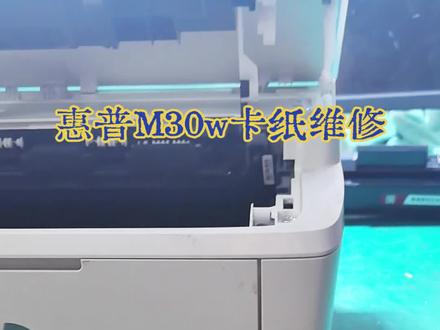 00:43查看AI文稿AI文稿
晚上加班修一台惠普的 m 三零 w 打印机,这款打印机啊,打印、复印、无线功能全都有,就因为进去一个东西把加热组件给损坏了,每次打印都卡纸。检查了一下,只需要更换这个配件就可以。 这个打印机呢,拆装挺繁琐,前前后后差不多需要一个小时的时间,人工费要比这个配件的价格贵。组装好之后通电 运行正常,再打印一张测试页看一下效果,没问题了,收工。
11长清源盛科技 00:10
00:10 03:08查看AI文稿AI文稿
本期视频讲解的是 m 七二五取放加热组件的过程。首先将打印机关机,面对打印机正前方,移动到机器左侧,先将打印机双面器取出, 可以看到白色带有操作步骤的提醒贴纸。 按照贴纸第一步打开左档盖门,注意一下左档盖门打开不会放平,需要搬动左档盖门右侧蓝色卡扣。 左挡盖门放平后按照贴纸第二步,将挡盖门左侧拔掉,右侧可以顺势取下, 按照贴纸第三步,将两侧蓝色卡扣向内九十度旋转, 握住白色贴纸区域,慢慢向外拉,将加热组件取出。 下面介绍一下 m 七二五装入加热组件的过程。装入之前,确认左侧孔洞中的黑色拨杆处于落下状态,握住加热组 组建的白色贴纸区域,将加入组建,用力推入, 确认左侧孔洞中的黑色拨杆是否抬起,如果没有抬起,需要重新取放加热组件,直到黑色拨杆处于抬起状态。将两侧蓝色卡扣向外九十度旋转, 安装左侧档盖门,将档盖门右侧的轴装入机器右侧对应位置, 将挡盖门左侧咬合位置咬合到机器左侧金属轴上。关 闭挡盖门前,将右侧蓝色卡扣抬起,放在挡盖门右侧孔洞上,同时将挡盖门用力关上, 最后装入双面气。
131苏州千色办公设备有限公司


