安伯尼克掌机设置连发
嗨,各位,不知道你们有没有和我一样喜欢一些迷你的物品,比如说像一些微缩景观,或者说 rc 遥控车,或者说卡丁车,也算是迷你小车了。呃,我用的手机呢,也是带迷你的 iphone, 十二迷你我的爱车呢,吉姆尼也是属于迷你的越野车, 对迷你的物件对于我来说有一种非常特别的吸引力。呃,那种精致的感觉。那么今天的主题呢,不是小车,而是一台迷你的掌机。安博尼克的新品 rg nano, 欢迎收看新的一期视频,我是一封, 我说到这台呢是红色的铝合金的机身呢,上手感觉非常扎实啊,机身虽然有棱角,但是握持起来呢都非常舒服。 a b x y 键和十字键呢都是导电胶。然后呢,这里要说一下,就是 a b x y 按键不是双色助磨,那十字键的 手感偏硬,如果换成微动按键会更好一些。 l 一和 r 一呢,都是微动按键,手感还不错。 l 一 r 一的中间呢是 type c 口,可以用来充电和承受数据。 呃,充电的时候呢,会亮起提示灯,不玩游戏。光按按键其实也是挺解压的。右边呢是电源按钮和 micro sd 卡的卡槽,下侧呢是一个小的扬声器,音质的话不要太奢侈,听得响的程度, 我在想这么小一台机器游玩体验肯定不怎么舒服,那使用下来呢,确实是这样,其实这台机器在我心中定位有点类似于多功能的电子手把件,在手把件这个角度上去看,这台机器呢,呃,其实我还是觉得非常满意的。首先就是 件机身啊,搭配上 game boy 的外形,呃,从你口袋里掏出来呢,就丝毫没有那种廉价感在掂量掂量的,这扎实的手感,你就是别人羡慕的存在。如果这台游戏机只能打游戏,那我觉得会有一些局限了。 呃,对,他还能听歌,这是无损音乐的播放,在包装盒里,除了一根 type c 的充电线,还有一根高级马绿的 dac 音频转接线。除了听音乐呢,还能看视频, 但是这一块一点五四英寸的 ips 屏用来看视频就是有点太费眼睛了,况且还是二百四乘以二百四的分辨率, 呃,我还是不建议那么做机器可以模拟的游戏呢。给大家列了一个列表,大家可以自己看一下。这台小掌机还能换成。呃,专门玩游戏的前端,你可以选择自己喜欢的主题,但我相信你不可能拿这么一小块 屏幕长时间玩游戏吧。嗯,如果在初中呢,我觉得我可以做到,但是换到现在呢,可能会有一些吃不消。在初中的时候,如果我能用上这台掌机,然后在抽屉底下偷偷的玩游戏啊,那也相当潇洒了。总的来说呢,我认为 ig nano 的把玩属性是大于他的游玩属性的, 我是更倾向于没事的时候掏出来按一下,听一听歌。呃,至于玩游戏的话会有一些折磨, 可能有闲情雅致的时候会玩一玩吧。但是作为一个迷你物件的爱好者呢,我认为,呃,买来把玩收藏也是一个不错的选择,让自己的迷你阵容呢又多添了一位成员,这样想想看 还是比较值得,对吧?好了,以上呢就是这期视频的全部内容了,感谢你的观看,我是已封,我们下期再见,拜拜。

粉丝3.2万获赞38.2万
相关视频
 22:30
22:30 04:46查看AI文稿AI文稿
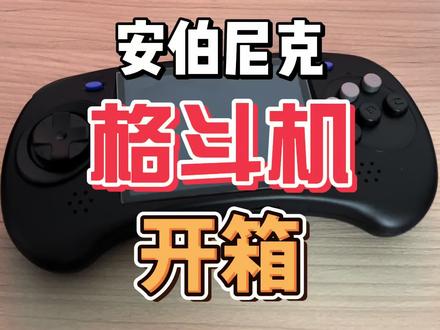
这应该是我今年最会带出门的掌机了吧,来了,兄弟们,我是小豹, 在现如今的游戏掌机市场当中,安博尼克公司以及独特的复古外观和强大功能,还有层出不穷的掌机型号,是吸引了广大玩家的目光啊。那今天呢,我们就一起来看看安博尼克他们最近推出的 arc 系列的格斗掌机。 这回的安博尼克的设计语言可以说是大胆使用了一个土星手柄的一个设计语言, 这边呢不再是 abxy 了,这边呢也不再是摇杆了,而是换成了这种十字键,可以说这是国产小掌机的一次伟大尝试了哈。经过一周的使用,我可以很负责的告诉大家,这个设计还是不错的,这个十字键呢,很舒服啊,并且呢没 没有了摇杆,这个掌机直接揣兜里面出门也是没有什么一点问题的,不用再用这个包装了啊,直接揣兜就 ok 了。那么今天呢,我们将从外观设计,系统性能还有科技很活使用感受等几个方面和大家一起来看看这个安博尼克的新掌机,他究竟怎么样。 首先呢,我们来看外观,安博尼克 arc 的复古掌机的外观设计这回是非常前卫了,没有走原来的老路,第一眼看上去总觉得有点眼熟呢, 像什么呢?朋友们,有没有很像小的时候小卖店里面卖的那个手柄游戏机,二合一的那种小游戏机啊,能玩俄罗斯方块的那种有没有,我是越看越像啊,但是不得不说,圆润的边角还有舒适的握感,使得这款掌机在手中把玩的时候非常得劲。 此外,经典的十字键和导电胶的按键,经过这段时间的游玩也是会感觉确实舒服一些。这个十字键呢,我都怀疑了,这个八爪鱼三的那个八项十字键,是不是就从这种十字键里面吸取的灵感很好按啊? 这个十字剑可以说是就是这个掌机的灵魂了,因为这个十字剑他不适合搓招吗?所以说呢,他这个掌机干脆就是格斗掌机了。 机器顶部依然是有尖键和扳机键,并且呢还有一个开机键和一个 f 键,还有音量加减键。我这个是双系统的,这个 f 是辅助进入安卓系统的, 机器底部是两个 tf 卡槽,一个三点五的接口,还有一个复位口。接下来我们来看看系统,这回的 arc 呢是有两个版本,我的这个是 linux 系统加安卓双系统的,我们 先进这个 linux 系统啊,主要目录呢是有移植游戏模拟器,全能模拟器,移植游戏里面新建奇侠传各个版本都有啊,我这个一整个是艾住了, 好多版本我都没玩过,贼有意思。还有就是施莱德复仇忍者神龟也有,全能模拟器里就更多了,像卡普通的 g b a 的, g b c 的, new geo 的, psp 的等等全都有, 绝对是够玩了。在应用设置里面各种设置也很多,接下来我们就打开它这个安卓系统,这个双系统版本呢,是增加了一个安卓十一的系统,并且呢官方是自带 rg 前端的,按这个 x 就可以直接扫描游戏,让大家呢可以轻松使用。我觉得这一点是非常好的, 虽然说开源掌机嘛,就是在于一个折腾,但是这种人性化的设计我还是挺喜欢的,科技很活方面, 这个掌机呢是支持五 gwifi 的,官方说了还可以通过这个 milit 串流游玩 pc 游戏,这个有点狠了,大家可以买回去自己研究一下。但是我觉得这个掌机吧,就是玩玩模拟器就可以了,并且呢,这个掌机它还有蓝牙和 hdmi 输出, 就可以既当掌机还可以插电视玩,就是有点东西的啊,值得研究一下,直接变身这个游戏主机了。最后我们总结一下,这款安博尼克小掌机比较适合于预算稍微多一点点的单系统版本,他这个也是 四七九五七九六七九三个档位了,我个人呢比较推荐五七九这个游戏,够玩,而且不用自己下游戏,特别方便。这回呢,安博尼克 arc 格斗掌机呢,在我这几天使用下来,其实他并没有局限于格斗游戏, 而是其他的复古游戏玩起来也没什么问题,起码是 psp 之前的游戏都可以畅快游玩了。并且呢,这回的科技很活,也很对我的胃口,既可以当掌机,也可以做个小主机,非常完美,带出去跟朋友一起玩玩也是一个不错的选择了。 好的,那本期节目就是这样了,后面小炮依然会给大家带来各种好玩的游戏数码产品,记得关注,关注小炮了解更多科技狠活装备白了个白。
68爱玩游戏的小报 04:09查看AI文稿AI文稿
我你妈就三百块钱预算,到底是买周哥的三五叉叉系列,还是来自老张的米油迷你,还是去买 rg 二零 s? 今天一条视频告诉你到底怎么选? 今天来到的三款机型分别是来自周哥的三五叉叉系列,老张的 mio mini 和霸王小子的 rg 二零 s, 也是目前很多新手小白可能会产生纠结的三款机型。今天我们将从外观、硬件和游戏体验上做一次横向对比,视频比较长,如果你喜欢的话,记得点赞加关注。 首先先看看外观,从左往右分别是三五叉叉系列,你有迷你霸王小子,萝卜青菜各有所爱,喜欢哪一个把他的序列号打在公屏上。 三款机型都是 a、 b s 塑料外壳。周哥啊不不不,安博尼克的三五叉叉采用的是透明机身,相对来说比较有质感,那么有 mini 和霸王小子,我选择的都是纯白色版本,塑料感还是相 对比较强,单纯从质感上来说,三五叉叉会更好,那么按键上,三款均采用的是导电硅胶按键,但是按起来质感还是有很大不同的。我们听听看 小老虎,不管是功能还是倍健啊,质感上相比于前两者都有很大的差别。在案件上,周哥和老张基本上就是暴打小老虎的,但是小老虎在这个价位段里面又有了摇杆,这个就非常难选了。不过别急啊,接下来我们再看一下。实用功能上, 三款掌机都拥有三点五毫米的耳机孔、 c 孔充电口,不过的话三五叉叉拥有 h d m i 接口的功能。所以如果你更加喜欢回到家用 大屏幕来玩涨级的小伙伴,这个还是非常不错的。好的,接下来就要进入紧张刺激的游戏环节了。先说数字,三五叉叉可以模拟十八款经典游戏模拟器, 那米油迷你的话是十三款,但是这两款最高也都只能玩到 pse 游戏,属于旗鼓相当,小老虎应该是三百多这个价位段里面唯一一个开源游戏掌机, 所以最高可以玩到 psp 游戏。至于真绿吗?普通游戏又不是不能玩,但是稍微大型一点的游戏啊,就会开始掉真,毕竟采用的还是老款的三五六六处理器,还是顶不住的。 另外说上一句啊,三五叉叉和 miu mini 都能玩到 psp 游戏,但是这属于进阶玩法,咱们就不多说了啊。在游戏体验上,三款游戏掌机基本上都是非常不错的经典游戏,例如 gba gb 街机游戏,还有红白机游戏等等的,对于这三款掌机来说都没有太大压力,那么 金手指这三款也都能用, pse 游戏上基本上也都能带得动。但是从手感上来讲,由于三五叉叉和霸王小的大小基本上一致,所以手感上会比 miu mini 相对来说更好一点。 而且三五叉叉原系统带有的搜索功能也是目前这三款掌机里面最为简单,最为适合小白轻松上手的掌机了。好的,那最后说一下结论啊,如果说你只有三百多的预算,然后入门掌机的话,我个人建议就是这两款机器里面去选, 那么如果让我去选的话,我可以去选三五叉叉,为什么呢?因为它包含了 mio mini 里面的所有游戏,而且的话还附赠 hdmi 接口,更简单的搜索功能, 同时的话他的这个掌机会更大一点啊,手握的握持的会更好一点,这些都是白送的东西啊。然后这个是我比较推荐的,但是如果说你玩到 psp 游戏的话,能不能去选这个霸王小, 我其实个人也不是非常建议,我个人建议再攒一点,再多一点预算,多个一百多块钱去买三五三 vs 这种掌机啊,二 k 三五六六的处理器会比去玩霸王小子去玩 psp 游戏会舒服非常非常多。 现在是不是你买掌机最好的时候呢?跟大家说一个消息,从今年十一月份的下半旬开始啊,不管是周哥还是其他厂家,都会陆陆续续出来各种各样的掌机,所以现在先静观其变,比如说啊,马上就会发布的周哥的阶级掌机,还有三五叉叉 plus, 还有更多的一些厂家的一些场景啊,如果说你要喜欢的话,记得先等一等,然后如果想看第一时间的评测,记得点波关注啊,到时候我第一时间都会给大家测评的。好,以上就是今天节目的所有内容了,我们下次再会,拜拜!
2.1万我是麻辣烫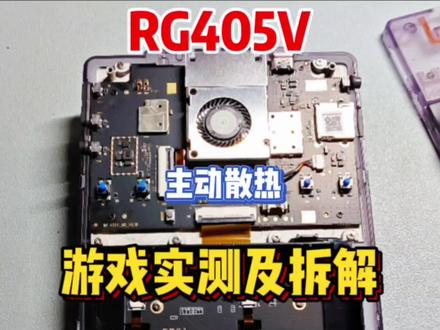 11:07查看AI文稿AI文稿
感谢各位的等待,今天呢,咱就会从 rg 四零五 v 的游戏实测,还有拆开看一看他的做工怎么样,两个方面来给大家进行讲解。首先呢,咱就直接开始他的游戏实测吧, 那咱就来一个重磅的元神吧,这里呢是有按键映射的,所以说这个二级三零五 v 也可以进行用摇杆和我们的这个按键去玩游戏啊, 黑之翼,平断昼夜,换个大招,切换一下角色,啊呀冲束手,服住吧, 这个用按键来玩比用那个触屏玩起来要爽多了,再放个大招, 老实点好,第一程就挑战成功了,大家觉得这个表现如何呢?可以在弹幕上评价一下。那么接下来呢,我们就玩一玩安卓上面的忍者神龟吧,史莱德的复仇,一个动作横版的游戏, 哈哈哈哈哈哈, 打起来非常爽啊,我比较喜欢用这个女记者,因为他的招数比较连贯,但是呢,他的攻击比较低, 可以嘲讽他,嘲讽他当能量啊,都干掉,吃血丢掉他, 错过了一个,不过无所谓,走喽 走喽,起飞,拿着刀呀,这家伙走喽, 哦呦,又被砸到了,好,就到这了,大家觉得这款游戏表现如何呢?可以在弹幕上评价一下。我们再来看一下怒之铁拳四表现如何, 打人,这也可以,跑起来可以做连招,还很爽的,和刚 刚才那个女性角色一样,就是比较连贯啊,招数比较连贯。 这种格斗格斗类游戏呢,按这个十字键还是非常舒服的。 哎呦,拿着小刀, 咱也拿小刀,丢他丢他,哦呦,我躲丢他, 就剩你了,哦呦,他会地斩, 哦呦, 打你头,走,你站起来,放个大招, 那这款游戏就到这吧,大家觉得这个表现如何呢?那接下来呢,我们就回到他的前端来看 ngc 的塞尔达传说,黄昏公主。 哎呀,好,我们到实际里面了,我们看一看他的表现怎么样啊,看起来也是挺灵活的, 基本上也是不掉针的,再往森林深处走一走,看看, 还是和我们之前测试一样,去找的那匹马,骑上马回来骑一圈试试看。骑上马 啊,他说这个马是女孩子啊,就不听他唱歌了,直接上马吧。床上,哎呀,跑起来了,哎呀, 再上去再跑一圈,哎呀,哦呦, 马跑的挺快啊,然后也是有震动的,跑起来再跑, 看到运行 ngc 呢,也是非常舒服的。接下来我们掏出安博尼克的一生之敌就是战神了,进去看看,我直接开打了, 根本就不在话下啊,非常非常流畅的,那 ps 七的战神就这么流畅,我们就看一看 ps 二的战神如何吧, 打他啊,好,先给打晕 丢丢,等着放大招,放大招,再放大招,等他过来啊, 我放大招好,晕过去了,我们开始投石头啊,投个石头 要上去干他,先把他给打晕再说,把我给摇下来了, 打他?应该是,哎,还没有晕,再打他一下, 等他趴过来啊, 放大招好,晕了, qte 上, 走去打他去, 我来啦,上他脸上打他啊,走路 拉你的胳膊,打你的眼张开把我给丢掉了。大家觉得战神二的表现如何呢?可以在弹幕上评论一下。 好,最后做一个总结,其实这款掌机呢,他 t 六幺八加上主动散热之后呢,表现会比原本的无散热要好了许多, 然后这个风扇呢也是可以根据自己的要求去调节的,我们看到下拉通知单之后,可以点击极速 停止自动自动模式, cpu 呢也可以调节它的模式,调高速模式,自动模式。这个呢就是它的游戏前端,其实这有一个按钮了,就不需要再去按这个游戏前 端了,然后呢就是他的一些改进点是什么呢?这个 t 六幺八呢芯片呢?改成了一个八核的芯片啊,之前是一个四核的 t 六幺八,表现还是好一些的。那接下来呢就给大家做一个拆解吧,看看他的内部表现如何。螺丝呢我已经拆卸掉了,我们直接开盖看一下, 看到这个内部做工呢还是非常整洁的,就上面有些指纹印没有擦干净。 主板呢是一个黑色的主板电池,我们看到是在这个槽里边就是排线啊, 这是风扇的一个风扇排线,这四颗倍健 tf 卡槽 前端的切换按钮,开关机和声音大小的音量键,底下是他的两个喇叭,音箱还是比较大的。我们看到 看一下他的壳子上,壳子上呢,这里应该是天线,这个呢就是他的四颗倍剑了, 这还有一个顶着电池的一个胶垫啊,看到整体的做工呢还是非常不错的, 这个小风扇也是非常给力的,嗯,把电池给去掉,看看他的其他的细节啊, 看到屏幕这里是用一颗、两颗、三颗、四颗、五颗、六颗螺丝给他进行紧固的, 然后这个每个螺丝呢都是有这个铜底做的。主板上基本上是没有飞线的, 除了我们的风扇还有我们的电池,其他都是没有飞线的,这里的主板还做工还是非常不错的。视频的最后呢,我就说一下我个人的看法,这款安吉四零五 v 呢,是将之前的缺点都给弥补了,他的 cpu 呢也进行了一定的改进,从四盒升级到八盒, 然后他的散热系统呢,也增加上的主动散热,之前的屏幕翘屏的垢病也进行了非常紧固的加固, 左边的一键按钮也进行了回归。看来这个安博尼克还是听大家的意见去改进自己的机器的啊。这款 ig 四零五 v 呢,在我这几天的游玩下是暂时 没有发现其他的 bug 的,硬件方面呢,设计的也还比较符合人性的好。最后大家觉得这款掌机如何呢?可以在弹幕上评价一下,大家喜欢本期视频的话记得一键三连哦!这里是玩具社,我们下期再见!
1507玩机社 01:55查看AI文稿AI文稿
没想到呀,这个两百多块钱的三五叉叉掌机也玩出来花样啊,他现在呢也支持 nds 的游戏了,我们一块来看一看吧。 本期呢就从两个方面啊,第一是游戏的表现,第二就是 nds 游戏,这个怎样安装啊?首先咱就到超级马里奥六十四来看一下,那有的朋友就问,哎,这个触摸怎么去使用呀?其实按一下这个电源键啊,他下边就出现这个触摸的这个东西了,而且还可以调整 调整,变成小手铅笔,这样的铅笔各种各样的样式都有啊,按着中间的 这个菜单键和 i 键可以进行加速啊,按照我们的 lr 啊,按一下就可以调整了,根据自己玩的这个游戏大小可以进行调整啊。现在呢,我们需要去 操控马里奥了,我们就需要再按下电源键就可以切换到我们角色的移动了,所以说这样就完美的解决了不能触摸的这个问题啊。接下来就给大家说说怎样安装这个 nds 吧。首先呢,大家下载的就是第一个大蒜系统的 nds 模拟器的安装包呀,将他们给下载下来啊, 下来之后呢,将它给解压,将这个入母文件夹直接解压到我们的年卡根目录就可以了。之后我们的游戏文件呢,我也会分享给大家,大家也可以去下载一下放在我们的入母里边的 nds 就可以了。 我们将文件给拉入内存卡跟文录。之后呢,我们打开三五叉叉,找到工具,点击第一个 nds instale 就安装了,这就提示开始安装,等它自动重启就可以了。这两百多块钱的三五叉叉呀,确实是性价比非常高的一款场机啊, 他现在也能非常流畅的运行 nds 的大部分游戏了,确实不错啊。最后大家觉得这个三五叉叉的性价比如何呢?可以在弹幕上评价一下。好,本期的视频就到这了,祝大家每天开心快乐!这里是玩机社。
677玩机社 01:45查看AI文稿AI文稿
最后为大家展示一些游戏的运行画面,大家可以透过屏幕感受一下这款机器的游戏乐趣。 let's go, big dog and go 呀哈哈哈, 哎哎哎 哎,射门有那么一点离谱,还不如我上去踢呢!
233会弹钢琴的疯疯 12:42
12:42 09:26查看AI文稿AI文稿
哈喽,大家好,很高兴这次给大家介绍 nbonic 安博尼克的二零二三年第一款掌机,它就是搭载了 t 六幺八处理器,四英寸 ips 触摸屏,也是首款采用 csc 铝合金工艺的安卓掌机。 rg 四零五 m。 本次的 r g 四六五 m 使用虎奔 t 六幺八六十四 v 八核处理器, g p u 是魔力 g 五二配备 e m c p 一百二十八 g b 机身内存或四 g b 运行内存, 电池容量是四千五百毫安时,续航可达七小时,支持 o t a 在线升级功能。及其分别有黑 灰两款颜色,不知你会更加喜爱哪 哪一款颜色呢?我们拆开精致的包装,看看包装内的全部物品,首先映入眼帘的是我们的 r g 四零五 m 还有一个小盒子,小盒子里装的是数据充电线, 底下分别有说明书以及赠送的钢化膜还有贴膜工具。 机身长度是十六点三厘米,宽度是七点六厘米, 厚度是一点五九厘米。事不宜迟,我们来好好欣赏一下 r g 四零五 m 吧。机器侧面两边是带有弧度的,握持感非常棒。 整体的机身外观特别精致小巧,这是一块四英寸的 i p s 触摸屏,六百四十乘四百八十的分辨率可以使它在游玩 p s 二 n g c d c s s 等模拟器游戏时,画面点对点显示。 左摇杆在十字键上方的位置,这次也是采用霍尔电磁摇杆,十字键和 b x y 采用导电胶, 手感一如既往地舒适。右边摇杆下方分别有 select start 功能键,玩模拟器游戏时需要用到 左边十字键下方是有一个 home 返回键。 值得一提的是,本次的电源键在机器的右上方是一个更符合设计逻辑更舒适的位置。 往左是机器的音量调节按键, usb、 e、 d c 充电多功能接口,还有机器的电源指示灯,充电时是红色,充满会变成绿色。 左右的 l r 键采用了堆叠设计,使得整个机器更加精致小巧。 机器下方有三点五毫米的耳机插孔和 tf 卡插槽,左右两侧由高保真双扬声器。 我们下滑屏幕,这里有八个功能选项,互联网连网络、 wifi 时需要用 用到 蓝牙,它可以连接一些蓝牙设备,例如无线手柄等等。旋转屏幕, 在有的应用里,我们会需要用倒竖屏,所以这个功能就是用来切换横竖屏的。 还有护眼模式模拟器,我们全部整合在这个官方的 r g 前端, 过来,过来 可以看到前端的使用非常便捷,主题也越来越美观。 好好 换下一个 好换换!换个 安卓游戏,我们只需要连接 wifi, 将游戏下载到桌面即可。游玩 按键映射,我们在玩安卓手游的时候,可以将游戏本来需要触屏的操作映射到机器的摇杆按键上。这里已经给大家预设了十套不同游戏的映射方案,当然 然大家也可以根据自己的喜好自行调整。 这里可以切换到高速模式,它能让机器一直保持高性能状态运转,可以提升游戏的流畅度。这里可以根据个人的喜好更改 n s 或 xbox 的风格。手柄按键 下面我们拆开后盖,给大家看一下这款机器内部的布局。首先我们要准备一把内六角螺丝刀,小心地拆下四颗后盖螺丝 later 这个呢是位于整机右侧的霍尔电磁摇杆,它的优点是丝滑不漂移、寿命久,并且静音效果好。然后是整机右侧的腔体喇叭, 这个喇叭是高保真立体声输出的腔体喇叭,震撼的音质效果相信会让大家的游戏体验更好。然后这里是主板的可拆卸屏蔽罩,采用不锈钢的材质设计, 表面开有散热孔,这些小的散热孔能给 cpu 起到很好的散热效果,从而使得整机性能发挥得更好,游戏更流畅。 再接着这一块是电池的保护盖板,同样是采用了很有质感的不锈钢设计,有效保护电池,看着简洁 也美观。 接着这一块是整机左侧的按键小板,以及左侧的霍尔摇杆,还有震动马达。左侧的腔体喇叭, 还有背板上的这个 wifi 天线,它是采用了弹震按压设计,能更好地稳定信号。 整个 r g。 四零五 m 的内部结构布局合理,简单整洁,一目了然。接下来我们进入游戏展示环节 啊 啊啊 起来 啊啊! 还有 本次 r g。 四零五 m 的介绍视频到这就告一段落了,期待我们下次再见,感谢大家的关注与支持!
 29:39查看AI文稿AI文稿
how's it going everyone talkie here we have had a ton of portrait base handhelds this year and today we're gonna take a look at another one this is the rg35xx plus, which is an improved version of the rg35xx that launched earlier this year this one has more power and hopefully it'll make a much better alternative to other handhelds that are harder to come by inside the packaging we have a manual some wipes screen protector, a charging cable and the device itself jumping right into the specs the rg35xx comes with the all winner h700 processor this is a media processor that seems to be based on the h616 processor that i've reviewed before it has four core texts a 53 cores clocked it up to 1.5 gigahertz and it has a molly g31 mp2 gpu we have one gigabyte of lp ddr4 ram 64 gigabytes of sd card storage with a second can slot for another card and a 3.5 inch 480p ips panel on this revision our battery is easier to replace with the stock one coming in at 300300 milliamp hours all of this runs on linux would support for wifi 5 and bluetooth 4.2 when it comes to pricing this is a cheaper handheld than the usual crop of ambernick handheld they had this on discount for the first two days of this one on sale and it was available with a us based price of 58 dollars the normal price for this comes in at 64 dollars and i assume that will be the price going forward on their own website and on aliexpress these prices do not include chipping they had a second alley express listing which shipping included and that one came in at 69 dollars in 99 cents during the promotional period i bought two rg35xx plus units from ambernick with my own money for this video and i paid around forty seven dollars each with shipping included at that price it's a no brainer that brings us to our first topic which is what this hardware should be capable of i did a video on the state of emulation on the android side two years ago and i end up making a tier list for different systems and the kinds of hardware that you would need to be able to access that tier not every tier applies to linux handhelds in the same way, but they do on this low end with the soc that we have the og rg35xx was a tier two handheld and it was capable of playing at least a few titles from each of these systems with the help of third party operating systems a solely on the processor that we have this time around the rg35xx plus should be a low to mid tier 3 handheld controls aside it should be able to play a lot of psp titles of scale ps1, most of the dreamcast library and most of the n64 library again this is if the device was rocking android, but i do believe this is where it will be once the hardware is fully utilized now the market has changed significantly since the last time i looked at the rg35xx so what i want to do now is just show how this looks compared to the current crop of portrait based handhelds and there are a lot of them we're gonna exclude the rg nano for this and go right to the miu mini this is still the best small device that you can get and it is a bit smaller than the rg 35xx plus, but these are both pocketable devices if we go up from there we have the miu mini plus this has the same size screen as this new rg device, but it has a weaker processor that isn't as capable as this new one obviously we still have the rg35xx, which this competes with these are the same size and they can do some of the same things, but this new one should be able to do a lot more this guy is a newer release it's the r35 i did a video on it not that long ago it is an extremely cheap device, but there is a better version that's slightly bigger than this and that's the r36s this one is obviously significantly bigger than the rg device, but it does have dual analog 6 that are useful for some of the things that this new device can do the biggest device that we have in this price range is the xu10 this is one that did a video on not that long ago it is a bit more expensive than this one and it also has less performance which is an important distinction to make and when we take all of the handhelds and put them side by side from smallest to biggest this is the picture that we have and a lot of these are consoles that were released this year i'd point out that that's not common in years prior we never had this many portrait based handhelds and i'm all for it even though these are all contemporary devices that compete with each other this doesn't tell you the full story because these devices aren't ordered based on their capabilities if we do that it would look something like this on the low end we have the meu devices with a cortex a7 processor and no gpu, and then we move up to the rg35xx, which has an a9 and a gpu on the side of that we have three rk3326 devices with the xu10 being the better of the bunch and then on the far side of that we have the new rg35xx plus, which has the same gpu as these guys, but the cpu is a lot better in this section we're gonna focus all in the hardware and we're gonna try to cover all of the things that have changed in this new device compared to the original rg35xx starting out with the front there's not a lot that has changed they've slightly changed the angle of the start and select buns and they've added a slightly rounded edge to the d pad all of the buttons on the front half are the same size as they were on the rg35xx if we do a close up shot of the d pad you can see that not only is this edge on all sides slightly rounded, but the corners and all of the edges are rounded on the 35xx we have flat edges and while this is also rounded it is not rounded to the extent of the new device and that makes this one a bit more rough to use if you're gonna be playing games you have to roll the d pad find that doing something like this on the rg35xx kind of digs into my thumbs after a while, but that feels a lot smoother on this revision besides that the back is where you're going to find the biggest change from the input side of things and that is these shoulder buttons in the new 35xx plus amenic has gone for a style that we've seen in some third party diy mods for the 35xx this is gonna be a lot easier to use and the buttons themselves feel better to use than the original device it's a small change, but it does make a meaningful improvement to the ergonomics of this beyond that everything on the right half of the unit is the same as it was on the first device and the same thing goes for the other side, but the difference this time around as they've done a slight redesign on the volume button on the bottom we still have a single usb port that's labeled for dc charging, but i believe this one can do otg support so we'll have to check on that and on the top half we still have an hdmi port and two led indicator lights the final change is not one that's very obvious this new one is slightly thicker than the original if we measure the bottom half of the 35xx we get around 20 millimeters of thickness, but that same area is around 22 millimeters on the 35xx plus the thickness on the screen half comes in around 15 millimeters on the plus which is the same that you'll see on the original the next new feature on this is wi fi support and this gives a lot of added functionality that makes it a better product versus the original rg35xx admittedly the network settings menu here isn't the best it works the best if you only connect to a single signal, but if you have more than one access point that you're trying to access it is really a pain to get it to switch from one to the other, but once you are connected you essentially get three new things that you can do on the device the fourth one could potentially be ota updates for third party operating systems this doesn't support ota updates, but i would expect that we could see that kind of functionality in some linux distros be disabled by default, but if you go into re and you turn on show online updator this will allow you to update some important things on the device and i actually had to use this to update one of the controllers that i wanted to connect to this with blue tooth that process is pretty simple all you have to do is go down to update controller profiles and it will download that from the internet you can also use this online functionality to update the cheats files and overlays for this retroarch system i think the thing that you'll probably get the most use out of is net play and if we go into retroarch on both devices we can play a game that has two players simultaneous support like contra for example on this right unit i'm going to go over to the net play menu and click on host and then i'm going to select start net play host both of these devices are connected to the same wi fi so if i go over on this white one i should see it on the bottom over here if i go to refresh net play land list in this case it didn't automatically find the game so i'm going to go into the folder and select it manually after i do that they should be ready to go and now i can play this game on two different devices you don't need another rg35xx to do this you can do this on other devices as long as you have the same emulator core and the same rom if you have younger kids these smaller handhelds that have network functionality built in are awesome because you don't have to worry about getting disconnected while you're playing if a usb dongle where to fall out and that just leaves us with moonlight and even though this is a cool thing that we have on this it's not really that useful but you can do some interesting things with it there are a lot of different paths you can take when you open this up with moonlight by default it's going to want to load up steam and that seems to be hard coded right now i have this running tears of the kingdom this is not emulating the title so before like nintendo goes crazy this is not emulation i'm running this from a real switch and just sending the video signal over to this device it's not really practical but it does look cool to see it in action and the latency isn't that bad and the video signal also looks pretty good that being said we're looking at a 16 by 9 image that is squeezed into a 4x3 frame so it doesn't look that great but the main use case for something like this is to stream steam games and with our limited control set that we have here you're going to want to stick to some 2d platforming games that don't need more buns than what we have as you can see it does work however, it's not a flawless experience there were times when my signal would freeze and i would have to reboot the device and reconnect with moonlight to get it going again you're also limited in the sense that you can't easily change any of the streaming settings that you would have access to if this were using a client on let's say android it's a cool thing to be able to do, but it isn't for me with that wi fi support we also gained bluetooth support and this is really the mvp of this entire refresh this is gonna allow us to easily connect bluetooth controllers that don't have any limitations in the way of control input getting going with this is pretty easy you just go into the settings menu and then go to bluetooth settings and then when you have the enabled bluetooth option just gonna press a to open that up now on my rg device i'm gonna go down to search device and i'm gonna press extra refresh after searching for the device i can see that we have the apid do sn30 pro there i'm gonna press a and that should hopefully connect it to the controller after that we're able to navigate the entire device with this controller there are some quirks to this, but it does generally work very well now i read a lot of comments for people that are like okay we have more power in this device, but we don't have an analog stick and yeah that is true, but at least with bluetooth we can play those games with the controls that we do need and this is gonna make more sense in the next section, but as you can see here we're able to play this with no problems bluetooth functionality means that we should also be able to connect this to a set of earbuds or bluetooth speakers unfortunately i haven't been able to get that to work i think this might be a software issue so this probably can be fixed in the future i tried some bluetooth earbuds from rog and another set from black shark i got the rog ones to connect but the audio wouldn't route to them i also used a cheap gbl speaker that won't do anything as you can see right here it is in pairing mode if i go over to select it and then press a it'll back out into this menu and it will never end up actually connecting to the speaker, but let's circle back to bluetooth support because that's gonna play a part when we take a look at hdmi if i connect this hdmi cable to this screen the 35xx plus screen will shut off and then this screen will turn on at first i thought this was just straight stretching out the four by three image to a 16 by 9 screen, but that doesn't seem to be the case if you look at the words right here in the center that exists in the center of these two icons if i remove the cable you can see that the g in game overlaps some of the ra icon the same thing happens with the m in the s on rooms this is actually a big deal because other devices that this competes with especially ones from ambernick that have this functionality either have it by hot plugging where you are just stretching out the image or you need to fully reboot the device to get a 16 by 9 screen that doesn't seem to be the case at least with this ui unfortunately when we go into re it still thinks that we're using a 4x3 screen so when we play those 4x3 games they are going to try to fill out the entire screen again i'm not sure if this is a hardware limitation it could be a hardware limitation depending on how they implemented this hdmi output but i'm hoping that it's a software limitation because it would be cool to get doc functionality with this one thing to note about this hdmi output you cannot hot plug it when you are inside a game if i do that now this screen won't turn back on and if i sleep the device and try to wake it back up it also won't do that i would actually have to close out of that game to get it to go back to normal and just so you know what i'm talking about here i have the quit option selected i'm just gonna disconnect this cable and i'm gonna press a on my controller and you should see that the screen comes back on just something to be aware of the last topic that i want to talk about on the hardware side of things is charging support or pd charging support there was some discussion on reddit about this topic not that long ago about how these devices with usb type c ports don't support pd chargers and how it's not really talked about in reviews so i do want to just address that here's the first charger that i tested and this red cable is the one that i was using with it once, i have this entire thing connected i can see that it's charging at 8 watts with this battery meter that i have to test out these, i won't need that battery meter anymore because this screen will light up when it is delivering power, so let's just remove those feet connect it to my extension cord and then i connect the charging cable that i was using during my initial test and as you can see nothing is happening on the off chance that it was a cable issue, i also went ahead and use this very thick charging cable that i used in almost all of my videos and it also didn't work but this cable in this setup works with other devices that support pd charging correctly, but in the end when i went back to using the original red cable that i was testing to begin with it does work with all of the pd charters that i have including the three that i showed in this video so the short answer is that this device doesn't really support charging in the way that people would want to but it does support some type c to type c cables with a pd charger going forward i hope companies pay more attention to this issue, so we can get proper pd support on these retro gaming handhelds it really is annoying to have to use these solder charters when most of the devices that i own support modern charters like the one that i have here anyway, i'll have links to these two charters and this thick charging cable that i use in all of my videos in the description box below so that's it for hardware let's now switch gears and talk about software and if you have an rg35xx then a lot of this is gonna seem similar to you i'm just gonna go through this quickly because i want to get to some other topics inside the main system we have the same ui that we have on the last device we have a background that we can change along with a set of icons that we can also customize inside the game room's menu you will see a list view of all of the systems you have access to based on the roms you have added to your sd card notable things on this are gonna be those tier 3 systems that we talked about earlier if we go into any of those subsections we'll see the rom list on the side here with the box art on the right hand side as you'll notice all of my roms are in chinese and that's because i bought this unit in china if you bought this overseas you wouldn't see this let's load up a gba game to see what options we have once a game is loaded so here we have that gba game loaded up and the first thing that i can see is they are stretching out this image to fill out the entire screen if i press that menu button we have a few things that we can change can customize the video display effect by default this was on hd and that is going to smooth out the pixels i don't really like the way this look so i'm gonna go back and set that to fast under video display aspect we can see that that's set to full screen i'm gonna go ahead and set that to aspect so that way we'll display how it look on a gba and as you can see we have small black borders on the top up in the bottom but the aspect ratio of the center is the same that it would be on a gba and i think this looks better for these games also in that menu we have exit game save game, load game, restart game and backlight brightness this is set to level 5 which is the highest level of brightness that this supports and it is good enough in my opinion if you like to play these that night level 1 is the lowest that it can go and this is not as dark as some other devices that are on the market but it is decent if you end up making a save state inside this menu it will make a little screenshot of what you are currently playing and then you can see that inside the load state menu so that's the game rooms menu if we go over to the ra game menu we can see those systems displayed a bit differently this time around i'm gonna go over to the gba section and i'm gonna load up that same game again if i press the menu button now i can see that i'm inside a full ra system and this is really good to see when the rg35xx came out we were limited to that previous system that i just showed you and as you could see it doesn't have a lot of options available but having full access to ra like this is a killer feature and this is gonna make it so that way i probably won't even need to consider a third party operating systems but yeah in here we can configure everything that we want if we go over from ra game we have a favorite section which we don't need to spend a lot of time on and we also have a history section which will just show the games that you were last playing this will show the games that you play in these first two menus, but it won't show the games you play and the third option that we can use have a search feature which works well, especially if you have a large collection of roms, i'm playing all of my roms off of a 64 gigabyte card that came with this, but they do have packages with a lot more roms in this the final thing that we're going to look at is the settings menu in here we have a couple of options that we've already looked at before namely bluetooth settings and those network features we can also go in here and customize the icon look, but i'm gonna keep that on stock for now and we can also come in here and change the background the cool thing that we can do is use that start retroarch option and that's going to allow us to use the full retroarch system to our liking for my purposes i kind of wish we could just boot directly into this because this is all i need and from the testing that i've done over the last two days, i don't really see a lot of stuff that's wrong here there are some configuration options that could be a bit better and some wonky behavior when you have this connected to a bluetooth controller, but all in all it works really well and you can customize anything that you want let's take a look at the sd card contents of the car that came with my unit the first thing that we can see is we have a large bios folder filled with way more files and you could ever need for this hardware we also have easy access to our ra saves and save states right from the root directory which is nice to see if we head into the roms director who can see this comes with a ton of roms my hand held came from china so these roms are all in chinese each of these systems also has a box art directory and they seem to have box art for all of the games that they include which will save us some time i already went ahead and made a new snes folder inside this one and i added four roms to it this process is pretty simple so i'll just demonstrate how to do it with n64 roms my sixty four gigabyte card did not come with any n64 games so i'll just paste over a few that i want to use for this testing it's that simple in this section we'll go through the process of installing garlic os 2.0 after visiting the main website we need to head over to the github rebo for this handheld the first thing that we need to do is grab the bootloader extract the files in the zip and paste them to the root directory of the sd card after that we need to grab a second sd card and format it as ex fat i'm going to use a random 32 gigabyte card for this and i'll format it inside windows once that's done i'll create a new folder on the card and label it as boot go inside that new folder and then we're ready for the rest of this install head back over to the github page again and right click save as on the link for number three in the save as dialog box change the file name to remove the extension and change the save as file type to all files finally we need to head over to the link listed for number four and download the arm hf root fs file from the asset section i'm gonna copy that file over to my boot folder and i'm gonna extract it there with seven zip after that's finished you need to boot up the device one time so it will make the rest of the folders that we need then we just need to follow that same process again to add roms to this second sd card i'm gonna add some super nintendo games and some gba titles to test this system out and with that installation process done we can reboot the device into garlic os 2.0 i'm gonna do a brief overview of this but to be honest there's not a whole lot to talk about at the top we have our time and a battery meter and on the bottom we have menu and then some control labels if i press the menu button you can see that we can only change the date and time and the language if we go over to the library menu you can see that i have only two systems visible right now have game boy advance and super nintendo these are the games that i manually add in the last section and if i go into those games you can see that we have a list view and i like the way this looks with the title centered in the middle and we can just go through them easily and it'll just wrap around when we get to the bottom if we press a on any of these we will launch into the game and you can see how long that process takes in real time if we press the menu button again we just back out to the games list without having access to those options that we have in the stock os if i now go over to the resume section you'll see that it has added a save state for that game that i was just playing and if i press a on that i will launch into the game and you can see how long that process takes the last thing that we have is retroarch and if we go in there it will just load up re just like it would on the stock os but the big difference here is we don't have gpu support so what does that mean essentially it means that we are not able to take full advantage of this upgrade that we have here in fact with the system in the way that it is right now you won't be playing in 64 dreamcast or anything else that needs to use a gpu i have to assume that this won't be like this all the time because the developer should have access to the gpu drivers for this, but at least right now this essentially turns the rg3, 35xx plus into a miyu mini, but again the system here does work it just doesn't seem as fleshed out as the garlic os system for the original unit i have that on this device and it made a bigger impact versus the stock os for that unit, but the stock os for this system seems to be much better than it was on that device so the gap doesn't really seem in favor of using garlic os 2.0 on this device at this point it probably goes without saying, but i just want to say like no hate on the developer that made this system the garlic os system made a huge difference with the original rg35xx it made that device usable while other developers got on board to pour different things to it like botto sarah and some of the other operating systems that you can use this thing was like really hyped up as having day one release and it does have day one release like i got this on day one and it worked on day one, but it's just like all of the new things that this device can do are not supported on garlic os 2.0 so in a sense, it doesn't matter you can't play psp dreamcast and 64 there's no wi fi functionality or bluetooth the only benefit that i found is that you can hot plug hdmi, a lot easier and it's faster just like really limited in what you can do so i don't see the appeal of this at least at this point the stock os this time around is a lot better than the third party option that we have i don't expect that it's gonna be like this forever and it's fully possible that in like a couple of weeks this thing has full support for all of the things you can do in the stock os, but that's not the situation now when that does happen i'll take another look at garlic os, but at least right now stock os is a much better experience on this and i cannot believe i'm saying that with an ambernick device let's jump into some performance testing i plan to do a fall a video delving into this device more and i'll have more detail tests in that one this video is already getting super long for first impressions look so only include a few titles in this one from the systems that show the most improvement the first one that i wanted to take a look at is nintendo 64 control issues aside performance isn't bad but there is room for improvement with other emulators dreamcast is another system that saw a decent performance bump based on what i'm seeing here i would say this is closer to an arcade 3566 at this point just me and we are pretty go that way babe you're full of energy okay, nintendo ds also seems to run a bit better than it did on the original we can use the enhanced resolution option in most games now to improve visuals, but we don't have a lot of controls to work with finally playstation portable is another system that caught a big improvement with this revision we won't be able to play the entire library on this processor, but we can play a decent selection this is gonna be one that you'll want to tackle with an external controller because some of this is difficult to do with just a d pad so let's wrap up things on this first impressions video of the rg35 access i still have a lot that i want to do including comparisons with other handhelds that this competes with like the rg35xx, the miyu mini plus and the r36 s on the software side the experience is actually pretty decent with the current state of things there is room for improvement to make the system better, but this is like way better than the original device was and it's kind of shocking to see the performance is also pretty decent and again there is a room for improvement here but just based on what i'm seeing from a day one release it's pretty good i also think the price is actually pretty competitive for what you're getting here if you think about it ambernick sold the rg351 series with a processor that was worse than this and they still sell those devices for more money than this guy is going for so it doesn't really make a lot of sense but this is a good bargain at least from ambernick side of things i only had one issue with this device and it would was an issue that i had that i posted about with the first unit that i bought for those of you guys that don't know i don't get free units from this company i have to buy all of them myself if you look at my channel you'll see that i don't have reviews for a lot of the devices from this company, but i do own them all and i do buy them all at release typically when i buy them i'll buy at least two and i use different shipping addresses so they don't know it's going directly to me so i don't have any chance of getting a cherry picked unit it might sound strange to say that, but that is a problem in this market so at least when it comes to this company there's no chance that they'll know it's ever for me that's a bit different this time around i bought this white unit with my real address and name so they could have seen that it was going to me so that one could have been cherry picked, but the second one that i have here went to a different person and there's no way they could have known that this one was going to me unfortunately the one that came directly to me is the only one that has a screen issue right now where there are lines going all across my screen i noticed it immediately while i was filming the unboxing portion of this video and if you listen to the audio track from that time you'll see that this was a surprise to me what the is this so after i found out that issue i contacted the company directly i don't really have any official ways to contact them anymore, but i just did like a hail mary and said, hey my screen is broken and i showed the pictures just to see what they would do even though i buy these things privately as a consumer i still try to give them the heads up for issues like this when i think that they're pretty significant they responded by saying they would send out a replacement for this white one that hasn't gotten to me yet, but i do have my second unit that i bought and this one doesn't have any of those issues and i don't anticipate that the one that they're gonna send to me now will have those issues either so it's just unlucky that the first device that i bought had those issues and if it was the only one that i bought this would be an entirely different review the benefit of my approach is that i can really talk about how this would be if you bought a prod from this company there's no down in my mind that if i went through customer support i could have got a replacement for this, but it would have taken some time to send this unit to them and then wait for replacement to get to me if the company sends a replacement to me directly then it cuts out a lot of that work i think the last most important topic that i could go over is like is this worth the upgrade if you have an rg35xx already that's an important thing to go over because like i don't know if you guys are aware of this, but the rg35xx is a really popular device in china like the official listing numbers show that this sold almost 10 thousand units which is crazy for handheld in china but yeah as a person that has three of the original device that i bought with my own money i could say that this is probably worth the upgrade the wi fi functionality in the bluetooth support is definitely a killer feature to have because it opens up a lot more doors without having to rely on usb dongles from a performance standpoint this one is a clear winner, but i'll have more in depth looks at that in the next few videos if you enjoyed this video and you want to see another take a look at a video that i did on the original rg35xx happy gaming everyone talkie out。
34油管科技TV 06:51查看AI文稿AI文稿
哈喽,大家好,我是小刘,今天给大家介绍的是安博尼克的新品,搭载阿 k 三五六六,配备安卓系统和开源系统的双系统金属款掌机。阿居三五三 m 这次的配色感觉真的紧跟潮流了呢,它分别有两种配色,按紫色和我们的蓝色。首先先来一个开箱吧, 拆开包装,按惯例我们看一下本次阿居三五三 m 的配件有哪些, 首先是赠送的贴膜工具, 还有一个一本说明书, 还有钢化膜。 其实是一个四星的数据充电线,而四星的数据充电线连接到电脑,是可以将 ig 三二三 m 作为手柄使用的。 我们来看一下外观吧,阿居三五三样采用了铝合金吸烟机,交通工艺非常好,清楚质感,整体外观,机身看起来轻薄便携,手感也非常的好。 他的长呢是十四点五厘米,宽大概是七厘米,厚度大概是一点五九厘米。之后来看一下上面的接口吧,我发现这款长 两期的 f 线改到了机身的上方,而这个位置也是一个手指可以勾到的位置, 手感更加符合设计逻辑。而上面的接口分别是我们的耳机接口, otg 接口, sdm 八接口和我们的充电接口。其次是我刚刚介绍的 f 键,所以这款掌心也是支持连接电视和连接手柄的。 而左右的 l r 键采用了对叠的设计,整体更加圆润小巧,手感也更加舒适。左边呢是我们的音量键,而右边呢是我们的电源键和复位键, 他这里有一个凹进去的设计,我尝试了一下游玩和按压机身都不会有误处的现象, 而下面的卡槽呢,也是安博尼克的一贯设计的,左边是我们的系统卡卡槽,右边是我们的游戏卡卡槽。 左右喇叭采用了独立音枪,独立音枪呢,它是采用手机的工艺来设计的,低音效果非常的好。而左右摇杆呢, 搭载了双霍尔电池摇杆整体控制呢更加精确,这也是安博尼克首款使用霍尔摇杆的开源掌机。我想了一下,还是需要拿一台安博尼克以前的产品阿迪斯奥要 mp 和本次的阿居上我山 m 作为一个简单的对比,可以看到阿居上我山 m 他的整个尺寸比阿居上我要 mp 更小,并且整个面镜阿居上我 三 m 的屏占比更小。而厚度上呢,阿居上好像 m 也更加轻薄, 档案也包括外观设计,阿居三五三 m 也更加精致好看, 可以说在设计的细节上有非常大的进步了,再加上更强的性能,五 g wifi 和蓝牙四点二双模模块和后耳遥感, 我想我已经心动了呢。现在演示游戏呢,是 pst 的最终幻想期核心危机, 作为最终幻想期的前传,这款游戏呢以 iipg 的形式向你展现了克劳德之前神罗战士扎克斯的故事,作为 pst 评分极高的经典作品,非常值得一玩。 现在演示游戏呢是 dc 的音乐游戏 red, 作为一款 dc 游戏,在 rg 三五三 m 上是可以点对点显示的, 画面效果非常的震撼。 该款游戏在 sb 三六零和 pst 上都有仪式版,是一款非常好玩的艺术游戏,非常值得一玩。 现在演示游戏是经典的 pst j 八六三 这款游戏在 cps 二上也有发行过,之后在 pst 上也有仪式版。作为一款搭载了霍尔摇杆的掌机,在玩格斗类游戏的时候有非常大的优势, 可以看到格斗的技能和出招都非常的流畅。 作为安博尼克经典设计美学的传承者,阿居三好三 m 是值得我们期待的,无论呢,从外观的便携还是操控体验都让人爱不释手。对于复古游戏玩家而言,阿居三好三 m 应对我们日常的碎片时间或者外 出通勤都能够胜任。期待阿基上火山 am 给我们各位带来更好的体验,我是小刘,期待我们下次再见哦!
 02:43查看AI文稿AI文稿
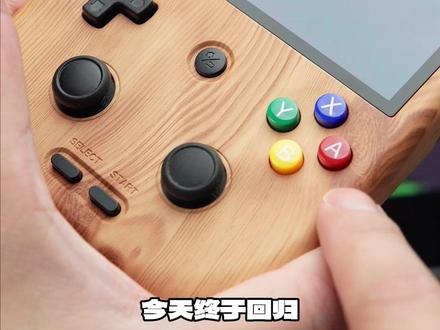
安博尼克 rg 四零五 v 全网首个深度评测今天来了周哥,哎呸!安博尼克全新发布的数版安卓掌机也是我截止目前最喜欢的安博尼克单品了。外观上,三种配色三五幺 v 中我最喜欢的木纹色今天终于回归。 四英寸超大屏幕,六四零乘四八零 p 的分辨率, ps 二 v 主机等经典游戏都可以实现点对点展示, 总而言之,屏幕变大了,但是相比上代并没有变强。外观上,首次采用握把设计,相比于常规竖屏的直板更加舒适。按键采用之前的导电硅胶按键,摇杆则升级为霍尔摇杆,背部按键按起来更加清脆。并且新增功能里面有主动风扇散热系统, 在首页就可以控制转速。配置那是直接拉满了,说那么多有什么用,拉出个战神来看看。游戏体验上, ps 二游戏如战 战神、石矿、电光石火等游戏在零点七化石下可以实现满身率运行,这个真的屌!三、 ds 游戏和微主题游戏基本上可以实现完美运行,部分大型游戏还是会掉,真的 pspnds、 gba 等经典游戏咱们就不用多吃了,基本上都可以实现多倍分辨率运行, 总而言之就是一句话,爽!接下来就该上强度了, psv 游戏可以玩,但是仅限要求配置不太高的游戏,手机游戏例如二 k 都市等系列都可以完美运行。 元神来了元神来了!元神在极低画质下可以实现流畅运行,仅此而已。同时需要夸的是,安博尼克这次在软件优化上,常规游戏基本上不再需要设置即开即玩,不支持手柄的网络游戏可以通过模拟器前端的映射功能直接开玩。游戏前端中的搜索和收藏 功能终于有提示了,更加方便小白在第一次使用左边设置的一键切换游戏系统按钮更是非常隐性。续航上,五千五百毫安时电池容量,官方声称九小时续航,昨天测试了四个小时,还剩下百分之五十的电,可以说是非常良心了。 缺点上当然也有更大的体积,带来了更好的手感,也牺牲了一定的便携性。祖传的虎门 t 六幺八处理器,哎呀,估计又要被喷了。 总体来说,周哥就就就是安博尼克,安博尼克四零五 v 是目前模拟器的相对成熟形态了, 不管是配置还是体验上都可以称得上是合格,但是没想到打败之前开源游戏掌机的居然还是安卓掌机啊!至于价格上,我预估定价应该跟四零五 m 的价格应该是差不多的,如果价格比四零五 m 还要便宜的话, 直接买它没有任何选择。另外,如果你想看四零五 v 的游戏真率挑战,记得在评论区留下你想玩的游戏,下一期我会出一个游戏真率挑战,那么我们下次再会记得点波关注哦!
1804我是麻辣烫


