m99循环编程教程
hello and welcome to this host tip of the day now most of my programs make use of an m ninety nine code in some way, but this simple looking code might actually have a few secrets and store for us so let's go ahead and unmask this really versatile and necessary code if we understand how m ninety nine works we're going to be able to do all kinds of fun things from our control everything for me begins with my setup shoes so check this out i've got a block loaded i've been tightening up those pools by hand an m ninety nine is three different codes on a hoss machine carrying several different functions in its bag of tricks this one m code can loop jump or return now you might have seen an m ninety nine loop before in a typical program when we press the green cycle start button our machine's going to start running the code line by line starting with the old number at the top it's going to execute one line at a time until it gets to the bottom of our program where we've got an m thirty when the mthirdius reached the machine is going to stop all motion the control will reset the program back to the top and then the machine is going to sit and wait for us to press the green button to start the entire cycle all over again now if we instead reach an m ninety nine in our main program, the machine will not stop running it's going to loop forever until you press reset or some other bit of code somewhere in here tells the machine to stop this is useful when running production parts that are being run automatically they might be fed by a robot or you might be running a host lathe with a bar feeder in those cases the m ninety nine will loop your program continuously stopping only for the robot to do its job or for the bar pusher to push out that bar stock now there is one thing to consider here it's your m thirty counter if you think that your m thirty count is off it's inaccurate you might need to turn on setting one eighteen that's m ninety nine bumps m thirty counters now an m ninety nine jump is very different from an m ninety nine loop we'll start our program in the same way from our o number press cycle start our code will run until we reach an m ninety nine with a p number at this point our program is going to jump an m ninety nine with a p value will cause us to jump to align in that same program with an n number that corresponds with our p number this is a one way jump it's not coming back unless some other code tells it to and without that p number on the same line as m ninety nine it's just a loop it's that p value that distinguishes an m ninety nine jump from an m ninety nine loop here if i have an m ninety nine p one hundred in my program it's gonna jump to line and one hundred if i have an m ninety nine p two hundred to my program it's gonna jump to line and two hundred, but you might be asking yourself what if i have two line and two hundreds in my program where is it going to go well, i have no idea and you can't be sure either this brings us to the first rule of end numbers don't duplicate end numbers you need only unique end codes in your program otherwise bad things could happen you don't know where this thing is going to go now if you have a bunch of duplicate n line numbers and you want to clear them out re number things it's easy on a hoss just go to your control and press edit f one modify remove all line numbers that'll clear all your n line numbers or we could go to edit f one modify re number all lines and then i'll add all new end numbers to your approach just remember when you're done you have to make sure that all of your p and n numbers correspond if they're being used in a jump or a sub program of some kind so when we want to use an m ninety nine jump well, we're going to use it if we want to jump over or ignore large sections of code if i just want to skip or ignore a couple lines of code i'm going to use block delete when block delete is on the control ignores the code following a forward slash on that same line in this example if we press block delete then the control would ignore all of these lines of code with the forward slashes that we're adding now this would be great if i wanted to make some parts with holes and others without i could go back and forth between holes and no holes just by pressing block delete now if i wanted to jump over hundreds or even thousands of lines of code i wouldn't want to spend the time to add hundreds or thousands of ford slashes to my program it'll take a long time in that case i'd add an m ninety nine with a p number and label the line i'd like to jump to with a corresponding n number m ninety nine p one hundred would then jump to my line n one hundred now if we only want to make this jump sometimes then we can add a block delete right to our m ninety nine line if block delete is off then we're gonna make the jump and we're not gonna run those holes if blocked elite is on then the m ninety nine jump line is ignored and we run the program normally and it's worth mentioning that you don't need the macros option in order to use this m ninety nine jump now the last talent our m ninety nine has to show us is our m ninety nine return now we can call up an internal sub program with an m ninety seven we can call up an external sub with an m ninety eight we can call up an external sub that can transfer macro variables with a g sixty five now the program that contains our m ninety seven m ninety eight or g sixty five is known as our main program and the program or program segment that we're gonna jump to with these codes is known as our sub program we've made other videos on these codes so check them out now if those videos aren't released yet then subscribe to the host youtube channel so you don't miss them so these codes get us to our sub programs, but how do we get back well, this is a video on m ninety nine so an m ninety nine at the end of our sub program we'll return us to our main program on the line just following our m ninety seven m ninety eight or g sixty five macro call but wait i thought that a plane m ninety nine would cause a program to loop well it does accept when it's in a sub program when you're in a sub program a plane m ninety nine causes the program to return to the main again for more information wait for these m ninety seven m ninety eight videos well, that's just about it for our m ninety nine now we're all set for those sub program and macro videos, but remember m ninety nine loops m ninety nine with a p number jumps and an m ninety nine in a sub program returns us back to the maine well, thanks for letting all of us here at hoss be a part of your success and we'll see you on the next host tip of the day。
粉丝3249获赞7387
相关视频
 03:50查看AI文稿AI文稿
几乎每个人都在 cnc 程序中使用过 m 九九,但您很可能不知道他有多种不同的用途。没错, m 九九不仅可以循环回到程序的开头,还可以跳转到程序中的另一个位置,或者从此程序返回。今天我们就来解释如何使用 m 九九命令进行循环跳转和返回。一般来说, m 九九有三种不同代码, 其中的功能又携带多种其他功能。这一段代码可以用于循环跳转或返回。你之前可能看过那么久久循环。在通常的程序中,当我们按下循环开始按钮,我们的机器会逐行执行代码, 从顶部的 o 代码开始,一次执行一行,然后一直到达我们程序的底部,也就是有摁三十的地方到达。摁三十时,机器会停止一切动作,控制系统将会重置回到程序的顶部,然后机器就会等待着我们下次按循环启动按钮重新开始整个循环。现在如果我 我们主程序到达的是按九九,机器则不会停止运行,他会永远循环,直到你按重置键或者这里的某个代码让机器停止。这对于需要自动运行的零件来说非常实用。零件可能是由机器人上料或者由送料机送料。在这种情况下,按九九将会不断的循环你的程序。 这里我们还有一件事需要考虑 m 三十技术器。如果不清楚你的 m 三十技术功能是否已关闭,你或许需要打开幺幺八号设置,因为 m 九九会冲突 m 三十技术器。还要知道, m 九九的跳转与 m m 九九循环不同, 现在我们以同样的方式启动程序,然后从 o 代码开始按循环启动。这时我们的程序将会一直运行到代 p 编号的 m 九九代码,这时程序会跳转。带有 p 值的 m 九九会让我们跳到带有同样号码的 n 行程序上,与我们的 p 值相对应,而且这是单向跳转,除非有其他的代码 命令他跳转回来,否则他不会跳转回来。没有与 m 九九在同一行的 p 代码,就只是一个循环,这里的 p 值就是 m 九九循环与 m 九九跳转的区别。这里,如果我们的程序中有 mpp p 幺零零,它就会跳转到 n 幺零零这一行。如果我们程序中有 n 九九 p 二零零,它会跳转到 n 二零零这一行。这时你可能会有疑问,如果程序中有两行 n 二零零怎么办? 他将会去哪里?这是我们就要知道 n 数字使用的第一条规则,不要使用重复的 n 代码。在我们的程序里只需要一个 n 号码。 下面一个问题是,我们什么时候会用到 m 九九跳转?当我们想跳过或者忽略一大段代码的时候,我们就会用到。如果你只是想跳过或忽略几行代码,我们会用到删除键。当删除打开时,控制系统会忽略同一行右斜线之后的代码。在这个例子中,如果我们开启删除,控制系统将 会忽略我们正在添加的这些带有又斜线的这些行的代码。如果我们的零件有些有孔,有些没有,这就变得非常有用,我们就可以通过删除键往返与有孔和无孔之间。 现在,如果我们想跳过数百或是千行代码,我们肯定不会花时间在程序里添加成百上千个,又谢谢。在这种情况下,我们会添加带有 p 号码的,按九九 标记想要跳转到的行,相应的 n 号码 m 九九 p 幺零零会跳转到 n 幺零零行。现在如果我们只是想在某个时间段跳转,我们可以在 m 九九的那一行右侧添加一个删除快。如果将删除快功能关闭,我们就会将进行跳转, 不会去加工那些孔。如果启用删除快,则 m 九九跳转行会被直接忽略,我们就会正常的运行该程序。值得一提的是, m 九九跳转功能不需要红选项。最后一个要讲的是 m 九九返回。现在我们可以用 m 九七呼叫内部子程序,可以用 m 九八呼叫外部子程序,可以用 g 六五呼叫带变量的外部子程序。现在 m 九七、 m 九八或 g 六五的程序被我们称为主程序,用代码来进行跳转的程序或者程序段被称为我们的子程序。所以这些代码将我们带到了子程序。我们应该怎么回来?我们子程序结尾的 m 九九将让我们返回到紧跟着 m 九七、 m 九八或 g 六五的主程序。在此程序中,一个简单的 m 九九就可以让程序返回到主程序。今天的视频就到这里,如果你还有疑问,欢迎评论区留言讨论。
1943源研科技 02:26查看AI文稿AI文稿
今天我们来看一下 m 九九循环, 这个没配合 m 九八使用 m 九八九八我没没编此成语,这个利用这个 m 九九可以 多个空间拆下来,能拆下来省去了 胸前的空气,还是比较方便的, 他适合 适合放那种大批量的。 我们一起到车上看一下,用那个 m 九九 自动操作, 下面 加个 m 九九,直接返回程序,要加 m 三零了, 一根棒料大概能吃一百多件吧,然后打开,基本上不要问事了。
 01:56查看AI文稿AI文稿
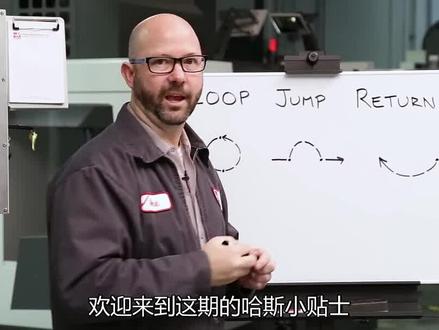
hello and welcome to this hostip of the day now most of my programs make use of an m99 code in some way, but this simple looking code might actually have a few secrets in store for us so let's go ahead and unmask this really versatile and necessary code if we understand how m99 works we're going to be able to do all kinds of fun things from our control everything for me begins with my setup so check this out i've got a block loaded up now if you're tightening up those tools by hand an m99 is three different codes on a host machine carrying several different functions in its bag of tricks this one m code can loop jump or return now you might have seen an m99 loop before in a typical program when we press the green cycle start button our machines going to start running the code lined by line starting with the o number at the top it's going to execute one line at a time until it gets to the bottom of our program where we've got an m30 when the m30 is reached the machine is going to stop all motion the control will reset the program back to the top and then the machine is going to sit and wait for us to press the green button to start the entire cycle all over again now if we instead reach an m99 in our main program, the machine will not stop running it's gonna loop forever until you press reset or some other bit of code somewhere in here tells the machine to stop now this is useful when running production parts that are being run automatically they might be fed by by a robot or you might be running a hoss lathe with a bar feeder in those cases the m99 will loop your program continuously stopping only for the robot to do its job or for the bar pusher to push out that bar stock。
22哈斯数控机床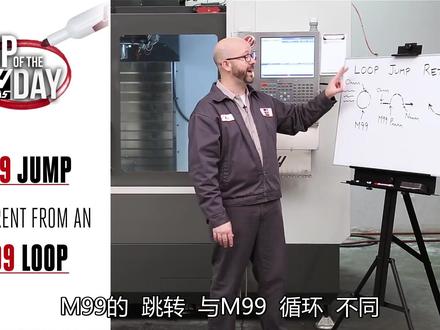 07:55查看AI文稿AI文稿
hello and welcome to this hostip of the day now most of my programs make use of an m ninety nine code in some way, but this simple looking code might actually have a few secrets in store for us so let's go ahead and unmask this really versatile and necessary code if we understand how m ninety nine works we're going to be able to do all kinds of fun things from our control everything for me begins with my setup shoot so check this out i've got a block loaded up you're tightening up those pools by hand an m ninety nine is three different codes on a hoss machine carrying several different functions in its bag of tricks this one m code can loop jump or return now you might have seen an m ninety nine loop before in a typical program when we press the green cycle start button our machine's going to start running the code line by line starting with the old number at the top it's going to execute one line at a time until it gets to the bottom of our program where we've got an m thirty when the m thirtieth is reached the machine is going to stop all motion the control will reset the program back to the top and then the machine is going to sit and wait for us to press the green button to start the entire cycle all over again now if we instead reach an m ninety nine in our main program, the machine will not stop running it's going to loop forever until you press reset or some other bit of code somewhere in here tells the machine to stop this is useful when running production parts that are being run automatically they might be fed by a robot or you might be running a host lathe with a bar feeder in those cases the m ninety nine will loop your program continuously stopping only for the robot to do its job or for the bar pusher to push out that bar stock now there is one thing to consider here it's your m thirty counter if you think that your m thirty count is off it's inaccurate you might need to turn on setting one eighteen that's m ninety nine bumps m thirty counters now an m ninety nine jump is very different from an m ninety nine loop we'll start our program in the same way from our o number press cycle start our code will run until we reach an m ninety nine with a p number at this point our program is going to jump an m ninety nine with a p value will cause us to jump to align in that same program with an n number that corresponds with rp number this is a one way jump it's not coming back unless some other code tells it to and without that p number on the same line as m ninety nine, it's just a loop it's that p value that distinguishes an m ninety nine jump from an m ninety nine loop here if i have an m ninety nine p one hundred in my program it's going to jump to line and one hundred if i have an m ninety nine p two hundred to my program it's going to jump to line and two hundred, but you might be asking yourself what if i have two line and two hundreds in my program where is it going to go well, i have no idea and you can't be sure either this brings us to the first rule of end numbers don't duplicate end numbers you need only unique end codes in your program otherwise bad things could happen you don't know where this thing is going to go now if you have a bunch of duplicate n line numbers and you want to clear them out re number things it's easy on a hoss just go to your control and press edit f one modify remove all line numbers that'll clear all your n line numbers or you can go to edit f one modify re number all lines and that'll add all new end numbers to your approach just remember when you're done you have to make sure that all of your p and n numbers correspond if they're being used in a jump or a sub program of some kind so when we want to use an m ninety nine jump well, we're going to use it if we want to jump over or ignore large sections of code if i just want to skip or ignore a couple lines of code i'm going to use block delete when block delete is on the control ignores the code following a forward slash on that same line in this example if we press block delete then the control would ignore all of these lines of code with the forward slashes that we're adding now this would be great if i wanted to make some parts with holes and others without i could go back and forth between holes and no holes just by pressing block delete now if i wanted to jump over hundreds or even thousands of lines of code i wouldn't want to spend the time to add hundreds or thousands of ford slashes to my program that'll take a long time in that case i'd add an m ninety nine with a p number and label the line i'd like to jump to with a corresponding n number m ninety nine p one hundred would then jump to my line n one hundred now if we only want to make this jump sometimes then we can add a block delete right to our m ninety nine line if block delete is off then we're going to make the jump and we're not going to run those holes if blocked elite is on then the m ninety nine jump line is ignored and we run the program normally and it's worth mentioning that you don't need the macros option in order to use this m ninety nine jump now the last talent our m ninety nine has to show us is our m ninety nine return now we can call up an internal sub program with an m ninety seven we can call up an external sub with an m ninety eight we can call up an external sub that can transfer macro variables with a g sixty five now the program that contains our m ninety seven m ninety eight or g sixty five is known as our main program and the program or program segment that we're going to jump to with these codes is known as our sub program we've made other videos on these codes, so check them out now if those videos aren't released yet then subscribe to the host youtube channel so you don't miss them so these codes get us to our sub programs, but how do we get back well, this is a video on m ninety nine so an m ninety nine at the end of our sub program we'll return us to our main program on the line just falling in our m ninety seven m ninety eight or g sixty five macro call but wait i thought that a plain m ninety nine would cause a program to loop well it does accept when it's in a sub program when you're in a sub program a plane m ninety nine causes the program to return to the main again for more information wait for these m ninety seven m ninety eight videos well, that's just about it for our m ninety nine now we're all set for those sub program and macro videos, but remember m ninety nine loops m ninety nine with a p number jumps and an m ninety nine in a sub program returns us back to the main well, thanks for letting all of us here at hoss be a part of your success and we'll see you on the next host tip of the day。
 03:09查看AI文稿AI文稿
朋友们好,我是主任刘公,今天分享一期 m 九八 m 九九指定的使用方法, m 九八一般手工编程用的比较多,用来吊用纸程序, m 九九是程序返回,那么我在这里分享给大家用 m 九八 m 九九来创业城市, 一般在一个工作台上同时加工两个三个工位的时候需要用到,学会了记得点赞,工厂百分之八九十的事物是舍不得交我上集团操作演示。 好,我们现在来看到程序啊,三个幺,三个二,三个三,那么像这种情况一般就是编程人员给我们串联好,那么有的编程他连坐标都懒得改,就直接给我们, 我们这里的是三个幺代表九五四,三个二代表九五五,三个三代表九五六,他是三个工位,三个坐标, 我们如何让他串联起来一起加工?好,我们看操作,我们先说第一种方法怎么来操作,我们打开程序来到程序的底部,这是九五四, 我们只需要来到底部 m 三零前面加上 m 九八 p 三个二,他代表的是直接读取第二条程序,那么我们嗯,还要到三个二的程序下面加上 m 九八 p 三个三, 这是三个二的,这里是九五五,这里是九五五。我们来到程序底部,我们只要在 m 三零前面加上 m 九八 p 三个三。好,现在我们都改写完成,我们开始执行的时候是要回到三 三个压的程序里面,我们执行一下啊,现在跳到三个二, 现在执行三个三。 好,我们现在来说一下这个加 m 九九程序返回的使用方法,我们首先给他建一个文件零码,我们打开看一下,这个第四零加七,第四九七八零,这一些我们都按照超过来就可以了,我们只需要在这下面 m 九八 p 三个幺, m 九八 p 三个二, m 九八 p 三个三,后面给个 m 三零,那么我们要在这个三个幺、三个二,三个三下面加上 m 九九。我们来看一下操作啊,前方三个幺的吗?来到底部, 那么这个时候我们只需要把这个 m 九八 p 三个二,把它改成 m 九九就可以了, 替换,然后把这个删掉,当然这个三个幺、三个二,三个三,下面我们同样的把它加上 m 九九就可以了。
3222卓越模具数控培训 00:18查看AI文稿AI文稿
m 九八调用此程序循环加工指令用法,比如连续加工四个凹槽,调用此程序四次程序编写如下, p 后面的四位数字表示此程序名称, l 表示调用循环次数。另外,此程序结尾要加 m 九九返回主程序。
528西尔普数控五轴机床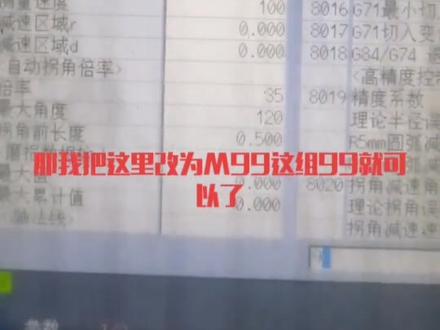 00:58查看AI文稿AI文稿
我们有一些客户啊,就是说我们现在是用 m 三零去寄宿的吗?就是我们的产品的一个数量。那现在他放了一个 m 九九,因为我们长期最大的优势就是说那个自动循环功能,如果用 m 九九 来技术的话,我们应该怎么操作呢?那看我操作一次给大家看一下啊,先按这个参数键,然后参数号这里搜索为八零零一, 八零零一,按下这个确认键啊,他这里你看没有八零零一,他现在目前是 m 三零, 然后当前的件数是两千一百六十五件,那我把这里改为 am 九九,这九九九就可以了。那当前给他清零啊,加工最大值是九千九百九啊,这个样子就可以了。
84北硕数控机床 00:46查看AI文稿AI文稿
如何调用数控车床子程序 m 九八和 m 九九?子程序必须有一程序号码,且以 m 九十九作为子程序的结束指令。主过程调用子程序指令格式如下, p 位被调用的子程序号, l 位重复调用的次数。 主程序调用统一子程序执行加工,最多可执行九千九百九十九次,且子程序也可以再调用 第一子程序执行加工,这一功能称为子程序欠套。凡那个零系统中的子程序允许四级欠套。例如用子程序指令加工。下图弓箭上的四个槽分别编制主程序和子程序如下。主程序如下, 要用子程序零零零二执行四次切消四个凹槽。子程序如下。
1490数控车床编程教学 00:56
00:56 01:56查看AI文稿AI文稿
今天我们了解一下热机程序,比如说这个普通的城市,这个就随便写了,程序结尾加了个 m 九九,意思就是循环到这个 m 九九的时候啊,跳转到这个城市头,我运转一下试试看, 在自动的情况下,中间啊运行 也许没毛病啊,我们暂停掉。还有第二种,我们在编辑情况下呢,把这个 m 九九啊改为 qq 十, 这个就是红尘事中的无条件转移啊。这后面的十呢,就是跳转到 an 信号十的位置,继续往下走,新换到这个位置他就跳下来。 同样啊,同样同样在自动的位置运行一下看看。 也就是说这两种热极程序都是可取的,一个是 程序后面加 m 九九,另一个就是程序后面加勾出跳转,当然在跳转的跳转到哪个程序段前要加对应的恩,序号。
115神罚@数控终结者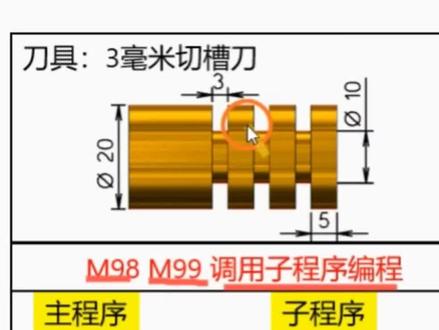 01:37查看AI文稿AI文稿
m 九八, m 九九调用此程序编程,上图这三个槽可以用调用此程序的方式来给它编写程序。 切这个潮的动作可以把它单独编写成一个子程序,子程序的名称要给它单独命名,这里命的名称是 o 零零零二,主程序这里也要给它单独命名,命的是 o 零零零。一 开始先给他换一把三个毫米的切草刀,接着是七九九,接着是主轴转速给他转起来, 转起来之后用距离给他快速的定位到这个啊弓箭的这个点上面来,也就是比这个 boss 稍微大一点, 运行到这个点之后,接的是这个 m 九八,调用这个子程序,调用子程序的次数是这个 p 后面的这个数值, p 三表示调用这个子程序三次, 后面的这个零零零二表示的是这个子程序的名称。 程序运行到这一段之后,跳过来运行这个主程序,运行完三次之后,识别到这个 m 九九,它就会返回到这个主程序的 m 九八这行代码的下一行代码,接着往下面运行, 这个就是整个调用子程序编程的过程学到的同行给个双击加关注,皇宫带你学技术。
3620自学智造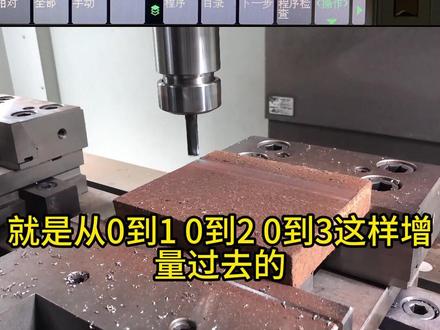 01:52查看AI文稿AI文稿
今天让我们聊一下如何手动编一个往复习平面的程序,以及 g 九零和 g 九一的区别。大家好,我是想笑,我用这个弓箭和一把直径十毫米的合金刀来做演示,把这个弓箭放移到平面, 用手轮摇到下道位置,在攻击台外面下倒点随便顶,设置好位置之后把相对所有轴清零,这个就是下道位置,也是起点。 首先按键 mdm 模式,手动输入,然后输入, m 三 s 三千 g 九幺, g 幺 s 一百五, f 三千 y 八 x 负一百五 y 八 m 九九。 然后咱们再讲讲程序的意思, m 三 s 三千主轴以正转的形式速度三千 g 九幺, g 幺 g 九幺是增量坐标, g 幺是直线经开指令 x 一百五, x o, 刀具走过去的距离也是 x o 的终点 f 三千以进给三千的速度加工。 y 八是 y 方向的布局,如果用五十或六三的面积刀布局就改大一点,一般在刀具的百分之八十到百分之九十左右, x 负一百五,切记 xo 的第一个终点是一百五,那么下一个终点就是负一百五,一定像负数。 y 八还是布局 m 九九,乘以喜欢返回到乘以头, 这个就是网红黑面的完整程序。 g 九幺是以前一个坐标位置起点来进行计算的,不管他现在的数值走到哪一步,就是从零到一,零到二,零到三这样征战过去的,而 g 九零是以你编程为零点那个参考时计算, 就是绝对坐标零到一,一到二,二到三。好,今天分享就到这里,感谢大家观看。
8505蒋笑干机械 02:42
02:42


