
粉丝795获赞5995
相关视频
 22:57查看AI文稿AI文稿
hello, fellow scratches i'm griff batch and i love all kinds of scratch projects especially platformers but until now i've not covered the traditional bread and butter of scratch the classic scratch platformer there may be no scrolling or complex list here, but we have great expectations because we are laying the solid foundations to build up to something more like this wow doesn't that look great why not drop me a message in the comments below to share what you're most excited to learn about there's a lot to see from the solid platforming to wall sliding scratch cat's feet matching the slope he is standing on did you see that moving platforms and lava wall jumping and level navigation oh wow, this is all classic scratch coding there is no complex lists or grids to worry about just scratch at its best using simple level costumes drawn within the scratch costume editor and thus it's going to be a breeze for you to take what we create together and in no time at all make your very own style of game with it oh yeah i am excited but we have to start somewhere and to ensure we get things right we'll be starting simple and our concern will be with player movement and collision detection and for those who've done this all before no you may not have done it quite like this so stay with us as with my other tutorials if you want to begin this project by remixing my starter project then there is a link under the video this project contains all the costumes needed to get scratchcat animating in later episodes if you're not interested in following this tutorial exactly then don't worry about using these, but even though we are not using these costumes today, we soon will and it might be easier if you get them in your project right from the start, i'm just going to remix the project and we're ready to go so check out these costumes loads of cats man yeah they took me some time to draw and no, i didn't do them in scratch i painstakingly drew them out in a dobilistrator, but as i said today we'll make a new costume for the player why we're doing this well because a simple platforming script works best with simple costumes so using mostly rectangles i can quickly draw a completely original square protagonist just please please ensure you have him completely scented you know by dragging the big square towards the middle of the drawing canvas until he see it snap into place oh yeah god, i love him all i can say is you see this guy and you know exactly what game you're about to play lol i'm going to christen him guy there job done you know we should rename this sprite as player so we know what it's for now for the level some people prefer to use backdrops some people prefer to use sprites for some very good reasons in these tutorials, i'm going to teach both but today it's backdrops so click with me into the stage backdrop ensure you select the rectangle tool so that we can draw a perfectly straight line and make a nice floor for our first screen next, we can make a few new rectangles to act as stairs and finally i'll add a little floating platform to test our skill that'll do nicely click back into the player sprite and we can begin to code begin as so often we do with a when green flag clicked block and then set the player's position x to minus one hundred fifty and y to fifty how'd we get the player to fall to the ground simple a forever loop and change why by say minus one negative numbers move us downwards run that and yeah we can at least see he does drop downwards but very uninspiringly the problem here is that objects do not fall to the ground at a constant speed nope the longer they fall the faster they travel right to keep track of our player's speed we'll need to make a new variable naming it speed y for this sprite only because it's this player's speed and no one else's we'll set player y to zero when the project starts and then change by minus one negative one each loot round and finally then change why by speedwi so now every time the players move downwards they move a little faster than they did the time before let's give that a test splendid that's far more convincing don't you think our next goal will be to actually stop when we hit the ground so after we've moved down with the change y by speedwi add an if and for the time being we'll check for touching color use the color picker to select the color of your level now for all of you worrying about using the color sensing blocks don't threat this is just for the time being as it makes things easier to explain right drop in a stop or block within that if and we can confirm that we are detecting the collisions when the project and now everything comes to a halt as soon as the player is touching the level it's worth noting here what touching actually means unlike in the real world when you'd say you were touching something if you were pressed up against it in scratch the objects need to be overlapping to be counted as touching and this this is overlapping check goal number three then is to get our players back out of the ground again now that we have collided well if we weren't colliding last frame we could just move back to where we were before right to do that we changed y again but this time by negative speed y that is zero minus speed y run that again as soon as we collided we quickly have been taken back to just before for the collision occurred that's actually pretty good but notice the small gap under our player that happened to be a varther lucky fall things can look a lot worse let me adjust our starting y position to fifty five and then run the project again oh, no that's no good at all we've moved way too far the strategy of just moving back out of the floor by the same amount we moved in doesn't work instead we need to carefully move our player back up only a single step at a time until we finally reach the point where we are no longer colliding then we can be sure that we are not floating off the ground after the collision and the world will be set to rights we'll do this by repeating until we're not touching color and in this repeat loop we'll change why by one just one that is we move them up one pixel at a time we don't need the stop or block any longer if we run that we can now see after a collision we are raised back up to the surface but then suddenly we plunge back down into the ground again oh, why is that okay simple after an impact with the ground we need to reset our speed y to zero since the impact should have taken all the speed out of our fall great gone is the glitch, but i'm not dead keen on the way our player is seen to glide up out of the ground luckily this can be easy to fix using our friend the custom block so make a new block naming it fix overlap and here's the important thing we click the run without screen refresh this means everything we place inside this block will no longer animate, but we'll finish running before the screen refreshes this is perfect for getting the player out of the ground without us having to see it happen move the entire repeat until block under the new define fix overlap block replacing it with the fix overlap block itself let's see that in action oh, yes smooth the player now looks to be falling and landing flush with the ground no visible penetration and no floating or unwanted bouncing around perfect okay now before we move on what if we wanted to change the speed at which the player falls to the ground well that would be changing the force of gravity right that's our minus one value over here what we'll do is create a constant variable specifically for this make a new variable naming it gravity for all sprites i make it up a case to indicate that it is for all sprites and we'll set it to negative one right at the start then simply replace the chain speed y by minus one with the new gravity variable that makes it easy to remember how to change the photogravity at any time later on feel free to play with the values here and have some fun talking of gravity how better to show it off than to add in the ability to jump and this is surprisingly easy right at the top of our forever loop add in an if checking whether the up arrow key is pressed then we set speedwide to a positive number say twelve and just run the project tap the up key and up we go our speed keeps us traveling up for a moment and then gravity naturally returns us back to the ground that is excellent of course there's nothing to stop us holding down the up key and flying away so it's more of a rocket jump at present but not to worry we will fix that later the next up it's walking let's add in the left and right movement if left arrow key pressed then ah, we need a new variable for our x speed let's name it speed x again for this right only now when the left key is pressed we can change yes don't set this time not set change speed x by negative one point five we'll do the same for the right changing speed x by positive one point five that takes care of our players acceleration, but doesn't actually move them that we will do down here just above the change y by we add a change x by speed x run the project and we are off i can now press an arrow key and the player begins moving in that direction however, i have to stress they don't slow down but they keep on moving very fast in that direction until that is i press the opposite direction eric here again home man this is hard to control what we need is some resistance that is friction with the floor to slow us down and stop us moving not a problem before we change speed y set speed x to speed x multiplied by and now a value between zero and one i'm going to pick zero point eight the closer this number is to one the more slippy the floor will feel play testing again and that's quite a transformation this is feeling much more like a platformer already and so the next step nope and intended would obviously be to stop as gliding with this right hand step or wall by detecting the collision and then backing our player sideways carefully out of it just like we did for gravity however, i'm going to stop us right there and take a short breather why because i wanted to try something a little bit different about coding is that there's always space to innovate to try doing things a little differently to see if you can improve things we yet have many problems ahead of us that we will need to address some easy to work around and others more problematic for example like the player getting caught on irregular pixels of steep inclines the very pixels that make up arbit mac levels man that is a real doozy what i'm going to propose is that rather than moving the player in large steps until they collide and then using small steps to get them back out of the collision, we instead use small steps at all times while moving the player this allows us to detect collisions as soon as they occur and also allows us to handle the movement and the collisions in far more detail going forward shall we give that a go we'll begin by replacing just the chain y and collision scripts here make a new custom block named move in steps with a numeric input of steps make it run without screen refresh as usual drop in this new block where we took the original scripts from we'll leave the steps input empty for a moment so we want to move by speedwi as before, but split up over a number of smaller steps will start by repeating for the given number of steps it'll be useful to remember the last position we were in before the move make a new available naming it last value for this bright only set last value to the current y position of the player and now we change why by, but how much well we need to divide the total distance we want to travel that is speed why by the number of steps we are going to take that is steps we can then put back the collision check we can remove the fix overlap since moving by small increments can no longer leave us deeply overlapping the ground on collision all we need to do is restore the player to their last position before the collision, so set y position to the last value we recorded now bring back the old fix overlap script did we forget anything ah, yes, we need to borrow that set speed y to zero to ensure our player is slowed down after the collision super no looking back now throw away the old fix overlap scripts finally looking back to where we made use of the move in steps block you just need to decide on how many steps to split this movement up into to ensure it's accurate enough well, we could plumb for a number say one hundred perhaps a bit overkill, but let's just give it a test and see if it's working that seems okay let me try moving around and even dare i bump my head yeah now that didn't work before so was one hundred a good number of steps to choose well, not really no because performing a hundred checks every frame is far more than is required when we might generally only be moving a few steps at a time maximum luckily we know how far we are moving it's told to us by the value of speedway only we just have to be careful because it's often negative so how about we put the maths operator abs that's absolute in here around the speed y then it will switch it to always be a positive number and the perfect number of steps to take to move by one pixel at each time run the project again and it feels identical, but we'll be performing far far less collision checks which is very good news this then is the perfect time to consider the horizontal movement and resolving of their collisions too the scripts required are a simple transformation of the scripts that move us by the y direction i'll temporarily move them over to the right, so we can compare them as we code set last value to the x position this time and then change x by speed x divided by steps and then check for the collision again with the if touching color if we did collide then set x back to the last value and finally set speed x to zero to stop us moving further in that direction great, so we can return the y moving scripts, but put them underneath the x moving scripts careful to keep them within the repeat loop finally just scroll up and we could remove the old changex by speed x here as this is now covered by our changes to the move in steps block, oh hold on one more thing to consider the moving steps block is only working out the number of steps to move based on speed y well, now, we have a speed x to consider too this does complicate matters, but to make life easy we can just add the two speeds together just make sure to add the absolute value of speed x to the abs of speed y like so, and it's testing time again are literally dash over to the first step and celebration we have contact there's no passing through this one now everything is feeling really solid which is brilliant news so where does that leave us one last thing i'd like to just address before the next episode is the jumping mechanics at present i can still fly around by holding up let's limit that to a simple jump this i like to make use of a new available named falling for this bright only this wants to increase all the time we are in the air we can just change falling by one at the top of the define move in steps script then to reset it to zero when we touch the ground set falling to zero when we set speed white to zero after a vertical collision if we run the project it's easy to see this at work falling is zero while we are sitting on the ground and then quickly starts counting up when we leave the ground this makes it easy to now limit our jumping to points of ground contact scroll to the if up arrow pressed and we can surround the set speed y with an if checking for a falling value less than say three so why three well this trick lets the player still jump two frames after they ran off the end of a platform it's often known as a coyote jump and helps to keep their game feeling less frustrating okay how does this feel hmm pretty good i'm feeling much more grounded hey, up did you see that oh no we still have one bug i was able to stick to the ceiling holding the jump key luckily i've seen that many times before and i know exactly what it is find the define move in step script and scroll down to the set falling to zero okay so this collision triggers both when we hit the ground and also when hitting the ceiling we don't want to say we've stopped falling just because we've touched the ceiling so place an if around the set falling to zero make sure to move it above the set speed y to zero and then check whether the speed y is less than zero that is we are traveling downwards when we collided if this is the case then this was a floor collision and we are okay to set falling to zero run the project again that's it we are solid and everything is feeling just right and no sticking here we are all about done for episode one what i'd just like to do before we finish is make sure you know how to customize the feel of the movement perhaps to make it feel a little less floaty would be nice come right up to the top of the script we started everything with the gravity variable you know about this one just change it to a larger negative value say negative one point five to cause the player to be pulled faster back to the ground this looks better, but of course has the extra effect that we can now not jump as high as we could before well let's add a new valuable to adjust how high we can jump or name it jump force for all sprites set it initially to twelve and i'll drop it in to the set speed y here where it was previously already set to twelve so no change there but what would happen if we changed it to twenty give it a run now i could spring really high into the air that's cool but i'm pretty sure twelve is good for me right now that leaves us with how fast the player walks and slows back down again make a new available acceleration for all sprites and set it to one point five again up at the top of the project we can replace the right arrow change speed x with acceleration right off but move left requires a negative change so bring in a subtract block, and will change it by zero subtract acceleration like so that leaves us with this zero point eight here it slows us down so make a new variable named resistance for all sprites and put it right here scroll to the top and set resistance to the same values sierra point good, good, good we can play around with these new variables to find the values that make our platformer behave and feel just the way we want and this may change your of a time as we continue to build up this exciting platforming engine there's something really satisfying about a functioning platform engine that builds really solid and it's important that we have this firm foundation to build up because we have great aspirations for where we are going next episode we will open up our level map to include multiple screens and explore the benefits of sprite versus, colour, collisions and perhaps we'll look at navigating up sloping plans, but that is it for this episode if you enjoyed watching, please smash the like button don't forget to subscribe to ensure you don't miss the next episode the moment it comes out if you want to support this channel further then don't forget you can join the channel to become a channel member there's all sorts of awesome perks including early access to videos priority comments with custom emoji and even access to the scratch projects themselves this channel wouldn't be here without your support so thank you so much and until next time have a great week ahead and scratch on guys。
176🌈🌈趣程程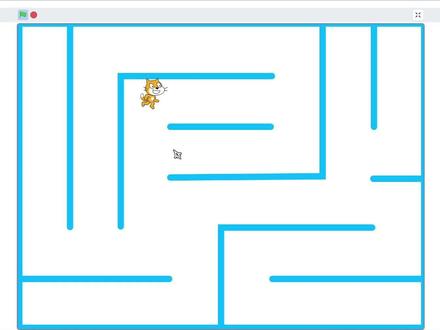 07:50查看AI文稿AI文稿
啊,上一节课我们已经把猫大哥走路的问题已经解决了啊,他可以在迷宫里面啊,有限制的走路,就是说他不能穿墙了,他只能按照迷宫怎么画就怎么走了。 好,那这节课我们就把迷宫里面的宝物给做出来啊,我们的宝物是什么呢?啊?我们去选择角色里面,我们去找一个代门 d 开头啊, crystal, 来来,这一个,我们就用这一个吧,它里面有两个造型啊,我们不需要这一个啊,我们只要一个就可以了。好,这一个放在哪里呢?我们把它放在左上角,大概这个位置 我们是用来干嘛呢?好,我们看看他现在的位置啊,负二百零九,还有一百四十七。好,那他一个标准的位置啊,他那个框框的中中 间应该是我把它移动到负二百一十,还有一百五十。好,它的大小好像有点点大啊,我们调一调它,把它调小一点点。嗯,八十吧。 好,应该差不多。好,当然我们迷宫里面的所有钻石应该就是他的克隆体,所以呢,我们这里先把本体给隐藏起来。 好,我们去进行克隆。呃,我们横着先克隆啊,横着克隆,我们先不知道克隆多少次啊?先不急,我们先把它克隆起来,他每走一步克隆,克隆完之后呢,因为我们每个格啊是六十六十像素,那就是说 我扩容完一个之后呢,我们的 x 坐标是增加六十, x 坐标增加六十。 好,后面就有一个小技巧啊,我们到底要多少次呢?因为我们现在数空白地方不好数,是吧?我们直接用鼠标点击一下这个积木模块, 他就会执行这里的效果。好,我们来看看他生成了几个是我们需要的,一二三四五六七八。好,后面是多余的,我们要的是八个。 好,这就是八个,我们要克隆八个。好,停止之后呢?他就没有了啊,然后呢?克隆八个之后呢?现在他是不是所在位置呢?看到没有?他移动到最右边去,我们需要他回到第二行的开始,那我们先把它回到开头,开头是什么位置啊?负二百 一十。好,我们把 x 坐标设为负二百一十,这时候呢,他是从右边回到最左边,那是不是要回到下一行啊?好,下一行就是 y 坐标减少六十,用 y 坐标增加 负六十。好,现在我们来看看,好,他来到这里了。好,我们要留意一个东西,我怕越看他不到啊,我们先把这个隐藏给去掉,先不要隐藏,把它显示出来。 好,我们看看,现在他现在已经来到第二行的开始了,这就是完成这里啊,注意这一个是本体,上面的这一坨是克隆体,所以呢,我们现在所在的位置在这里,所以呢,这就是叫完成 一行的克隆。好,那我们肯定要重复执行多少次,来看看我们到底要执行多少次啊?我们来先执行十次看看,点一下他。 好,他全部克隆完了,看看我们有几行是需要的,一行两行三四五六。好,六行是需要的,下面是多余的,所以我们这里的重复十次就改成重复六次。好了,我们把它暂停了,重新来。 好,这就铺满了我们所有的地方,这里有多出来这一个是个本体来的。好,这时候呢?呃,但是我们游戏开头的时候,我们不希望他 一下一下子给我克隆出来,我还要等他吗?不啊,所以这里呢,我们这里要去建一个自制机, 然后呢新建一个积木叫生成生成钻石。好,这里要注意啊,左下角这个运行时不刷新屏幕,勾上。好,我们这里的这个代码就是我们重复执行的这一段放进来, 而我们开始之后呢,我们把这个生成钻石这个小积木拿出来啊,把这个现在把这个隐藏也放进去了, 但是呢,现在生成的时候呢,应该是什么都看不到,因为本体是隐藏他这一个,呃,生成出来的也是隐藏的,所以呢,我们要 克隆完之后,我们就写出,当克隆体被启动的时候啊,是不是我们最简单先把它显示出来。好, 我们来看看。好,他就从没有到有瞬间出现,但是呢这样子看上去太单调啊,所以呢,我们在显示之前,我们给他一个颜色特效增加,增加多少呢?我们给他个随机数啊,这里呢你可以写一到二百 啊,我们因为一个颜色循环是两百啊,然后我们现在看看。好嘞,你看看现在的效果,就是钻石生成了,而且五颜六色,每一次生成的颜色都是随机的,所以看起来非常漂亮。 好,但是现在看到没有,我们的钻石把我们的人给遮住了,所以呢,为了达到效果,他钻石应该放在最后面,所以呢,我们在他的基础属性里面, 我们写上一个在外观的最后面,这里有一个移动到前面,把它拿着出来,让它移动到最后面啊,这是图层的问题啊,把它移动到最后面。好,你看我就可以踩着这个钻石了, 看到没有,他就在我们钻石后面,就不遮住我了,就没那么难看。但是现在的钻石是不能被吃掉的啊,所以呢,钻石其实他只有唯一一个事情。就是啊,我显示之后我只等待一个事情, 我们等待碰到我们的猫大哥,我们侦测碰到我们的猫大哥,对吧?在侦测的第一个啊,我们拿出来碰到猫大哥,是不是被吃掉了?被吃掉了,我们给他一个声音。 嗯,这个 collect 声音。啊,这个有点不太好看啊,我喜欢那个金币的声音,我就添加一个声音在效果里面的。哎,我喜欢这一个。 好,那我们把这一个碰到之后呢,我们就响一声,然后呢就把我们删除死克隆体就可以了,那他的使命就完成了。好,我们来试一下哦,能快乐的吃金币了。 好,那吃金币的时候呢,我们给他一个分数吧,好不好?所以呢,我们去变量里面新建一个变量分数。 好,那游戏开始的时候,我们在开始的地方把分数设为零,对吧?然后呢,我们获得这个金 币的时候,我们把这个分数增加一,增加完一之后再删除此克隆体。啊,那我们就可以看到分数慢慢的增加,两个,三个,四个,五个,六个。好 好,你可以慢慢去撕。好,这就完成了最基础的操作,那这节课就讲到这里。
166罗老师教你编游戏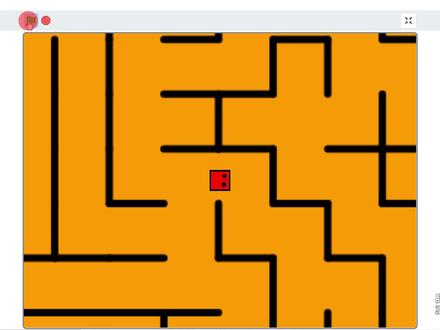 13:04查看AI文稿AI文稿
scratch 基础入门教程第十八期,今天来做一个大地图的迷宫,同时还可以召唤出小地图视频,最后会告诉你如何获得一个迷宫地图。创建角色的时候选择用上传的方式把我们这个事先准备好的迷宫地图上传。作为一个角色,先把坐标位置临时调成零零。 这个迷宫地图非常优秀,因为它是 svg 格式的,比较便于我们进行修改编辑。选中它之后,去除它的白色背景底色,调整它的大小,让它刚好能够铺满我们的舞台。调的过程中不仅要调大小,还要注意调整它的中心点。 画一个红色的小方块作为我们在迷宫当中的人物,大小呢设置在二十到三十之间大概就可以了。再给小方块点上两只眼睛,因为默认造型都是朝向九十度方向的,所以呢把两个眼睛点在右侧。现在迷宫呢,我还没有 放大,只是一个标准大小,所以我先把这个人物也缩小一点大小,收成五十,把它放到迷宫当中。如果只是像现在这样让他在舞台大小的迷宫上游走,我们其实很容易把它做出来, 直接利用以前的关于移动的知识就可以了。最简单的方式,按下箭头按键之后,调整相应的方向,移动三步,侦测一下,如果碰到了迷宫这个角色的话,倒退三步,同样的代码复制出来几份,只改按键的方向以及对应的面向方向就可以了。 有了这样一段代码,就可以让我们的小方块在现在的桌面迷宫上自由的移动起来。但是我们今天要搞的是大地图的迷宫,不是这个效果。如何实现大地图效果,这是一个哲学问题,概括起来就是世界因我而动。先把 方块角色的大小调整回正常的一百,然后给他改个名字,叫做大人物。既然是大地图迷宫,那就先把迷宫的尺寸调大,大小直接设置为三百, 然后我们就发现 scratch 把它强制改回到一百六,因为 scratch 对一个角色的大小是有限制的,完全不慌, 绘制一个新的造型,这个造型什么都不用加,就是空白的。然后这个时候调成大小三百,再把造型切回刚才的迷宫造型,现在你发现这个迷宫真的可以停留在三百的大小了,这招就叫做李代陶江 刚才说过了,大地球的精髓就是世界因我而动,那么我们的大人物这个角色就再也不用动了,他不需要任何的移动代码了,而是把这些移动代码全部放到大迷宫地图的身上。 为了代码更简洁,我们做一个自制积木,名字就叫移动,接收的参数是方向。把刚才的移动代码给他复制过来,把方向填入到面向的积木块里,剩下的部分不用动, 这样一个移动的字的积木就做好了。但是要注意一个方向上的细节,当大人物想要向左移动的时候,我们让他面向负九十度方向,但现在我们是人物不动,让地图反向移动,所以按下左键,面向的应该是九十度,不再是负九十度了。 也就是说人物不动,地图整个反过来动就 ok 了。就按照这样的方式,把四个方向按键的代码都给他改出来,回到我们的大人物角色,把他所有移动的部分都删除掉,但是保留改变方向啊,我们仍然是需要他转头的,把大人物的初始位置放置到零零,也就是 舞台中央。如果你注意观察,就会发现,很多游戏里人物其实始终保留在你屏幕的中央,比如玩王者荣耀的时候,你的英雄始终是在屏幕中央的,不信你可以试一试, 哪怕他移动到了地图的边缘,他也仍然是保持在屏幕的中央。而这个时候,地图的边缘会出现很多装饰用的沟壑啊,树木啊,峡谷啊,来填充这个空白的区域,但人物始终是在中央的。 我现在调整了大地图的初始位置,把他拖拽了,让人物处在大地图的左下角,以这个时候的位置作为他的初始位置。现在让我们持续的动起来吧,四个方向键都给他测一下, 显然这里发现有点不太对劲的地方了,这个迷宫在变形。为什么这个代码执行的结果跟预想的不一样呢?走进科学能讲三级,我就 一句话,把它的旋转方式设置成不可旋转,再次来验证一下,没有问题,不变形了。但是新的 bug 又出现了,它怎么就穿墙了呢?查 bug 嘛,就是一个原则, 严格哪咸处格,哪酸是哪就找哪。跟穿墙相关的是这个碰撞侦测,因为是复制过来的,我们忘了把它修改成对应的东西了。本来要撞的是迷宫,现在呢,要撞的是这个大人物角色。再次验证,终于没什么问题了,他可以很自如的在这个大迷宫里游走,但是呢, 整个外围有很多空旷的区域,这就是刚才提到那个问题了,我们的角色始终保持在舞台的中央,但他总会接触到你地图的边缘,这个时候外侧的空白区域就需要用一些东西来进行装饰了。就像王者荣耀里边,他的地图边缘你会看到很多的树木 沟壑作为他整个边缘的装饰。这里呢,我也不种树了,我也不挖沟了,我就放一个灰色的边框在造型里边,整个把四周全都给他围起来覆盖住,这样当走到迷宫地图边缘的时候,不至于让他漏气。 ok, 现在大地图的功能就完成了,他的基本原理呢,就是角色不动地图动。这里的地图不一定非得是迷宫啊,可以是任意其他形式的地图,那原理是一样的。 接下来让我们来实现全局的小地图,毕竟现在看这个大地图呢,你只能看到局部,没有办法给自己规划路线。 先把大人物角色复制一下,复制出来的新角色叫做小人物。把迷宫角色也复制一下,新的角色叫做小迷宫。小迷宫的代码就没有这么复杂呢,所有运动的部分全部删除,他的初始位置呢,也不再是这个巨大的数字了, 而是放在舞台中央,坐标零零,它的大小呢,设置为正常大小一百。你要说想把这小地图放在左上角,而且更小一些也是 ok 的,自己调一个喜欢的位置,把大小调到更小一些就行了。只是后边呢,可能要注意调整比例。 先手动临时把大地图和大人物隐藏一下,单独展示小地图和小人物,我们发现他的大小不是一百,被强制修改成了九十二啊,还是那个 scratch 限制大小的问题。没关系,只需要把这个小地图角色里边他造型中这些装饰的标给他去掉,他就应该可以正常显示一百了, 反正对他来说这些修饰是没有什么意义的。再来看一下小人物角色,他的代码呢,因为是复制过来的,也是多余的,都给他清理掉,他甚至连这个初始位置都不需要,待会会有别的办法来给他展示位置的。但是很重要的一点呢,是要设置他的 大小设置成三十三,因为大地图大小是三百,小地图是一百,他们之间呢是三倍的关系。那大人物和小人物之间也应该是这样的关系,大人物是一百,那么小人物呢,就是接近三十三点三三三。 接下来试着用空格来控制小地图的显示和隐藏,那么他在一开始绿奇之后就应该是隐藏的状态,按下空格再显示,再按再隐藏,再按再显示。那实现这个功能,我需要建立一个变量,就叫小地图显示 缩水值设为零。当按下空格的时候呢,我们要做一个判断,如果当前小地图显示的曲值就是零,说明他现在没有显示,而我按下了空格,那就需要显示了,所以这个时候把它显示出来, 而否则的情况里就应该是隐藏。同时当我要显示它的时候呢,我要记得同步的把它的值设置为小 系统显示等于一相反的,当你要隐藏它的时候呢,把它的值设为零,这样就可以通过空格键循环往复的控制它的显示和隐藏了。除此之外,我们还需要分别发送两个消息,小迷宫显示和小迷宫隐藏,以此呢来通知其他的角色配合这个动作。 首先就是我们这个小人物角色,他跟我们这个小迷宫是一对搭档,小迷宫显示的时候他就跟着显示,小迷宫隐藏的时候他就跟着隐藏, 而大人物角色刚好是反过来的,小迷宫显示的时候他要隐藏,小迷宫隐藏的时候他反而要显示。当然还要注意一点,在初始化的时候预期一点,他要先显示出来, 相反的,小人物这头立齐一点,先隐藏自己。至于大迷宫角色,那就完全跟大人物是一致的了,小地图显示的时候他隐藏,小地图隐藏的时候他显 是,而绿曲点击的时候呢,优先显示大地图,现在来启动验证一下,大地图切换小地图,哎,整个切换自如。还剩下一个关键问题就是小人物在小地图当中的位置呢,并没有跟大人物在大地图当中的位置对应起来, 这里就需要一点数学知识了,我们先抛开舞台不谈,只看我们这个大人物在大地图当中,小人物在小地图当中, 假设就以各自的地图中心作为原点,那么大人物和小人物在地图里各自是有一个属于自己的坐标的,而且他们两者之间的坐标应该是存在着一定的关系的,那就是三倍关系。 因为刚才我们这个大地图设置的就是三百的大小,而小地图呢,是标准的一百大小。再来看舞台的影响,我们的小地图跟舞台的 中心是重合的,所以实际上小人物在小地图当中的坐标呢,跟他在舞台当中的坐标是一致的。 那么既然大人物小人物之间各自的这个地图有一个三倍的坐标关系,那我只需要求出大人物他在大地图里边的这个相对坐标,自然而然的就能够求出我们小地图里边这个小人物的舞台坐标了。 关键是怎么求呢?同样还是需要进入舞台来帮个忙。我们是知道大人物呢,他是固定在舞台中央不变的,他的舞台坐标永远是零零, 而我们这个大地图呢,他是要不断的移动的,现在我给出他的六百五,四百六十六呢,是他初始的位置。那根据这两个 舞台坐标,其实我们已经能够看出来了,只要一座叉就能够得到这个大人物在大地图当中的相对坐标了,负六百五,负四百六十六, 当然了,这个值肯定不是固定的吧,因为虽然人物不动永远零零,但是这个大地图是要一直移动的,所以这里呢,其实对应的应该是他的 s 坐标和 y 坐标,而不是一个固定值,那么他的计算公式也就有了, 零减去大迷宫的 x 坐标,零减去大迷宫的 y 坐标,这样就能得到这个大人物。哎,他本身相对于这个大地图,他的坐标是多少了?那我们最终要求的 是小人物在舞台上的坐标还要再除一个三,这就是我们最终想要的坐标计算公式了。有了推导出来的公式,就可以一葫芦画 把代码写出来了,小人物只需要在每次显示之前移动到这个计算出来的坐标就可以了。此时此刻,这个小人物在小地图上就好像是高危生物做出的一个投影一样,说不定我们每个人也都是一个投影而已。再次进行验证。 现在当我们切换小地图的时候呢,就能够看到小人物已经可以同步去显示在大地图上移动之后的位置变化了。 但是细心的我又发现了新的 bug, 就是小人物的方向没有跟随改变。但是这个好办了,在显示之前让他面向大人物角色所朝向的方向就可以了,修改之后继续验证, 现在小人物也能够正确的调整方向了。我们的代码看似已经很完美了,但是在制造 bug 这件事情上,我绝对是专业的。 在小地图模式下,我坚持按方向键强制他移动。哎,我们看小地图上并没有发生什么变化,但是我们再去回到大地图的时候,发现 bug 又出现了,明明在大地图的时候他是不能穿墙的,怎么在小地图的时候动了一下就穿了墙呢? 皮裤套棉裤?他必定有缘故,因为我们大地图一旦隐藏了之后,就不能再触发那个碰撞侦测了。 所以这里为了保险起见,我要在移动的时候加一个限制,如果当前是小地图显示的状态,那就不要执行移动操作了。有的同学说,我就想让他在小地图的时候也能移动。 ok, 这个科学问题肯定是有解的,那你来解决 一下吧。最后揭秘一下从哪来获得这个迷宫生成器。有一个网址呢,是 l d d go 点 net, 它里边提供了很多小工具,其中就包括在线迷宫生成器。它的优点在于你可以选择生成 svg 格式的迷宫地图。这个对于我们做 scratch 是非常有帮助的,便于自己进行一些调整。 而且它可以生成多种多样不同形式的迷宫,有圆形的,三角形的,六边形的,蜂窝型的,当然也有最常见的长方形的。想要做迷宫相关的东西,但是又不知道怎么获得迷宫的,可以试试这个网站。
1868胖虎编程与科学 03:38查看AI文稿AI文稿
首先打开浏览器,搜索植物僵尸相关下载,往下滑找到这个网站,点二代所有版本,点安卓国际版, 往下滑找到一点四国际版下载免验证和数据包。 下载完成以后先安装 apk, 由于我已经安装了,所以就不再安装了。 接着进入 mont 管理器,在左边呢文件夹里找到 android, 点进 app 创建文件夹, come 一 game, pvcro。 在右边的百度网盘就 找到以下载的数据包, 然后把已下载的数据包移动到左边的文件夹, come 一 game pvc 二 row, 里面 放好数据包,然后退出就可以进游戏了。 接下来是内购补定的处理方式,打开幸运破解器, 确认这个就是你刚刚下载的那个一点四国际版, 点击破解菜单,点破解授权验证和应用内购。注意这个谷歌内购模拟也要开一下。 接下来再点重建音用, 重建完成后点转到文件点安装,点试, 安装完成后重进游戏,就可以实现内购破解了, 拜拜!
1617GVA841 10:19查看AI文稿AI文稿
普里莫单机教程之洞穴迷宫教程开始 还是先讲讲装备方面妙剧星辉还是老样子,我个人觉得过肩摔家火焰更好。强化装备方面,速冲必须带上另外一个,看个人习惯 护盾迅捷,强攻之中选一个即可,我还是习惯带护盾加速冲。接下来到实战打法,先带你们了解一下这张图, 当你开局在这两个点之一时,可以往右上角的方向走,那里有概率刷一至四个箱子。当你开局在这两个点之一时,可以往右下角的方向走,那里有概率刷新一至三个箱子。其他的出生点看哪里 老乡近就打哪里,如果你勇气可嘉,可以直接去中。接下来看看实战素材,老样子,尽量站在地图上一排的位置,但是这把那里人有点多就算了,找个人稍微少点的地方凑合一下吧。 这边也是来到了决赛圈,先观察一下,看这里,下面这个人开始捶我了, 这时不要对他用妙句,也不要和他互打,因为他旁边还有个人,而上面只有一个,现在就应该把上面那个丢到下面去,让他们打起来,然后我们躲在角落里, 然后这时候我脸上突然来了个人,我们的尿据已经用了,直接大招对他,否则跟他单 一块很容易输,等旁边没有人了,我们就可以吃瓜了。 被丢出去不要慌,落地后直接大招霸钟,然后再用普攻压住,不让他靠近, 他也是直接放弃抵抗。再给你们看看第二种情况,也是我最近经常遇到的,这边我们在打雪莉, 这边同归于尽了,掉了很多能量,有一位勇者去疯狂抢能量,不要犹豫,带他节奏。这有个遗漏的,偷偷捡了,然后别着急,上关, 查一下局势。这边已经确定他们都不敢上了,并且圈越来越小,拖下去不是办法,这时就要利用草丛过去,把它丢到上面去,让他们打起来, 最后这人也是畏惧我了,好吧,多给你们看几个这种情况, 这里不知道发生了什么就打起来了,让他们打,我们先观察一下, 然后一波奇葩操作后,有个人被针对了,跟着带就行了。 我也是服了他们,敢带不敢上圈,慢慢靠近了,不能继续拖了,让我这个好人去帮助他一下。 把他丢过去后,他们成功打成一团,这时只需做山观虎斗。 我也是服了这个老六,过来捶我两下,只能得第二了。 这局也是一直带,节奏加速一下。 来来来, for your home, the show must go! 你这时候只需要在边缘 o b 就好了。 ok, 这里双方都有大,但是我们离圈内更近,这时给他来一个假动作,骗出他的大招,最后我们大招反砸他即可。 啊哇, 再来看看第三种情况, 这边我在按正常路线打箱子,接着往下看,这时候左上角来了个普里莫,在我手中的箱子肯定不会给你,拿完后我直接走了,我本来以为就这样过去了,没想到他一直恨记在心, 他找到一个伙伴后就去刷大了,我继续往上走,也看到一个伙伴,我也是去找他刷大, 然后刚才的那两个刷完大爷上来了,这里他有大了还打我,很明显就是记仇。这时候离他远点, 这里已经确定他要带节奏了,虽然他有个伙伴,但我也有,我们能量比他们多,这时候不要怂,直接把节奏带回去,不然等会就被针对了。 you gotta get away from my! 这时候一定要得到绿皮龙的认可,二打二他们必输。 ok, 绿皮龙也是帮助我了, 又过来一个普里莫,必须让他加入我们。 三打二,我看你们怎么打。 ok, 注意,我和下面的普里莫都有大,现在我们先虚晃几招,然后突然放大, 这一场大获全胜。这边两个血令内讧起来了, 先观察一下, 我本来是想在雪莉捡能量的时候偷袭的,但是我的同伴先露头了,我也只好先出去 分析局势。雪莉肯定想保二能量,普里莫他在向我们靠近,肯定想打我们两个,看我来一招,反其道而行之,率先动手, 最终时刻直接召唤伙伴之力。 接下来是几个实战决赛圈素材,自己慢慢细品。 这局运气成分有点高,险胜。 i'm working now from!
7532荒野乱斗⚡晴涵 04:25查看AI文稿AI文稿
这是条死路,他是有墙的。怎么可能?哎,这条路是快乐老家,这里有个邀请快乐老家,然后我刚才是沿着这条路一直走下来,但这边一直有堵墙,往上走就掉下去了,往下走就往这边掉下去了,他把路给我堵死了。啥意思 哦?哎?他会不会?我我我懂了我懂了。哦,有可能,他有可能有路,之前的绿松石色你们还记得吗?当时我玩的时候他有一条路,就是我当时把所有的路都走遍了,发现根本就不可能到达终点,然后我发现他 快乐老家里面藏着一条路,那条路是通往终点的,所以他后面也是个逻辑,我找到这个第二个这个快乐老家试试看,我觉得很有可能想拿捏我,他 这边已经要掉下去了,我给下去了,然后 五五五, 哈哈哈。哎,我说什么?他靠上面右边有条路,我往上推到底他就回快老家了,看到没?但是我不到底的时候右边有条路,看好这转过来 哦。哎?这走到哪里了?等一下等一下,让我让我思考一下,这样这样,然后往上,再往右,再往上。啊啊?这是哪?完了,我现在有点蒙了,刚突然突然走了好多的一步。 哦, ok, 我懂了。哇,这条路好变态,好恐怖,我想一下他大致的地图上面是一个终极快乐老家,这边是入口,左边有一个差不多这样子的一个快乐老家,这边是一面墙,这里有一个这样的快乐老家,然后这里 封死,对吧?然后这个快乐老家的这个地方有一条路,这条路距离是怎么样的我忘了,但是我刚才走到了一个一个死胡同,那个死胡同是有这样的一条路线,这里全是死的,但是在某个地方下来之后再往这走,他就走到了这边的快乐老家的这个点了,所以就这一块可能我也是不能碰的, 我要想办法走到这,然后通下去就有机会了,懂吗?我,哎,我好兴奋,我现在好兴奋,我觉得我觉得可能成了, 觉得我好像话少了,好像不止两条掉下来的,好像有第三条, 这里真的有条小路, 我现在这个部分我再给你们画一下,他现在是这样的,这些地方都是不好的地方,就是我走下去之后我就会回快乐老家的,我现在这个球是从这个口子进来,我要让他走走走走走走走,走到这个地方,这个地方是什么地方呢?就是这个球走到这里的时候,这个点会 对准一个位置,然后这个球走到这里的时候,这个点也会对准一个位置,那么这个地方就是我要找这两个位置的中间,然后让这个球走下来,如果我这个球一直走到底,他掉到这里。 ok, 我完了,我又回快到老家了,我就要我就要绕出去,回到快到老家,那么我就要先找到他在什么地方会掉下去, 然后我再卡住这个关键位置,再让他往左走,就会又进入一个新的地图,我真的有可能,可能不需要画这个,不需要画这个版我就能搞定了,你知道吗?我感觉可能差不多了,现在是露出两个零,我就直接走到底吧。 ok, 现在是集体出来之后,左边有空顶到头了,我等会应该知道这个空很小的时候就可以往左转了。好吧,难道我要破纪录了? 可以推到这个点差不多了再往外拉, 走过头了。 ok, 别往左走了。哎呀我的手我的手 ok 就来一点点。过了过了过了,到这再出来 ok, 到头了。现在就到头了。然后但是我应该不能往右转,我觉得我应该往左转。 啥 啊啊?
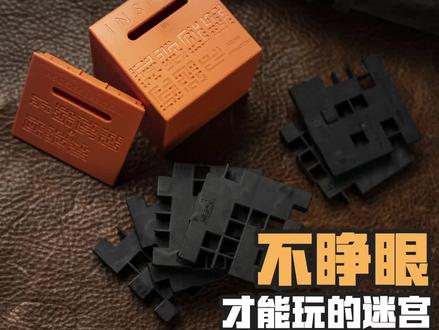 00:32查看AI文稿AI文稿
搞了个闭眼都能玩的迷宫,因为睁眼没用,啥也看不见。关键还得听规则。也简单,那两个珠子穿过盒子里的迷宫,只能另一面的开口出去让人通关。注意 在七幅图有左的右,分别代表七层迷宫内部。是这样的,还挺复杂,对照盒子上地图来看,现表示球可以走的轨道,点代表动球到那就会掉下去。我示范一下观察地图,边听边转,盒子就是这么简单。我打赌现在珠子肯定在这。 哎,今天是被这破猴子折磨的一天呐。
2428詹姆斯•铁柱


猜你喜欢
最新视频
- 3622王者人格小A