
粉丝48获赞214
相关视频
 02:40查看AI文稿AI文稿
towry a toolkit for building native desktop apps with front and web technologies and a lightweight rust backend it allows you to use your favorite javascript framework to design a ui then package it for macos, windows and linux from a single code base since the dawn of time javascript developers have been searching for the perfect way to build cross platform apps for the last decade electron has been the leader in this which provides a backend in no js and a front end with the chromium browser the main criticism of this approach is that it results in a very large executable file that consumes a lot of memory on the machine towery takes a different approach by replacing no js with rust and chromium with libraries like tow and rye to provide a lightweight web view end result is a smaller, bundle size and more efficient memory consumption it also takes security very seriously and provides an isolation pattern to prevent untrusted scripts from accessing the back back end from a webview the towery api provides a secure way to access native functionality like the file system http and system notifications it's secured by default and the only way for the front end to call back end code is when the developer explicitly allows it to get started install rust and nojs then create a new towery app use your favorite javascript framework to build the front end it looks identical to a web project except for the source towery directory this is the back end for your native desktop app inside of which you'll find icons that will be displayed when the app is installed the icons are referenced in the towery config file, which also contains important information like the bundle identifier as well as build settings for macos, windows and linux now the entry point for your backend is in the main rs file from here we can customize the experience on the native operating system by importing the menu types we can create a custom native menu that will work seamlessly on all platforms in addition, we can define code and rust that can then be invoked from the javascript front end and it has its own custom event system that allows complex message passing from the front end to the back end and vice versa now in the front end code a variety of native apis can be accessed with javascript for example we might import right file from the file system then simply bind that function to the click event on a button and now the app has the ability to create a file on the user's hard drive after that we may want to show a native dialogue, which we can accomplish with a single line of code from the towery api and access to any api method can be controlled from the allow list in the towery config file now to compile and build the app run the towery build command this will create an executable in the target directory congratulations you just built a high performance native desktop app that can run on any platform this has been towery in 100 seconds if you want to see a full tutorial let me know in the comments thanks for watching and i will see you in the next one。
24i进击的程序员 01:56查看AI文稿AI文稿
各位朋友们大家好,这样的系统及搜索框大家想必都用过,以 windows 自带的搜索框为例,我们在这里输入关键字呢,他就能把系统匹配的一些关键条目给给罗列出来,这样呢就能帮助我们快速的去定位到目标。 同类的软件呢还有很多,例如常见的程序员,常见的一款就是工具叫 utous, 他呢提供了很多的插件来完成我们特定的目标,尽管已经非常的方便了,但实际上在当我们想要去自定义插件的时候, 据我的了解,他还是就是不能够支持这样的需求,那实际上我们能不能自己去开发一款这样的软件呢? 呃,我就做了一些尝试,最终实现的一个基本的效果的话,就如图所示。这里呢去我们去输入关键字,他也能把对应的一些条目给匹配出来, 点击对应的条目呢也就能跳到对应的一个插件的位置。这个软件呢是我基于涛瑞这样一款框架实现的设计的一个目标呢就是把它给设计成一个可扩展的具有插件是机制的一一个软件。 当然他还有许多需要完善以及补充开发的地方。接下来呢,我会就是接下来的若干期视频都会去围绕这样一个软件展开,其中会包含这款软件的他的一个基本的一个设计思路, 实现过程以及对他插件的一个开发。大家如果感兴趣的话就欢迎关注,就如果有你就是想要实现的功能的话,也可以在评论区留言,大家一起探讨。
11程序员-勋勿弓 02:02查看AI文稿AI文稿
大家好呀,今天给大家演示的是一个聊天软件,这个软件呢实现了文字聊天和视频聊天这两个主要的功能。文字聊天使用的是微博 sok 的, 由于我目前对 ross 的代码还不是很熟练,所以服务端采用的是加八实线的。视频聊天使用的是微博 rtc 心灵服务器,和文字聊天用的是同一个。 然后现在给大家看一下效果,软件我已经安装好了,账号我也已经注册了几个,现在直接登录上就可以了。 好了,第一个用户已经登上了,再打开一个登录第二个用户,这边改一下账号,现在就能看到用户列表了,选择一个用 给他发消息。 好,这边已经收到消息了,再回复一条。 好,这两个用户就已经可以通信了,能发送消息也能回复消息。文字聊天大概就是这样,现在试一下视频, 点击这个视频图标, 另外一个用户视频画面也就弹出来了, 因为现在是在同一台电脑上,所以看到的画面都是同一个。我测试过,在另外一台电脑上视频通话也是没有问题的。需要注意 的是, vip rtc 需要 https 支持,所以想要外部访问的话,只能去申请 ssl 证书, 我这里已经部署到了云浮器上,所以外部通信也是没有问题的。好了,视频就到这吧,感谢大家的观看。
31994Ay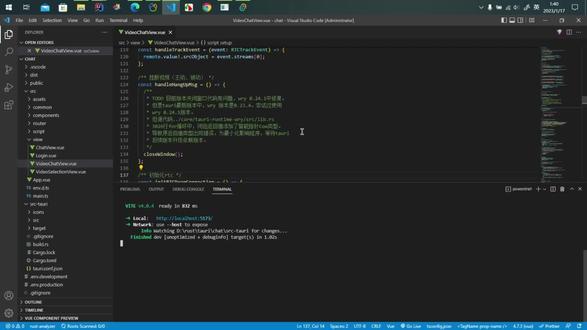 02:29查看AI文稿AI文稿
大家好,这期视频给大家演示一个重购过后的聊天软件,功能没有增多,只是更新了原来的代码,原代码我已经提交了,地址放在了简介,有需要的小伙伴可以去看一下。 好,现在来演示。打开这个软件,登录第一个用户,我现在给一二一二这个用户发消息, 但是现在这个用户不在线,那我现在登录 可以看到有一个红色的消息提示,点击这个用 库,消息就显示出来了,然后回复消息, 再复制多一点 文字聊天就是这样。然后是视频聊天,点击这个视频图标,弹出一个窗口,右边是本地的摄像头,好友收到视频聊天请求后,对方就会弹出一个接受或挂断的选择窗口, 点击接受,视频窗口就会弹出来,两个人就可以进行通话了,点击挂断,两个视频窗口就直接关闭了,演示就是这样。那说一下一个比较严重的问题,我在 代码注视里面写出来了,因为这个窗口关闭的问题,导致开发效率很低,所以后面的新功能,例如添加好友、发送图片或表情等等。我想等 tory 后续引入的依赖版本不再有这个问题之后,我再去更新这些功能。 再说一下服务端,服务端是改到 java 版本,为什么用 java 呢?因为我本身是做 java 开发的, raster 和前端其实并不熟悉,所以用 java 写没什么难度,代码很快就能写出来。后续有空余时间的话,我可以试着用 raster 再写一个版本。 如果有小伙伴不知道怎么部署开发环境,或者看不懂这个代码,可以在评论区说一下,到时候可以出一个开发环境搭建以及代码讲解的系列视频,那这期视频就到这了,感谢大家的观看。
 04:27查看AI文稿AI文稿
哈喽,大家好,我是乐特,今天给大家讲一下淘宝中的切入外部按禁止文件的能力啊,就是很多时候我们的应用程序需要嵌入别的按禁止文件,但是我们不需要用户去安装这个按禁止文件呢。 那么他若把这样的文件叫赛的卡,就像一个摩托车,他旁边有一个这个小的座位啊,这种模式啊,就是赛的卡啊,很形象啊。 那这个东西怎么用呢?我简单来演示一下,我电脑上是装了一个叫棒的应用程序啊, 我准备把这个棒打包进去啊,这个应用程序好,我们复制他回到 visco 中, 我们在这个硕士套里面创建这个文件夹,叫并的,我们粘贴进来。粘贴进来之后呢,注意这里需要改名字啊,因为根据他们的规则的话,我们需要加他的后缀呀, 这个后缀格式 windows 平台上就是这样的,我们把这后缀名字复制一下,然后保存好。注意,这个 bi 目录是在这个 source turtle 下面的,这是相对路径的,我用的是好,回到我们这个 turtle 配置文件中, 我们需要在这个 or low list 里面你加上一个,笑笑里面加上一个 scope, scope 里面我们再加上一条,比如说 b i n, 后面话我们需要在他的下面又加上一个,在这个帮的里面呢, 加上一个 acternal bing, 把这写个棒保存呢。好,我们现在启动这个 power 应用程序啊。 ok, 启动起来了,我们怎么演示呢?我们回到我们前端代码里面去,把这个页面这个删掉啊。 好,这个弹幕写完了。好,页面就是这样的。这个地方的话,我们先执行一个方 杠杠窝点看一下, ok, 有,我们这换成一个杠杠窝点。回到我们应用程序中,我们点这个,我们会看到他把这个棒的版本输出出来了, 但我玩一个更复杂点的,我们知道棒是可以执行那个 ts 文件的,我这注意,我这里指定一个 s, 哈喽,点 t s, 那这个 t s 文件在哪里呢?注意,这个 t s 文件在硕士套啊,这个上面,在这里, 我们在这里写了打印那个 console hello from bum, 我们点一下,你看 hello from bum, 我们在这里随便写一个,比如说,呃,一加二加三随便写,我们在 再次点击执行,你看到等于六啊,这个地方我们是直接可以改这个文件的。你好,还要重新打包啊,你好,看到没有,非常六啊。我们总结一下, 也就是说我们借助于 tarry 的这个 setcar 功能,切入一个外部 rg 制文件, 直接在前端代码里面调用啊,当然他后端也是可以调用的,我这边就不演示了,可能他内部是使用 ipc 进程通信,但是这整个过程中 对我们前端是透明的,我们根本就没有感受到在使用 i p c 通信的,这个就非常厉害呀。好的,今天的分享就是这俩,关注我,教你更多权战知识。
37程序员𝐋𝐞𝐫𝐭𝐞


