沃尔玛怎么删除变体组里的主体
hello and welcome to this walmart seller academy tutorial about product variants and how they can enhance your walmart marketplace listings in this video you'll learn more about how product variants are displayed on walmart com and how you'll benefit from giving shoppers more options to choose from we'll also show you how to create and maintain variant groups as a walmart marketplace seller if an item is produced in more than one color size or material those different options are considered product variance on walmart com product variance are displayed under the primary item on an item page as additional buying options product variance can help you target customers based on their search intent which can help you gain more visibility in search and browse results appeal to a larger audience and boost product conversion rates create a better shopping experience for customers with easier navigation on walmart com next let's discuss how to create variant groups on walmart marketplace and how to choose the best method for your business marketplace sellers can create variant groups either by selecting items individually from the items dashboard in seller center or in bulk by using walmart's full item setup spec to create a variant group for a smaller group of items that already exist in your marketplace catalog we suggest using the items dashboard first drag into seller center and navigate to the items dashboard under the product catalog section locate the items you want to group together by searching for the skew or item name in the search bar then select the checkbox in the left hand column to choose the items you would like to group together finally in the actions drop down menu choose group variants to finish setting up the group next add in the variant group details including a custom variant group id and choose a product category that best fits your products then select up to three variant attribute names to describe your variant and choose a primary variant the primary variant is the default item that appears first when users search walmart com or visit an item page simply select the star icon in the actions column to choose your primary variant then select submit to complete setting up your group to create a variant group for a large number of items or for items that do not already exist in your marketplace catalog we suggest using walmart's full items set up spec to download the spec head to the items dashboard and choose add items select the walmart template link located under the upload of spreadsheet heading choose your fulfillment type then under the full setup section choose the product category and select download to retrieve the file there are five required columns you you must fill out in the spec sheet to successfully set up a variant group variant group id is a unique id to identify your variant group it can be alpha numeric and up to 20 characters long attribute name identifies the attribute type for example if your item comes in sizes small medium and large choose size as your variant attribute name swatch variant attribute displays a visual swatch of your attribute for example if you have a t shirt that comes in multiple colors choose color as your swatch variant attribute swatch image url is the image url for each variation of your swatch variant attribute each varian should have its own individual url is primary variant identifies the default item that appears first when users search walmart com or visit the item page choose one item from your variant group to be the primary variant you also want to make sure you fill out the attribute column under the orange heading that corresponds with your attribute name selection for example if size is your attribute name you need to specify the size small, medium or large in the attribute column labeled size once you have completed filling out the spec sheet uploaded into cellar center in the same place, you downloaded the spreadsheet next let's discuss how to update and maintain existing variant groups you will use the walmart's item maintenance spec to make updates to your variant variant groups to add new items to an existing variant group or to combine two separate variant groups into a single group input the existing variant group id into the variant group id column then fill in the rest of the required variant columns including the attribute name, swatch variant attribute and swatch image url once complete re upload the spec into seller center alternatively if the variant criteria of your item has changed and you need to add an additional variant attribute to further describe an existing group simply insert a new column in the excel and label it variant attribute name then choose the new variant attribute from the drop down menu and fill out the item attribute column under the orange heading that corresponds with the new variant attribute name then re upload the spec into seller center finally to remove items from an existing variant group replace the variant group id for that item with a new variant group id and re upload the spec into seller center this will remove it from the existing group and put it into a new group。

粉丝1.1万获赞1.6万
相关视频
 10:21查看AI文稿AI文稿
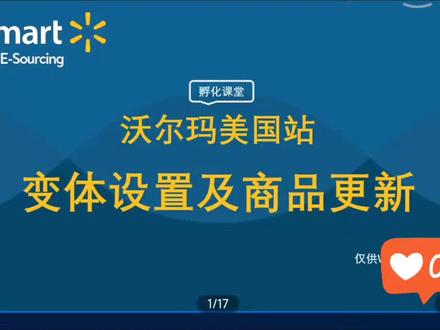
欢迎参加沃尔玛孵化课堂,本期的内容是变体设置及商品更新。 首先给大家介绍什么叫商品的变体,变体是只可以显示在同一商品页面上的不同商品属性,比如大小、颜色、尺寸等等。 那这里给大家展示的截图就是沃尔玛美国首页上的变体组商品,红色方框内的就是商品的变体属性。 大家可以看到这个床单的变体分别是它的尺寸和它的颜色,那这个颜色它是设置了图片展示给大家的。 挖马对变体的设施要求,首先每一个品类下我们都提供了不同的变体名称可供选择,暂时不支持大家自定义变体名称。 另外,每一个变体组内的单个变体都是单独的商品,例如您的床单有二十种颜色,五个尺寸,那么您就有一百个商品,也就是一百个 sq。 那么当您在设置变体的时候,您需要填写一百行 关于变量的限制,如果是单个变量,也就是例如只有颜色是变量,那我们的限 是一百个 sq 以内。如果是多个变量,例如尺寸和颜色都是变量,那我们的 sq 限制是五百个以内。 接下来为大家介绍变体设置的具体步骤。首先我们需要下载的是我们批量更新商品的表格,也就是 for items back, 不记得下载路径的卖家们可以查看我们上一期的培训内容。 下载好表格之后,我们拖拽到表表格的右方,可以看到变体组的设置自断。 我们来依次给大家讲解一下比较重要的几个字段。首先 首先第一个 barongubaid 就是变体组 id, 这个 id 大家可以进行自定义的设置,组成结构是字母或者是数字,最多不可以超过二十个字符。 当您的商品他的 very good id 相同时,他就会处于一个变体中,在前台展示在一个商品页面内。 接下来是 wearing entropy names, 也就是我们的变体属性名称, 大家需要通过下拉框去选择您的变体属性名称。目前暂时不支持大家自定义属性名称。 右方已 primary wearing, 也就是是否是主要变体。大家需要为您的变体组设置一个主要变体。主要变体呢,会显示在这个变体组商品页面的首图当中,那其他的非主要变体需要顾客依次去点击进行查看。 如果您没有设置主要变体,后台会默认您的第一个 sq 为主要变体。 接下来,如果您需要为您的变体属性添加缩放色板,那您可以在表格的 schwarzen ashbu 的字段当中选择您需要添加缩放色板的属性名称,然后为您的缩放 色板添加 url。 这个 url 的要求和我们批量上传商品的 url 的要求是一致的,同样是需要以图片格式结尾的 url 即可。 当然,您也可以不添加 ul。 当您不添加图像的 ul 的时候,我们前台会显示您属性对应的英文文字。 一般情况下,嗯,有颜色变体的卖家会选择添加 url 向我们右边展示的这个截图。当您添加了缩放色板的 uil 之后,前台顾客会更清晰的看到您的这个颜色的实际视觉效果,更便于顾客进行选择。 当大家设置完变体之后,上传成功之后,如果需要对变体进行更新,例如在现有变体组中增加变体,或者是把两个变体组合并, 或者是要拆分变体组,或者是在现有的变体组内要移除某些商品,这些都是可以进行操作的。那所有关于变体的更新,我们要更新的自断都是 very good id, 也就是变体组 id, 只要有拥有相同的 windowpid 的商品,他就会属于同一个变体组,就会在前台展示在同一个商品页面。如果 两个商品的 welcome google id 不同,那它就是不同的变体组,就不会在前台展示在同一个商品页面,大家根据自己的需求去更新这个 welcome gooble id 即可。 当然有一点要提醒大家的是,如果是在现有的变体组内移除某一个商品,大家需要把 welcome groupid 更新为一个新的编码,和旧的 welcome groupid 区分开来,但是不可以把 welcome groupid 这个字段留白, 如果留白的话,您的表格上传可能会产生爆错。 那关于变体设置的方法我们就介绍完了,接下来给大家介绍商品更新。首先我们可以对商品进行三个更新,大家 在进入卖家后台之后,首页下方就是您的商品的清单,你可以点击进入您想要更新的商品,点击他的 item details 即可进入他的商品编辑页面,大家看到右边的截图, 接下来大家可以根据您想要更新的信息去依次的填写,所有的必填字段都是必须填写的,填写完成后点击上面 it 即可。 当然除了单个去更新商品,我们也支持批量进行商品的更新,那批量更新商品的路径,首先是进入卖家后台,在 itema 一份取下,找到 items shut up and the maintenance, 然后点击 maintain bunk items, 也就是批量管理 商品。进入之后大家有两种方法,首先第一种,大家可以输入您想要更新的商品的 gten 的 number, 然后去下载您想要更新的商品的这些信息,然后再进行商品的信息修改。 那第二种方法,你也可以直接根据品类去下载一个空白的模板表格,然后在模板表格当中去填写你想要更新的商品信息, 填写完成后将表格保存上传到后台即可,同样也可以在 free status 的地方查看您的处理进度。 这里要特别跟大家强调的是,大家在用我们的模板表格去更新商品信息的 时候,你要在我们表格的 product id update 这个字段当中选择 yes, 就是表明您这个 sq 是需要更新的, 那除了您想要更新的信息要填写之外,其他的所有必填字段也是需要填写的。 另外需要特别特别提醒大家的是,大家不要同时去更新你的 sq 的 id 和你的 product id。 如果大家不得不这两个参数都更新的话,建议大家先更新其中一个,等到我们上传成功之后,前台生效之后再去更新另外一个。 当然关于商品的一些其他信息,我们也是可以进行批量更新的,比如库存价格, like time, 退货规则、物流模板等,这些属性都可以进行批量更新。 具体的路径在我们 ipad 的音乐曲下选择 bung update 就是批量更新,点击进入之后,我们选择对应的您想要更新的信息的模板,然后下载我们的模板表格, 填写对应的信息上传到后台即可。另外,关于库存的更新,需要特别跟大家强调一下,如果您有不同的仓库,那么您需要每一个仓库设置一个更新的表格, 也就是说不同仓库的商品库存不可以放在同一个表格进行上传更新, 因为您在更新库存表格的时候,会系统会要求您选择您的仓库编码,所以请大家多个仓库更新库存时分开更新。
234海维跨境 00:52查看AI文稿AI文稿
第二就是乌阿玛的广告有比较大的延迟,乌阿玛的广告跟后台、前台展示的产品是不同步的,换句话说,如果你在开广告期间大面积的修改类似性,或者增加或深出变体操作,都会导致广告与实际产品并不匹配, 你会发现无缘无故的曝光和转化骤降,这并不是因为你优化所导致的问题,而是你优化的时间点的问题。正确的做法是需要在 goosa 和 q 内推中你的产品与实际产品同步之后再开广告,这个时候广告才能给你所展示的产品是匹配的,切记。第三就是 子体的改变,对主链接的搜索排名、展示位置也是有比较大的影响的,如果你调整了子链接或者添加或删除子体操作,都会导致产品主链接的搜索位置的变化,并且这个变化是及时反应的。
 03:46查看AI文稿AI文稿
现在是晚上九点,咱们去看看沃尔玛现在有什么值得买的吗?老好了,我不知道你们用不用面膜啊,反正这个面膜是非常划算的,这个面膜是两盒五十九块九,旁边的所有的店都是一盒是这个价格。 然后就是玩具区,沃尔玛的玩具啊,其实不太建议你们买,因为他那个性价比低,而且价格也并不怎么便宜,他品质不怎么样,所以他在外边有很多可以选择的空间。之前给我丫头买了个机器狗,拿回家一打开里边那个壳都发黄了。 有几款比较便宜的枕头,我觉得睡得还挺舒服的,那个决明子的才六十九,然后好多基本上什么大豆枕啊,茶香枕啊,好多都挺便宜的,基本上就是六七十块钱。他们这有燕京的威驰精酿白啤,这个我平时还挺喜欢喝的。然后重点来说一下他们这个蛋糕还有面包啊, 这是沃尔玛的一大特色,这些提拉米苏啊什么的,但是不是特别推荐啊。不是特别推荐,我给你们说几个我比较喜欢的。第一个就是我比较喜欢的就是这个瑞士卷, 你一定要认准的是什么呢?是这个三十三块八,这个奶油泡芙我觉得是超级棒,十九块九,他这些都是动物奶油的, 这个是我吃的比较好吃的,这个原味蛋挞我没吃过,但是那个葡式蛋挞今天已经卖光了。葡式蛋挞其实是比较好吃的,价格也挺划算的,蛋糕杯,动物奶油的蛋糕杯也挺不错的。然后就是麻薯,麻薯吃的人也不少,但是没有什么非必要去买 啊,这个面包还挺好吃的。像这种全国性的超市,他们这个牛奶其实都挺划算的,特价特价,他们会议自己的牌子,九块九这么一升,我觉得挺划算的。这个会议 你的香脆花生,这个属于我经常复购的产品,他吊打好多的这种品类的花生,这个十二块九一袋啊,有时候搞活动九块多。还有一个我最近才发现的,爱吃芒果干的你一定要过来买,这个含羞草的芒果干二百三十克,十九块九, 这点芒果弯在外边得四十多,然后就是德芙的巧克力什么的,普遍比别的超市的话能便宜个几毛钱,十六粒装特价五十六块九。奥尔良烤鸡还是比较值得买的。 他再晚一点会搞促销,直接会在收银那个门口,然后买一赠一,然后就是生鲜区,就像瓶盖大那么小的小龙虾,二十九块一斤。什么人才会来这买小龙虾,基本上就没眼看啊, 这么点的花蛤七块九一斤,五花肉十八块九,你上外边买那个纯鲜的五花肉也就是十块左右。沃尔玛的生鲜区我是 很不推荐的,然后这些蔬菜类的呢,水果有的也比外边贵,不一定好吃,主要是看见没像这种打了黄价签的。这种菜你可以看看他的菜品质量,这个就是昨天的剩菜,今天还卖不出去,所以才会打这个签。这些水果 打了一种黄价签的,你拿回家就是扔。像沃尔玛啊,他是一个全球性的超市,有时候这些进口水果其实就挺划算的,他这种进口水果其实还是挺便宜的,你看这种榴莲, 现在榴莲特价是十九块九一斤,冬天应季的那些车厘子啊什么呢?预售价比那个外边批发都便宜,有的时候他冰箱里有一些水果,胡萝卜什么奇异果,其实有时候也挺划算的。然后就是都乐的这个朝天椒也在挺好吃的,十二块九一袋,闪撑的零食吧,你们就是少买一 点吧,之前买了点旺旺的,返程好多都已经不脆了。然后就是在沃尔玛买东西,你一定要看好日期,像一些蛋糕面包什么的,他经常没有一个明确的标识会给你混在一起。今天呢和昨天呢, 你看看的吗?这是七月五号生产的,他放在最上面让你拿,但是下边的这些都是七月六号,基本上都是我挂出来的一些个人小建议啊,希望对你们有帮助。好,下期见。
283豆腐豆腐 02:34查看AI文稿AI文稿
为什么这么多年来的商业时,首富都是干线下零售出身的?要弄懂这个底层逻辑啊,首先咱们得明白一个概念,就是资金使用效率。传统的线下零售商呢,他跟供应商之间啊,都有一个账期,他把东西卖出去之后啊,不需要立马给供应商结款,货款的账期呢,都在两三个月之间。 然后呢,这就导致了他们的估值体系跟科技体系是完全不一样的。为说你只要看这家公司的资金使用效率,普通的品牌呢,可以压两到三个月,那你像沃尔玛这种零售巨头呢?夸张的,有的可以压到六到八个月。 第二个呢,咱们给他钱买完东西之后呢,你对于沃尔玛来说呢,其实他一分钱不花呢,就把钱给收回来了,因为货品呢,是供应商提前放在这的。至于支付呢,也就是人工啊,房租啊那些啊,都是一个月以后再去支付的,咱们千万不要小看这两个交叉的时间点,所有的生意啊,就是这个时间差, 未能够很好的计算出这个两者时间差的关系啊,你的企业只会越做越大,各行各业全是相反的观点呢,做不好这个时间差,并且如果把这个时间差弄反了,会造成大量的积压跟库存,这样呢就会导致企业破产,也就是咱们常说的资金链断裂。那为什么到了高度发达的互联网时代, 天线下零售的巨头还是沃尔玛呢?他又比线上电商的巨头优势在哪呢?其实啊,在资金使用效率上,沃尔玛这种线下零售巨头 资金使用效率比电商还要高,这沃尔玛有一点是所有电商巨头都学不来的一点,这也就是沃尔玛的看家本领。举个例子啊,假如啊,你是沃尔玛的供应商,你给他供应了三百平的货,但是呢,他卖出去三百平呢,他并不会立刻的告诉你, 只会在马上没有库存的时候跟你讲再进三百平的货。将沃尔玛这种零售啊,并不以时间刻度来计算他的现金流,而且 在于啊,沃尔玛可以将这个商品啊销售多少,当你的店越多,你销售越多的时候,你的正箱现金流就会成倍的往上顶。这就是为什么互联网电商这么发达,像亚马逊的这种电商巨头打不倒沃尔玛的原因。这下你就知道了,为什么这么多仓库超市要把东西成箱成箱批发的卖给你,就是因为他们要提高他们的客单价, 这个账期玩的很好呢。还有一个企业就是特斯拉,他跟他有的供商的结账周期也已经夸张到了十二个月,这个呢就意味着你交了定金让他造车,他把零件免费的拿过来组装成车,然后收了你的全款,这个钱呢,趴在自己这想怎么用怎么用, 一年之后呢,在供应商结账,这就是资金使用效率,如果把它拉在一个长周期来看,这个企业能控制好这个时间点借的钱与下一个时间点出去的钱,永远会有这个规模的钱。趴在自己的账上,他可以为了打压竞争对手,牺牲一切的利润来增大自己的这个池子,这个池子才是他最大利润的来源。
32小道儿


