联想b505一体机屏幕怎么显示
粉丝366获赞2292
相关视频
 02:15查看AI文稿AI文稿
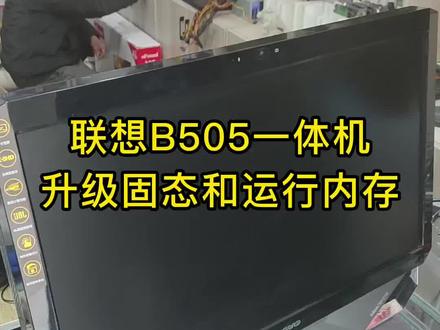
幺零年的一体机, amd 的叉三的处理器,两 g 的运行内存,现在客户又给他升级一下,嗯,八 g 的运行内存,四百八的固态,值不值得呢?我们拆开看看 面好几颗螺丝,把它拆卸掉。联想的 b 五零五啊,他这个拆这个后盖啊,他不是先拿这一块,是从螺丝卸掉之后,是从一边 还有这一边进行撬,他有卡扣,这样全部撬开之后啊,就能这样掀起来了,影响的这个机子啊,做工啊还是比较完美的,这个大品牌以前就设计双风扇进行散热, 这个是一个硬盘,机械硬盘,把它拿掉,最后要上这个固态硬盘上去, 四百八十 g 的金丝墩的硬盘已经装在这里,然后再把它的两 g 运行内存拿掉,上八个 g 的运行内存,最后把这个双风扇加这个散热器全部拆卸下来,正好也给客户清一下灰,加一下这个规则,八 g 的运行内存装在这里, 然后以前的这个神机,哦,你看他这个显卡是外插型的啊,很少见,现在是很少见了,我们升级完成,嗯,给他进行装机,装起来, 还给他复原,装起来,把这个底座装起来, 卡下去 装螺丝。 升级已经完成了,系统也做好了, win 七六十四位的系统,像这样的一台老电脑,花个几百块钱去升级它的运行内存和固态硬盘,你们觉得值得吗?
245阿文电脑批发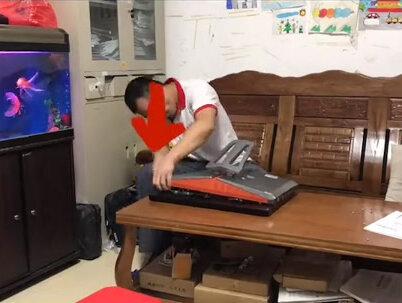 00:29查看AI文稿AI文稿
哈喽,联想 b 五零零一体机开机不通电故障拆机维修视频教程分享,但是按开机键没反应,现在我们拆机, 这款一体机拆机比较简单,把螺丝扭上来以后扭松卡扣就可以拆出来了。大家有没有看到,经过我的尝试检查,确定是电源的问题。好,这个视频就到这里,请看下个视频。
 02:28查看AI文稿AI文稿
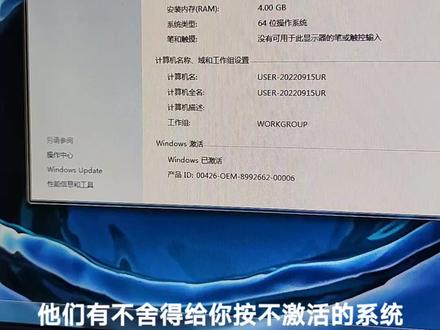
宁西的啊,联想一体机,联想 ideacentr b 五零五开机啊,这还带科录机的呢,哎,开机在这里。二 w 带科路机的,我刚按完啊啊,亮了, 四 k 对齐开的 h c i 啊,四 k 对齐开的 h c i。 有人说龙哥这不是温七吗?你平常你坐温十那个 ueifi 加 gpt, 你温琪能 ueifi 加 gpt 吗?龙哥说可以,龙哥说可以。前提得是主板和主板,他有电脑的官方给我驱动就能。龙哥这 真的可以,不是吹牛问题,也能给你优异 fm 加 gpct 驱动啊。二七二七宽屏全高清显示。这 bl 音效。这是什么 做的?温奇六十四位,他这个也能支持叉劈啊?我没给他做叉劈,因为他的这股有四季内存条,做叉劈的话得虾一级多。因为叉劈三十二位叉劈叉劈,咱们解暑的都是三十二位叉劈只能支持三点二五斤, 会瞎一部分。不能说瞎,瞎很多啊。三六零什么都安完了啊。配置他是四盒,二零一一年的四盒,我没猜错的话 主板芯片组应该是 a 五 a 七五,那时候的 md 四盒四季内存六十四。系统已激活啊,他们有不舍得给你按不激活的系统。看这显卡取完了啊。 hci 卡完了。四盒四 k 对齐开的 hci 四盒吗?他这个为啥带 e 呢?带 e 的就是公号第一公号版 md 的代公,第一公号版阴天的通常都代代替, 还有带皮的,阴天的是不带合计显卡的。这有点说早了,我一会会给大哥家碰见的。好嘞,完事了啊,需要谢谢支持我的工作的顾客,谢谢。
23公主岭张成龙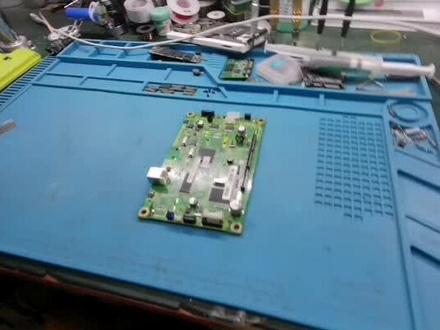 01:30查看AI文稿AI文稿
今天分享一台联想七六幺五复印机,开机显示无法打印错误代码,零五的维修方法, 先进维修模式,查看四位精确代码,如果是 050a 对应维修手册,检查电影热敏变组排线急转接板是否正常, 电影加热管是否正常,电源板是否正常。检查主板 lm 三九三电压比较细,输入电阻是否正常,工作电压基准电压是否正常,或者更换 m 三九三故障就可以解决了。
110涛哥维修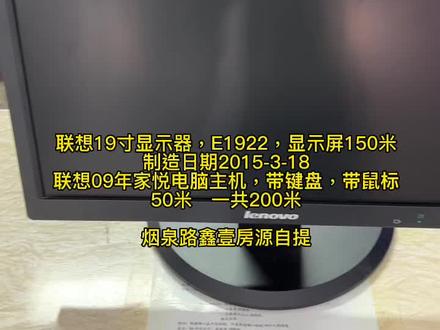 00:15查看AI文稿AI文稿
联想十九寸显示器,一幺九二二,显示屏一百五十米,制造日期,二零一五年三月十八日。联想零九年加约,电脑主机带键盘带鼠标,五十米,一共两百米。烟泉路新衣房源自提。
55韩城典和佳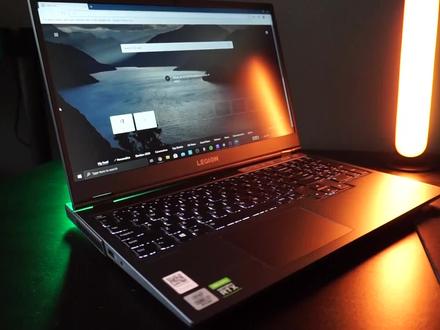 03:42查看AI文稿AI文稿
welcome back everybody for another video about the lenovo legion five laptop so i'm just filming all the issues i'm running into and the most recently issue was connecting this laptop to one hundred and forty four herds external monitor so as you can see this laptop has multiple ports it also has a usb c and an hdmi port for video out and this newly purchase monitor has a display port and two hdmi ports so the cable i had already lying around because it came with the monitor is a simple hdmi, so let's go ahead and try that first, so let's go ahead and look at the documentation real quick it supports output up to fourk only need twenty five sixty by forty forty as my monitor is a qhd, let's see nothing about the hdmi port being limited all right, let's connect the monitor and yes, this is an hdmi two point o cable let's connect the laptop now when we check the monitor settings we can see it's running at a hundred hurts which is not a hundred and forty four so that is not as expected adaptive sink is activated so let's check the window settings if we can tweak something there we would expect you could change this to a hundred and forty four however, as you can see we are limited to only a hundred so okay one thing we could tries just to disable the active sink on the manager to force one hundred at forty four hearts output, but then the laptop will still be at a hundred, but at least the screen will be a hundred and forty four let's see what happens so as you can see you'll get a lot of artifacts and screen tearing so yeah this is not really going to work for me so hdmi is not the solution i did some digging around real quick on the internet and there seems to be some limitation so next step is to test the cables that i still have lying around i tested a display port cable with an output to usb c i mean what do i know okay this also does not work as you can see so that's not an option so then i just purchased this from amazon for about fifteen euros, it's a display port that natively in the cable itself outputs to usbc, so let's connect it display port instead of the htmi port usb c instead of the hdmi on the laptop okay you can see it's already running at a hundred and forty four hurts so that is good checking the settings as well on one hundred and forty four output so that's good from the laptop as you can see no more screen tearing so it's just the cable just get the correct cable and then your legion five laptop should be able to output one hundred and forty four hurts and with the g sync enabled so i hope help someone out make sure you get the correct cable for your laptop it for your monitor make sure that the you do not use this apple on the ball to usb c converter is someone could explain in the comments below what the issue is please let me know and if i help you out, please leave a like and see you guys in the next video。
280歪比歪比歪比巴卜


