
粉丝4.3万获赞313.1万
相关视频
 12:29查看AI文稿AI文稿
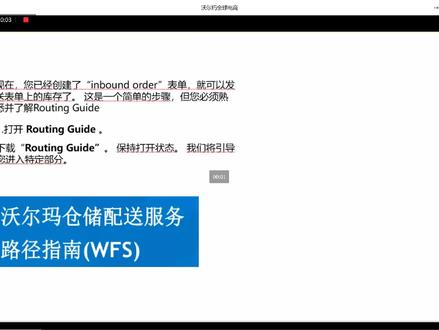
嗯,我们在上面已经讲到了如何转换商品和创建师门 id, 也就是创建入库的 po。 那么现在呢,我们就可以打开助听盖的,并且让助听盖的保持在打开状态。我们呢将引导您进入特定的部分。 我们首先来看一下,您需要进入的是在卖家后台 wx 向下的 send inventory, 然后呢你选择 management, 那么你点入之后呢,实际上您就可以看进行标签打印,我们看右边的部分有个 label printing and checking, 您只要 generate and print labels, 您就会打印出类似于这样的一个标签。 那么这个标签包含了以下主要内容,第一呢是西门 id, 那么这一个呢是由 wfs 自动生成的。第二呢 是新品的 id 的条码,同样是由 wifis 根据这个条码的数字自动生成的。那么另外呢是一个送货地址,这个也是在我们的这个系统当中自动生成 啊,有一个比较重要的是美国的退货地址,那么这个退货地址呢,是在您创建是本的时候呢租进去的,也就是当呃产品送货是出现问题的时候呢,他会如果需要退货,就推到您的这个退货地址。另外呢有箱子或者托盘的数量 啊。标签呢分成两种,一个呢是混合的 sku 的箱子,另外呢是单一 sku 的箱子或者是托盘,所以您呢需要在呃 下边这里圈上您实际的呃状态或者是呃他的 sku 的这个形式。然后呢就可以完成 成了这个运输标签的这个部分了。 那么除了运输标签呢,我们还有一个是 upc 标签或者是 gt 的标签,那么这个标签呢实际上呢是贴在所有销售单元的 外箱上,销售单元上边的,那么这个标签是您自己去申请这个条形码自己去打印的, 那我们的要求呢,只说这个标签呢,就是要出现在商品上边,那么这个是可以被我们接受的,比如说像右图当中的这个条形码,就是一个标准的一个呃 upc 的标签,那 那么我们不接受的呢,实际上是右图下边这一个,也就是这个 sku 的码,这个是我们不能接受的 sku 的条形码。呃,另外一个呢就是 是当您运输产品的时候,当您包装产品的时候呢,如果您有一个代表单位数量的箱子的条码,也就接近十四的时候,那么这个条形码呢就不应该出现在单单元这个销售的单元上,避免在呃我们收获的当中呢出现错误。 那么下一步当您把两种条码都准备好之后呢,您就可以包装商品了,那么包装的商品的这种环节呢,内容比较多,这个呢我们建议您就是进到我们的这个 入侵钙的或者是我们的路径指南里边呢,去静止的看一下,根据您的产品的类型和可以接受的包装材料呢进行包装,那么有一点值得注意的地方就是,如果是塑料袋的话呢,必须是透明的,这个是我们大标 base 的要求, 那么下面呢我们就讲一下托盘,因为我们在通过整柜或者是零蛋发货的时候呢,我们是需要使用托盘的,那么如果您不是使用整车或者零蛋发货,而是使用快递运输的话呢,就不需要托盘,我们来看一下托盘的要求, 那么其实我们右边这个图呢,其实已经给了一个很好的展示,就是说您这个托盘需要结实,没有破损,那么这个是最主要的一个要求,那么具体的要求呢?比如说我们需要的是四十乘四十八寸英寸,然后四面叉的这种实木托盘,呃,如果是一个独立的 大型的,无法装在这个托盘上面呢,可以出现这个要要出现边缘悬空的情况呢,那么就你使用就适合该单元的托盘,如果不是这种情况的话呢, 那么就都使用四十到四十乘四十八寸的这样的托盘,那么托盘的总重量不超过一千五百八,高度不超过七十二英寸,那么呃,你也可以使用双层托盘,托盘的高度呢是不超过一百零八英寸。 呃,我们看了托盘的要求,下面我们再来看一下货件或者 标托盘的这些标贴,那么之前我们已经知道从哪里去打印这个标贴了,那么现在我们来看看贴在哪里,那么其实这张图我们就可以看到,其实如果他是一个箱子的是门 id 的话,箱子的标贴您只要贴在他的一个角落,这样子就可以了。那么如果一是一个托盘的标签,我们贴在哪里呢? 如果是托盘的标签的话呢,就是在托盘的四面正中的房呃,顶部中心各贴一张,所以是需要贴四张,那么如果整个托盘是一个师本 id 的话呢,每面贴四张,如果是一个是一个托盘,有多个是门 id 的情况,那么您需要在每个箱子上贴一张是一门 id, 那么之后呢,在这个呃托盘的外面呃贴上说我这个箱子包含多个是一门 id 就可以了。 右下方这张图呢,您可以看到说我们还有一个要求,这个是实际上是适用于所有的这种运输需求或者是仓储需求的,就是当您一个托盘里边有多个商品的时候,多种商品多个 sku 的时候呢,您 尽量把一个 sku 呢放在一起,那么像这样子,如果说呃一个 sku 合力的 sku 呢,中间最好放一个这种呃物理的一个隔离的一个层板。那么下边这一个呢,就是我们不建议的, 就是你把这个不同的 sku 把它分开来放了,这个就是我们不建议的。那么当您把这些标签都已经贴好之后呢,您就开始选择您的物流商了。那么无论是托盘还是小包裹入厅盖子里边呢,都会在这个入厅 instruction session 的部分呢,末尾列出了可接受的承运人, 那么你选择了承运人之后,你就可以选择来安排 ltl 或者 ftl 交付。呃当你选用这个交付方式的时候呢,那么您需要用电子邮件呢安排交货预约,这一个我们从客厅盖里边可以获得呃要送到的配送中心的电子邮箱地址,这个非常重要。 那么另外一个呢,就讲一下呃预约的要求,首先呢就是如果是整车或者零单运输呢,必须要提前预约,然后才能送货。第二呢,就是预约的时候必 需要提供血本 id, 提单号码这些信息。第三呢,如果重新预约的话,必须根据 fwfs 的下一个可用时段。第四,如果取消的话,需要二十四小时提前通知 fc。 第五,如果没有及时预约呢,可能会产生罚金。第六呢,所有的承运人必须提前和 wfs 预约送货,而且这个预约送货呢,必须由您的承运商来预约,而不是卖家自己预约。这个请大家注意。那么在下边这个这个图呢,实际上是我们 啊,您在这个入驻 wifis 的时候,我们将发给了每一个呃, wifis 的这个卖家,就是这一个表格,是我们发过去的,那么表格的具体内容实际上就是 您需要提供给您的运输公司的一些呃,自断。然后这一个表格呢,也是您对运输运输公司跟我们 wfs 仓库 进行预约的一个。呃, template, 那么句子自动,我们稍微看一下,因为这个确实是非常重要,我们有些卖家呢,会经常会产生错误。第一个呢就是 carry a name, 然后呢, trade number, beautiful leading number, preload or load number。 呃,这几个部分实际上呢,其实都是可以由这个我们的运输,我们的运输商来提供的。那么您需要提供的实验是您自己的 supply name, 以至于卖家的名字,他实际上是我们的。这个就是您在刚才 crea 师们的时候那个 id 号码,然后 low type 呢?呃,如果是您选用这个整车或者零蛋的话,您就一定要选用 patized, 那么这个是拍了 com 一共是几个卡板,然后呢,这个是您要求的预约送货的时间,呃,然后,呃,这个是送货时间的日子,这个是送货的时间。 嗯,另外我们来讲一下从中国直发,因为我们实际上呃大白饭从今年开始呢,已经允许了我们的卖家呢从中国直发,但是呢,中国直发必须要复合以下的要求,第一呢,卖家负责进口清关, 所以交到 wis 产品一定是已经清官过的产品。第二呢,产品的包装呢,必须要符合 wfis 规范。 第三,如果您是通过集装箱运输的,那么产品呢,必须打托盘,我们不接受 flow load。 第四呢,我们不要求卖价,一定从美国仓库直发,但是根据合规的要求,必须提供一个美国的仓库作为买家退货的地址。 那么如果您选用了呃整车或者零蛋的话呢,你就按照上面的那种要求进行运输。那么当你选用快递运输或者小包裹运输的时候呢,那么就不需要再进行预约了。那么您只需要把小包裹交付的跟踪 信息呢,添到呃卖家后台就可以了。那么这个呢,就是如图,您在这里边选择了勒不连的 checking, 然后把 carry a name 和 checking number 打进去就可以了。注意您有多个 checking number 的时候呢,您可以一次 upload 很多个,至少一百个 checking number 在上边都是没有问题的。 然后你选择丧命啊,你就完成了这个小包裹运输的部分。那么再次提醒您注意,当是零蛋整车的情况下,您必须打托盘,而且需要预约入仓。当您是小包裹运输或者是快递运输的时候,您不需要打托盘,也不需要预约入仓。 那么最后一个您需要做的就是准备好文档了,我们 wfs 呢,只强制一个文档,那就是提单,那就是提单,作为 不是我们强制的文档,所以大家只要专心的把这个题单做好就可以了,那么题单的样板呢,是在入厅盖的,里边有,那么主要的信息呢,就是在这里边啊,如是用的 id, f 系的完整地址,运费的条款,卖家的名字,发运时间,成年人的名字和箱子数量。 那么大家问题比较多的实际上就是一个 nm f c 的号码,那这一个请您注意,当您是整车运动输出的时候,您不需要提供 n f f c 的号码,只有当您是零的时候您才可以,您才需要提供这个号码。那么这一个呢,您可以跟您的预付公司去要,他们都有的。 那么如果您发生了这个呃发货过多或者缺失的情况怎么办呢?这个呢,您可以就是在卖家后台呃打 seller compliance, 可以获得更多的政策或者更多的说明。 w f s 从今年开始呢,已经提供给卖家从美国仓库,从卖家的美国仓库到我们 w f s 的一个小包裹运输的这样的一个服务。 那么这个服务呢,是我们跟 fidax 进行合作的,那这个服务有几个优点,第一呢是一个有竞争力的配送费费用,第二呢有一个非常可靠的配送时效,第三非常便捷的操作流程,那么大家可以在卖家后台的时候呢,点击就使用了。值得一说的就是这个系统的这个报表, 因为我们现在有了 fadex 小包裹服务呢,我们也提供了一个叫音棒 transportation 的一个报表,大家可以在 wfis 向下,然后 repose 下边音棒全速 pad 省就可以找到这个报表,可以查运,查看你自具体的每一票的费用呢?
187Nick跨境服务 04:24查看AI文稿AI文稿
hello and welcome in today's quick start tutorial we'll explain how to use shipping templates to define your shipping configurations to access and edit your templates navigate over to settings and click shipping templates under shipping profile if you are an existing cellar migrating from global shipping settings, you'll find your current settings in the default template once your migration is complete if you are a new seller start your shipping configuration in the default template, the default template is assigned to your entire catalog and you can modify it if needed, but it cannot be deleted if you need to customize your shipping settings further by groups of skus different fulfillment centers or by two day or three day shipping programs you can use up to fifteen additional custom shipping templates to optimize your setup to create a new custom shipping template click new template and enter a name of your choice up to twenty five characters with custom shipping templates you have two shipping rate model options by weight of total order or by price of total order additionally there are three different shipping methods you can configure in each template value standard and two day for value transit time is six to seven days for standard you can choose between three to five days of transit time and finally two days for expedited two day shipping for each shipment method you can have multiple rules and can customize your settings by delivery region for example in the standard shipping method, you can offer a three day transit in regions close to your warehouse where you can deliver in three days using ground shipping rates please note that a free three day delivery promise has a bibox boost and is a known driver of conversion on walmart com continue customizing your settings for example for all other regions you can offer four to five days of transit time specify your shipping rates for each shipping rule by weight or order value click to modify shipping rate if you've been approved for the two day program click two day to specify in which regions you want to offer expedited delivery the free two day promise also gets a by box boost and can lead to higher rankings and search results once you are done configuring your shipping rules click save template repeat the process if you would like to set up more custom templates for different groups of skus you can always enable or disable a custom shipping template altogether or edit the specific shipping settings within a template based on your needs if you want to set up shipping templates by fulfillment center first define your fulfillment centers also known as nodes then create custom templates by fulfillment center and assign them to your skus please note that inventory needs to be managed at the node level in seller center in order for this setup to work also if you have one node in your shipping configuration you can assign each skew to one shipping template only however, if you set up multiple shipping nodes, you will be able to assign the same skew to multiple templates up to the number of nodes you have after shipping templates are all set you can start assigning skus to them click bulk template setup which will take you to the bulk update page in seller center select bulk skew to template mapping from the drop down menu and download the template add skues to a specific shipping template and fulfillment center and then save and upload your file on the same page in seller center you can look up shipping template ids and fulfillment center ids using the link below the drop down menu, copy the id and update the spec once you upload the file scroll down to feed status to ensure your feed was processed successfully to learn more about shipping templates and settings migration go to seller help, walmart com and search for shipping templates that's it thank you for watching this quick start tutorial as always if you need an extra hand, please check out our quick start guides search seller help or contact partner support for assistance。
27galaxy


猜你喜欢
最新视频
- 2311北美燕双鹰