ad100pro安装教学

粉丝121获赞416
相关视频
 01:29查看AI文稿AI文稿
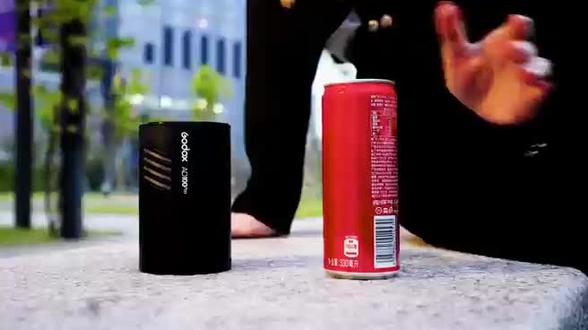
今天要给大家分享的是 xrt 如何无限影闪,打开神牛 ad 一百 pro 的便携包,把里面的 ad 一百 pro 拿出来,首先打开闪光灯的电源,然后拨动波轮解锁。短按 crch 按钮是调节它的阻别, 长按是调节他的频道,拨动波轮就可以设置到想要的组别了。短按造型灯按键是为常亮, tnyo 是菜单按键,里面是有很多相对应的功能可以选择,这里就不细说了。 mod 是模式按键,可以切换屏闪自动和手动闪光模式组,我们是焦距调节按键,焦距范围二十八到七十都可以调节。下方闪电按键是是闪按键下面连接引闪器,然后根据闪光灯的频道和组别来进行设置,设置 好后可以试闪看看,这样就连接好可以进行离机引闪了。 a d 一百 pro 非常小巧,只有手掌大小,我的手还是偏小的,看起来也是一个手掌那么大。圆灯头还是带有磁吸功能, 直接可以安装 a k 二一灯头附件使用。 a k 二一灯头附件套装也是带有磁吸的,直接吸附在原灯头就可以使用了,非常方便。看完喜欢的小伙伴可以 入手一套,玩玩,外拍必备神器,携带非常方便。
 02:31查看AI文稿AI文稿
今天给大家讲一讲 ad 一百,咱们就是外排的闪光灯跟咱们隐闪器的连接信号,先把 ad 一百打开,然后这有一个锁,屏幕上提示波对波轮解锁, 现在就可以操作了。嗯,首先看咱们,嗯频率, cs 在哪是二十一,然后咱们把音量器打开,音量器的电源开关是这个,我现在用的是叉二 t, 这是电源开关,还有好多人不知道这个开关是干什么的,这个开关是一个辅助对焦的一个开关,就是平时你把它打开就可以啊,在光线比较弱的时候,相机镜头对不上焦的时候,他会自动发出这个红外光线来 帮助咱们。嗯,那个对焦快速的对焦,现在看到咱们音量器打开之后,看两个频率是不一样的,现在信号肯定是不通吗?隐闪不了,好多人这个就不太知道怎么设置设置了。 然后在咱们叉二 t 呢,就是略微要繁琐一点,先进入菜单去找这个频道 c h, 这点 到 c h 的栏,然后之后摁 set 这个键,确定好进去之后,然后就可以随意调整你喜欢的频道了。 咱们现在是灯上显示的是二十一的频道,然后咱们在一站机场也得调成二十一,这时候确定好,然后再按菜单键返回就可以了,这说明 信号是通的了。然后再看咱们灯上的组别是 a 灯,所以咱们现在所设置的是 a 灯,在仪战器上也是找 a 灯。现在是信号是可以联通的,就可以阴闪了,试闪一下, 这就可以信号联通闪光了。联通之后,联通之后,如果咱们想调 a 灯的话,那咱们直接选择字母 a 摁一下,然后这时候我就可以调成闪光灯的输出功率了, 然后调整好直接按 sat 键确定,当然有的你不确定也可以过一一定的时间,他自己就默认确定了这功率的就大小直接在这上调了。
30北京神牛影视器材 10:44查看AI文稿AI文稿
时不时有人问 id 怎么安装,或者是安安装 id 比较比较忙。我也看到不好,我也看到有人,有的人按着这个 id 啊, 按着按着好了,要搞很久了,中间去那里摸索呀,去东试西试,当然了,这个安装起来其实 也是也不难的,也是比较简单,但你去与普罗特相比还是还是复杂很多啊。好, 我录一个视频,看了这个视频,然后 这样子的话就一点都不复杂,花花个十到二十分钟就 ok 了,要不然的话你自己去搞,不熟的话,你这小白搞了半,搞了个半天好,也不正确。开始了, 看我们打开这个安装包。安装包啊,这个,这个图标看起来好像都差不多啊。其实是有区别的啊,这个是 日砸这个船啊,砸,有这个 好,下一步 你看这个爬出来 没写这个中文, 这个自己在干嘛? 好 在这个地方啊,这是程序文件啊,就是这个啊的路径,你可以改,根据你自己的需求要求。这个可以改的, 这个你可以搞,我就不搞了。 cc 盘那就放到 c 盘里面,这个有点那个啥 好,现在已经在安装中了啊, 这个人就要等啊,要等时间相对来说啊,比较长的就是这一步啊, 这也不是属羊这段时间最长的, 这个人快一点了, 四分之一的差不多,他等等, 现在这一波从开始到现在已经过了 差不多四分钟五分钟了,现在按了按真的有一一半多了。 现在安装一大半了啊,都放了已经有十分钟了,这一步时间是最长的, 这巴掌纹的,过了大概十二分钟左右。 好,咱这也不能砸在前面。这个高啊,注意啊,这个注意事项,这个高要去掉,去掉, 如果不确定后面凸起的我就普及不了了。好点,推你一下,这个就是安装这一步结束了, 我们这个 ig, ig 幺零的 这个软件的程序是安装好,安装好了,下一步我们是来复习的, 找到那个啥,找第一个文件啊。 啊?第一个文件复制啊, 那你复制哪一个?都可以啊,最好这一个字来,其他都可以。我们复制第一个文件啊, 然后去打开黑粉里面,找到那个, 到视频里面去,找到那个安装包啊,安装的程序的路径, 找到那个艾贴膜。 这个啊, 在这个路径路径里面啊,在这里三天就行了,三天 上去了之后啊,我们再打开那个到竹面去啊, 要怎么去?打开这个 id 软件 从开始你们这里 这里,这里可以发一个快递方式到竹梅上去啊, 以后用的时候就方便一点。 你点个赞, 点这个 id, 这个 他怎么可能有这个文件?把这个文件打打开就可以了。 好的,这个就这个人就被普及了,破解成功了, 来看看啊,下面有一有一行蓝色的, 很难受,这个就表示已经 破解成功,我就成功了。好,现在就从啊找到破解成功的模型了,现在就可可以使用了。
32电子实战达人 03:52查看AI文稿AI文稿
哎,现在给大家讲讲咱们 ad 一百 pro 的这些个功能键啊,先从开机这块开始啊,电源开关打开之后,然后提示你 需要解锁,如果你不解锁,这种各个功能键是起不了作用的,看一下啊,需要解锁这个时候才能各个功能键才能起作用。 咱们先说第一个键,这是一个 mode 键,就是调整咱们比如说是 m 啊还是 ttl 啊,自动啊调整这个的,你看频闪 multi, 这是一个频闪, 再按一下 ttlttl, 它就是自动来帮你进行相机的一个补偿的一个曝光,就是你在灯上 不用调整他的输出了,然后再按这个是菜单键啊, 菜单就是进入菜单之后,你可以调整啊,什么蜂鸣音啊,开关呀啊,比如休眠模式啊,还有这个咱们的顺手加上 id 啊,都是在菜单里面调, 然后再按菜单就退出了。嗯,这是一个造型灯泡,这个比较好理解,本身就是一个灯泡的一个造型 标志,再按就关掉了,然后这两个键,你看啊,这有一个 rst, 如果咱们的操作有时候操作不知道怎么着了,或者我的灯也不知道出什么问题了,同时按住这两个键,同时按住, 同时按住这两个功能键之后推出一个, 哎,这是进行一个恢复出厂设置,两个功能键同时按住, 然后这个是注,注目就是代表咱们这个灯头在这个变化焦距的一个变化,跟咱们镜头变焦是一样,同样的道理, 二十八毫米,三十五五十,他最高是到八十五毫米,然后再按就回到二十八这条,他整他这个闪光的一个视角,就是闪光的一个角度, 这个是咱们跟音战器连接用的比较多的,就是 gr 跟 chgr 就是组 别,短按就是 gr, 调整上,比如我得给灯命名 abcd, 对吧?然后长按 就是这个 cs 这个频道啊,如何跟咱们触发器来连接信号呢?那就需要调整频道,跟咱触发器统一频道之后就可以来连接信号了,咱们用触发器就可以来阴闪了。 调整好之后咱们这个玻璃,玻璃啊,然后在这波轮是可以摁的啊,摁就是一个确定,比如说我选择这个长按,我调整到二十一, 二十一之后还在闪吗?确定,那如何确定呢?他是这个往里按这个菠萝就可以了。这是一个闪光灯的视闪 这个字母,短按是焦距,长按这出现一个闪光灯加 h 这个标识,这是一个高速同步,比如说您在外拍的时候需要大光圈,需要超过两百五十分之一的快门速度,这时候就需要把高速同步打开 啊,咱们这个 ad 一百 pro 啊,咱们最高可以支持到八千分之一的快速速度,这都是可以同步的,没问题啊,对,功能键就这么多,好。
 03:52查看AI文稿AI文稿
哎,现在给大家讲讲咱们 ad 一百 pro 的这些个功能键啊。先从开机这块开始啊,电源开关打开之后,然后提示你 需要解锁,如果你不解锁,这种各个功能键是起不了作用的。看一下啊,需要解锁这个时候才能各个功能键才能起作用。 咱们先说第一个键,这是一个 mode 键,就是调整咱们比如说是 m 啊还是 ttl 啊,自动啊,调整这个的,你看频闪 multi, 这是一个频闪, 再按一下 ttlttl, 它就是自动来帮你进行相机的一个补偿的一个曝光,就是你在灯上 不用调整他的输出了。然后再按这个是菜单键啊, 菜单就是进入菜单之后你可以调整啊,什么蜂鸣音啊,开关呀啊,比如休眠模式啊,还有这个咱们的顺手加上 id 啊,都是在菜单里面调, 然后再按菜单就退出了。嗯,这是一个造型灯泡,这个比较好理解,本身就是一个灯泡的一个造型 标志,再按就关掉了。然后这两个键你看啊,这有一个 rst, 如果咱们的操作有时候操作不知道怎么着了,或者我的灯也不知道出什么问题了,同时按住这两个键,同时按住, 同时按住这两个功能键之后推出一个。 哎,这是进行一个恢复出厂设置两个功能键同时按住, 然后这个是注,注目就是代表咱们这个灯头在这个变化焦距的一个变化,跟咱们镜头变焦是一样,同样的道理, 二十八毫米,三十五五十,他最高是到八十五毫米,然后再按就回到二十八这条,他整他这个闪光的一个视角,就是闪光的一个角度, 这个是咱们跟音战器连接,用的比较多的,就是 gr 跟 chgr 就是组 别,短按就是 gr。 调整上,比如我得给灯命名 abcd 对吧?然后长按 就是这个 cs, 这个频道啊,如何跟咱们触发器来连接信号呢?那就需要调整频道,跟咱触发器统一频道之后就可以来连接信号了,咱们用触发器就可以来阴闪了。 调整好之后咱们这个玻璃玻璃啊,然后在这波轮是可以摁的啊,摁就是一个确定。比如说我选择这个长按,我调整到二十一, 二十一之后还在闪吗?确定。那如何确定呢?他是这个往里按那个菠萝就可以了。这是一个闪光灯的视闪 这个字母。短按是焦距,长按这出现一个闪光灯加 h 这个标识。这是一个高速同步,比如说您在外拍的时候需要大光圈,需要超过两百五十分之一的快门速度,这时候就需要把高速同步打开 啊,咱们这个 ad 一百 pro 啊,咱们最高可以支持到八千分之一的快速速度,这都是可以同步的,没问题啊。对,功能键就这么多,好。
 02:08查看AI文稿AI文稿
哈喽,大家好,我是小婉君。哈喽,大家好,我是小冉。今天拍摄日景和夜景的整个一个环境中,使用了 a d 一百 pro 这款闪光灯在小巧的基础上 保留了一定的功率,真的非常的易用,也非常的方便,真的是摄影创作的一个非常好的一个得力工具。 nice。
 14:16查看AI文稿AI文稿
this video is sponsored by storyblocks hey guys! irene here welcome back to my youtube channel today, i have another behind the scenes video for you guys with a gorgeous model nianqui we're gonna be mostly shooting just in my living room in my small home studio using just one flash with no modifiers i'm using godax ad hundred pro this is a very small compact flash that is actually pretty, powerful and i'm gonna show you how you can use just that to create some stunning portraits all right so we're gonna do some like more fashion type portraits today i want to do something like really strong and colorful and so i decided to do more of like straight on light so instead of positioning the flat like this like i normally do on one side i'm putting it right behind me and it's gonna shoot straight into the window and then reflect it back onto the model and then for the bad job oh my god! there's still the price here three ninety nine got this piece of fabric from value village for four dollars is this really cool like velvet color i mean not velvet color, velvet texture and it's kind of like a green gold color so i thought that would look cool and it definitely does look cool it looks like like a gold foil or something like that in the backdrop it looks really cool? oh that's really beautiful mm hmm yes gorgeous no one i'm thinking if you may be stepped from the bad drop even further there so you get closer to me so that i glure out the background given more let's see yeah! i think that is better because the background is so textured it looks better when it's not as strong yes yes this is try again pull it off of the shoulder like the yes yes yes yes yes exactly exact oh that's really nice! that's beautiful! oh that look okay! so i love that look! give me more instead of back more like towards me just a little bit more yes, yes, right there, right there after shooting few pictures they look really good but i decided they're 本期视频由短视频即刻翻译视频号或 b 站搜索短视频即刻频道,专注分享自媒体变现。 when i'm shooting, i'm always moving around like trying out, different sides and different angles to see what looks best so i'm just kind of perusing around here seeing i really like this side i think this side just looks really good what? if you hold on maybe to like the necklace or some thing? yes, yeah! oh that's beautiful! awesome wait wait yeah that's gorgeous before we move on to the next look i wanted to thank today's sponsor story blocks story blocks is a subscription service providing high quality, affordable copyright free stock footage animation after effect templates, motion, backgrounds, green screen, pictures, music and sound effects they really have at all and you can download as much content as you want with the unlimited subscription making it super easy and affordable to use high quality stock items i have been using this awesome youtube like and subscribe animation for all of my new videos and i got it from story blocks it was extremely easy to install and use plus the music that you guys are hearing is from story blocks as well, i highly recommend you guys check them out at storyblocks, com irene, rodnick and thanks again to storyblocks for sponsoring my channel for these next shots i positioned the flash on the right side of me and this will give me a more dramatic kind of look with one side of the model having more light and the other one having some more shadows i really really like this setup i use this one for almost 本期视频由短视频即刻翻译视频号或必占搜索短视频即刻频道专注分享自媒体变现 and effective and you definitely do not need any kind of modifier to create this super amazing and soft light a lot of people ask me about the settings on the flash and usually, i will shoot on manual and then i will adjust the power depending on how close the flash is to the wall or how close it is to the model in this particular case i was using it at one fourth of the power right there that's amazing along by the way this was the inspiration board for today's photoshoot i really just wanted to try out something, different something that's a little bit out of my comfort zone usually, i'm inspired by outfits or i have these ideas beforehand but in this situation i was really inspired by yangree but by my model she's just such a strong face such a strong beauty that she inspired me to come up with this particular concept i don't know if you guys noticed but for these shots now, we decided to put on a scarf that matched the top instead of the jean shorts that she had before originally i only wanted to take close up pictures but then i decided that maybe i want to take some wider shots as well and get more of her body in there so by putting on the skirt i now have a lot more freedom with posing and composing the shot yes, yes, exactly that's beautiful look at me here that's beautiful what? if um what? if you put your hat oh, i like that i don't know if i can fit all that in the shot no now! let's do your hands down! yes, that's that's really cool! that is perfect! that's look very strong! i see a little bit of the gene so i just pull yeah! yeah, yeah! just do that yes that's perfect! so keep that hand down just one hand yeah! oh! that's nice! that's nice! that's really cool! 本期视频有短视频即刻翻译视频号或 b 站搜索短视频即刻频道专注分享自媒体变现。 yeah! oh okay! still like that still like that i just feel like that just a few more like that or maybe just kind of like? yes, yes! so let's do this one i like how you had it just not too much the only reason i'm doing this because it won't fit into the picture you know what? i mean like on the side the arms yeah, yeah! that looks really nice! oh that is perfect! that is perfect at the end we decided to go outside and take a few more shots since it was a really really nice and sunny day but by the time we got to the location it actually got really cloudy and pretty cold so it wasn't really exactly what? i was looking for plus the outside is still really really ugly i wish we had grass and blooming trees already so these pictures are not my favorite but i will show you guys, a few and we might try to read these particular ones when we have the trees and flowers blooming everywhere let me know when you get called okay can you do? oh oh my god! wow that was really cool! oh! i think that actually worked! 本期视频有短视频即刻翻译视频号或必占搜索短视频即刻频道专注分享自媒体变现 oh okay! let's go now way better that's so cool! oh my god that is so pretty that is so beautiful! yeah! try to keep them a little bit more yes, yes, exactly but can you bend bend your arm just a little bit like here so it's not yeah! yeah! yeah! yes, exactly! yes you got it you were partner was thunder how do you and me what if you put yourself? you a little bit more like yeah! yeah! yeah! yeah! yeah! yes and let's just gonna be over here and then you know you know what i mean and do it so so it's not fish like your knee but i can see like the leg yeah! so this is it i hope you guys enjoyed this video let me know which one was your favorite look give this video a like subscribe to my channel and i'll see you guys in my next one bye。
 04:12查看AI文稿AI文稿
这两个东西绝配啊粉色战士拍人更恨。今天开箱美坑的粉色灯架非常的好看。看到了快递包装都是粉色的 啊特别有心思 nice。 三个箱子有两个是普通那种灯架然后这个是重点这个是主角所以他又是用粉色的来贴特别有意思哦。拿出本体啊 蛮重的蛮重的啊我觉得可以随时健身。这东西哇真的好看真的好看真的好看。这里可以啊接一个 魔术腿就是加长一点虽然他最高的高度只有一米七啊我们但是我们可以接接高一点然后这里拿出来是有个 鼎力然后可以装灯光啊这个鼎力可以调节方向了。他可以这样。哎你看这里有点掉漆了。不是吧 不是吧怎么这么快有点掉漆了。算了,以后 掉漆掉多了就这些就变很自然了。还有一个雕刻的定制的名字我自己的一个 qq 昵称啊加他们品牌的 logo 应该是他这个关节处不可避免的掉漆啊。理解,但是这 他的喷漆的工业。嗯有待提高。好看到他 身高的高度虽然他说有一米七多一点。我觉得上完灯之后你的灯起码有个一米八高 还是非常不错非常的结实很重。给颜值买单呢可惜就不是。呃那种气垫的缓冲他好像就是弹簧。弹簧机制好像也没什么弹簧 就是有个胶圈而已用的时候小心夹到手。配上我的粉色 ad 一百我去绝配。实不相瞒我买这个架子还有个原因就是 买了这个粉色的灯然后配置一个粉色的架子我就觉得特别的搭,但美中不足。为什么神牛不把这个支架给我涂成粉色?还有这个电池为什么不是粉色?哎呀,就是有点 违和了。还有一点就是比如我们啊,拧到最镜头这样拧紧的话,他还是会这样晃,因为我们来到他的转折这个位置,所以他会松动,如果我们想这个鼎力不晃,要把他拧到这个 中间往上一点的位置,这样让他的顶力卡在这个里面啊,他就很牢固了。呃,也搞了两个这个粉色的普通架子, 他比普通的那种杂牌的贵一丢丢,贵个几十块钱吧,但是有什么区别呢?这种应该是大家经常看到的普通的,你看我现在 他这种就是没有那么结实,就是用,用久了他就会有点松,有点松,再用久一点可能他个垫片 这里会坏掉,就是你拧的多,他这个垫片里面的东西就会坏掉,我试过有没有坏的, 没坑了。这这这个普通灯架就是比他重一点,然后有一些细节还是非常的不同的,虽然只是换了个皮肤,但是质量的确比这种杂牌的好很多。科技以换壳为本,希望更多的器材厂商多出点这种 摄影器材的各种皮肤,当然那个喷漆质量要稍微好一点啊,不要蹭一下就掉漆那种多出一点皮肤我真的蛮喜欢特别去 啊,群拍的时候你灯光一多,或者你用自己的设备,你害怕跟别人搞混的话,你可以买这种带皮肤的,就没那么容易跟别人搞混。好了,关注我频道,学习更多好玩的拍照知识,我们下周见。恭喜发财!
 08:11
08:11 05:57
05:57 02:00查看AI文稿AI文稿
首先先拿出主板,安装好 cpu, 涂抹硅脂,安装散热器。 三二七线财街道主板的 cpu 范接口安装内存 m 二、固态硬盘 拆卸电源支架 主板安装到机箱内,拧螺丝固定, 接好 usb 三点零 tpc, 即将前置 io 面板挑线,挑线的顺序可以参考主板自带的说明书或这张图片。安装三点五英寸机械硬盘时需先安装机械硬盘, 厚爱努力。 电源拧螺丝固定到支架上, 把机箱内置的电源线接入电源,记得一定要打开电源开关,然后最后装好电源。 接下来进行接线环节。首先接好 cpu 供电,主板供电。 接下来安装显卡,没有显卡的用户可以跳过这一步。首先安装显卡延长线银行螺丝固定, 把显卡延长线插槽的卡扣打开,跌入显卡 pcie 空间线。安装显卡拧螺丝 固定显卡装上挡板, 一台质感满满的性能小钢炮就这么装好了。
475超频三官方旗舰店


