鼠标垫剪一半玩法
wait on the first hop is this guy's mousepad cut in half am i crazy i swear to god the other side looks stitched like the top left and bottom look stitched the right side is cut with scissors and i'm not joking hundred percent it is really what it comes down to once you're in that overtime just everything kind of just gets thrown out the window you have to be adapting to the game not necessarily to the meta or the series the whole。

粉丝4.5万获赞94.3万
相关视频
 42:42
42:42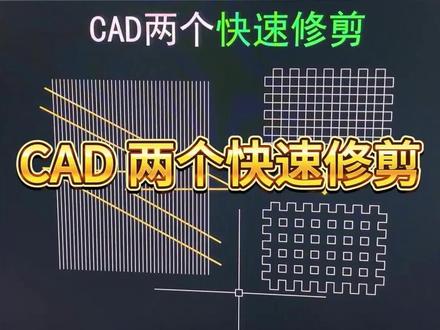 01:14查看AI文稿AI文稿
cad 两个快速修剪一蓝选修剪要把黄色线之间的白色线快速修剪掉,我们首先找到修剪的快捷键 tr, 输入 tr 空格两次,再输入字母 f 空格,用鼠标在黄色线之间划虚线,划好线之后空格确认完成。蓝选修剪要把上方的图形变成下面的样子,如何实现呢? 首先我们输入面域的快捷键 r e g 空格框,选图形空格,确认创建十二个面域,再找到 并级的快捷键 u n i, 我 们输入 u n i 空格框,选刚才生成的面域图形空格确认完成修剪。 这些常用的 cd 快 捷键你还记不住的话,我推荐你使用这款 cd 二维加三维的快捷键鼠标垫,它包含了绘图修改、标注 功能、三维建模以及图层制作等。常用的 cd 快 捷键一百四十个,并且快捷键后方还有图标显示,我把它放在视频左下角的小黄车里,你可以点击把它带回去。
20CAD教学_宝哥 00:25
00:25


猜你喜欢
最新视频
- 6.1万钟文泽