Ftp 的http 身份验证设置

粉丝1011获赞5805
相关视频
 02:12查看AI文稿AI文稿
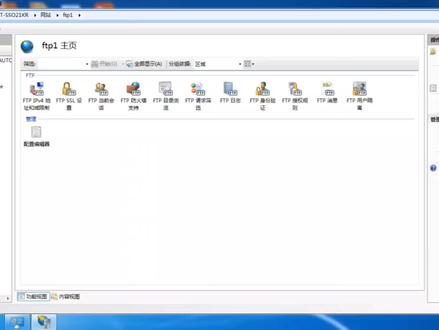
ftp 如何设置用户名和密码?首先咱登录进去 ftp, 然后选择身份认证,将这里面的禁用改为启用, 匿名改为禁用,然后打在计算机管理里面, 在本地链接组里面创建一个新用户,随便起一个名字就可以, 然后密码设置一下,密码可以自行设置, 然后咱再返回, 在这里面有一个编辑权限,咱点击打开,点击安全, 然后点击编辑,点击添加,添加咱刚才创建的名称, 然后咱点击检查一下名称,可以看到显示出来,咱点击确定,然后点击完成, 然后咱选择 f t p 授权管理,双击这里是个匿名,然后咱更改一下, 改成指定用户,选择刚才创建的名称 f t p 零一,然后点击确定,这个时候咱就修改完成,咱可以在这里检查一下, 然后这个时候咱登录的话,就可以看到需要用密码来访问了,就是咱刚才的用户名,然后输入咱刚才自己创建的密码。
724雨辰网络智能化 10:19查看AI文稿AI文稿
节介绍 ftp 工具, 来看一下 ftp 工具, ftp 工具首先介绍一下 ftp 文件传输协议, ftp 文件传输协议是一个应用层协议,主要用于网络上不同主机之间的文件传输。 ftp 工具是一个封装好的 ftp ftp 协议,封装好的一个工具, 用于从 ftp 服务器上传或者下载文件。 ftp 工具主要支持两种传输模式, 阿斯克马的传输模式和班纳瑞的模式。阿斯克马传输模式是文本传输 模式,班德瑞模式是一个二禁止模式,这两个之间有比较大的区别,就是说阿斯卡阿斯特玛模式传输文本的时候, 如果使用这种模式传输一个文件,对于不属于阿斯克马模式的字符会被过滤掉,而班纳瑞模式就不会有这种问题,所有的字符都会被正确的传输,所以一般来说我们都使用班纳瑞模式来传输文件。 我们来介绍一下 ftp 工具的基本操作方法。 ftp 工具在操作之前,首先要建立到 ftp 服务器的连接,之后要通过一个用户身份验证,然后才可以进行文件操作。我们以 一个实力来看一下 ftp 工具的操作好还是回到第六个系统的终端。首先我们敲入 ftp 对方手机的地址,点幺二零,然后回车,然后出现屏幕出现提示 已经连接到幺九二点幺六八点一点幺二零二二零是一个 fdp 协议的返回码,表示执行成功, 完了以后点击紧接着一行给一个内幕提示,要求输入用户名,我们输入用户名 ftp 服帖的用户名,然后输入密码回车 系统,提示登录成功,然后对方的系统是使用是一个类型式 unx, 然后这给出一个提示,要使用班的瑞模式来传输文件。我们来看一下查看文件列表功能。 dir 命令, ftp 工具提供了一组命令,其中查看人家列表可以使用 dir, 可以列出一个类似于 ls 加杠 l 参数的一个文件列表。 好,这是当前用户路径下的所有文件,也可以使用刚 ls 命令。 大家可以看到 rs 命令与 dr 命令的输出结果是一致的,这两个命令的实现方法要取决于具体 ftp 工具的实现, 如果需要看帮助可以输入。汉服会列出当前 ftp 工具支持的所有的命令。 好,我们继续介绍后边的操作。首先我们看一下删除文件操作, 我们可以看一下千列表文件看看,我们可以看到有一个 abc 文件是一个 空文件,文件长度为零,我们可以现在可以删除。使用 d el 命令 abc, 然后回车,然后 系统给出提示,删除操作成功,表示文件已经删除。我们现在查看一下文件列表回车,大家可以看到 abc 文件已经被删除。 接着我们需要下载一个文件,我们可以设置一下文件的传输模式。好,我们来设置一下。 fanerry 会车, 系统给出提示,已经切换到这种二进制模式。此外还有一个命令叫哈西这个命令,这个命令主要用于显示文件传输进度, 如果想要更直观的了解文件的传输进度,最好使用这个命令。输入哈西回车,然后 给出提示,系统使用一零二四字节作为一个哈西,就是说 一个哈西的块表示一零二四字节。好,我们现在来传送一个文件,我们进入一个目录,扫一个软件这个目录,打开文件列表, 我们现在比如说我们想获取文件,可以使用 get 命令下载文件, 使用 get 命令,我们假设下载这个文件,我们可以复制文件名粘贴卡,然后输入会册。 好,文件已经下载完毕, 我们先退出 ftp 服务器, 先查看一下文件的下载情况,输入败,然后会撤退出 ft p pls gol 命令,我们可以查看到这是刚才下载的文件 m 杠七 cc 这个文件。 好,我们现在把文件删除,使用 im 命令,哈哈 ccc 删删除, 重新查看文件列表,文件已经被删除。好,接着我们比如说 要上传一个文件,我们以上传迷你靠谱点 logo 这个文件为例,来看一下 ftp 的操作。 首先我们登录 ftp 服务器验证用户权限, 然后我们讲上传 mini call 点 logo 文件,首先我们设置 mand 方式,输入哈西,然后我们查看文件列表, 假设我们想把它上传到艾斯这个目录,我们先进入艾斯,然后输入 pote emcomex, 然后输入会车。好,文件已经传输完 完毕,我们查看当前目录,我们发现艾斯目录底下已经有了一个叫 minicom 点 love you 文件。好,我们现在把文件删除。 minicam 点 love you 文件已经被删除,查看文件列表, 文件已经不存在。好,我们现在可以退出 ftp 工具, ftp 工具的使用是比较简单的, 而且 ftp 工具基本上已经是一个比较标准的文件传输工具, 不仅在拎六个字系统上,在 windows 系统上也可以使用 ftp 工具。我们再来简单的看一下,开始运行,然后输入 md, 进入 windows 的康手。好,我们切换到一个目录,比如说我们切换到一一盘,切换到第一盘。好,我们新建一个目录 f t p past, 然后我们进入 ft p past, 然后使用 ftp 工具,与零六科四系统现在是一样的,幺六八点幺点幺二零,然后回车,输入用户名密码, 然后查看文件列表,我们可以看到 看到文件列表 当前用户目录下的所有文件。 第二命令与 rs 命令的 输出结果是一致的,我们仍然下载阿姆基 cc 文件。首先我们进入萨普特目录,然后查见查看文件列表,我们仍然要下载这个阿姆基 cc 文件。好,我们现在先设置一下 传输模式为二进制模式,输入哈西,完了以后输入 get 命令。好,我们也可以复制一下, 粘贴好,我们再把后边复制一下, 然后输入回车。 好,文件下载完毕,输入败,退出 fpp 工具,查看当前路径,输入 dr 回车可以看到啊杠机 cc 这个文件已经被下载到本地路径。 好,我们退出康索程序。好, ftp 工具的基本操作到这里就结束了。
106思恒科技 00:54查看AI文稿AI文稿
首先我们打开浏览器,输入 fcp seven 下载, 找到系统支架的简单 fpp 免费版, 点击下载, 打开下载好的 fpp 软件, 在桌面新建文件夹,通过 ftp 软件选择建好的文件夹, 把身份验证、开机启动以及权限全部勾选后点启动。
 04:40查看AI文稿AI文稿
啊,下面看一下 ftp 占领配置 单接开始,那么管理工具服务器管理器,那么展开这里展开这个卧包啊,然后呢单击这个 单机网站,单机这个网站啊,单机添加 ftp 站点,这里第一个是站点名称输入这个啊,输入这个, 那么这里的主目录了是这个啊,那么意思就是要在第一盘了,去先进一个,那么我们首先呢,首先我们打开,打开计算机,在第一盘先进一个, 新进一个这个这个文件夹啊,接下来的话在这里我们就单击这个三,单击两点啊,在底盘选中这个文件夹,单击确定,单击确定,再单击, 再单击下一步啊,单击下一步这里他说主题地址是是这个幺九幺七 幺七二点幺六点幺点幺二 啊,下面要选择五啊,这里端口号,他说八二啊,其实八二的话到时候反问不了,我们先不管啊,按照要求,按照要求把这个屏幕呢配置好的这个屏幕呢,那么截图保存啊,保存好 好之后我们再把这个端好,好了,换成开始的这个二幺啊,单击下一步 这里呢他说第二步,拿身份验证,拿身份验证和授权信息这里啊身份验证设置为匿名啊,选勾选匿名,这里呢下面就是所有用户,选中所有用户,把这两个勾给他打上,单击完成, 单击完成,那么接下来的话呢,就是第三步, 就是要在浏览器里面啊,输入这个地址呢,要反问他啊,要反问他,那么我们那么把这个关闭掉啊,把这关掉啊,比如说我现在呢, 现在再把这个我们比,比如说把这个里面这个文件呢啊,复制,复制到到这个下面去,下面去,接下来我再先进一个文本文件,文本文件,那比如说一二三,一二三啊, 那么现在呢?这个暂停下面就有两个文件啊,待会我们看一下,我们能否反问他啊?那么比如说我们打开浏览器,那么在这里呢?输入,输入这个 ftp, ftp, ftp, 冒号斜杠幺七二 点幺六点幺点幺二,那么撤回,再见, 那么现在打不开,打不开的时候可能是要改一下这个 ip, 哇,改一下这个 ip, 那么把这个 ip 地址啊,我们改成, 改成在这个网段里面啊,改成幺七幺七 幺六,然后幺幺二, 但是确定,确定, 确定啊,那么再次去反问一下他,看一下,那再次定位,瞧一下回战。那么现在呢?现在就能够返回了,看到没有? 只要更改下 ip 啊,接下来的话,我们不是在这上面,在这个站底跟木头下面呢,有两个文件,看到没有?那么就是这两个文件,那么可以打开它看一下,看到没有? 表示了这一个配置成功啊。
36宜章电脑培训 01:55查看AI文稿AI文稿
首先打开 ftp, 随便打开一个版本的软件,然后勾选认证身份,开机启动,用户和密码可以随便设置,然后勾选权限,然后选择共享路径, 开始之后,然后进入浏览器,输入复印机的 ip 地址,这里点管理员登录,然后用户密码默认,十 at 也有密码默认的机器,然后选择联系人,里面有二 编辑,然后选择空白的一些添加账户,选择 ftp 的这个软件和名称, 一号电脑的随便备注一个,然后输入这个电脑的 ip 地址, 电脑的 ip 地址最好是有扩音的,不然的话它会有变动,这里搜索一下这个电脑的 ip 地址,然后输进去,在这个类型里面可以选择一下 pp 所设置的这个 选择应用,然后去复印机那里 扫描到电脑上, 选择扫描,然后网络文件夹 电脑,然后点击保存 在电脑上,打开文件城市。
125哎哟哥哥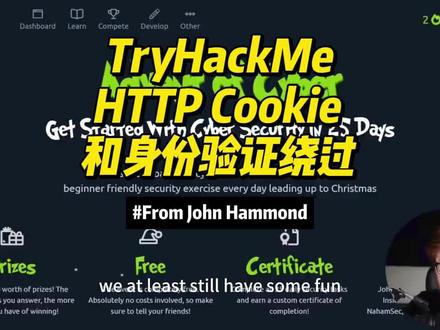 27:14查看AI文稿AI文稿
in this video we're gonna take on the tri hack me advents of cyber three, 2021 edition, day two and without further ado, let's just kind of dive into it you know so hey, i do have to apologize guys i'm sorry, i'm not in costume anymore the vibe the illusion, the artifice of christmas spirit and halta sheer is gone it has abandoned us, but we at least still have some fun with the advent deciber here at trihacme so, hey, i'm over at trihacme com christmas over on my screen here if you scroll down as you haven't already you can join for free join the room aoc and get ready to play we got the ball rolling just yesterday for the trihacmy advent of cyber to day to task, so only numbers at this point never mind i'm not gonna say that edit that part out if you haven't seen the introductory video or the kickoff video that i help kind of put together for this trihacmy advent of cyber event you can find that on my channel and i hope you enjoy anyway, let's get to the good stuff we just finished up the day one to save the gifts activity but now we're moving on it to the day two elf, hr problems and the story behind this give me a little bit i will read through the story and just cover all this high level stuff so if you're already a wizard if you're already a guru already know what we're talking about here feel free to skip forward in the video but if you are a hey someone new getting starting to feel the cyber security let's let's learn what we can learn together here this is mcskinney needs to check if any other employee elves have left or been affected by the grinch industries attack, but the systems that hold employee information have been hacked can you hack them back to determine if the other teams in the best festival company have been affected and here are learning objectives understanding the underlying technology of web servers and how the web communicates we also have understand what cookies are and their purpose learn how to manipulate and manage cookies for malicious use we are gonna be doing some cookies stuff we are gonna be doing some web http kind of like hey internet computers networking right here but it's gonna be a lot of fun it says https for your computer to en web sever to communicate with each other an intermediary protocol is required this is where http or the hypertext transfer protocol steps in the http protocol is a client to server protocol to provide communication between a client and a web server now web servers just another computer just way out here in the back that still kind of saying hey, i have information to give you i have pages i have results that you want to see and i can hand them to you you being the client and you as the client you just sort of you ain't you're on the phone right you're calling up the web server and the web server answers and they say hey yep, i've got all the information that you need that's the role between the client and server kind of do out there when you as the client start to call them up on the phone you make an http request and that request is crafted and it's kind of has a couple of special properties right it has a method and a target and now the method is what you want to do with this webs over here? do you want to get information or do you want to post something over there to the site those will always be included the target header specifies what to retrieve from the server and the method specifies how when retrieving information from a web server it's common to use the get method such as like hey loading a picture retrieving a picture literally actually take a look at this when we were requesting this tri hack me page right here we had gotten this file included this nice little christmas star here and we got we sent a get request to retrieve that image file so that's a good thing to know it happens all the time and you'll be able to see it once we kind of get in the weeds here on what this challenge i just has us doing here when retrieving information it's common to use the yet method such as loading a picture and when you send data to a web server it's common to use a post method such as sending log in information like you trying to log in and authenticate to use this website before you're uploading your profile picture or you're changing your profile description that is all sent in a post request because you are giving the webs of your information to now do new things with it once the server receives a request it'll send back a response including any requested content if successful and a status code the status code is to tell the client you me us how the web browser interpreted the request the most common successful code is http 200 status ok that's what you'll see if things went well if you called them up they answered the phone and you were able to retrieve get or actually set or post the information that you wanted to so here's an example you can see this is the raw http protocol here and take a look this is a you can see that header just right there and then hey, maybe the server information again who were calling up on the phone when you make this request how you want to receive it and then down below here i'll go ahead and changes to a different color so it's a little bit more readable this is the content that you would retrieve as part of that request that's the message right the raw data the protocol itself is only one small piece of the puzzle once content is retrieved from the web server your browser needs a way to interpret and render the information scent that's right this is just structure this is all the bones and the skeleton like the blueprint that makes up the information that you might see from the web page, but it's not all the pre pictures of the flashing colors and animations right web applications are commonly formatted in html the hypertext market language year, but it's rendered and styled in css or the cascading style sheets javascript another client side language actually client side doesn't it runs in your web browser, but dynamic it's scripting and something that could be used to add dynamic functionality and cool features to a web page in today's web environment, the use of web frameworks has significantly increased in popularity most modern web applications use many web frameworks and other web solutions that an end user doesn't even have to see or interact with now that could be ruby on rails that could be laravel that could be jango that could be flask that could be i guess express right for the node jonas group fanboys for more information about http request methods and headers check out the web fundamentals room let's hop over there web fundamentals is they know the tri hack me room that you could explore and work through it's super good i want to go verify and check it is a free room so hey, if you aren't subscribed to try hack me you could still jump in play and kind of get a good idea what's going on in that activity but now let's move on now let's talk about something fun and something cool cookies here cookies are how authentication really works it's the bare bones, it is the vessel, it is literally the core and raw structure of how you can log in and the website knows that you're actually logged in and you are who you say you are this is all because http right here, http is a stateless protocol and what that means is that it doesn't keep track of the previous communication that was done you're calling up on the phone to your buddy turns out your buddy has amnesia, he doesn't remember anything that you just said past what you just said so you have to kind of have a secret message or something part of and included in every single thing that you say so it knows oh, oh, oh, i'm talking to buddy or whatever, that's the use of cookies here so when you send request to a web server the server cannot distinguish your requests from somebody else's and let's imagine you're the omnishic server and you're getting phone calls from like everybody phones are ringing off the hook to solve the stateless problem and identify different users and access levels the web server will assign cookies and create a manage a stateful session between the client and the server cookies are like tiny pieces of data or metadata, right and information locally stored on your computer that are sent over to the server when you make a request again so i was saying hey, that's the kind of secret code when you're calling up the server and you say hey, 123792 this is john and then it knows who you are and what you're doing because you were able to authenticate and you passed it the cookie a secret special token the thing is you don't want other folks to know what that cookie is you don't want them to know your secret pasco you don't want them to know that little token that could be used to say you are who you say you are cookies can be assigned any name and any value allowing the web server to store any information that it wants today we'll be focusing on offensication cookies also known as session cookies authentication or session cookies are used to identify you and what level of access you have for your session so here below is a diagram describing an assigning and using a cookie from the initial request to the session request so this is going to be fun i'm going to be able to draw all over this and kind of make a mess here check it out here's the client over on the side let's see if my pan wants to work oof oof we did our best skies i don't know why epic pen always tends to lag over here but of course you have your client the web browser on left hand side and you already know hey, this is our server here now as this happens and it goes sequentially right you make one htt p request you can see this is a post request right here we go ahead and post hey, i want to log in with this username and this password and that works oh my can actually draw better heroes here so the server goes on and says cool cool cool cool cool! i see who you are i know who you are now i'm gonna say cool dude set this cookie so i actually have an understanding of who you are and that way we know as we're talking to each other here's the secret code so that you can be who you want to be barbie girl now now that this user is authenticated they go do whatever they want to do on the actual application we'll go and say hey, i want to go make changes in the admin portal, so they'll send a get request to go receive that page and because it is including the cookie here here let's try a little picture let's try a little do i have a circle yeah here's my cookie it just looks like a donut looks like a yellow donut i don't have any good like cookie, colors and then the server comes back and he's like sweetman i know who you are i can see your cookie you've got the secret passcode check it out here's all the information that you wanted because it was able to determine you are who you say you are based off of the cookie and that's that explanation hope that was fun to begin the process and when you send a request such as a login request your browser sends us information blah, blah, blah this is everything that i just discovered and talked about there is one good thing here it says when the server receives your get request and cookie it'll locate and sometimes desirialize your session d sirilization is the process of taking data from a given format like json, json, the javascript, object, notation and then rebuilding it as a logical object or some kind of data format that a computer programming language, maybe php, maybe python, maybe javascript, whatever, it can actually read an interpret and understand it's not just a flat boring chunk of letters and numbers right because that's just a data representation we want to bring into a form that our programming language knows how to work with if all of that succeeds the web server goes ahead and responds as it does over the phone with a 200 aok thumbs up, you're good here's your stuff now the winter saying what cookies are on how they're used for let's dive into their contents ooh okay now i gotta be honest i gotta be completely honest here cookies are made up over 11 different components 11 and that's a lot and some folks maybe you're like dude can count all those things on my hand i have ten fingers, but i know that i need 11 because of that so many components in a cookie each component of the cookie whether it's a name value domain path expire set size secure the same site etc i would venture to say unless you're doing some crazy hardcore which crafting voodoo stuff you don't need to know all of the ins and outs of the you know stuff beyond this i'm saying i'm saying i think really the name in the value are the most important pieces that you will mess with as you tinker with and explore cookies all of this stuff maybe maybe maybe sometimes you need to worry about it not always so if you are willing if you don't mind press the i believe button with me and that way you don't have to overwhelm yourself in thinking bro, i don't want to memorize and study and make flash cards for the 11 different components of cookies i got to be honest sometimes it's just the name and value that really mean the most here, but of course the domain is like hey, where is it actually set for a specific website in the path where is it okay to be used when the cookie expires is just an kind of important thing, but the size htb only some of these might not always need to be in the weed with you should know that they exist right because they are settings and they are values for a specific cookie, but be that as it may or whatever, whatever, idiom you say to wrap up a thought that you don't know how to wrap up looking at all the components a cookie may seem intimidating there's no need to worry his attackers oh try hack me just said this try hack me taking the words right out of my mouth cookie components are always preps in pairs the main pair is that name and value that's the most important part right will define the name of the cookie and the value of the name the second pair is the attribute value pair this defines an attribute of the cookie and the value of the attribute that's actually setting it here when you're using a set cookie header in an http request or response right from the web server, the web server saw said way back here they were like hey, we're setting it cookie with this web server response all of that information that you just saw below is what's gonna be included in there just here now the thing is cookies are stored locally as in you carry them with you right you you're the client of course so what if you could tamper with and change that cookie and then when you give it back to the server when you're calling the server up on the phone you say hey, remember how i used to be bill bob now, i'm joe schmo because i know the pascode 72918 and the servers like cool dude and that's the idea that's how you can manipulate cookies and you could do specific stuff you could get unintended behavior determined by the web developer that's why you don't want to have your cookie shared, but if you are acting as the adversary, you know you're putting your hacker hat on you kind of want maybe to get access to someone else's cookies because then you could access their session and access their pages on a web server that's the idea that's the gist there now you could do this in your web browser like you can just straight up do this in firefox, chrome, edge internex floor safari, opera i don't know i don't know you're up through these days brave is that what all the cool kids are using developer tools can be accessed by pressing f12 or control shift i on your keyboard in your web browser there is a little extra extra fun features called the developer tools or sometimes the browser tools this developer tools are open to access your cookies navigate to the storage tab in firefox or application tab and chromer edge select the cookies drop down on the left hand side and this is everything that you might be looking at when you're working on a page storage application and the cookies tab we'll kind of set all that here for you cookie values might seem random at first so ever they often have an coded value or meaning behind them that can be decoded to a non arbitrary value like a javascript object like jason kind of as we were discussing before from attackers perspective you can decode the cookie value to identify the underlying objects once you've identified the underlying objects you can modify them to whatever you want like again hey, the account name that you're trying to log in with bill bob changed to joe schmo is there an is admin premier like a true or fall or a one or a zero that says hey are you a super user on this website totally change that you can resend the cookie back and if the web server interpretates it understands it maybe you got access below as a summary of how cookie values can be manipulated obtain a cookie value like a regular normal one when you're calling up the server on your phone just registering and signing up for an account if you decode that cookie value identify the obvious notation of the structure of of the cookie and then change the parameters inside the object to a different parameter with a higher privileged level like admin or administrator right kind of that idea i was just mentioning now if you re encode the cookie back to what the server is expecting because it needs to be able to know that this cookie hasn't been changed or tampered with it wants to look as similar to a normal and regular cookie as it could like i'll bring this back to the actual case of cookies look if you try to bring grandma, chocolate, chip cookies and all of a sudden you had oatmeal cookies given back to you you're like what the heck this isn't this isn't what i would have expected in this transaction here they know something nefarious is going on or they just can't handle it maybe grandma's allergic to oatmeal cookies or something i don't know and then you do something with the cookie you let it invoke itself you let the server handle it and read it oftentimes done by refreshing the page because and it forces the server when you make another get request hey, can you tell me what's going on little process and do all of it if you want to learn more about all about that there are some other rooms in trihacmy http, and detail or other authentication bypass challenges and different trihacmy rooms let's go take a quick peek at some of those this is the web fundamentals one down below we have hdp in detail and i will store down the very bottom also again a free room fantastic authentication bypass mmm that's a subscribe one okay okay so hey, just know what you're getting into if you're tackling some of those other fun extracurricular triac me rooms, but now let's get on to the challenge let's get on to our task here what we are actually trying to accomplish let me go ahead and close out those other tabs because i do want to be able to open up this new one here it says open the static site in a new tab here all right so that's this link go ahead and click on that and this is the web page i am greeted with the best festival monitoring with some log in or sign up form and i get some snow flex falling could i turn the snowflakes off no, it's just a facade just a lie just like me what i put on santa's costume so we open it up we register and account and verify the cookies using the developer tools in your browser alright, so hey let's go ahead and say john hammond password please subscribe oh and i need to actually sign up right thank you thank you lastpass use that password manager guys please subscribe and let's just say john and john com great to count here we go uh oh, so google chrome wants me to save this password try last pass wants me to save this password it says hey you don't have permission to register on account currently please contact in a minisator for more assistance did i get a cookie though so if you wanted to as try hack me mention you you can hit f12 on your keyboard or hit ctrl shift i on your keyboard or you could very well right click and do like an inspect element and that will pop up a the notion here of the developer tools now i'm going to go way way over to the side here because there are going to be something that we particularly want to see is this this isn't i want to verify what i just said was a okay, yeah, so this opens some other things when i hit control shift i when i hit f twelve it's still the developer tools being opened i am probably dumbo and not seeing wear storages, but i suppose it's under the application tab right, so if we go to application and then we go to cookies can i expand this and let's see yeah there is a static labs trihacmidoc cloud entry there ooh, so this is a kind of connection that we have set up we see a list of cookies with their name and value over here one of these is for font awesome and the other as you can see for the domain here is for static labs tri hackney cloud now this value you can see down below my face is just about in the way but it's a lot of letters and numbers seemingly these are more numbers and they are letters and interestingly all the letters are a through f which sounds a lot like hexadecimal i don't know if tri hackney's gonna maybe give us that clue, but we did see hey, that's we found our cookie it says what is the name of the new cookie for your account so that was user auth right, we were able to see that right over here and now if we go back we can submit that i'll hit enter what encoding type was used for the cookie value there is a hint here in case you didn't know but i'm gonna take a guess that that is hexadecimal yeah, okay cool, what would that hint have been if we wanted to click on that use cyber chef to decode the value ooh okay let me let me fire up a cyber chef link there we go if you wanted to if you just genuinely had no idea what the heck we were looking at i'll copy this this cookie right here right click select it all and copy by bring it into cyber chef if folks aren't familiar with cyber chef cyber chef is an incredible tool to be able to do different things with data represented in different way and you can stack a lot of different operations whether it's whatever you want it to be then you can clear this out or manipulate them or move them around and see the input and output like rapidly so that's a ton of cool stuff that you can do with this cyber chef is super duper handy it's all online totally free so hey, if you want to do you can explore different recipes and see what the output is basics he fours not it and two is like doing the operation in one direction from is doing it the other operation in the other direction so like in coding versus decoding if we wanted to decode this cookie it says hey, we could convert a hexadecimal bite string back into its raw value they give an example here all these and let's take that here we go the hexadecimal representation is just a number system right it's base 16 rather than base ten like we normally count in and use in our language which is base base ten right zero to nine this time it's zero to nine with an a through f in hexadecimal just like you saw up here in the input there we go we have company the best festival is registered equals true username is john hammond, so that's it this looks like the same representation that we saw above and this as trohackme had mentioned the structure with the curly braces kind of wrapping around it let's see they had another example here json right this is that structure and i'll zoom in just a tad on that to focus on that when you see the curly braces and when you see kind of a key value being set with the colon to another actual value, age, colon 50 eye color, colon blue whatever that structure is json each of these are actually kind of represented and separated by a comma here you can see that after each entry but that is just a method in its way to store data it doesn't actually mean anything it's not code you can't execute it it's not gonna run you're not compiling or running any json but it's a representation to show data in information and that's why they literally call it the object notation because it's the notation it's how it's presented and would stored so that's json javascript object notation we could manipulate the cookie and try and bypass the login portal what's the value of the administrator cookie if we try to change our username to admin so let's go back to cyber chef and do that let's say our username if we kind of took this output here down below i'm actually gonna do something weird i'm gonna remove everything from input and clear out my cyber chef operations and i'm gonna paste it in here so that now we could modify and tinker with what we actually want to change here and manipulate this cookie let's change that username to admin typing that in and let's change this two hexadecimal now you can see this could take a delimiter here you could click on this and change it because this is full of spaces we don't want any spaces so let's change that deliminator to not and now i have this big long string here double click in right click and copy and pasting and let's go give this back try hack me here's the value it's submit and that's correct now let's go back to our cookie editor here in our developer tools on the static website and let's try to right click a cookie and edit that name or edit that value here so i could slap this in replace it just like that and we could see that that was able to be changed and manipulated down below now if i were to refresh the page you could click on the refresh button in your web browser or you could hit 5 or whatever, i really really recommend almost everyone when you're trying to refresh a web page hit ctrl shift r that makes like a hard refresh without cashing any information in the background so any pages that you previously requested and your web browser knows hey, i don't need to request those again because i already requested them no, no, no it tells your web browser look i'm gonna request everything no matter whether or not i've seen it before and that will kind of give everything a clean slate so if you've done any manipulating like changing your campering your cookie control shift r pulls it all back down fresh let's do that on the keyboard real quick ooh did i miss did i make a mistake very very likely let's check out my user off okay no, it is the correct thing but i don't know if i've actually told the server hey, i want to set that cookie let's go verify that one more time we've made this cookie if i wanted to go back to the homepage oh, yeah this is trying to do some like get request i want to go back to the actual homepage there we go okay so, that was just kind of a an idiosyncrasy at the very very top of the web page i may have changed the value for the cookie, but it was still taking me to a page that wasn't trying to log in or or get me anywhere it was already telling me hey, you can't log in because it saw in the url from those get parameter values hey, you are not allowed to log in so all right so we have some operations or some teams here that seem to be either responding or not responding i'm assuming this green is good as a status red is not and yellow it could be something else i know these actions i don't know what those are let's let's go back to the room first see what we're doing here team environment is not responding that is hr could submit that team environment has a network warning oh, that's finance so hey, listen i i i might have just steamrolled over probably the most important part what we did just then when we manipulated that cookie is ultimately in a authentication bypass and that's the danger right when when you either know someone else's cookie or you could figure it out because it's represented in such a weak and easy way like you shouldn't find yourself with web servers that will just have json encoded data that you could easily manipulated and tinker with we didn't have to know the admin password we didn't have to change or modify our permissions we literally just changed our name to admin and that's a weakness that's a serious flaw on the web servers perspective us is the client us is the you know acting as the adversary puttin on her hacker hat that's something that we could use and abuse, but it's this is the learning point this is the value when we kind of see hey, jason and the in the cookie we can manipulate and change that cookie and ultimately you have that power even as the client, even as the end user that's not a server side thing you can change that so there's the danger in that all right hey, we've got all of this figured out here sorry it looks like it is the application operation or that team that is having trouble here with their connectivity looks like i can click on stuff but it doesn't do anything i guess that's i guess that's the speed test but hey, let's go and answer that application is a team it's having a bad time and if you want to learn more about any authentication bypasses we should just trying out this room application bypass tasks yet released each day and progressively harder yep kind of as we knew from yesterday come back tomorrow for day three's task where namsack will be recording a video walkthrough ooh, he's quite a fellow he's quite a handsome man that's gonna be a ton of fun thanks so much for hanging out everybody this has been the day two task for the tri hack me advent at cyber 3 or 2021 addition and we learned a lot you know there's a lot of reading there's a lot of learning a lot of cookies http, stuff but boy oh boy did we get into some good stuff and i hope you had fun i hope this was educational i hope this was entertaining and i hope it's keeping you happy, healthy and excited for the tri hack me adventive cyber 3 we're having a ton of fun i'm pretty excited about all the upcoming rooms and there are just so much activities for the holiday season like everyone's doing a ctf everyone's doing a great game, everyone's doing some fun, cyber security learning and i guess we're just gonna have to completely neglect in our friends and family because i'll just we just want to hang out on the keyboard do some ctfs thanks so much for watching everybody i love you i'll see you in the next video take care。
69空指针在跳动 04:24
04:24 00:54查看AI文稿AI文稿
家长身份验证密码的使用,总有家长反映通过小程序找回的密码无法解锁,经过多次测试,发现问题出现在平板原始密码上,所以本节针对这一问题,教大家如何简单解决密码问题。首先,在平板学习系统中,不管是哪个模块, 只要是家长身份验证统一初始密码为六八六八。使用时,当你不清楚是否修改过初始密码,可以先实一次六八六八。 如果显示密码错误,说明已修改过初始密码。此时在已绑定的家长管控小程序中,点击我的我的设备密码管理,使用查询到的超级密码或当日的日期密码进行解锁和修改。注意, 超级密码仅限当日有效,使用前请确保是实时查询所得。
 01:31查看AI文稿AI文稿
李光系列机器 ftp 机器设置方法,找到用户工具键,选择通讯博管理 新编入。嗯,需要谁扫描到谁的电脑这起谁的名字,我这边简单的用个一代替,然后再点文件夹, 选择 ftp 模式,在服务器名称后面点更改,输入电脑的 ip 地址,幺九二点幺六八,扫到谁的电脑,这个是谁的电脑的 ip 地址,输入完之后点确定, 然后点一下验证信息,右下角有向后有文件夹验证,在这个选项下面点其他验证信息。 登录名和密码软件我一般设置都是一二三,然后密码也是输入一二三确定,密码会再让你输入一次一二三 确定啊,这样就设置完了。设置完了之后可以测试一下,点文件夹测试连接与 pc 连接成功就可以了,这个就完成了,点退出,确定退出,退出, 这样到这个扫描界面,哎,就有这个我们建好的文件夹了,选中他文件类型, pdf 直接按开始 可以了。
 01:40查看AI文稿AI文稿
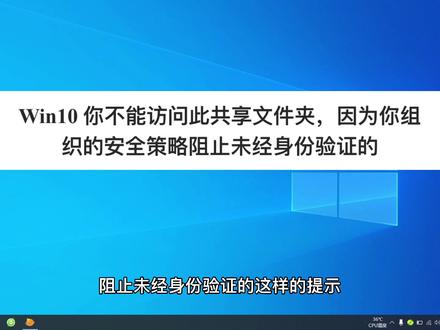
啊,当我们电脑在共享打印机的时候啊,或者共享文件夹的时候, 文时系统会提示安全错了,阻止未经身份验证的这样的提示啊,出现这个提示的时候,咱们量草做啊,就是 windows 键加二键啊,出现运行,在运行里面输入 输入这几个字啊,然后点确定, 点击确定就会打开侧这个设置,组织侧点设置, 在这里面找到计算机管理,在计算机管理里面找到管理模板, 然后找到网络,在网络里面找到工作,工作站,然后选选一下啊,点击一下, 然后在右侧 找到启用不安全来宾登录,这时候咱们双击啊,双击之后弹出对话框, 然后选择移其用应用确定啊,这个时候 你在共享文件夹或者是打印机的话,他就可以正常使用了。
339安防监控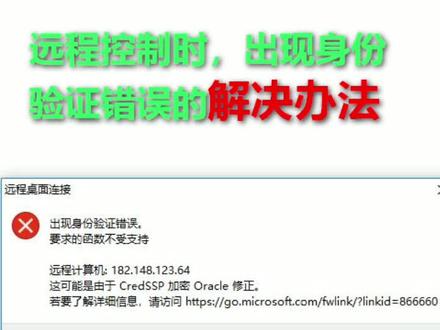 00:52查看AI文稿AI文稿
远程控制时出现身份验证错误的解决办法 运行不太对。 misse 左策略, 依次打开计算机配置减管理模板,系统评剧分配, 找到加密 offico 修正或者加密数据库修正, 双击打开 启用后设置选项易受攻击, 这种做法是降低安全性来保证功能性。
145红堂小屋

