snapgene特征序列怎么添加
in this tutorial, i will show you how to simulate any build a high fire assembly with a single insert in snap gene to simulate the assembly with multiple fragments check out our other tutorial to begin with go to actions any build a high fie dna assembly and select insert fragment the first step is to define and prepare your vector for assembly if your desired vector file is already open and snapped in before opening the any builder high fire assembly window it will automatically be selected to choose a different vector file simply use the drop down menu to pick a recently viewed file or specify another file located on your computer the vector must be linear for the assembly either through pcr or restriction digestion if you're linearizing your vet to via pcr select the linearized by pcr option then shift click on the two desired primers in your file snap jean will highlight the amplified region in the map view if appropriate primers are not present on the vector snap jean can design them for you in this case select the vector region to be amplified or simply click within the sequence to define the point of linearization by pcr alternatively select the linearized by restriction enzymes option if you're using restriction digestion to linearize the vector to specify the restriction enzymes you can either use the drop down menus or shift click on the two enzymes in the map view to slot them finally if you need to change the orientation of your eyes vector use the arrow buttons here with the vector sequence prepared switch to the fragments up there are three ways you can add your fragment sequence you can use the drop down menu to the right or drag the sequence file into the window alternatively you can simply select the click here option to find the file on your computer with the fragment file selected you next need to specify the sequence of interest for this choose a feature in the map view or switch to sequence view and click and drag on the desired sequence next switch to the final tab called product and select the choose overlapping pcr primer's button to adjust your primer settings in the new window set your desired pcr primer melting temperature you can also specify the desired number of bases for the overlapping ends or a range of bases with the desired target melting temperature for the overlap there is also the option to regenerate or remove one of both restriction sites in the final plasmid once you are happy of the settings so that choose primers to design the primers next switch to the sequence view to assess the fusion boundaries and preview the primer sequences when you're happy with the preview simply give the file a name and quick assemble to create the pause mid you can switch to the primers tab in the new product file to view the newly designed primers on their characteristics switching to the history tab will provide an overview of the steps performed in the any builder high fire assembly simulation for more snap gene tutorials visit snap gean com。

粉丝617获赞1520
相关视频
 05:27查看AI文稿AI文稿
如果你需要进行分子克隆实验,那么 snap ging 软件可以说是实验必备,多方面协助载体构建。 分子克隆实验的第一步就是根据实验目的选择载体,将其线性化处理。如果通过煤切手段进行线性化处理,就需要找到煤切味点。我们打开 snap ging, 点击新 dna 或 rna 文件,输入 dna 序列及文件名。我们以构建慢病毒或表达载体为例,将 dna 序列粘贴进去,一般商家会提供其载体序列,打开后我们会看到 snapjin 会自动识别特征性序列显示出来。 点击左侧箭头符号,选择是否显示序列标签。找到 m c s 多克隆位点, 点击左侧显示,每组可以选择呈现不同类型的眉切位点。普通的过表达载体构建,我们选择显示独一内切眉即可。 点击下方的序列就可以看到 m c s 区域的煤切味点有哪些。我们现在常用的是无缝克隆技术,那么我们点击上方工具栏行动 infusion 克隆插入片段。 如果你用的还是传统克隆方式,则选择限制和插入片段。再弹出窗口,按住 control 选择选定的两个煤气位点, 如以下两个煤气味点,也可以直接在右侧输入煤气味点,即通过 snap jam 确定第一步载体 的处理中所需的酶切味点。分子克隆实验接下来的两步就是目的金获取及连接。 无缝克隆主要是通过高保真 pcr 扩增获取目的基因,通过同源币的重组实现目的基因与载体的无缝克隆连接,所以载体与目的基因末端具有十五至二十个同源剪辑 所需要的目的片段 pci 引物就包括载体与插入片段连接处引物、插入片段与目的基因连接处引物两部分。 这种方式卫电选择灵活、快速、简便精确,克隆效率高,一次性可进行多片段目的基因的重组。如果我们是采用这种方式的话,那么在 snack jean 上,我们点击上方的片段,导入目的基因的 c、 d、 s 序列, 序列信息可以从 n、 c, b, i 上获得。在片段的图谱区全选全场, 然后点击产物,选择重叠 pcr 产物,设置 t、 m 以及重叠的剪辑,也就是之前说的载体与插入片段连接处引物 部分的十五至二十个剪辑勾选,重新生成来自载体眉切位点,这样会对眉切位点的粘性末端进行补齐, 确定后就会自动生成含目的基因片段的载体图谱已误区域会显示扩增所需片段,这就是后续我们实验所 需要用到的关键信息。点击克隆生成融合 dna 图谱,我们可对插入的片段进行特征标记,按住 control 展 f, 输入目的金序列回车键, 然后点击特征,添加特征,我们更改命名,修改颜色,点击可以就完成了目的载体图谱构建。在实验中完成无缝连接后,需要挑选出阳性克隆 君乐 pci 验证或煤切验证,我们同样可以用 snap jam 进行模拟初步验证,点击工具模拟琼脂糖凝胶,在目的载体图补上, ctrl 加单机选择目标两个煤气位点左侧会出现 现琼脂糖凝胶模拟跑胶的情况等。进行实验时,我们可以拿实际跑胶情况与软件模拟的情况进行对比, 然后挑选出最接近模拟结果的克隆送去测序公司进行验证。验证完成后,测序公司会返回测序序列。同样,我们可以利用 step dream 打开目的载体图谱,基础上选择工具 比对到参考 dna 序列比对输入的序列,点击序列可查看 dna 序列比对结果。点击左侧测序文件,可以直接查看封图。 通过测序比对验证,构建载体与图谱一致,即确认载体构建成功。 snap jam 用于序列比对的优势在于其 序列是双向的,所以比对式不用考虑序列方向问题。如果区域标红,则表示与载体序列有差异。测序结果的前后一百个剪辑区域可能测不准确。若在该区域产生标红的位点, 不一定是产生了突变,我们可以加测一个反应,确保该区域没有突变。可以看出, snap jam 在我们进行分子克隆中必不可少哦。
1242讴睿生物 03:11查看AI文稿AI文稿
snapchain offers three basic types of annotation, enzymes features and primers by default snap jean displays enzymes that appear once in your sequence and have a six or more base pair at recognition site restriction enzymes that only cut once are marked in bold and the hover option allows you to access more detail easily snapchain allows you to remove enzymes manually either one at a time or all at once to add individual enzymes use the search field or filter by enzyme set keyboard shortcuts allow you to remove enzymes directly from the plasmid map you may want to hide some or all items without removing them there are several ways to do this by using the keyboard shortcut via the hide button in the sidebar or by selecting them from your chosen enzyme set snappedine comes pre loaded with hundreds of features found on common cloning vectors and automatically adds relevant features to any new dna sequence the detect common features option allows you to scan view sort and add features to your sequence you can also create new features by highlighting the relevant area on the plasma map or the sequence view and choosing add feature as with enzymes you can quickly toggle features on and off in both map and sequence view to see a complete list of the features in your sequence simply click the features tab here you can sort features toggle to a compact view or simply hide individual features you can create new primers via the sequence view click and drag to select your dna sequence snapped jean will automatically calculate the length and melting temperature of your ologo, it's easy to save your selection as a new primer buy a the primer menu window primers on opposing strands are clearly indicated in both sequence and map views as with other annotations you can toggle primers on and off from the sidebar and you can view a complete list of the primers in your sequence via the primer's tab snap jean can also automatically design primers for specific techniques via the actions menu watch the rest of the videos in this series at snapjin com。
45北京睿驰科技 20:02查看AI文稿AI文稿
大家好,欢迎收看由私房居士给大家带来的咱们进生物序的绘图软件实名教程。 那么今天我们继续接上一期的视频啊,给大家讲 x 神里面的一些操作。首先我们打开一个 clark 神吧, 呃,大家如果平时用 steam 进操作比较多的话,或者说你的序列文件比较多的话,而且你在操作的时候很容易在不同的序列直接切换, 我建议大家也可以尝试使用一下他这个可耐克森功能啊,就这样的话不用你每一个文件都去一个一个去打开了,这样的话在这个可耐克森里面就是选择或者切换就非常方便。好,我们打开这个文件之后啊,我们随便选一个,这 这次我们跟他讲什么?前面十几期视频我们一一次呢,把这个菜单栏里面这些命令基本都讲了,现在主要还剩下就是 acc 里面的有一些,因为这个里面相对来说就是他这个功能啊,比较系统比较齐全了, 前面的其他的一些功能都是一些基本的操作啊,而这个安神里面呢,就是相当于把其他的这个操作都应用起来,来形成一个完整的一个功能化的操作。 那么之前我给大家讲过了这个限制性煤气和连接,然后皮塞牙也讲过了,那么今天我们给大家讲一下这个线性化的连接,还有这个下面这几个小的选项, 那么剩余的其他这几个呢,可能每一个都需要做一个单度的一起视频来给大家讲了。好,首先我们讲这个现行化联系啊, 用他之后大家可以看到他下面有好多个选项,这个选项其实只是针对这个低音片段的数量不一样,就是从两个到十个,就是他最多可以支持连接十个低音片段。 首先呢我们选择一个啊片段,我们这里选择用线性化的片段啊,比如说这个 gfp, 然后我们再选一个下面的啊,随便吧。比如说选这个探个标签, 选中他之后,呃,如果你只是在这里看一下,操作一下的话,我们直接点中他,在这个界面就可以跳出来,你可以对下进行操作, 如果你想进一步对话操作,可以双击这个啊,双击这个文件,这样他就会以一个新的窗口这样打开了,我们这个标签先放在这里,这是我们连接的其中一条平台,那么我们 另一条呢,就用这个 gfp 吧,我们对这个 gfp 执行一下这个安生里面的现行化连接。比如我们这里选择连接两个片段,这样的话就跳出一个连接窗口, 这个窗口呢,其实在阿克斯里面除了这个连接之外,还有这个限制性煤气连接,包括后面的这个载体构建的这些过程的话,他这个窗口都是这样的,都是类似的。这个片段一就是我们刚才选中的这个 gmp, 然后我们给他指定一个片段二,片段二的话,我们在这里选 指定,就是我们刚才这个探个标签,然后选中他之后,他就自动的跳出来了,就是这里会列出来你最近打开的这些文件,如果没有的话,可以点击浏览去找你想要的这个文件就行了。然后当我们 肯定了这两个片段之后啊,大家可以观看到在这个右下角这里,他就这个体制框就变成这种淡绿色的,就说明这个操作可以直行,我们可以直接点击呃这个连接, 然后当然我们可以在这个考试大课的这个窗口里预览一下我们这个片段连完之后是个什么样的效果,如果你看到他出现的这个效果就是你想要的效果的话,那么我们直接点击这个 啊连接就好了,这样他就把这两个片段连成一个序列文件了,我们可以到序列里看一下,就从这个地方他这个连接就很简单,就只是把两个低音片段连接在一起了。 那么这个操作我们在实际的做实验的时候在操作呢,就是用 t 四低音连接门把它连接起来就可以了,但是这里同学要需要注意点啊,就是我们刚才对这个 glp 这个平台进行操作的时候,我们看一下序列啊,他这个两段啊,这个序列的两段五撇段是带了一个磷酸集团的,这个是五撇段上有的,我们下油的这个五撇段也带了一个磷酸集团的,然后我们这个探个标签呢,我们看一下啊,他也是有的, 大家知道我们在这个 t 四连接媒所行驶的这个联系功能呢,它连接的是零刷集团和一个枪机之间的零刷日子键,是吧? 啊,如果咱们上过这个放置生物学基础的话,应该都知道啊。第一双链生连和副链就是这两条链之间的这个连接呢,是以清键的形式形成的,就是 ta 是两个清键, cg 之间是三个清键,其实上从这种结构上来说,它并没 没有存在这种物理性的连接,就是他两个其实是没有这种硬性的键的,相对来说比较弱一点的。但是这个零刷二者键呢,就是每一个剪辑,比如说每一条链上的每两个剪子之间呢,是以零刷机单和枪击这个形式连接出来的。那么具体的大家可以发现教科书啊,这就很清楚了,所以说 我在这里强调就是需要说明的是,当你想要连接两个片段的时候,必须要保证有一个片段上有一个磷酸集团,另一个片段上有一个完整的枪击,这样的话它才能连接起来,就是 t 四连接没才能形成它的功能。假如说你缺了某一个之后, 他是没办法连接的,比如说我们把这个重新操作一下啊,我们把这个现营化这个磷酸集团给他去掉。在编辑里啊,当我们对这个 末达进行编译的时候,可以直接选中这个序列,然后在 id 册里面有一个编辑 dna 的末端, 这个时候他就跳出一个对这个我们目前这个片段的啊,两个末段就是三百段和五百呢,或者说上游下游的这个一个边界情况, 在这个里面,我默认情况下他是有这个五撇磷酸化的吗?就是有这个五撇磷酸集团的,当然有的时候如果是你的自己的序列的话,经常是没有的,就是什么没有, 就是一个普通的一个平端,平末端什么也没有。那么我们这个时候 再来试一下啊,然后同样的把我们这个 gap 这个末端这个也给他,呃,先取消掉确定,然后我们再执行这个连接功能,同样的 还是一样的啊,还是指定这个序列弹个标签。这个时候大家也发现啊,我们刚才有离算精神的时候,我们这个两个序列指定完之后, 这里是不就可以提示,就是说你可以连接了,但现在发现啊,这个提示框是黄色的,然后这个连接按钮不给点的,说明 这两个序列之间呢是有问题的。他这个提示了说你要想连接的话,至少有一个定音的末端必须被五撇零算,话就是要有一个五撇零算集团,如果你要想加的话,他就让你去编辑这个功能里,然后去把它加上,这就告诉我们,其实直接的这个 干干净净的这种电音片段的两个末段之间是不能连接起来的,所以说我们必须要保证他啊,至少有一个磷酸集团了啊,不一定两个都有 中,至少有一个。然后我们把这个 glp 这个加上啊,编辑编辑低音末端,我们把它给加上, 然后这个时候我们再执行这个链接,还是一样的,我们这个选择探个标签,这个 这时候大家发现了,我们就可以正常的连接了,这里他会示意啊,末端是一样的,只不过刚才这个 gup 有了这个零算集团了,所以他就能连接了,当我们连接之后还和刚才的效果是一样的 好,这是最普通的一种连接方式啊,这种我给大家演示的这里的就是两个片段连接起来的。其实呢,嗯,我们在平时做实验的时候,就是你动手在实验室做实验的时候直接去连两个片段,嗯,我们可以把一个片段认为他有两个 两个末端吗?其实上相当于我们在这个连接反应体系里是有四个末端的,是吧?如果你只是加 t 四连接,没直接这两个片的加进去,然后直接做连接的话,如果你两端都有零算即可的话,他往往他会连成一个环状, 不会。像我们这里显示的就只有这个尾巴和这个头连接起来,然后还是成一个线性化的片段,这种情况下是比较少的, 甚至包括每一个片段,因为这个是屏幕的吗?每一个片段单独自己的末端也会连接起来,但有可能他之间会有重复好几个片段,这样首位末段连接起来都是有可能的。所以说在这里这个功能呢,基本上就只是一个 模拟演示的一个过程啊。当然情况下,如果你的条件控制的很好,或者根据你的实验要求,单独实现某两个片 段之间的连接也是有可能的。这个时候你就需要对他这两个末端进行一些修饰啊,或者一些其他的操作,就说只保证他这两端之间是可以的,其他地方不能连,那么他就能连成一个现行化的片段了。不过这种情况下,一般情况下做这个时间这就很少很少 啊,这就是常规的这个屏幕的连接。那么还有另外一种情况就是大家说了啊,我们一说连接的时候好像都跟眉切挂钩,是不是都先做眉切后做连接?那么两个地形片段之间呢?也可以通过眉切连接, 那么这个就跟上面这个就很相似了,但是这个还是不太一样,上面这个眉切连接之后,是相当于把另一个片段插入到一个片段中去,那么下面这个片段是直接连接两个眉切后的平的, 那当然这个啊,眉切为点切出来,这个切口肯定要一致,是吧?或者互补就是同尾吗?他才能连接起来。比如说我现在这个 gmp 这个片段,我只想要他哪一部分呀?想要他其中一部分和另外我们这个 t a 界这个片段连接起来,和 t 界形容的一部分连接起来,那么我就需要找一个共同的眉去把它切一下啊。比如说我们就选择这个 bsu 三四六二,因为这两个正好这两个片段都有这个眉纤维点,我们选择这个眉纤维点, 然后直接在这个操作列表里,他就有一个叫你这个片段是不是要用眉切?比如说我们直接用眉切选择这个呃, bsu 三十六二之后呢?他会提示你,当你用这个眉去切的时候,这个片段会被切成两段,那么你 需要哪一段,你就把它选中。比如我们选择这个从这个开始到这个眉切尾点这块片段,然后和这个贴近片段里面的这个眉切尾点到结尾的这部分,那这两步去连接起来, 那么我们就直接选择这个眉纤维点就行。或者如果你一看没选择的话,我们可以在这个箭头下来列表里去手动选择, 或者直接在这个图谱上直接点击都是可以的。当然除了单面切之外,你也可以用双面切,就是只要你切出来的那个片段,两个片段切出来的那个末端是可以搭上去的,那就可以的,我们可以在 选择这个片呢,我们可以在这个产物预览这里看一下啊,这里会有一个没切的一个切口, 然后下面这个序列,我们可以看到 bsu 三四六二,这个煤切完之后,他会有一个 act, 那么这个片段呢?他会无片段突出一个 tgatga, 正好和 act 互补吗?这样的话他就会形成一个连接功能, 连接完之后呢,还保持着这个 bsu 三十六啊,这个煤气费点仍然在这个地方,这个时候我们点击连接,那看一下这个煤气费点还是这里的,因为这种连接的话,他是不破坏这个煤气费点的,所以他还是保持他的原址的样子 啊。那么同样的啊,其实在做眉切链接的时候,如果你是单独到这两个片段去眉切的话,你这样切出两个同样的尾巴来,那么你上有的片段和下有的片段呢,也有可能会连起来的啊, 这个就需要大家去做实验的操作的时候去具体去考虑,我刚刚说了吗,一般很少去做这种直接去把两个片段连成一个片段的这种操作好,那么这个就把它关掉, 这个就很简单了,嗯,大家去这样拥用就行了,当然更多的时候可能会被上面这个功能所替代掉啊。那么除了这个之外呢,我们今天再给大家说一下下面这三个,这三个就很简单了。第一个叫环化,环化顾名思义就是把一个片段弄成一个环吗? 比如说我们现在打开的这个电音序列是一个现行化的,我们就可以直接点击这个还话,然后他会提示你一下给这个还话的另一个名字啊,然后其他的是不是就需要这 指定一下这个细菌转化的这个菌珠啊?这些根据自己的需要去选择就行,然后直接点击还化,相当于自己的首尾末端连接起来了吗?就成了一个啊,环状指令的啊,不能说他是一个指令啊,就是一个环状的 dna 的。 那么当你打开的这个低音序列,如果是环状的吗,他这个安生里面这个选项,他就自然的变成这个线性化了。比如说我把一个环状的低音,我把这个光标放在某个地方啊,然后点击这个线性化, 同样他会跳出一个命名窗口,然后点击信息化之后,他就从我们这个光标所属的这个位置把这个低音片段就断开了。 但是这个时候注意啊,他自动断开的时候,首尾是无漂端,是保留这个磷酸集团的,那么我们回到刚才我们这个现银花片段的时候啊, 就是只有当这个五撇端是有磷酸集团的时候,他才能够执行缓化。就如果如果他是光头多的时候没有,那么你执行缓化的时候,他仍然会提示你需要给他加一个磷酸阶段,那个时候你就需要自己再给他加上就行了。 那么下面这两个选项,第一个这个是叫 nine oligo, 就是退火 aligo 是可以理解为引物吧,就是寡和高酸链 啊,我们之前在那个 ppt 理论补充里给大家介绍过这一部分,这个就很简单了,我们点开它之后,就相当于你把两个引物的序列,就是正序列和反序列放在这里就行了, 比如说我们再给这里加一个啊,嗯,这里没有引,我们就随便加一个,选用他之后点击一个引入 添加饮物,选择上游序列,然后给他加上这是一个正向饮物,下游添加一个就是副练,添加一个反弹饮物,就是 prom 一和二。那么一般情况下用到这个 就是啊,内购退火的时候,都是你需要合成一个短的片段呀,或者什么构建一些街头啊之类的东西的时候。 那么你这个操作呢?我们在实验室操作就是你把这两个饮物啊,你的正向饮物,反饮物合成好之后嘛,他是液体的嘛,你各吸一定的量,一般就等体积的,然后混合到一起, 一般情况下可能需要九十多度变性一下,然后让他冷却到室温,就是几秒时间,然后他就完成这个推广过程很简单的,那么在这里模拟的时候呢,就只需要把这个, 比如说复制一下这个正向引悟的这个序列,靠拍普拉麦,对哈,然后把这个正向贴在这里,当然你有名字的话,可以给他输个名字啊,然后返现的,我们也复制一下这个序列,然后也把它贴在这里, 然后这里这个时候就可以进行这个退火了。呃,为什么会退火?因为这个两个疑问,我们看到啊,他并不是完全重叠了嘛,他只是有一部分是互补重叠的,那么当你退火完成之后呢,他这 互补的这一个区段就会以清键的形式啊,连接起来就形成一个双链,我们的剐和核酸呢,也就是引卧的话,或者是其他的碳针什么的,这都是单链,然后这个退火完成之后呢,他就形成双链了。好,那么 这里就没什么好讲的了,他这个会提示你这个啊,有多少个剪辑是互补配对的,然后 tm 值是多少度 啊?一般情况下我刚刚说了,我们做实验的时候退火就基本上你九十多度,变形之后让他慢慢的降到室温就行了。当然如果你要用皮擦仪的话,给他准确的一个退火温度也是可以的。然后我们直接点击这个退火, 这样的话就出了一个短的双链,但是注意啊,这个双链就只有他互补的这一段是双链,那么两端呢?多出来的这个还是单列,这个末端就很像我们用眉切,尤其是这个粘性的眉去切一个粘性末端出来, 其实的话就是这个末端你也可以让他和另外一个他互补的这个末端去用 七四连接,没去连接就相当于是没切完的一个片段连接一个样子的。好,这个就是一个很简单的一个退火的操作。 那么还有最后一个就是 make protein, 就是翻译蛋白,这个其实不叫翻译蛋白,它就相当于把这个蛋白的氨基酸序列提取出来。我们一般情况下 就是大家可能都比较喜欢打开这个低音序列啊,如果你做蛋白比较少的话,你肯定是打开低音序列比较多,但是如果你做蛋白比较多的话,呃,往往需要把这个蛋白的氨基酸序列单独拿出来去分析, 那么他这里就给你提供了一种快捷的方式啊,就不需要你直接,当然你可以直接选中这个组件,比如说我们这个 gup, 这是一个从 atg 到 tga 吗?一个完整的开放阅读框,你可以选中这个 acgop one 这个绿色的这个组建之后,到这个 faces 里面可以看到他有一个就翻译的一个产物,你可以直接从这里复制把它复制出去啊, ctrl cctv 是可以的,那么还有更快捷的,假如说你这个很长或者很复杂的序列的话,直接选中这个组件之后,点击这个 make pro, 他就会让你给他命名一个名字,然后这里会看到他这个后,罪名变成 plt, 就是咱们进的蛋白文件了, 点击 ok 之后,他先打开一个界面,这个界面大家注意,他就是蛋白序列的这个界面了,你看左边的这个工具按钮,和那个 dn 的就不太一样了,就是图谱,然后序列 大家看到就直接是氨基酸序列了,就没有低音序列了,就相当于把它是从低音序列里面这个翻译产物里把它提取出来了,就很快捷啊,就是这么一个功能 啊,其他的就没有了。好,那么剩下的就是这个从列研商 pc 啊,还有一个突变的构建,然后就是这几个载体构建的方法了, 我们争取就是在单期上四期视频左右吧,把这个介绍完,那么基本上是咱们进那个菜单里面的这个基本操作,算是就给大家介绍完了, 后期就会开展一些案例的一些啊系统性的操作讲解了,希望大家继续关注私房居士这个系列的视频更新。好,谢谢大家。
31四I方I居I士 02:40查看AI文稿AI文稿
when opening snapping for the first time, you will see the launch window select from one of the options to open the main interface the main interface as a menu across the top two toolbars at the top and side and tabs for different views at the bottom, you can access all snappedine's functionality from the top menu the two toolbars provide quick access to common file operations and display while the bottom tabs show alternate views of the sequence and annotations snapchain also supports many keyboard shortcuts as with other software the the file menu has options for creating opening and saving your files the most commonly used of these are also available by a the top toolbar in the edit menu, you will find the usual editing tools optimized for working with nucleic acids and proteins the view menu is home to all of your viewing and interaction options allowing you to switch between different views of your sequence hide or show toolbars change the font size or toggle annotations on and off alternatively you can access many of these tools via the sidebar and bottom tabs for annotation tools access the enzymes features and primer's menus each of these menus contains the tools you need to create edit and display each annotation type the actions menu contains a set of tools for simulating laboratory procedures before you carry them out each comes with pre selected default options and the choice to customize a reaction to suit your needs the tools menu contains a set of tools for analyzing sequences and verifying your results using blast, aggro's gel or sequence alignment finally, you can access the history tab to see a graphical history of your dna construct and that's a basic tour of the interface watch the rest of the videos in this getting started series at snapchin dot com。
75北京睿驰科技 03:14查看AI文稿AI文稿
bolton gate cloning is a cloning technique that exploits unique features of type two s restriction enzymes type to s restriction enzymes are characterized by cleaning outside of their recognition sequence the sequence present at the cleavage site is determined based only on its location relative to the recognition sequence bsa, one is a type to s restriction enzyme commonly used in golden gate cloning since cleavage occurs at a set distance from the recognition sequence for each type to s restriction enzyme the composition of the overhang can vary from cleavage site to cleavage site in the case of a type to s enzyme with a four vase pair overhang there are two hundred and fifty six possible overhangs associated with a single recognition site therefore mere cleavage by a particular type to s enzyme does not guarantee compatible ends the only way to guarantee compatible ends is to design them into your cloning strategy golden gate cloning was first described by angler at all in two thousand and eight it is described as a one pot one step precision cloning method whereas you will see restriction enzyme and ligace are co incubated in developing and describing their system, the authors chose to reuse some of the terms used for gateway cloning these are entry vector, entry clone, destination vector and expression clone functionally these elements have the same purpose both gateway and golden gate are designed for the modular assembly of genetic material into a complex clone for protein or gene expression the entry vector is used to capture a gene fragment of interest to create an entry clone in most cases you will need to build several entry clones these will be your building blocks for your final expression clone constructs in order to create your final expression clone a subset of your various entry clones will be used to provide insert material with proper design golden gate cloning can assemble as many as thirty five fragments in this seamless scarless fashion let's talk about the pros first golden gate cloning is fast in addition golden gate cloning is a seamless cloning technique and finally when everything is working properly you will have no need to screen through background colonies to start you need to plan carefully as the fragments you plan to clone become progressively longer the odds of an extraneous restriction site interrupting your desired clone increase a great deal of design and prep time is required to establish the new golden gate cloning system in your lab to learn more about molecular clothing visit snapjin com。
33北京睿驰科技 01:05查看AI文稿AI文稿
snap jean 几乎学生物的必备科研软件,功能极其强大,学会它可以让我们在载体方面事半功倍。在科研星球的软件工具技巧里整理了 snap jean 的使用教程,几乎常见的功能都在里面了。 点开一个功能,给了详细的操作步骤,照着做就能完成。整理的功能也太详细了,包括各种载体构建方法,引悟设计, 序列分析到图普制作等等。熟练使用 inform, 我就觉得几乎各种载体都很容易构建了,这里又多了好几种方式,真是小刀拉屁眼开眼了。 强烈建议新生在上课期间学会这些科研软件,当然老生也可以天天用这个软件的。 我看完都觉得忽视了他的一些功能。一共十七个实用技巧,学习半天使用整个研究生生涯,大家快学起来吧,让智力不再是你科研的绊脚石! nice!
2439小钱博后中 01:55查看AI文稿AI文稿
分子生物学实验之基因片段的克隆设计工作用 snapkin 软件打开需克隆的基因片段,在墓地片段两侧分别设计正向引物 f 和反向引物 r。 设计好的引物送公司合成 实验。前世纪准备从负二十摄氏度冰箱中取出引物和 dna 模板,涡旋混匀后离心备用。高保真酶氢弹混匀后离心备用。加样根据世纪说明,像一 p 管中分别加入 dna 模板,引入 高保真眉 buffer 和去离子水,涡旋混匀后离心 上机。离心好的 pcr 管放入 pcr 仪中,按如下反应程序进行 pcr 反应检测, pcr 反应完毕后,全部反应液进行琼芝堂凝胶电涌。在丞相系统中,丞相初步检测是否成功提取 最硬的基因片段。结果如图,大小符合预期,可进行下一步交回收实验。注意事项一、 dna 的实验操作, ep 管和枪头等耗材要先进行高压蒸汽灭菌,去除 dna, 煤无煤无菌耗材除外。二、加样式 要在冰上进行操作,保护煤的同时防止温度升高,使煤提前具有活性。三、由于实验过程存在致癌事迹,实验操作人员严格穿戴实验服和手套,保障自身安全。
180医瑞小贝 12:59查看AI文稿AI文稿
大家好,欢迎收看由死亡居士给大家带来的视频教程。前段时间我看到有评论里有人说想让介绍一下一个生物软件的使用,这个软件叫做 snap jean, 因为我之前一直也在用这个软件,所以说就可以给大家来顺便把它介绍一下吧,因为这个软件怎么说呢?呃,其实并不是很难,但是呢,它的功能很强大,所以说介绍起来也不是一次两次视频就能说完的, 反正从今天开始吧,以后慢慢给大家介绍。呃,首先你百度的话,直接百度斯莱姆基因,然后第一个链接出来的就是他官网,然后点开一下, 然后这是他的网页。这次这个视频呢,我们就主要给大家简单介绍一下这个 smg 的主要功能,以及他的下载与安装等等。 我首先我们看他的这个网站的首页啊,他有一个简单卷,这些我们不管,在最下面呢,可以看到这个他公司里两个主要产品,一个叫 snopping, 一个叫 snopping viewer, 就是这是两个软件, 然后右上角这里有写啊,他这个 sime 镜需要你购买,然后那个 staming vivo 呢,是免费的,我们看到他的这个产品里面去, 这是一个 sime 镜,还有一个 sime 镜的浏览软件,这里大家从这个网站的这个网页里可以看到它。其实这个软件,嗯,最初吧,它的主打功能是针对于直立 dna 的 直立绘图的,但是呢,到现在为止呢,他开发的功能已经不单单局限于直立的原因了啊,如果你只是去想用它去看一个直立的图谱,或者编辑一个直立的序列等等,其实用这个四 mg vivo 就足够了啊, 而且它是免费的,当然如果你想体验它更强大的功能话,你就需要去下载这个试用版的 smg, 或者去购买它的正式版。 为什么要给大家说这个软件呢?呃,生物类的软件啊,尤其像这种序列编辑或者突破查看的软件很多很多 stem 进行比较有特色的一点就是什么呀?我们在他后面,他其实还有一个产品,就是 stlem 进行 server, 是一个服务服务器的一个产品,当然我们这个一般都不需要,如果你是 需要做一个一些安赖,就是在线版的一些工具的话,可能会用了这个,但是我们可以从这里看一下, 因为是国外的网站有,有些时候浏览的话可能比较慢,我们就看最下面吧。他这个 smg 呢,最大的优势是什么?他支持的文件格式非常的 怎么说呢,非常的普遍,比如说像我们最常见的这些 a p 一啊,这都是智力看图的软件,然后 come manager, 然后低音 system 等低音 style 的一系列的这些,所有的下面这些都是软件,然后这些软件所有支持的格式在咱们经营里面都是支持的。 可以这么说啊,就是你装上四 m 进之后,下面这些软件其实可以不用了,就常规功能他已经都满足了,当然这些软件里也有一些特色的功能,我们,嗯,如果有人用 用到的话,或者我用到的话,也会给大家说好,这就是 sma 的一个最大优势,也就是所以他这个优势呢,才推荐给大家使用去体验一下。 然后至于怎么下载呢,我建议大家也还是从官网这里下载啊。比如说如果你是下 smg vivo 的话,他是免费的,就直接点击他的右侧有下载有 windows manx 还有雷尼克斯的版本。 一般呢,我们用温,你用哪个就下载哪个,如果你下载的是 windows 版本的话,就直接点击第一个,然后我们保另存为, 我们就存在桌面吧。 啊,我同样的, 我们再下载一下 smg, 一样的,但是这里呢,我们就没有这个,他就不能免费下载了,你可以下载这个。呃, freshol 就试用版,可以免费试用三十天,然后他的功能都是全部支持的, 然后虽然说是试用版,你在下载的时候依然需要填一个有限地址,是必须要填的,我们这里我们这就随便填一个。嗯,当然你可以填你自己地址,如果你觉得就是以后不会再用了,你随便填一个。行,我们这里就随便填一个吧, 他会给你。如果你填的是你的邮箱地址的话,他会给你邮箱里发一些什么 啊,就是类似于推广信息啊,因为他这个软件是卖钱的嘛,主要是你想让你买他的,还有一些这些关于这个软件的一些最新的一些更新啊,功能介绍啊之类的等等。然后下面这些都可选的,可以不填,我们直接提交, 你提交完之后他才会给你个下载链接。同样的,有四个版本的,我们一样下载温度是现在是四点一点六,点击下载同样的,嗯,另存为 好。我们先不安装在这个页面,除了下载之后,大家注意一下,他在下载链接的下面有一个序列 号,一个注册码,这个就是因为我们刚才点的是试用版的吗?然后你就需要用这个,呃,试用的惹的名字就是还有这个注册码去注册你的软件,当我们安装好的时候,我们现在去安装一下,给他看一下, 下载完的两个安装包呢,就是这样的。那图标长得是一样的啊,一个叫 stambing 进一个叫 standing viewer 啊,比如说先安装 viewer 的话,我们双击它 安装软件,就是常规的软件安装了,按他的提示来就行, 然后选择一下你的安装路径,因为我之前安过了,就是,嗯,已经安装好了,就在这个地盘这个路径,然后点击下一步,然后这些都接受,然后选 创建一些什么方式,然后点击下一步就安装了,因为我安装好了,我现在这里就不给大家演示了,这软件安装很简单的,包括这个 smg 也是一样。然后当我们安装完之后呢,他就是这样的两个图标,放到桌面上给大家看一下, 就是这样两个,这个是 vivo 对应的,这个是 stm 镜,长得很像啊,但是,呃,不太一样。首先我们安装完之后,我们打开一下 stm 镜, vivo, 看一下它是什么样子的。 打开之后呢,他首先跳出这么一个窗口啊,这是一个启动窗口,同样呢,我们打开四 m 进, 大家可以看一下这两个窗口,其实,呃界面是一样的,因为我现在装的是刚才看到了 smg, 现在最新的版本是四点一点六,但是我这里装的是四点一点四。呃,为什么?因为四点一点六,我刚才说是试用版嘛,因为试用版三十天过了之后, 嗯,就没法再用了。如果你是装的三十天的试用版的四点一点六的话,在这里啊,这更新我们就先 先不更新还是这个 vivo 的更新啊?我们一会再说。然后这个四点一点。嗯,六呢,三十天用完之后你就不能再用了吗? 呃,所以说如果你装的是试用版的话,当你打开四 m 机的话,他首先会跳出一个注册窗口,这个时候呢,你就针对性的把你这个 go groupee 内吗和你这个注册码 输进去,然后就会出现这个界面了,然后同样他会提示你还有三十天的试用期,哎,每用一天,每过一天就少一天了。然后这两个界面都是一样的,我们随便打开一个啊。呃,随便打开一个。 当然如果你你是手侧安装了这个软件之后呢,他运行起来的第一个界面,他就直接跳到这里来了,然后他会给你一个他的一个, 就是在他安装路径里他会有一个视力,比如说我们找到这个路径啊,我安装在这里的啊, 他在某一个里面,他应该是有一个 yeah, 不管了,他应该他这里面他是有一个视力的一个直率序列。那现在我打开的是我自己的序列啊。呃,一般的情况下,他可能呢?没没有这么多,我们就先都去掉吧。对,大概就这么一个图图这样, 但如果这边有这个描述性的面板的话,对,大概应该是这个样子,包括我们这个 cm 镜四点一的四呢,也是一样的。比如我们打开同样的一个序列, 呃,他摸的情况下是在这个图谱这个状态,然后没的信息呢?可能也没这么多。对,大概就是这样。 然后这两个功能呢?这两个软件啊,他的界面是完全一样的, 大家可以看到啊,这两个你看他的菜单上面的完全一样的,因为今天主要是介绍和一个安装的教程吗?嗯,不给大家讲那么细,先给大家主要讲一下他的功能,呃,因为他这个界面是完全一样的,我就先把这个呃 sm 这个关掉啊, 两个一样的,我们先退出。在这 vivori 们,我们看一下 文件选项,编辑选项,呃,仕途煤的选项,这个是,呃,怎么说?这个是飞车,飞车选项怎么翻译啊?然后还有一个 primer 选项, 还有一个功能,呃,动作选项、工具选项窗口和帮助。其中这个 viron snapping, virus snapping 里面完全功能可用的一一致的是什么呀?呃,到 到这里都是可用的,然后唯独不可用的。在 vivo 里面不可用的是 action 功能和 tours 功能,就是功。这两个功能是不是不可用的? 必须在 s m 镜里面可以用,因为这两个功能话是这个 s m 镜现在这个软件的主要的拓展功能,他有一些很实用的功能, 这个话就需要你去购买正版或者是三十天试用的时候可以用在 viv 啊,比如我现在点一个功,点一个呃功能的话,随便点一个他会提示你啊,只是在这个全 版本的 stm 经营里面的完全版本也是可用的,然后在这个 viv 的也是不可用的。当然你可以从这里再下载他的刚才那个版本,然后其他的功能,包括我们看这个,呃,看这个图谱呀,对这个图谱进行基本的编辑啊,或者你自己做一个图谱呀,在 viv 这个软件里面就可以完全实现了。 好,今天就给大家先基本介绍一下这个软件的一些主要功能,主要特色以及他的安卓方法。然后刚才跟大家说说过一点吧,我现在装的是四点一点四这个版本,是就是, 嗯,不是试用版,但是是,呃,永久可用的,呃,在四点一就是四点一点四点五的点六都完全支持的。呃,如果有同学想安装这个版本的话,可以 加到群里面,然后联系我群号码在优酷的介绍里面。好,今天的视频教程就先介绍到这里,如果你对这个软件感兴趣,或者你在你的呃实验工作当中啊,经常会用到关于直立低音的一些啊,不光是直立低音,就是一些序列,生物序列, 带一些编辑啊,查看呀,处理啊的话,我建议大家都可以去安装一下这个软件啊,还是很比较实用的。好,谢谢大家。
 05:38查看AI文稿AI文稿
哈喽,大家好,今天给大家讲一下 snapsin 六点零点二中英文版本的安装教程,很多小伙伴他不会下载百度网盘的链接,这边给大家介绍一下。 那你点进去我们发的给你的那个文章链接之后往下翻,会有一个下载链接,然后下载链接下面百度网盘的链接,你点进去之后输入验证码,这个验证码你不要手速,有小伙伴说 他手术进去不对,这都是系统生成的,都是对的,你只要把它复制粘贴进去就可以了,那我们复制粘贴进去,然后就会显示这个文件,那我们这个文件的话,因为是六点零点二版本的,它这个是只有一个文件, 他是不需要破解的,因为他预先已经破解好了,只需要把他下载下来,往下点点点点点,然后就安装完成,机会好 好了,很多小伙伴说没有什么 crack 补丁,这个不需要补丁的啊,那我们现在就给大家讲一个完全完全小白的一个教程, 那我们现在点击下载,他会跳转我们的百度网盘进行跳转。如果你是麦克电脑的话啊,我身边讲一下多小伙伴麦克电脑的问题,你要先把它保存到百度网,然后再下载。麦克电脑的话,他的浏览器跟他的百度网盘是不能 联通的,所以你要先保存,那我们下载好了之后,那我们已经把它下载好了,下载好之后我们先不要着急,按很多破解版的 软件的话,他会提示你爆读,所以说你没有装一些恶系统,你没有装一些杀毒软 软件,但是系统自带的杀毒他也会误报啊,报错,那我们就先手动把这个系统自带的杀毒软件关,首先找到,开始找到设置,然后我们了 找到这个更新和安全,然后下面有一个安全中心,然后我们找到第一个病毒和威胁保护, 然后我们往下找一个管理设置啊,我们问十一,他也是一样的,如果有的小伙伴他的电脑是问十一,那也差不多, 然后你直接搜索也是可以搜索到的,下面会有四个框,我们要把这个四个框都给他关掉,那我们刚刚是开了一个之后这几个都是关掉,下面小编的电 脑袋跌之后就不给大家演示了,那我们先把它都关掉之后,我们先可以把它最小化,等一下装完了之后,我们可以再把它打开啊,无所谓的,那我们找到百度文盘,然后打开这个小文件家的形状,打开文件所在位置, 然后我们就直接双击他进行安装喽 啊,装这个软件的话,基本上就是你如果会用电脑装过任何软件, 你就会装这个东西啊,真的一点都不复杂,只是苦口婆心的跟你们讲,因为很多小伙伴真的就是要这样子讲他才明白啊。那我们这里可以改变他的安装位置,也可以不改小明这边已默认的 方式给大家演示一下,直接点击下一步,点击我同意点击下一步,这里我们可以创建一个桌面图标,把这个勾上就行了,下一步点击下一步,然后等待进度条加载完成,很快啊。 好的,那我们已经安装完成了,直接把它直接完成,完成之后呢,我们直接回到桌面,双击打开, 然后他会提示这个许可协议直接同意, 然后这里随便写一下就行了, 这个就是要写一个邮箱的地址,他就艾特什么什么 come 就可以了啊, 这个只是一个个性化的设置,有很多小伙伴问我这里怎么怎么设置,这是你自己个性化一个东西啊,一千个人他有一千个信号,那这边小编就无法给你们说统一怎么做,你就自己操作就可以了, 好的也可以选择不管啊,那我们就已经进入了我们的一个主界面了, 那我们就看好像也没有特别复杂,对吧?我们看一下是不是已经注册完成了,已经登记到哪里了,对吧?已经已经是激活完成的了,然后他现在是一个中文的界面啊, 有小伙伴说怎么切换英文镜,下面给大家演示一下,把它先擦掉,擦掉之后它有一个小窗口,这里有国旗,对吧?中国国旗,那就是照我们讲成美国国旗,就变成一我们啦,说要退出并重新启动,但我们确定关 关掉,关掉,那再重新启动不就再打开, 这不就变成了一个英文的状态?如果说你想用中文,那你就再点一下喽, 点一下不关掉,再打开, 那他就变成了一个中文的楼。大家喜欢什么啊?语言状态就用什么语言状态,这个软件他其实很简单,但是苦口婆心给大家讲了六分钟啊,那以上就是六点零点二版本的安装,谢谢大家。
13科研鹿 01:50查看AI文稿AI文稿
you can create a new dna or rna file directly from the launch window either from the file menu or by using the new dna file button just type or paste your sequence into the text field snapchain will detect common features and allow you to add them your sequence opens in the full snapchain interface it is easy to save your sequence the same way you would any other file。 you can open existing dna files from the launch window or directly from saved files once open each sequence will be found in a separate window in the full interface you can open many common file types directly in snap jean the import option allows direct access to many online resources you can select plasmids from the snap jean online database choosing from over twenty seven hundred annotated sequences including common plasmids and cloning vectors save them for later or open them directly into snapchain you can also do these tasks from the main snap gene interface including selecting and importing add gene plasma sequences or any published sequence from ncbi uniprote or ensemble using the extension number and you're done watch the rest of the videos in this getting started series at snapchin com。
12北京睿驰科技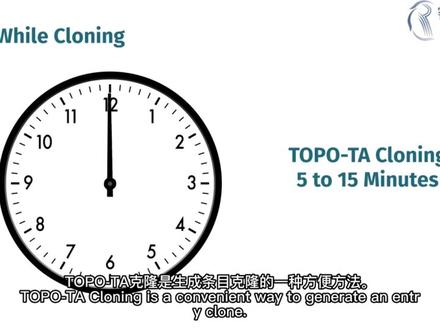 04:53查看AI文稿AI文稿
welcome to our video on gateway cloning the two step cloning system trademarked by thermofisher scientific this video covers five tips to improve your success using the gateway cloning technique, a general advantage of gateway cloneing is its high throughput and relative speed once your entry clones are built assembling them into different expression clones relies on the same reaction no matter which destination vectors you are using tip one buy it you can save time by sourcing your input sequences from one of many well characterized collections several libraries offer thousands of sequence barified cd and a clones that you can use most of these open reading frame clones or orps arrive in an entry clone that contains at l one and at l two sites for easy transfer to the destination vectors of your choice tip two when you need to make your own entry clone you snap gene to design at b primers and verify your gateway cloned strategy snapped jean will automatically design at b primers for pcr and transfer of an insert into a donor vector if required snapped jean can also simulate addition of at b sites by adapter primer researchers frequently use gateway cloning to build constructs for expression in vivo or in vitro use snapchat to validate your cloning strategy and confirm correct placement and alignment of a gene in a destination vector pay attention to quantities molar ratios are essential for successful gateway reactions purchased gateway donor vectors are provided at one hundred and fifty nanograms per microliter equivalent to roughly fifty femtomoles per microliter the recommended molar ratio is one to one the product literature provides a valuable equation for mass to molarity conversion, but there are plenty of biocalculators on the web molar ratios for lr reactions to build expression clones depend on the number of elements in the lr reaction to move one fragment into a destination vector use a one to one molar ratio to perform a multi site gateway lr reaction the ratios vary consult the manual to verify the ratio required for your multi site gateway reaction tip four pay attention to the time one of the many conveniences of the gateway reactions is that they are robust at room temperature while not officially a gateway enzyme topotier cloning is a convenient way to generate an entry clone topotiercloning takes the least time you can get plenty of colonies after five to fifteen minutes of incubation however, exceptionally long inserts may require as long as an hour one hour is recommended for bp cloneace incubation however, if you are getting poor yields consider extending the time lr cloneace takes longer particularly if you are performing multi site gateway cloning you can allow these reactions to incubate overnight to improve cloning efficiency another handy tip is to mid minimize the post heat shock incubation after your lr reaction since ampusilin is a bacterio static antibiotic cells do not need maximal expression to survive selection against the ccd jeans is so strong that any disruptions in these jeans allows growth even if lr recombination has not occurred resulting in undesired background colonies reducing post heatshot growth seems to reduce the frequency of these background colonies tip five combine your bp and lr reactions when cloning a pcr product for gateway expression you can save time and money if you skip the transformation and isolation steps after your bp clone ace reaction to create your entry clone instead combine your acb modified pcr product with p donor and your chosen expression vector and incorporate both bp clone ace and lr clone ace then select for ampacil and resistance to identify lr cloneace recombinance however, if you plan on testing your gene and more than one destination vector it might be better to create and sequence verify your entry clone this will guarantee that related experiments are based on the same molecular clone to learn more about molecular cloning visit snapchain com。
 03:51查看AI文稿AI文稿
in this video i will show you how to simulate gateway cloning with multiple inserts in snapping check out our other tutorial to learn how to simulate gateway cloning with a single insert to profound gateway cloning with multiple inserts go to actions and gateway cloning snappg and can simulate the bp and lr reactions with up to four fragments for this example, i will select the three fragments option begin by uploading your first app b fragment file if it is not already open to do this use the drop down menu to the right next select the sequence of interest by choosing a feature on the mat view or switch into the sequence view to choose a specific sequence then switch to the next atb fragment slot by pressing the number two button as before upload your file and select your desired feature our sequence finally repeat the process for any remaining fragment slots if you have them as before upward the file and select the sequence with the art b fragments now defined switch to the donof actors tab for each at b fragment you need to specify a suitable donor vector you can use the drop down menu to select a custom donor vector file if you have one alternatively it choose from snappgine's list of commercially available donor vectors snapjame will automatically highlight the most suitable donor vector for that specific at be fragment in the list in this case snapjeam recommends the p donor to two one p one to p four vector for fragment one to confirm this selection click on the file name in the list now switch to the second donor vector slot and select a suitable donor vector again and if you have any remaining donor vector slots be sure to repeat the same process with all donor vector slotted switch to the destination vector tab for the destination vector you can use a custom file by using the drop down menu or you can select an option from the list of standard vectors underneath with all the sequences now specified for the gateway corning reaction switch to the expression corn tab and select choose at bpcr primers to set the atb primer settings the new window set the orientation of each insert and the desired target melting temperature for the pcr primers once you are happy with the settings click choose primers to design primers to add appropriate upbysites to the ends of each pcr product you can preview the final products in the expression clone tab switch to sequence view to assess diffusion boundaries and at b primer sequences additionally the schematic presents an overview of the sites on each fragment at the bottom under the entry clones tab you can also preview the individual entry clones you can use the numbered buttons to toggle between the clones and if you'd like to create a new file for an entry clone tick this option here finally to create the expression clone file give it a suit to or name in the dialog bucks and click clone you can switch to primer's view in the new product file to see all the at b primus equences i'll go to history view to see the steps performed in your gateway cloning simulation for more snap jean tutorials visit snap jean com。


