今天我们给大家分享一下有线源仿真的一个通用流程,大家看一下我这里边给大家写的一个流程过程, 我们来看一下这个设置在 sos 当中如何进行操作,前处理当中的工况,假设我们这里边用的是这个净力学分析,然后呢还有一个是这个模型处理,我们是将钢架上的圆角以及他干射区域呢,我们全部都调整完了。前处理的第三个就是材料定义,那么在我们这里边我们用的是 q 二三五 b 四个呢网格划分,那我们来生成一下网格,首先我们这里边先将网格的类型我们进行一个指定,我们全部都选为实体单元, 然后在我们下边网格处右击,我们生成一个网格,然后网格参数下边呢我们选择标准网格,大小呢我们调到三十毫米,点击确定得到单元之后,那我们进入到第二个大步求解当中,求解里面我们先设置他的编辑 约束,在家具位置施加一个固定结合体,我们将下边的十六个通孔进行固定,随后我们在这个连接部分右击,我们施加一个本地交互,本地交互当中我们选择虚拟币,将下边底部的四个面我们做一个虚拟币的接触, 这四个面和我们事先设定好的基准面做一个虚拟币,然后下方呢我们设定成这个刚性的币类型,然后呢零点一的摩擦系数,那求解当中的第一个小步就完成。接下来是接触设置,接触设置这里边呢所有的实体我们全部统一都是这个 绑定的方式,那这个我们就不用去设置,然后第三个载和设定,我们施加一个引力,然后呢再施加一个外力,外力呢施加在我们上边的这个吊环的位置,终点设定完成,然后我们选择选定的方向,方向呢沿着这条边竖直向下, 大小呢两吨,那就是一万九千六百牛。方式呢按照总数的方式施加,那求解里边的外部载号设置完成,在顶部算力属性位置,我们看一下算力当中的一个求解设置,这里边呢我们采用自动的解算器啊,其他保持默认,那直接这地方右击提交求解就可以了, 调节完成之后,我们就进入到后处理当中,那这是定义结果,结果呢一般我们会看应力变形以及他的安全系数,那么我们应力呢,主要看这样的一个应力图,他分布是否均匀,那位移的话呢,我们就看一下他的这个位移趋势以及位移量是多少。应力这里边呢最大是三十九兆帕,那么变形量呢? 最大呢是二点六七毫米。那我们在结果选项处右击,我们定一个安全系数图解,我们看到这里边的最小安全系数是六,那这个结构呢是能够承受这两吨的重量的,那最后呢就是一个报告的编写问题。好,那这样的一个流程性的东西呢,我们就给大家分享到这。

粉丝8.6万获赞31.9万
相关视频
 01:12查看AI文稿AI文稿
大家好,今天介绍如何导入材料数据库到 workbench。 现在已经打开 workbench 软件了,也是两种方法导入材料数据库。第一种方法,点击菜单栏 file import, 找到材料数据库所在的文件目录,打开对应文件即可导入。这种方法导入的材料数据库只能在当前的项目中使用,如果本次项目关闭,另外新建项目输出,就找不到该材料数据库。 第二种方法,不仅可以把材料数据库添加到 work bench 内,并且在其他的项目中也可以使用。按住左侧栏 engineering atta, 拖到工作界面内,在双击 engineering at, 在双击 engineering at us office, 在这里点击 三点符号,找到材料数据库,打开这种方式是将导入的材料数据库定位等于为常用材料数据库, 因此在以后其他的分析项目中也可以使用,比较方便,所以推荐使用第二种方法导入材料数据库。好了,本次分享到此结束,感谢观看!
281亿道电子 03:16查看AI文稿AI文稿
here's a quick video to show you how to do a transient dynamic analysis in some solid okay i have this assembly of a grapple trailer, boom arm and i want to analyze it dynamically so here's the original model here's my model someone simplified turned off the wheels, etc and what i have already done is i've calculated the first hundred modes and i've done a static analysis so here are my modes we can look at those and you can see i can sort through them and animate them or i can look at the moto participation factors this is a very convenient way to you know scan through your modes you can look at them by the dispatient factors effective mass or cumulative mass and you can pick any column and sorted so you can really quickly see you know which mows contribute the most and if you pick on the row, it'll actually go and animate that that value so very easy to look through your modes okay let's do a dynamic analysis though so here is our static load i have constrained the base and i pulled down on the boom on the grapple let's look at this dynamically so the way i would do that is i'd come up here i'd create a transit dynamic analysis now when i create the analysis i have to pick which modes i want to link to and by the since i only have one it'll default to that i specify the time period and seconds i want to for my time span and they also pick the damping i can have really damping nor model damping, so i've had two percent model damping in place right now okay the next thing i have to do is i have to create a driving function so i can pick it here and the function can be done in number ways i can just inner x y data values i can read it in from a csv file or i can use a bunch of standard functions so what i'm gonna do is use this standard function and you can see we have rectangular pulses triangular pulses half signs harmonics i'm gonna do a rectangular pulse and i'm just gonna hit it for the first start at time zero for a duration of zero point one seconds i'll have a nice rectangular pulse and then i'll release it okay so i'll do that so there's that now we have to make a load and i will take the same place here that i did on my static i'll load that and this allowed it in z minus 5 thousand newtons that's exactly the same as my static load okay, now i just need to analyze that so i can i to do that just pick here and say analyze the dimex analysis since all it's pretty quick this should take oh about 30 seconds to do and then we will look at the results okay, all time let's look at the results i can go in plot any contour let's look at this displacement and z and by the fall it shows the peak load value i can also scan through the time steps so i can drag through like this i could just animate it and animate through my whole time duration or probably a little bit better i can just plot any value so i can pick a plot value like there and plot it plot the time history there's a time history and i can aquarium my plots this way and look at the different values zoom up etc okay, hopefully it gives you a quick idea how you can do transit dynamics and sim solid thanks for watching。
21技术邻CAE学院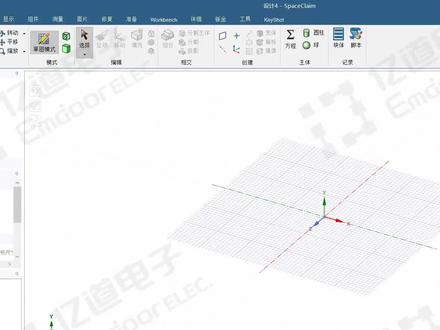 01:20查看AI文稿AI文稿
大家好,今天介绍如何在 spaceclaim 中创建几何模型。首先点击菜单栏文件 spaceclaim 选项,在单位选项选择长度,单位为毫米,选择平面正视图,点击草图, 比如绘制一个矩形,标注尺寸,比如长度两百毫米,回车完成,再设置右边与轴对称的距离是一百毫米,宽度也设成一百毫米, 设置底边与轴对称的距离是 50 毫米。下一步在两边画两个圆,点击剪裁工具,把多余线条给他裁剪掉, 再换两个小圆放在两端,标注尺寸为直径五十毫米,点击结束草图绘制。然后通过拉伸命令拉伸成实体,按住空 格可以修改拉伸长度,比如拉伸五十毫米。我们还可以返回草图模式继续绘制草图,比如在顶面再绘制一个矩形,设置长度宽度都是五十毫米,再设置成轴对称,结束草图绘制。点击拉伸, 向上拉伸是形成一个托台,向下拉伸是切除。使用 spaceclaim 创建己和模型的简单操作就讲解到这里,感谢观看!
399亿道电子 01:10查看AI文稿AI文稿
大家好,今天介绍 nc's workbench 如何导入外部网格模型。首先选中 exte ernal model 模块,拖到 workbench 中,然后再 set up 里点击编辑,选择要导入的外部模型,比如导入这个 test b d f nastran 格式的文件 模型选号之后我们就可以把它关掉了,然后用我们的这个 mechanico 软件可以打开,我们拖入一个 static structural 模块,把这个 external model 模块更新一下,再把这个外部模型网格拖到我们的 model 里面来。 再 update 一下 static structural 的模型,现在外部模型已经导入到我们 static structural 这个模块里面了,现在显示的这种状态就是模型已经导入成功了。 双击 static structural 模块,查看一下这个外部网络模型,可以看到这个外部网络模型已经导入成功了,我们就可以用这个外部网络模型 进行一些结构的强度或者其他的方面的分析。好了,本次分享到此结束,感谢观看。
173亿道电子


